KSeF invoice visualisation: what it is and what it must show
A KSeF invoice visualisation is the readable form of a structured invoice, not a second document. When you may generate one, what has to match the XML file, and what the QR code on it does.
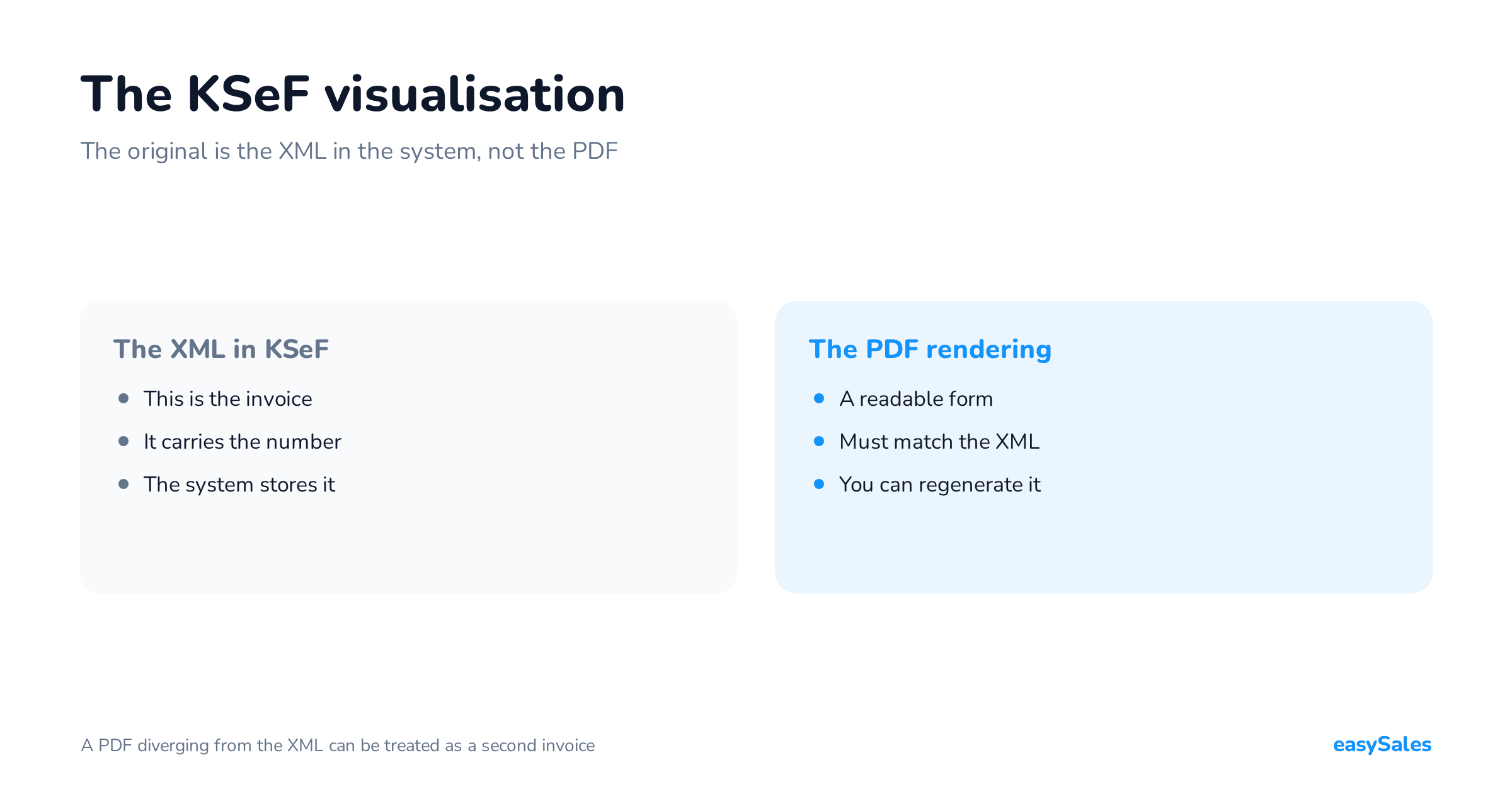
A KSeF invoice visualisation is the readable form of a structured invoice — a PDF or a printout generated from the XML file that went into the system.
It is not a separate document. It is a picture of what already sits in KSeF.
This article covers when you may generate a visualisation, what has to match the XML file, what the QR code on it is for, and where the most widely discussed risk lies — the PDF being treated as a second invoice.
What a KSeF invoice visualisation is
A structured invoice exists as an XML file in KSeF. The visualisation is derived from it — that is the word the Ministry of Finance uses in the KSeF 2.0 Manual.
Software takes the data from the file and lays it out on a page. Nothing new is created in the process.
The Ministry imposed no single template. The manual says plainly that software vendors may build their own visualisations, adapted to their customers' needs. Two invoices carrying the same XML content can therefore look different.
The questions and answers on the KSeF site put it more briefly: a visualisation does not have to look like the Ministry's template, but it must reflect the data in the system in substance.

Visualisation versus structured invoice — which one is the original
The original is the XML file in KSeF. The Ministry states it in one sentence: in formal terms, the document is the invoice's XML format. The visualisation serves an auxiliary function.
That distinction has practical consequences. The invoice does not disappear with the PDF — it is available in the system regardless of what sits on your drive. A buyer with a NIP number receives it in KSeF.
The Ministry adds a condition, though. An invoice used outside KSeF can be an accounting document provided it carries a QR code with the KSeF number, which lets its data be verified against the source.
What a structured invoice actually is, and how the FA(3) schema is built, is covered in a separate article. The KSeF number and the UPO have their own.
When you may generate a visualisation, and when not yet
A useful visualisation appears after the KSeF number is assigned. Only then is there something to print under the QR code, and only then does the invoice the code points to exist in the system.
The manual describes two situations. If the invoice already has a KSeF number, the seller may additionally hand the buyer a printout or a PDF — remembering the QR code marked with the KSeF number.
If the number is not there yet, the document the seller may hand over is a transaction confirmation. The Ministry writes on its page that a transaction confirmation, given the scope of its elements, is not an invoice.
The transaction confirmation is voluntary and follows from neither the act nor the regulation. It was built for brick-and-mortar shops and for situations where the customer stands at the till and the KSeF number has not come back.

Invoices issued in the offline modes carry a different arrangement of codes — two until they reach the system, and one once the number is assigned.
What a visualisation must carry to match the XML
The manual sets three conditions, and all three concern the relationship to the XML file rather than the document's graphic layout.
The manual's three conditions
- Consistency with the content of the XML file sent to KSeF.
- Legibility — a suitable, logical layout of the data in the visualisation.
- No contradiction between the content of the file the system accepted and the content of the visualisation.
The third condition is the easiest one to break by accident. All it takes is a PDF built from a different set of data than the file that went to the system.
What not to keep on the visualisation alone
The Ministry discourages one practice explicitly: sending KSeF a file with the minimum required data while putting every additional detail on the visualisation only.
It names payment terms and methods, the bank account number, and extra information about the subject of the transaction.
The reason is practical. A buyer saving the invoice from KSeF into their own system will not see data the file does not carry.
And the FA(3) schema has room for it: the DodatkowyOpis and StopkaFaktury fields, plus the Platnosc, Rozliczenie and WarunkiTransakcji elements.
What may be added beyond the file's data
The manual allows data that carries no meaning for the system — a company logo, or a customer-service contact. A visualisation may also be in another language, provided that in translation it corresponds to the content of the XML file.
There is one more exception, about annotations. The schema forces a declaration of whether an annotation such as cash accounting applies. If it does not, the visualisation does not have to say so.

The risk of the PDF being treated as a second invoice
This question has produced more writing than any other aspect of visualisations, and it is a legal one rather than technical. Below are two published positions, both from Prawo.pl, both attributed.
Where the risk sits
Rafał Styczyński, a tax adviser, describes the case where a visualisation carries every material invoice detail but differs from the XML file.
He points to art. 108 sec. 1 of the VAT Act as the provision that may then come into play.
His conclusion is short: the visualisation should serve an auxiliary function only, and the two documents should carry no discrepancies capable of misleading the recipient.
The position from the other side
Marcin Szymankiewicz, a tax adviser, in another Prawo.pl article, cites the Ministry's position and an individual tax ruling by the Director of the KIS.
On that reading, a visualisation bearing a QR code and the KSeF number is not a separate invoice but a presentation of the data from the XML file.
Both texts converge on one point. The risk grows not because a PDF exists, but because it differs from the file in the system, or circulates with no link back to it.
What that changes in practice
The practical conclusion is about the process, not the document. If the PDF is built from the same set of data that went to KSeF, and carries the number and the code, a discrepancy has nowhere to come from.

The most common source of a discrepancy is two independent places where the document is born: the XML file from the accounting software, and a PDF assembled by hand or from a spreadsheet.
Nobody is then watching whether the amounts and line items agree.
No article settles how this looks in your own documents. That is a question for your accountant, with a specific PDF and a specific XML file on the desk.
The QR code on a visualisation — what it holds and what it proves
The QR code on a visualisation is the graphic form of a link to the invoice in KSeF. It is not a picture of the invoice, nor a readable digest of it — it leads to the system.
What the code holds
On its page about verification codes the Ministry lists four components, identical regardless of issuing mode: the interface software resource address, the issue date from field P_1, the seller's NIP, and the invoice distinguisher.
The distinguisher, commonly called the invoice digest, is a 256-bit cryptographic hash of the XML file from the SHA-2 family. It is what ties the code to one specific document content.

Two-stage access
Scanning the code shows the basic data: the KSeF number, the seller's NIP, the issue date, the document digest, the schema type and the date the invoice was received. No sign-in is needed for that.
Downloading the whole invoice takes a second step — supplying the invoice number from field P_2, the buyer's tax identifier or a statement that there is none, and the total amount due from field P_15.
A phone is enough to read it. The Ministry answers that question directly: no extra code readers are required.
An online invoice passed outside the system carries one code, with the KSeF number beneath it. Two codes, marked OFFLINE and CERTYFIKAT, belong to the offline modes and are covered in the offline24 article.
How to get the visualisation to the buyer
The channel depends on who the buyer is. On its verification-codes page the Ministry lists the cases in which an invoice issued in KSeF is passed to the buyer in a manner agreed with them, outside the system.
That list includes, among others: a buyer with no seat in Poland, a taxable person from another EU country using the SME scheme, an entity that does not use a NIP number, and a natural person not conducting business activity.
A buyer with a Polish NIP receives the invoice in KSeF. The visualisation can be handed over on top of that — the manual uses the word "may" — with a QR code and the KSeF number marked on the document.

Why buyers still ask for a PDF
A foreign recipient has, by definition, no Polish NIP and cannot sign in to the system. A consumer cannot authenticate either. For both of them a printout or a PDF is the only readable form of the document.
There is a second route, though. The manual describes handing a consumer only the QR code together with the access data, with no printout. After scanning it and entering that data they can download the invoice without signing in.
Visualisations in marketplace selling
Selling on Allegro, Empik, Erli or OLX means mostly consumer transactions. On its page for consumers and natural persons the Ministry writes that issuing B2C invoices in KSeF is voluntary.
Market practice runs on its own logic. The buyer expects a document — in the parcel, in an e-mail, or to download from the order panel. That document is the visualisation.
What breaks at volume
At several hundred orders a month the problem is not what the PDF looks like. It is that the PDF and the XML file are produced in two different places, and nobody compares the two documents.
The second trap is data that exists on the visualisation only. The marketplace order number, delivery terms, notes on the parcel — if they matter to the invoice's content, the FA(3) schema has fields for them.
The third is the QR code. If the PDF comes out of a converter that does not know the KSeF number, you get a picture of the invoice without the marking the Ministry writes about for invoices passed outside the system.
Four things to check on your own visualisation
- The KSeF number visible on the document.
- A QR code that leads to that specific invoice in the system.
- Amounts and line items identical to the XML file.
- Additional data in the schema, not on the PDF alone.
What to visualise with: the Ministry's app, accounting software, an XML-to-PDF converter
There are three routes, and they differ not in how the document looks but in whether it comes out carrying the code and the number.

The Ministry's free tools
The Aplikacja Podatnika KSeF 2.0 lets you search for an invoice, visualise it and print it — including when your accounting software is not integrated. It handles QR codes. There is also the KSeF mobile app.
The Ministry answers the cost question directly: paid software is not required in order to issue invoices in KSeF.
Accounting software and converters
The program in which the invoice is created knows its KSeF number and the data for the code. The manual says that marking with a code should happen every single time the invoice is visualised in commercial software.
An XML-to-PDF converter does something narrower: it draws the file. It is useful for checking exactly what went to the system, but on its own it does not know which KSeF number came back.
For a template of your own, the Ministry published an FA(3) transform — a file that helps in the process of building a visualisation from the XML data.
KSeF invoice visualisations in multichannel selling
When you sell across several marketplaces, the visualisation is the last link in a longer chain: the order, the invoice in accounting software, the send to KSeF, the number, and only then the PDF for the buyer.
In easySales, marketplace orders reach the accounting software and invoices go to KSeF over a separate connection.
The visualisation is generated by the program where the invoice was created, because only that program knows the number and the data for the code.
What to check with your accountant
Three questions are worth asking with specific documents on the desk rather than in the abstract.
- Whether our visualisation matches the content of the XML file that goes to KSeF.
- Which data we add on the PDF only, and whether it belongs in the schema instead.
- How we document handing the invoice to buyers who do not collect it in the system.
The scope of the obligations, the deadlines and how they apply to your company are settled by your accounting office or tax adviser. This article describes procedures published by the Polish Ministry of Finance and two positions from the legal press.