Structured invoices in Poland: what a faktura ustrukturyzowana is and how to issue one
What a Polish structured invoice is, what the FA(3) schema contains, when it became mandatory and how to issue one — with field examples and data from 1,190 failed KSeF submissions.
A structured invoice — faktura ustrukturyzowana — is an invoice issued through Poland's National e-Invoicing System (KSeF), in XML conforming to the FA logical structure, together with the KSeF number assigned to it. That number is part of the definition: without it, the document is not yet a structured invoice.
The distinction sounds like a formality and is the source of most confusion about KSeF. Below we open the document up: what it looks like, what it contains field by field, when it became mandatory and how to issue one.
At the end we add something the guides do not have: the distribution of 1,190 failed submissions to KSeF from our own production environment, and what triggers them.

What a structured invoice is
A definition in which the number is part of the document
The Polish VAT Act defines a structured invoice as one issued using KSeF together with the number identifying it in that system.
That is worth reading twice. A document becomes a structured invoice only once the system assigns it a number.
An XML file sitting on a disk or waiting in a send queue is not one yet. It is a correctly prepared document, but without a number it stays a draft.
Sending and acceptance are two different moments. After submission the document may still be processing, and only the final status settles the outcome. The KSeF number and the UPO receipt appear solely after successful validation.
The practical consequence is simple: a status of "sent" means nothing on its own. If your panel shows invoices sent days ago with no numbers, those are not documents in flight.
How it differs from a PDF e-invoice
A PDF invoice is electronic too. The difference is not the medium.
A PDF is a picture of a document, read by a person. A structured invoice is a set of fields with defined types and permitted value ranges, read by a machine.
Everything else follows from that: who assigns the number, what counts as the date of issue, where the document lives and what can stop it.

The last row of that table matters most. A PDF will always send, however much nonsense it carries.
A structured invoice passes schema validation before anyone looks at its commercial content. A document can be flawless in accounting terms and still be technically unacceptable.
The invoice and its visualisation
A visualisation is a preview — a PDF or printout produced from the XML file. It is often mistaken for the invoice, and it is not one.
You can lay a visualisation out however you like, add a logo, reorder the blocks. The invoice stored in KSeF does not change.
A buyer who receives a visualisation outside the system needs a way to check that it matches the document in KSeF. That is what the QR verification code is for.

What a structured invoice looks like
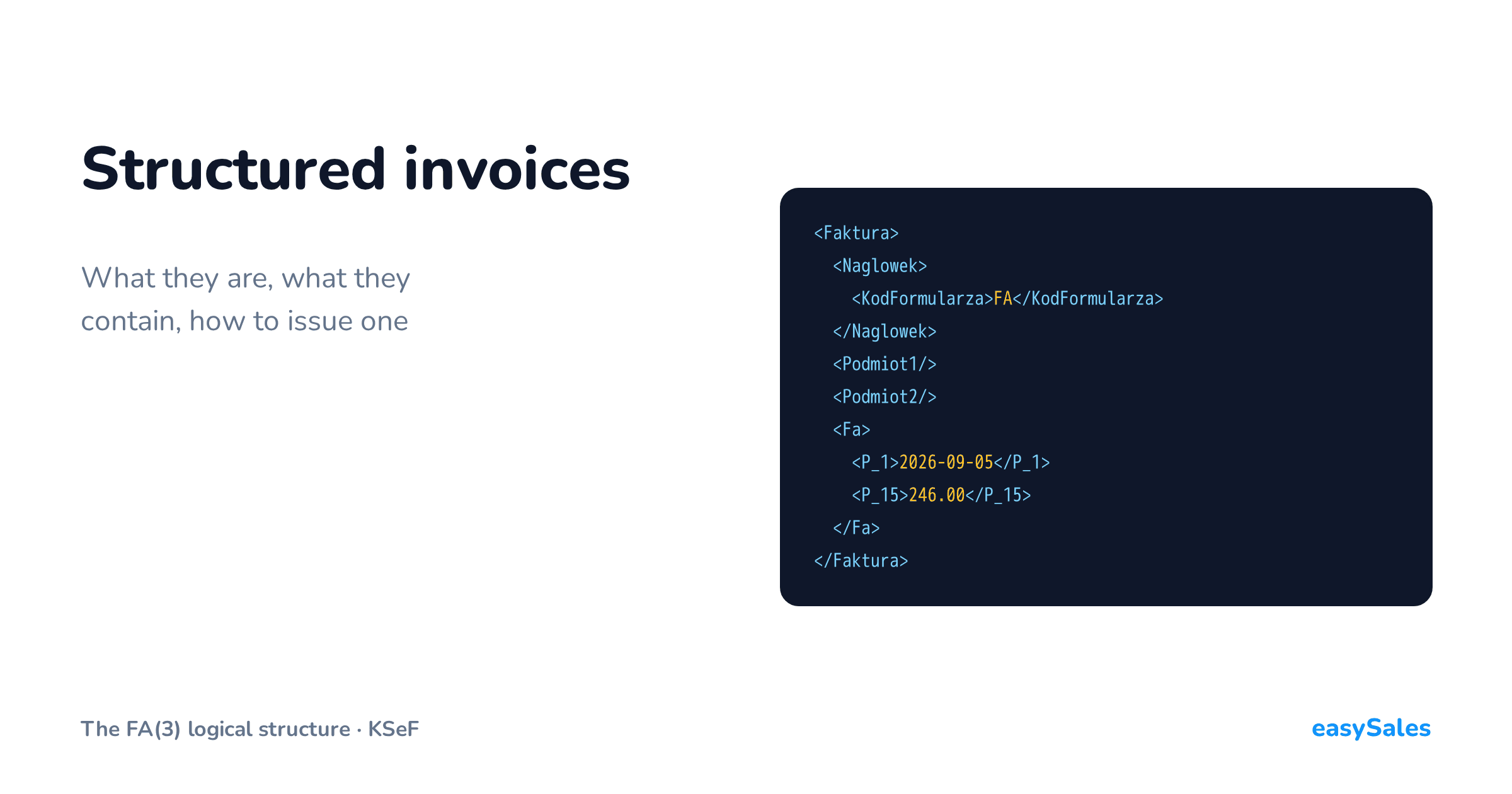
The shortest answer: it looks like a text file in XML. There is no layout, no margins and nowhere to sign.
Below is the skeleton of a whole document, with the lines and party details stripped out so the construction is visible.

The elements have Polish names because that is the template the Ministry of Finance published. The namespace on the first line points at a specific version of it.
Since 1 February 2026 only the FA(3) structure is accepted. That applies to corrections of documents originally issued under FA(2) or FA(1) as well.
In short
A structured invoice is an XML file built from seven blocks: a header, the data of up to three parties, the invoice section itself, a footer and an optional attachment. KSeF assigns it a number after validation.
What a structured invoice contains
The seven blocks of the FA(3) structure
The structure divides the document into blocks. Each carries a different kind of information and each has its own rules.

Attachments are new in FA(3). Using them requires notifying the tax office of the intention beforehand.
In marketplace selling, essentially every problem arises in two blocks: the buyer's data and the invoice lines. Both are filled automatically from the order.
The invoice header fields
The Fa section opens with fields that are plain text on a printed invoice and here have names and types.

The P_1 field deserves separate attention. It decides which mode the invoice is treated as issued in.
If the file reaches KSeF the same day, the date of issue is the day of submission. If later, the document counts as issued in offline24 mode and the date of issue becomes the P_1 value.
Lines: the FaWiersz element
Each line of a sale is one FaWiersz element, repeated as many times as the invoice has rows.

Note the last field. P_12 carries the tax rate, and it is one of the few places where the schema accepts only a closed list of values.
In our data that single field accounts for 72% of all failed submissions. We come back to it in the final section.
Buyer data: four variants
The Podmiot2 block describes the buyer. It looks different depending on who that buyer is.

Four variants, one block. A Polish business gives its NIP; an EU taxpayer gives a country code and EU VAT number; a buyer outside the Union gives a country code and their own identifier.
The fourth variant is the commonest in marketplace selling and the least obvious. When the buyer has no number, the document carries the BrakID element.
A missing tax id is not a reason for rejection. KSeF accepts and registers an invoice to a private individual. The problem starts when something that is not a Polish NIP goes into the NIP field — a Czech IČO, say, or the prefix "NIP:" sent along with the digits.
Adnotacje: declarations that default to no
The Adnotacje block is present on every invoice, including those that declare nothing special.
Its fields then carry negative values: not cash accounting, not self-billing, not reverse charge.

The defaults describe ordinary domestic sales. Every departure — split payment, the margin scheme, reverse charge — has to be set deliberately.
When structured invoices became mandatory
Two thresholds rather than one date
KSeF has been available voluntarily since 1 January 2022. The obligation arrived much later, and in two stages.

From 1 February 2026 it covered businesses whose sales including tax exceeded PLN 200 million in 2024.
From 1 April 2026 it covered everyone else. The basis is the Act of 5 August 2025, which introduced the phased dates.
What can still be issued outside KSeF
Alongside the phasing, the legislature introduced several simplifications. Most of them run until the end of 2026.

Separately, and with no end date, one more rule applies. Invoices to private individuals not carrying on a business may be issued in KSeF voluntarily.
The choice belongs to the issuer. For a marketplace seller this is one of the more important facts in the whole subject — we return to it below.
Receiving invoices through KSeF has been mandatory for everyone since 1 February 2026. The phasing applied only to issuing. A company that started issuing in April still had to be collecting its purchase invoices from the system two months earlier.
Who has to issue structured invoices
Who is covered
KSeF is used by taxpayers — sole traders, companies, VAT groups and local government units.
It can also be used by parties they nominate, an accounting firm for instance, and by enforcement authorities and court bailiffs.
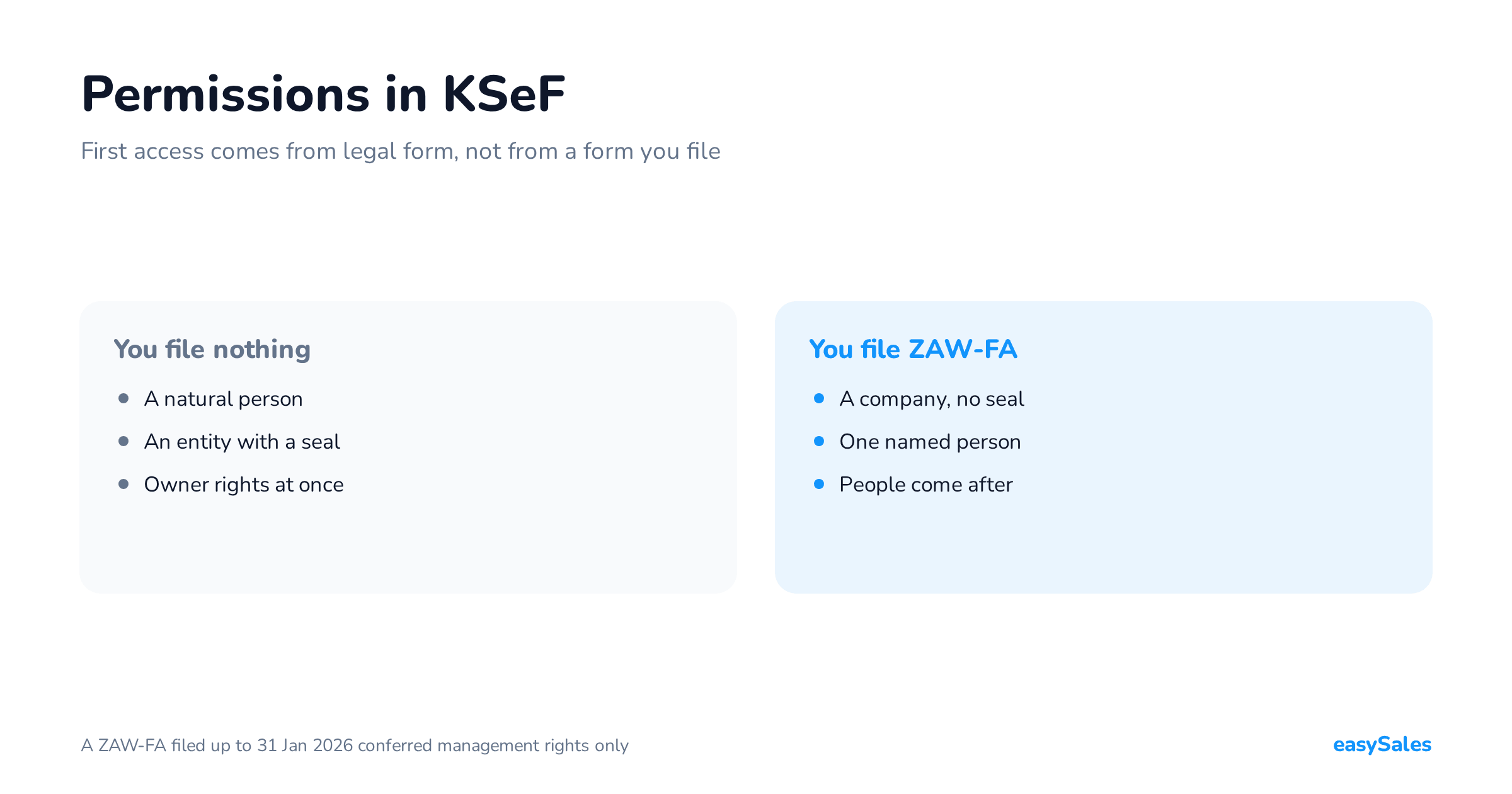
Rights are granted inside the system or notified on the ZAW-FA form. Everyone who uses KSeF has to authenticate to it.
Who is excluded
Exclusions fall into three groups. The first follows from the status of the parties, the second from a special VAT procedure, the third from the implementing regulation.

The second group matters most for cross-border selling. Invoices issued under the non-Union OSS procedure, the IOSS import procedure or the SME scheme are not issued in KSeF.
More than that: in those cases they cannot be issued there even voluntarily.
Set that against the error distribution at the end of this article. Our commonest cause of failed submissions is a foreign VAT rate in a document sent to a Polish-only schema. Some of those documents should never have entered the send queue at all.
Which ones exactly depends on the procedure a given sale is settled under. That is a question for your accountant, not for the system.
How to issue a structured invoice
Two routes, not one
Using KSeF requires authentication. It can be done by the taxpayer, or by a person or entity they nominate.
What you can authenticate with
- A trusted profile signature (Podpis Zaufany).
- A qualified electronic signature or qualified electronic seal.
- A KSeF certificate — available since 1 February 2026, requested through the KSeF 2.0 API or the Taxpayer Application.
The certificate is more than a login method. Without it you cannot mark an invoice with the code confirming the issuer's identity, and that code is required when issuing in offline24, offline and outage modes.
The Ministry of Finance publishes free tools. The second route is accounting software integrated with the KSeF API.

The choice is not a matter of taste but of document volume and where the data comes from.
At a few invoices a month the ministry's application is enough. In marketplace selling the invoice count grows with orders, and the data is typed by the buyer rather than the seller.
The Taxpayer Application does not handle PEF invoices. The PEF structure, used in public procurement, was integrated with KSeF on 1 February 2026, but sending those documents is possible only through software integrated with the KSeF 2.0 API.
What happens after you press send
Sending is not a single request. It is a session in which the document is passed over, and the verdict has to be collected separately.

A session is opened first. The document travels inside it, and then the system has to be polled for the result.
The token used for the connection needs both the right to issue invoices and the right to read status. A token with only the issuing right looks correct when saved and stops working at exactly the moment the verdict is needed.
The KSeF number and the UPO
After successful validation the system assigns the document a number and issues an official acknowledgement of receipt, the UPO.

The number is thirty-five characters and carries the seller's tax id and the acceptance date inside it, so it can be read without querying the system.
The invoice counts as received on the day that number is assigned. That is the date the buyer's deadlines run from.
The four modes of issuing
Not every invoice reaches KSeF at the moment it is issued. The Act provides an online mode and three variants of offline.

The difference between them comes down to one thing: which date is the date of issue.
Online, it is the day the file reaches the system. In every offline mode it is the date the issuer put in P_1.
A document issued offline still has to reach KSeF, only later, within the statutory window.
How to issue a correcting invoice
A correction in KSeF is not an annotation on an existing document. It is a separate invoice that points at the original.

The reference works two ways at once: by the number the issuer gave the original, and by the original's KSeF number. The second is what the system uses to link the two.
If the original has no KSeF number — because it predates the obligation, or was issued outside the system — a marker of its absence is sent instead of those fields.
Since 1 February 2026 corrections are issued in the FA(3) structure even when the original was issued under FA(2) or FA(1).
When the invoice has to be handed to the buyer
As a rule an invoice is both issued and received inside KSeF. The buyer collects it there and nothing needs sending.
The Act lists situations where the buyer cannot do that. Then the invoice has to be passed to them in a manner agreed between the parties.

The QR verification code
An invoice handed over outside the system must carry a verification code. The code gives the buyer access to the document in KSeF and lets them check its data.
The duty covers any other use of the invoice outside KSeF too, not only passing it to the buyer.
For a marketplace seller that makes the QR code the rule rather than the exception. Most of their buyers are consumers.
What to give the buyer before the number exists
Sometimes the document has to go out before KSeF has assigned a number — typically when it travels in the parcel.
For that case there is a transaction confirmation: a document with two QR codes, stating that an invoice is going to be issued in KSeF.
A transaction confirmation is not an invoice. It is a business and technical document, and it does not replace the structured invoice.
Structured invoices for private individuals
This is the commonest question in retail selling and the easiest place to get it wrong.
Invoices to private individuals not carrying on a business may be issued in KSeF voluntarily. There is no obligation, and no prohibition either.

If you do issue them there, the document looks almost the same as one to a business. The difference is in the identification block: BrakID instead of a number.
A consumer will not collect the invoice from the system, so it has to be handed to them. And because it then travels outside KSeF, it needs a verification code.
Three things worth settling once
- Whether consumer invoices should go into KSeF at all — your decision, not an obligation.
- Whether the visualisation you give the buyer carries the QR verification code.
- Whether cross-border documents enter the same send queue as domestic ones.
What actually breaks: 1,190 failed submissions
So far we have described how the document is supposed to look. Now what happens to it when it is built automatically from an order.
We analysed 1,190 failed submissions to KSeF processed by easySales, alongside 6,132 accepted documents that received a number.
We write "failed submissions" rather than "rejected invoices" because they are not the same. Some are document validation errors; some are failures to open a session, where KSeF never saw the invoice content at all.
The distribution of causes

| Cause | Cases | Share |
|---|---|---|
| VAT rate outside the Polish list | 858 | 72.1% |
| Session could not be opened | 218 | 18.3% |
| The tax id field holds something else | 72 | 6.1% |
| Incomplete buyer identification | 15 | 1.3% |
| Contact field holding another kind of data | 8 | 0.7% |
| Invoice number reported as a duplicate | 5 | 0.4% |
| Issue date later than acceptance | 5 | 0.4% |
| Other | 9 | 0.8% |
| Total | 1,190 | 100% |
One thing stands out immediately. Almost none of these are accounting errors.
They are data errors. They arise because the invoice was built automatically from an order rather than filled in by a person who knows the customer.
VAT rate outside the Polish list
858 cases — nearly four times the next cause.
The FA schema accepts only rates applied in Poland in the tax rate field.

Where do rates of 19, 20, 21 or 27 come from on a Polish seller's invoice? From cross-border orders.
Selling on foreign platforms, or shipping to buyers in other EU countries, can bring the rate applicable there into the order. The invoicing system copies it onto the document.
What to do: work out which orders generate non-Polish rates, and do not send those invoices to KSeF through the same flow.
That is a decision about the scope of sending, not a way around validation. How a particular cross-border transaction should be treated is a question for your accountant; here we describe only what schema validation does.
Session could not be opened
218 cases. This is the only entry on the list that is not a rejected invoice.
If the session does not open, KSeF never sees the document. There is nothing to validate.
The usual cause is on the token rights side, described above. This error says nothing about the invoice content, and no amount of fixing data will clear it.
The other six patterns
114 cases between them, under 10%. All of them come down to the quality of the data arriving with the order.
- The tax id field holds something else (72) — the buyer types
NIP: 1234567890instead of the number alone, or gives a CzechIČOor SlovakDIČ. - Incomplete buyer identification (15) — the identification block requires a complete set, and it is already incomplete in the order itself.
- Contact field holding another kind of data (8) — a company name lands in the phone field. Invoice fields inherit exactly what arrived on the order.
- Duplicate number (5) — KSeF enforces number uniqueness and reports a collision with code
440. If the document it points at is the same invoice, its number and UPO are adopted automatically. - Issue date later than acceptance (5) — a document cannot be accepted backwards from the future. Usually post-dating, or a timezone difference.
- Other (9) — one-off situations: a malformed EU VAT number, no invoice to send, a request limit exceeded.
Rejection concerns the submission, not the issuing. An invoice stopped by validation still exists in the accounting software and still has its number. It does not need reissuing — the cause has to be removed and the same document resent.
The first question to ask about any failure
Before hunting for a cause in a particular document, check one thing. Is nothing going through, or only some of it.

That distinction saves more time than anything else here, because the two categories go to different people.
A session is a matter for whoever manages permissions. Validation is a matter for whoever owns order data. Sending the problem to the wrong one usually costs a day.
Where the fix lives
Diagnosis is half the work. Here is the other half: what actually fixes each case.

The practical conclusion probably matters more than the numbers. Most rejections need no work on documents at all — one decision about sending scope and two data-cleaning rules.
That is a few hours of work, after which this path stops needing attention. Not a running cost, which is how it looks in the first month.
Count submissions, not error entries. Every retry adds another entry against the same document.
Our 1,190 failed submissions carry over five thousand records between them — anyone counting records sees a picture four times worse than reality.
How to set this up step by step is covered in our guide: KSeF and structured invoices. If you want to see the connection itself, it is here: KSeF integration.
Methodology
The data covers invoice submissions to KSeF processed by easySales between 15 May and 4 September 2026, from the production environment.
We count submissions, not error messages. One failed submission may be retried and then records several messages, so counting messages would inflate the "session could not be opened" entry in particular.
Each submission is attributed to a single cause: the one it finally ended on. Submissions skipped because the invoice was already registered in KSeF, and documents still processing, are excluded.
Element and field names in this article come from the FA(3) logical structure and from the XML document easySales builds. Every value in the examples is synthetic.