The KSeF number: what it is, what it contains and where to find it
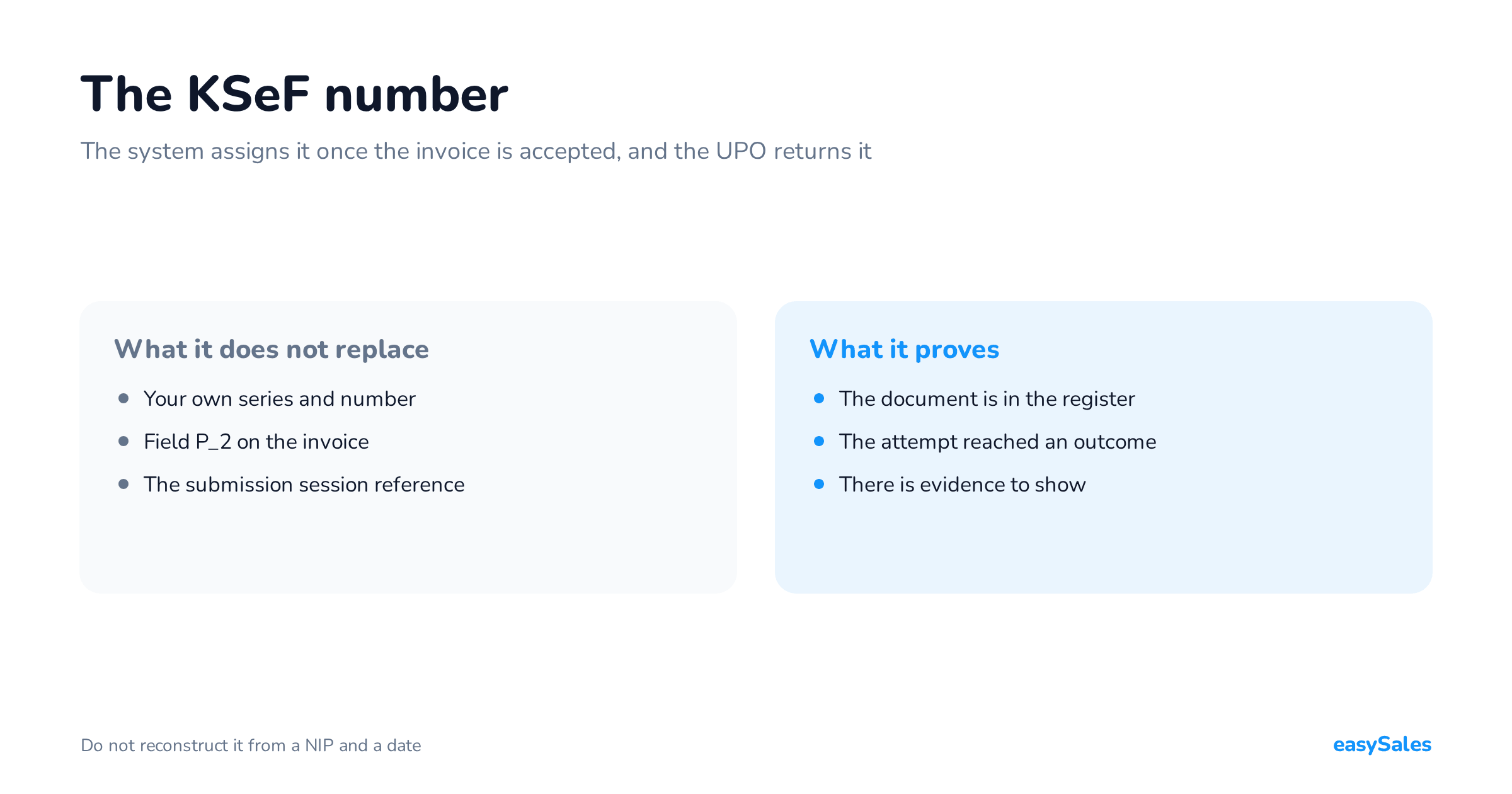
KSeF assigns the number once it accepts the invoice, and the UPO returns it. Where to find it, how it differs from your own invoice number, and what to do when there is no number.
The KSeF number is the unique number that identifies an invoice inside Poland's National e-Invoicing System. The system assigns it automatically once it accepts the document. The UPO returns it.
Your invoicing software does not assign it. Nor is it an element of the XML file of the very invoice you send.
That distinction answers the most common question in order handling: how do I know the invoice actually went through?
This guide covers where to find the KSeF number, how it differs from three other identifiers, what the UPO proves, and what to do when there is no number.
What the KSeF number is, and what it does not replace
The KSeF number identifies an invoice in the state register. It comes into existence only when the document is accepted, so its presence is the proof of acceptance.
Your own numbering carries on unchanged. The number the seller assigns is written into field P_2, and that is what identifies the document in your books.
The Ministry of Finance describes the two as two different numbers outright. The KSeF number is not part of the invoice itself.
In practice that yields one operational rule: keep both numbers together, on the order. A question from a customer or from accounting then takes seconds to settle.

A reference number is not a KSeF number
At submission the integration receives session and invoice reference numbers. They exist to trace one particular attempt, not to identify an accepted document.
If accounting asks for the KSeF number, sending a session reference does not answer the question. They are two different facts about two different stages.
The UPO is a document, not a number
The UPO — the official receipt confirmation — is a separate XML file. It confirms that KSeF received the invoice, and it carries the assigned number.
The number says the document is in the system. The UPO is how you prove it.
What is a KSeF number made of?
This needs care, because the answer circulating online belongs to a different identifier. The Ministry publishes a 35-character layout for the collective identifier, not for the KSeF number.
A collective identifier is an aggregating number. It is issued for at least two structured invoices from one seller.
It is created by declaring a list of KSeF numbers. Either the issuer or the recipient of the invoices can generate one.

Do not reconstruct a KSeF number yourself from a NIP and a date. Copy the full identifier the system returned — only that points at the right invoice.
What a collective identifier is for
It lets a payment title carry one number for many invoices being paid. It can also be decoded in both directions.
You can check which KSeF numbers a given identifier covers. You can also establish which collective identifiers a particular KSeF number ended up in.
Where to check a KSeF number
The number appears in the processing result and in the UPO. In practice you look in one of two places: your own system, or the taxpayer application.
In easySales
Open the order and go to its list of submissions. You will see the status, the attempt's references and — once accepted — the assigned KSeF number alongside the stored UPO.
Start from a specific document. One order can carry both an original invoice and a correction, so match the receipt to the document the customer is asking about.
The KSeF integration page covers the scope, and the guide to structured invoices gives the wider context.
In the KSeF taxpayer application
Once logged in under the right context, open the session history. Pick the session, go into the submission details and find the invoice.
The document shows its KSeF number and status, and its menu offers the UPO. A closed session also has a collective receipt. The taxpayer application instructions describe the path.
Verifying a number: a search, not a generator
The Ministry runs an anonymous invoice search. It checks a document whose number you already hold.
There is no KSeF number generator, and there cannot be one. The number is created on the system's side, so no tool can work it out in advance.
The search expects three values: the seller's NIP, the issue date and the invoice hash. Those same three values form the link stored in the QR code on the visualisation.
The KSeF number on the invoice and in a payment
Because the number is not part of the submitted XML, it only appears on the visualisation after acceptance. From then on the PDF handed over outside the system carries a QR code with that number.
Our integration assembles that link from the seller's NIP, the issue date and the invoice hash, then places it in the QR code on the PDF.
The number also returns in two places that are easy to forget at configuration time.
- In the invoice content — the FA(3) schema provides for quoting the advance invoice's KSeF number in the settling invoice, and the original invoice's number in a correction.
- In the JPK_VAT records — the new version of the structure provides for reporting the KSeF number in the records section, on both the sales and purchase sides.
The Ministry also publishes rules for quoting the KSeF number or a collective identifier in payment titles between active VAT payers. The deadlines and scope are in the Ministry's own material.
Whether a given obligation covers your sales is a question for your accountant. What we describe here is what validation does and what the system records.
When is an invoice actually issued?
In the online mode the issue date is the date of effective submission to KSeF, provided it matches the date in field P_1 and the document is accepted.
Clicking a button in your software is not evidence of that date. What counts is the moment registered on the system's side.
Downloading the UPO does not establish a new issue date. It is a separate event that only documents receipt.

What the offline24 mode changes
Under offline24 the issue date is the date written in P_1. The invoice is transmitted later, within the deadline described on the Ministry's offline24 page.
So when a number is missing, ask about the issuing mode first. An offline invoice may already be issued while it still waits for transmission and a number.
Five events hiding inside “the invoice is issued”
While handling an order it is easy to collapse several distinct moments into one. Controlling submissions needs a finer split.
Verification in KSeF is asynchronous. The system accepts the request first and establishes the outcome afterwards — so confirming that the file left does not end the process.

The split also helps when handing a case between teams. Instead of "the invoice is broken" you can say: we have the submission reference, but we do not yet know its result.
No KSeF number? Identify the situation
Three states look alike in the panel and call for three different actions. Telling them apart costs less than repairing the consequences of confusing them.

The result stays unresolved
It was sent, and no answer came back. Establish the outcome of the existing attempt using its references.
In easySales such a submission sits at Pending. After five checks with no final answer it moves to Failed.
That status does not mean KSeF rejected the document. It means our system stopped asking — which is an entirely different fact.
KSeF returned a specific rejection
Read the code and the description before changing anything. Depending on the message you will check the document structure, the dates, the identifiers or the permissions.
A rejected online attempt does not result in an invoice issued in KSeF. Once the cause is removed, a successful submission is still needed.
For a data error, fix the data on the invoice itself. A resend rebuilds the document from the stored invoice content, so a change made only on the order may never reach it.
The message reports a duplicate
Find the existing document first and compare it with the one being sent. Only that settles whether the earlier attempt succeeded or the numbering collided.
Our integration separates those two cases automatically. When the registered document turns out to be the same invoice, we adopt its original KSeF number and fetch its UPO.
When a different invoice sits under that number, the submission fails with an explicit note that the document was not registered. Simply changing the number to make the message go away would mask the cause.
Before you close a submission case
- Are you looking at the right document, including any correction?
- Do you know the processing result for this specific invoice?
- Is the KSeF number confirmed and tied to your own invoice number?
- Does the stored UPO contain this document?
- Can you tell
P_1, the submission date and the number-assignment date apart?
What the UPO proves, and what it does not
The UPO confirms that KSeF received the document. It is not a judgement on the correctness of the whole settlement.
The Ministry states plainly that the system does not verify the arithmetic on an invoice. A positive validation result therefore does not confirm tax correctness.
Keep two separate checks running: whether the document was accepted, and whether it describes the right sale, buyer and amounts.
When verifying a receipt, look first for the KSeF number and the invoice number, the seller's NIP, the date from P_1, the submission date and the sending mode.
Open the file and match the invoice number and seller before anything else. Only then check the dates — a file named "UPO" sitting in a folder is no assurance that it covers this document.
What our own data shows
Everything above describes how the process ought to look. Below is what we see in our own system.
Our integration only gives a submission its final status once the UPO has been stored. That is a design decision, not a side effect.

The three middle numbers are identical, and that is the whole point. Accepted, carrying a number and holding a stored receipt are exactly the same set of invoices here.
Which is why the "Success" status in our panel says more than the word suggests. It does not mean the file left — it means a number and a receipt came back.
The first accepted invoice dates from 15 May 2026. The numbers grow daily, so treat them as a snapshot rather than a constant.
Where to start on your own setup
Pick one invoice and reconstruct its whole path: from document, through submission, to number and receipt.
If you can do that in a few minutes, you have a process. If you cannot, you now know which event you are not recording.
Name one person accountable for submissions with no resolved outcome, too. A document with an unresolved status should not circulate between customer service and accounting.
Want to see these statuses against your own orders? Take a look at the easySales KSeF integration.