Automatic price changes: Allegro rules, repricing and Omnibus
Automatic price changes step by step: how Allegro pricing rules work, where repricing stops, and how automatic price drops interact with the 30-day lowest price rule.
Automatic price changes mean a rule changes your offer price instead of you. The rule reacts to an exchange rate, your purchase cost, competitor prices or the calendar, always inside limits you set yourself.
On Allegro, such rules live in the Automatic pricing tab. In your own shop and on other marketplaces you need your own tool, or a system that manages prices across all channels.
Before Black Friday there is one more factor: every automatic price drop stays in the price history and can change the lowest price of the last 30 days, which a later promotion is measured against.
Key points
- Three kinds of rules: a fixed markup or exchange rate, matching competitors (repricing), and changes driven by time or stock.
- Allegro has its own rules: Lowest price on Allegro and Top offer check the market every hour, but only work once a price range is set.
- The bottom of the range is your margin: work it out from cost, commission and delivery before you switch on competitor matching.
- Omnibus counts every price: a reduction is shown against the lowest price of the last 30 days, even if that price lasted a single day.
- Black Friday is 27 November: the reference period runs from 28 October to 26 November, so automatic drops in that time set the bar for the promotion.
What automatic price changes are
A pricing rule is a formula: "offer price = base + change". Tools differ in where the base comes from and how often the rule checks it.
Fixed rules: markup, exchange rate, rounding
The simplest rule adds a fixed percentage or amount to a base price and converts it to the channel currency. The price changes only when you change the base price or the rate moves.
It suits products nobody else sells, and channels with a higher commission where you simply want to add the cost difference.
Matching competitors, or repricing
Repricing watches other sellers' prices for the same product and places your price next to them: equal to the lowest, slightly below or slightly above. Without a floor, such a rule can go below cost.
Changes driven by time and stock
The third kind reacts to your own data: clearing the last units, a higher price when few are left, or a reduction for a set period. These rules touch the price reduction rules most.
Which pricing rules Allegro itself offers
Allegro has three default rule types: Lowest price on Allegro, Top offer and Price converter. The first two work on the registration marketplace and abroad, the third only abroad (Allegro help).
Lowest price on Allegro and Top offer
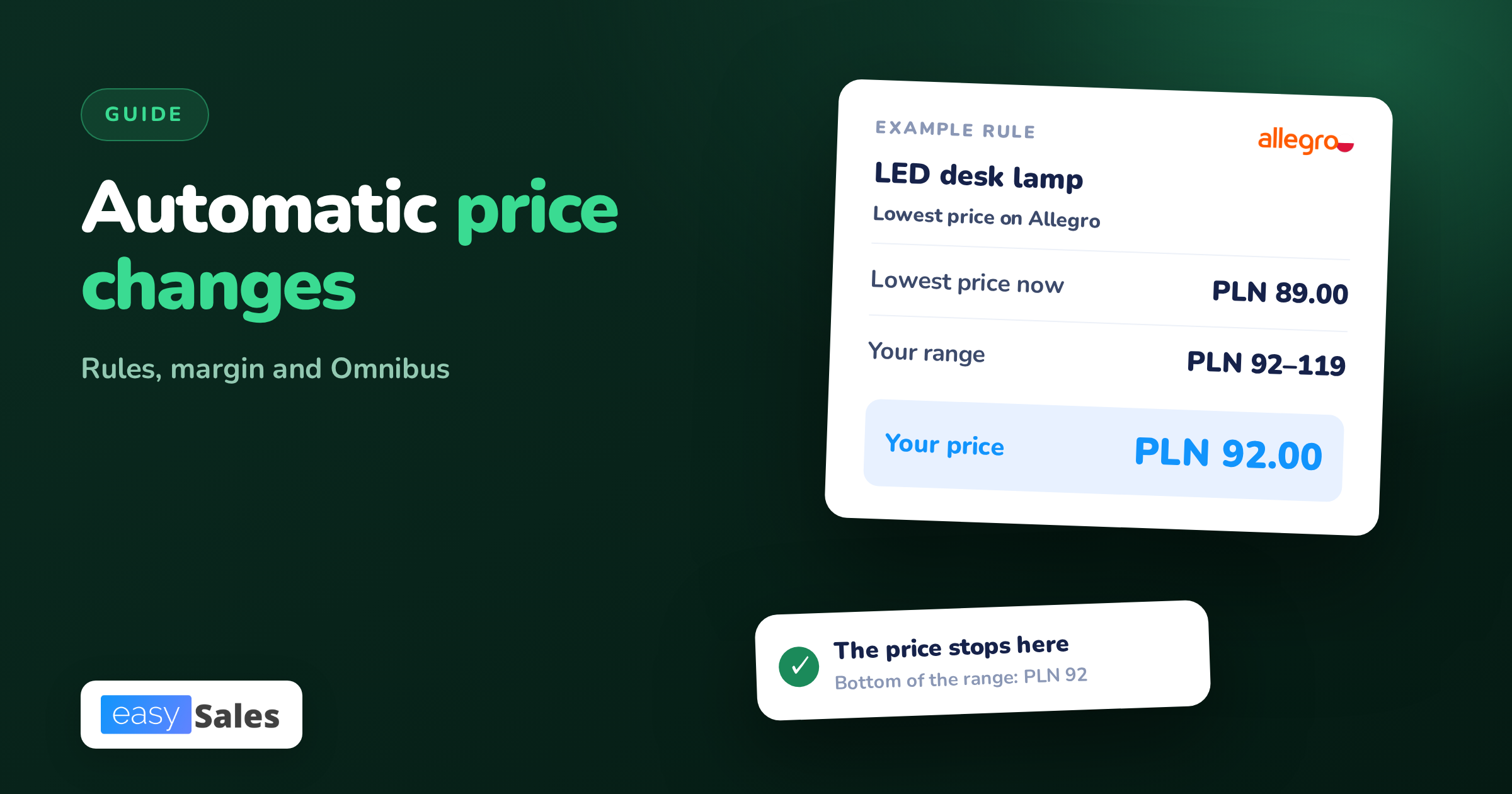
The Lowest price on Allegro rule matches your price to the cheapest offer for the same product. Allegro checks the lowest price every hour.
When someone undercuts you, your price changes within an hour at the latest (how these rules work).
Top offer follows the price of the product's Top offer. With both rules you can also choose to follow the lowest price on the market.
Both rules need a price range. Until you set one, the rule does not change the price. If the lowest price falls outside the range, your offer gets the nearest edge of the range.

Custom rules: a percentage or an amount
On top of the default types you can build up to 20 custom rules. Each adds or deducts a percentage, at most 50%, or a fixed amount in the currency you pick (custom pricing rules).
For rules based on the lowest price, Allegro applies the change first and then checks the result against the range.
You can also change rules in bulk with a CSV file: up to 40,000 changes, visible within 2 hours at the latest.
The Price converter for foreign marketplaces
The Price converter turns a złoty price into koruna, euro and forint at ECB rates. How it works and when it updates is covered in our article on Allegro in Czechia, Slovakia and Hungary.
When an Allegro rule will not change the price
The most common question is: "the rule is on, but the price stays put". Usually the offer fails the comparison conditions, or Allegro discarded the data as unreliable.
To set the lowest price, Allegro only uses offers that:
- are active, in the Buy Now format and linked to the Product Catalogue,
- have the Condition "new" where the category requires it,
- are not bundles or business-only offers,
- have free delivery, through Smart! or from the seller,
- have a dispatch time no longer than the category average,
- come from a seller with a sales quality level of at least Neutral.
Allegro sets no lowest price when the gap between the highest and lowest price of a product exceeds 50%.
It also ignores a change larger than 30% of the median of the last 14 days, so a short sale does not drag prices down.
Rules do not change prices automatically for offers in campaigns that affect the base price, such as AlleDiscount, Allegro Prices or Smart! Week. Once the campaign ends, Allegro applies the chosen rule again.
Repricing: how competitor matching works and where it stops
Competitor matching helps when the lowest price wins and you have margin to spare. Trouble starts when two rules begin reacting to each other.
The race to the bottom
If you and a competitor both run "lowest price minus PLN 1" rules, every change to one offer triggers a change to the other. Prices step down every hour until one offer hits the bottom of its range.

Allegro softens this in two places.
When your offer is already the cheapest, the rule will not lower it needlessly. When there is no competition, a rule with a positive percentage raises the price to the top of the range.
The floor is a margin decision
Do not pick the floor by feel. Work it out from purchase price, commission, delivery and packaging, then add the smallest profit you still care about. How to calculate commission is covered in our article on Allegro fees.

Omnibus: the lowest price of the 30 days before a reduction
Since 1 January 2023, Poland has applied amended rules in its Act on informing about prices of goods and services. They implement the Omnibus directive, Directive (EU) 2019/2161.
What the rule says
Article 4(2) of the Act says that whenever you inform about a price reduction, you also show the lowest price of the 30 days before the reduction next to the reduced price (UOKiK, price reductions).
| Situation | Price you show next to the reduction |
|---|---|
| Product on sale for at least 30 days | lowest price of the 30 days before the reduction |
| Product on sale for under 30 days | lowest price from the start of sale to the reduction |
| Perishable goods | price before the first reduction |
| Reduction increased in steps | each step measured against the 30-day lowest price |
How UOKiK counts the reference period
According to the UOKiK President's explanations, the period is 30 calendar days, ending the day before the first day the product could be bought cheaper. It does not move while the promotion runs on unchanged terms.
The reference point is the price at which the product was offered. It does not matter whether anyone bought at that price or how long it applied. The same rule covers dynamic prices.
When you sell in several channels at different prices, a reduction in one channel refers to the lowest price in that channel. The reduction notice should make clear which channel it covers.

Who is responsible on a marketplace
UOKiK says a platform that gives sellers tools for showing reductions is responsible for those tools complying with the law. If you announce a reduction yourself, for example in the offer description, the responsibility is yours alone.
The authority enforces this. On 14 January 2026, the UOKiK President fined Zalando and Temu nearly PLN 37 million in total, among other things for a missing or wrong 30-day lowest price (UOKiK press release).
This describes the law and the official explanations, not legal advice. If you are unsure how to assess a specific promotion, check it with a lawyer.
How automatic price drops interact with Omnibus
A rule that lowered the price for even one day has written a new lowest price into the history. For the next 30 days, any announced reduction has to go below that value to be a reduction at all.
On Allegro you can see this in the Deal badge. Allegro grants it automatically to offers that are at least 5% and no more than 60% cheaper than the 30-day lowest price.
The lowest price is calculated separately for each marketplace (the Deal badge).
So before a planned promotion, look not only at today's price but also at the lowest price your rules set in the last 30 days.
How to set pricing rules without losing margin
The order below works for rules on Allegro and in any other tool. Start with a few products, and only after a week extend it to the rest of the range.
- Work out each product's minimum price: purchase, commission, delivery, packaging and the smallest profit.
- Split the range into groups: products with competition, products only you sell, and end-of-stock items.
- Give each group one rule type from the table below.
- Set the range: bottom equal to the minimum price, top equal to the price you do not want to sell above.
- One offer, one price source. Do not set two rules that change the same price.
- After a week, check the price history. On Allegro, the clock icon next to the price in the Automatic pricing tab shows it.
- 30 days before a planned promotion, narrow the ranges or switch off competitor matching.
| Rule type | When it fits | Watch out for |
|---|---|---|
| Fixed markup | products without competition, pricier channels | does not react to the market |
| Lowest price | same product from many sellers | a race down to the range floor |
| Top offer | catalogue products with a Top offer | your price depends on someone else's offer |
| Time or stock | end-of-stock clearance, season | every drop enters the 30-day history |
Black Friday: when to change prices before a promotion
Black Friday falls on Friday 27 November 2026. For a promotion starting that day, the reference period covers 28 October to 26 November.
That period is already running. Any automatic price drop until 26 November can become the reference point for your promotion. For Cyber Monday, 30 November, the period starts on 31 October.

If you submit offers to an Allegro campaign that affects the base price, the rule stops working for the campaign. The rest of the preparation is covered in our Black Friday 2026 guide.
How easySales helps with automatic price changes
Allegro's rules only work on Allegro. When you sell the same product in your shop and on Empik, Erli or Kaufland too, easySales manages the prices of every channel from one catalogue.

Markup and currency for each channel
For each connected channel you set a percentage markup on the catalogue price. easySales converts it to the channel currency and rounds it to the cent. A product price change reaches the offers whose price is linked to it.
Pricing rules in automation flows
In automation flows you set a price formula, for example purchase cost × 1.35, plus conditions: channel, price band or product tag.
A rounding function sets the price ending, such as .99, and the formula can also fill in the minimum and maximum price.
A price list as the price source
Prices from a separate price list, manual, from a file or from a supplier, can be set as the sale price source for an Allegro, Empik, Erli or Kaufland connection.
A change in the price list sends the new prices to the linked offers by itself.
Markup shown on every offer
The offers list shows the markup over purchase price next to the price and marks an offer sold below cost in red. It is a markup without commission, so treat it as a signal, not the full margin.
easySales does not match competitor prices on Allegro. That feature, Auto Price, is available today for eMAG only. On Allegro, use Allegro's own rules described above.
Details are on the automation flows page. Try easySales free for 14 days, no card needed: create an account and connect your sales channels.