KSeF permissions: who grants them, to whom and how far
KSeF permissions decide who may issue and who may see an invoice on your company's behalf. Includes a decision table by legal form and role.
KSeF permissions are the scope recorded in the system of what one named person or one named company may do on behalf of a given taxpayer: issue an invoice, see an invoice, or grant permissions to someone else.
The system knows nothing about job titles or departments. It knows identifiers — the Polish tax number NIP and the personal number PESEL — and it pins permissions to those. Design the layout once, calmly.
What permissions in KSeF actually are
KSeF runs on a credentials model: authentication first, then authorisation. Once logged in you can do only what you are permitted to do in that particular context.
The regulation on using KSeF lists four groups of permissions. The Ministry of Finance breaks them out into system permissions, which is what you actually tick in the application.

Owner permissions are the starting point
Owner permissions are assigned automatically to the taxpayer's NIP. They cover issuing invoices, access to invoices, managing permissions and subordinate units, plus two technical permissions.
They cannot be revoked. Every other arrangement in a company starts from them — somebody holding them has to make the first grant.
The login context, or whose name you are acting in
The context is the entity identifier you declare when you authenticate. The same accountant can hold a completely different scope at each of her clients.
If you hold no permission at all in a context, you cannot authenticate there. The context is either an entity's NIP or a branch's internal identifier.
Who grants permissions — sole trader, company, entity with a seal
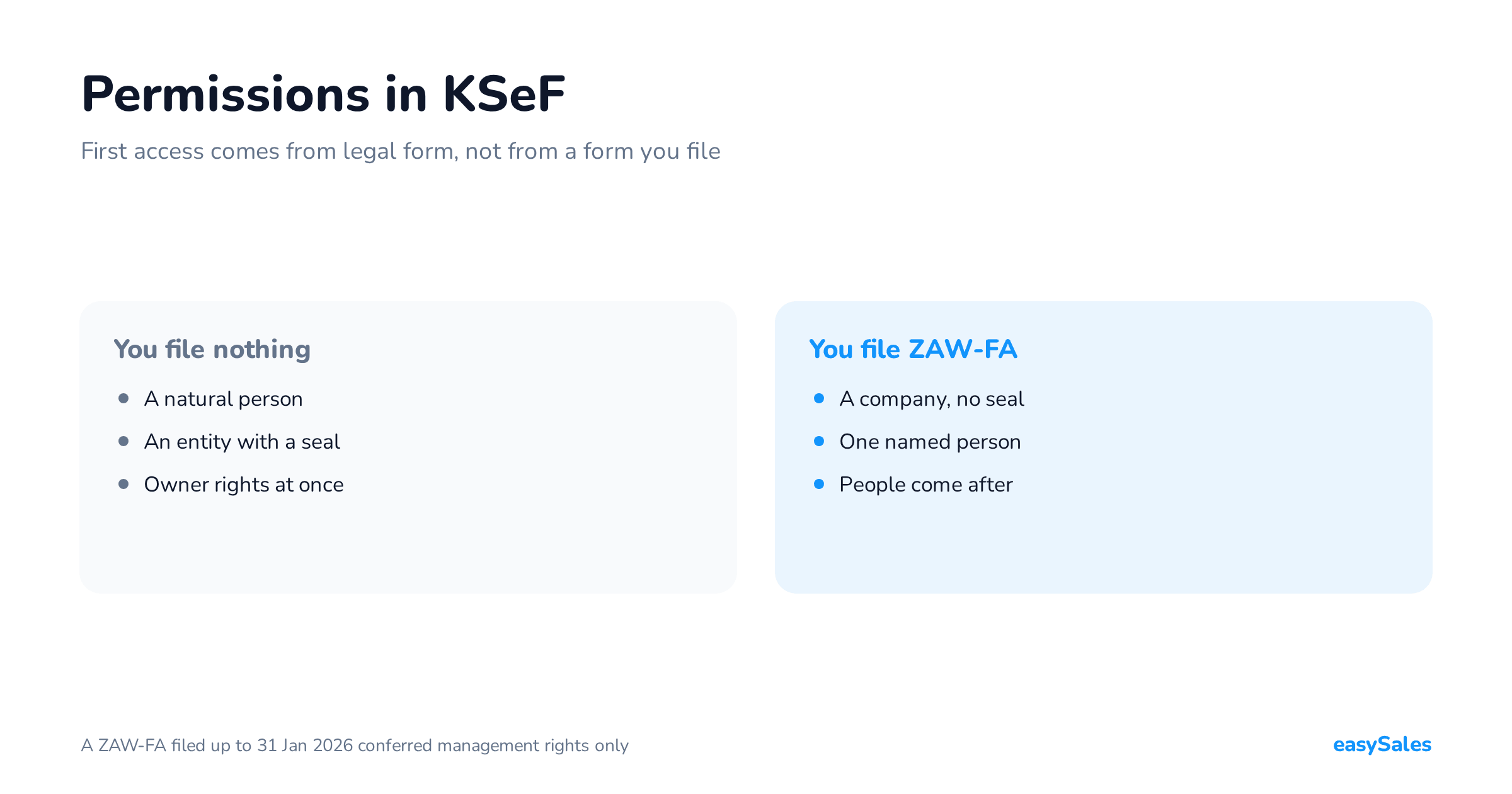
The first permission in a company does not come from a form. It comes from the legal form and from what you authenticate with. The Ministry collects these cases in its access questions and answers.

Sole trader
A natural person running a business files nothing at the tax office. Owner permissions sit on their NIP from day one.
They log in through the national node — Trusted Profile, the mObywatel app, online banking, the e-ID card — or with a qualified electronic signature.
A company with a qualified electronic seal
An entity holding a qualified seal carrying its own NIP also files nothing. Once it logs in with the seal it has the full range of owner permissions.
That is the shortest route for a company. Instead of waiting on a tax office, it uses the seal and grants permissions electronically.
A company without a seal
This is where the ZAW-FA notification is needed. The entity names one natural person on it, who will then act in KSeF on its behalf.
There is exactly one case in which a natural person files ZAW-FA: when their qualified signature carries neither a NIP nor a PESEL. They then report the unique data of that signature, informally its fingerprint.
The ZAW-FA notification — when you have to file it
ZAW-FA is needed by entities that are not natural persons and cannot authenticate with a qualified seal. An enforcement authority always files it, seal or no seal.
Version ZAW-FA(3) has applied since 1 February 2026. You can file it on paper, through the e-Tax Office, or through e-Doręczenia.
In the e-Tax Office the path runs Dokumenty, Złóż dokument, and then the notification on granting or revoking KSeF permissions.
Since 1 January 2026 letters filed with tax offices through ePUAP are not treated as effectively delivered, and the Ministry states plainly that ZAW-FA cannot be filed that way. The permissions simply never reach the system.
What exactly you tick on the form
The purpose of the filing is field 6. Its four options do four different things, and one of them wipes the permissions across the whole company.
| Purpose in field 6 | What it does | When it is used |
|---|---|---|
| 1. Grant permissions | Names one natural person authorised to use KSeF | First access for an entity with no seal |
| 2. Revoke permissions | Revokes that person's permissions and the signature data they reported | Replacing the person named on ZAW-FA |
| 3. Revoke all granted permissions | Clears every permission except owner ones, for every person and entity | A security incident, a change of ownership |
| 4. Report unique data | Ties a signature or seal without a NIP and PESEL to a specific taxpayer | A foreign signature with no Polish identifiers |
After option three, permissions inside the company are built from scratch. That is a deliberate decision, not something to reach for while tidying up access.
How to replace the person named on ZAW-FA
You cannot swap one person for another in a single notification. You file ZAW-FA with the purpose “revoke permissions” first, then a second one with “grant permissions”.
The change does not revoke the permissions that the previous person had already granted to others. It does revoke the signature data they reported.
If somebody besides the ZAW-FA person also holds managing permissions, they can revoke the first person's permissions themselves — no trip to a tax office.
So a company is better off with two people holding managing permissions from the start. Otherwise one departure means another ZAW-FA and another wait.
The Certificates and Permissions Module (MCU) — and what replaced it
MCU is a separate browser application the Ministry opened on 1 November 2025. From that date it was the only place to grant new permissions for KSeF 2.0.
Since 1 February 2026 managing permissions and requesting a certificate have moved into the KSeF 2.0 Taxpayer Application and into commercial software integrated with the KSeF 2.0 API.
If you are looking for MCU instructions today, you probably need the second of those. MCU never had an API — grants were made by hand, in a browser.
In the Taxpayer Application permissions live in one tab. “Moje uprawnienia” shows the scope you really hold, “Nadaj uprawnienie” opens the grant form.
No “Faktury” tab after an old ZAW-FA
A ZAW-FA notification filed up to 31 January 2026, meaning version 2, put only the managing-permissions right into the system.
The person named on such a notification can therefore grant permissions but cannot see invoices. They have to grant those to themselves first.
The “Faktury” tab is missing
- Log in to the KSeF 2.0 Taxpayer Application in your own entity's context.
- Open Uprawnienia, then Moje uprawnienia, to see what you actually hold.
- Go back to Uprawnienia, pick Nadaj uprawnienie, then “osobie fizycznej do pracy w KSeF”.
- Name yourself and tick issuing invoices, viewing invoices, or both.
- Log out and back in — the tab appears after you re-authenticate.
On the basis of ZAW-FA(3), a notification filed from 1 February 2026 onwards, the system grants the invoice-issuing permission automatically. This step is then unnecessary.
The three scopes: issuing, access, managing
An ordinary trading company works with three permissions. The boundaries of each are not intuitive, so they are worth knowing exactly.
Issuing invoices covers both structured invoices sent online and invoices raised in the offline modes: offline24, KSeF unavailability, and the emergency mode.

Access to invoices includes purchase invoices
The access permission opens every invoice belonging to the taxpayer — sales and purchases alike. It cannot be narrowed to one side of the trade.
That is worth thinking through before granting it. Whoever gets access to invoices will also see who you buy from and at what price.
Issuing and access are two separate permissions. You can grant only one of them — to an office that is meant to fetch invoices but not raise them, for instance.
Granting and revoking are a single permission
Managing permissions cannot be split. There is no separate “grant only” and “revoke only” right — there is one permission, covering both actions.
Any division of duties is therefore an internal procedure, not a system setting. Viewing permissions is part of managing permissions and is never granted separately.
Nobody can resign a permission. Only someone holding managing permissions can revoke one, the taxpayer included — and they cannot revoke that right from themselves.
Permissions for an employee — NIP or PESEL
You name an employee by their identifier: a PESEL or a NIP. The permission is pinned to that person, not to a job title and not to a machine.
The employee needs their own means of authentication: the national node, a qualified electronic signature, a token they generated themselves, or a KSeF certificate issued to them.
An employee holding issuing and access cannot pass either on. For anyone in the company to grant permissions, they need managing permissions.
What happens when an employee leaves
You revoke their permissions in that context. The permissions they granted to other people stay in place — revoking the managing right does not undo their decisions.
Their token is not invalidated by the system. It simply stops working: with no permission left on the identifier, that context can no longer be entered.
Generating a token and handing it to somebody else is not allowed. Only the person who generated a token may use it. The same holds for a certificate issued to a natural person.
Permissions for an accounting office
You grant an accounting office a permission on its NIP, as an entity — not to individual accountants. You do not need to know the names of the people serving you.
When granting on a NIP you can additionally tick that this entity may pass the permission on. Those are the indirect permissions.
The option applies only to issuing invoices and access to invoices. Managing permissions cannot be handed on this way.
Indirect permissions — a chain you have to close

When granting indirectly, the office authenticates in its own context, not yours. It then states whether the employee works across all clients or only named ones.
The office's employee cannot pass that permission on. They are the last link in the chain.
The gain is practical. Staff turnover at the office no longer requires every client to log in and update permissions — the office does it once.
What you will not see on your side
Having granted the office a permission, you cannot see which of its employees holds indirect access to your invoices. You only see that you authorised the office.
The office, in turn, logs in to each client separately, in the context of that client's NIP. One session does not serve every client at once.
Self-invoicing permissions in KSeF
Self-invoicing is the arrangement where the buyer raises the invoice instead of the seller. The seller grants the permission, naming the buyer in KSeF.
The buyer can then authorise their own employees to issue invoices. They do that at their own end, in their own context, with the ordinary issuing permission.

The buyer logs in under their own context
This is where set-ups usually go wrong. A buyer raising an invoice under self-invoicing declares their own NIP as the authentication context, not the seller's.
The seller on the invoice and the entity in the login context are therefore two different things. The same rule applies to a tax representative and to a bailiff.
An EU buyer — the composite identifier
A buyer in another EU state holding an EU VAT number may voluntarily issue a structured invoice under self-invoicing on an intra-community supply of goods.
They then log in with a composite identifier: the Polish seller's NIP and their own EU VAT number joined by a hyphen. The permission can be granted on the unique data of their foreign seal.
VAT RR invoices follow their own path. The right to issue them is granted by the flat-rate farmer to the buyer of the farm produce, who must be an active VAT payer.
Permissions versus the token and the KSeF certificate
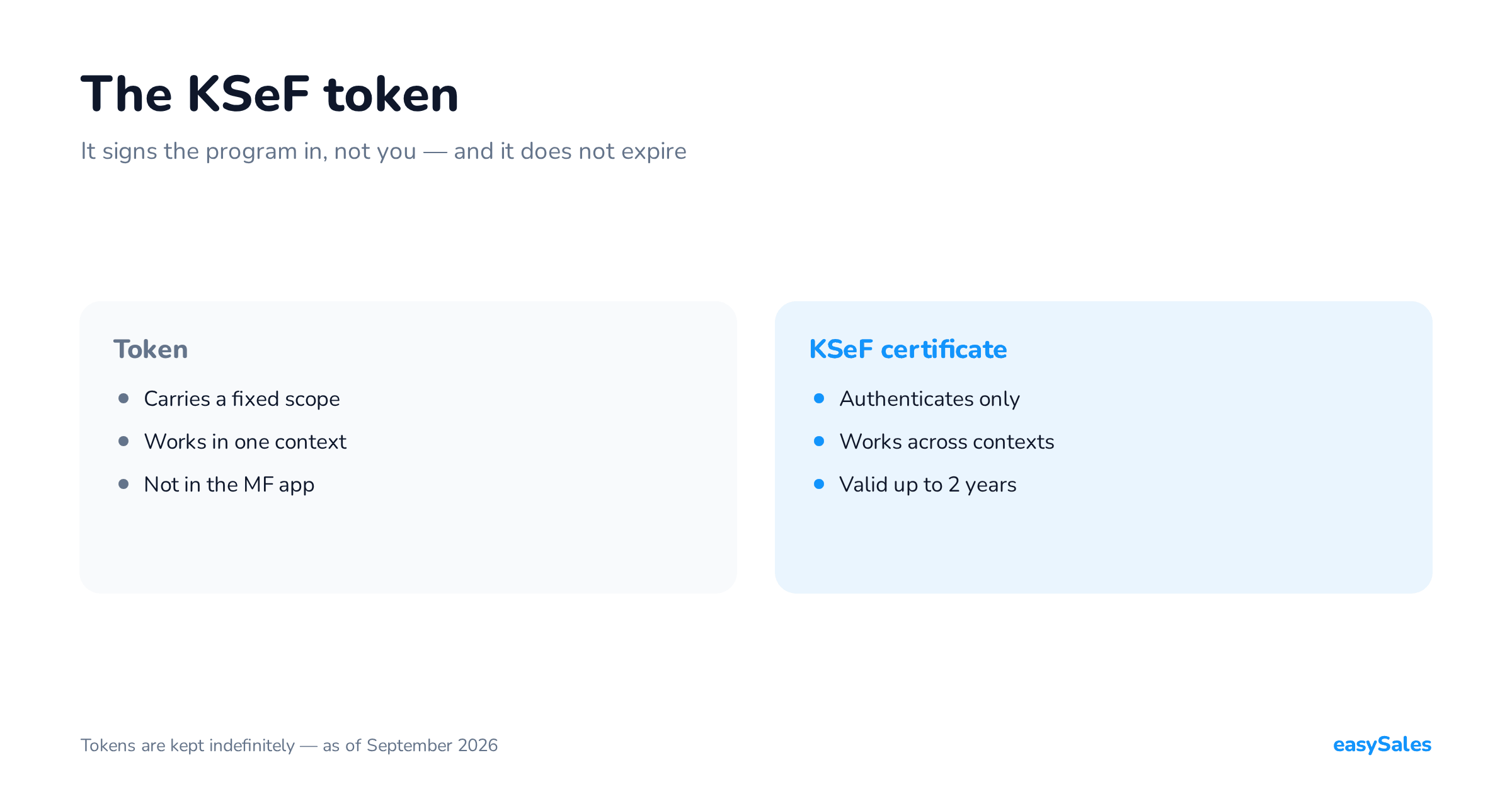
A token and a certificate are means of authentication, not permissions. What differs is how they treat scope — and that difference is what breaks integrations.

A token records the permissions of whoever generated it and works only in that one context. It cannot be updated: after a scope change you generate a new one.
A certificate carries no permissions. The same certificate will let you into every client's context, and the system reads your scope at login.
Both tools have their own articles: the KSeF token and the KSeF certificate. What matters here is only how they carry permissions.
Who should hold what — the decision table
Below is the same material arranged for a decision. Find the row that describes your company and grant exactly what the third column says.

If you are only starting out, the order is different from the table: access first, then the tool, and permissions for people last. That path has its own article.
What to check in the software you invoice from
If invoices leave a program rather than the Ministry's application, the permissions still sit on the KSeF side. The program merely uses them.
Check three things: what the program authenticates with, whether it keeps separate credentials per context, and whether it can grant permissions through the API.
The third question matters for accounting offices and for multi-branch companies. Without it, every grant is made by hand in the Ministry's application.
At easySales we describe that connection on our KSeF invoicing page, and the document itself in the article on the structured invoice.
A permission layout can be designed from an article. The scope of the obligation and its dates cannot — that is a question for your own accountant, against the timetable published by the Ministry of Finance.