Order picking: methods, locations and barcode scanning
What order picking is, how to choose a method, label locations and cut mistakes with scanning, how to measure errors and how to prepare the warehouse for Black Friday and December.
Order picking is collecting the products a buyer ordered from the warehouse, in the ordered quantity, and handing them over to packing. In Polish it is called kompletacja zamówień.
This is the step where someone can take the wrong product, the wrong size or one piece too few. Every such mistake comes back as a complaint, a second shipment and a conversation with the customer.
Below you will find the picking methods, how to label locations, the role of EAN barcode scanning, the measures for tracking errors and a preparation list for the peak season.
Key points
- Picking is collecting goods for orders: it sits between storage and packing and decides what goes into the parcel.
- Match the method to your orders: single order at small scale, batch when orders share products, wave and zone in a larger warehouse.
- A location is a shelf's address: a code from aisle to slot, with a leading zero, and a list sorted by code sets the route.
- Scanning every piece catches the wrong product and the wrong quantity before the parcel leaves the warehouse.
- A mistake in the parcel is a lack of conformity: you answer a consumer's complaint within 14 days.
What order picking is
Order picking is taking products from their storage places, in the quantities on the order, and bringing them to the packing station.
In an online shop it starts when the order is ready to fulfil, for example paid. It ends when every line sits on the packing table.
On an order's way through the warehouse, picking is the middle of five steps: receiving, storage, picking, packing and shipping.

That is why a picking mistake has only one chance of being caught in the warehouse: at packing. If the packer does not check the goods against the order, the customer is the one who checks.
How order picking works, step by step
The details depend on the size of the warehouse, but the order of the steps is similar in every shop:
- Gather the orders ready to fulfil: paid, not on hold and with the goods in stock.
- Group them, for example by courier, number of products or pickup time.
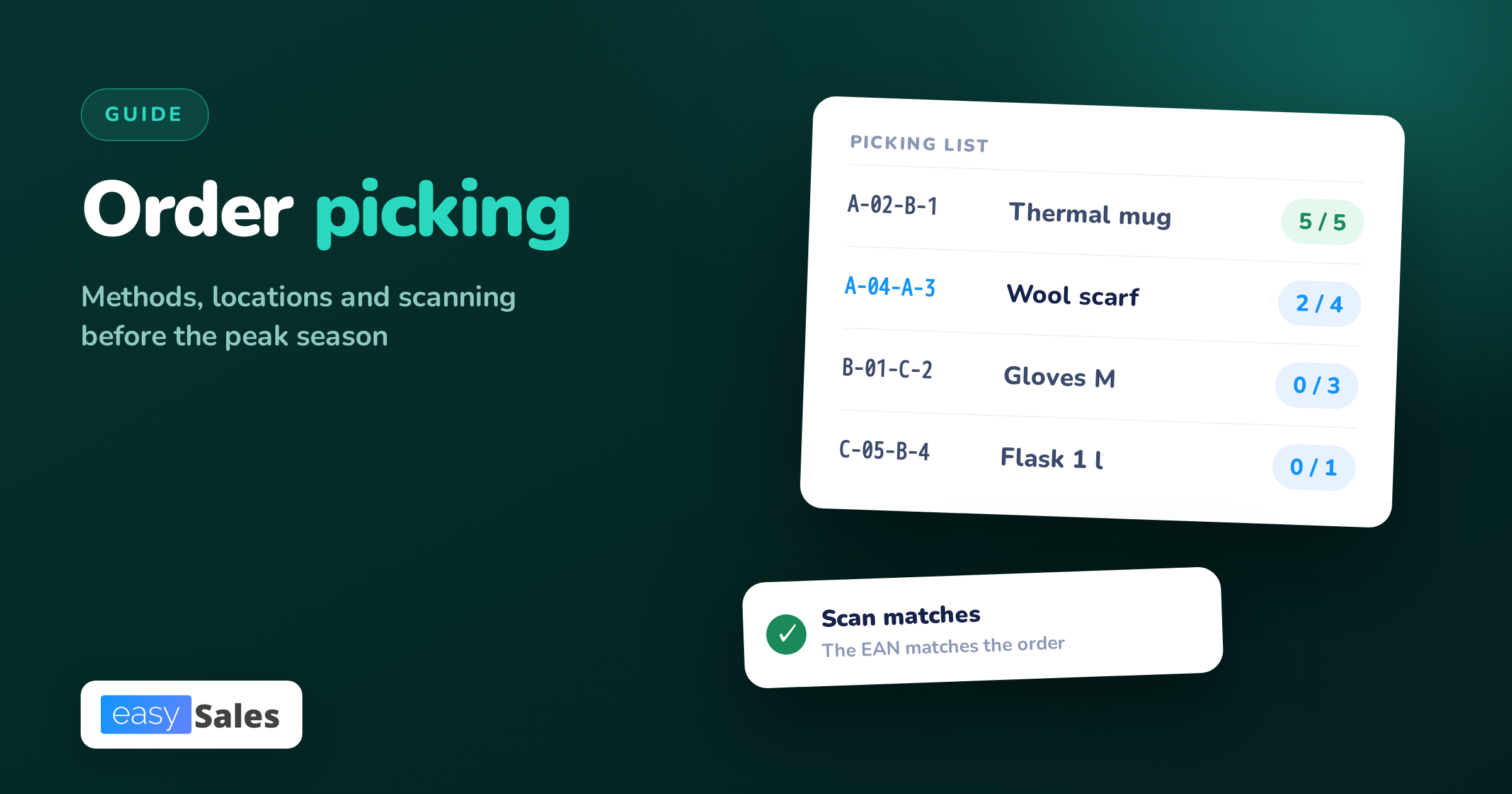
- Prepare the picking list: products, quantities and locations, sorted by route.
- Collect the goods and confirm every piece with a scan or a tick on the list.
- Mark what is missing: the product is not in the location, there is not enough of it, or it is damaged.
- Hand the collected goods to the packing station, separately for each order.
- At packing, check the contents again, pack the parcel and attach the shipping label.
Step 5 is easy to skip. A shortage nobody wrote down turns into an incomplete parcel or an order waiting on a shelf with no explanation.
Order picking methods: which one to choose
A picking method says how many orders one person collects in one trip and how you split the warehouse between staff. There are four basic methods.
Single order picking
One person collects one order from start to finish. After the trip through the warehouse, the order is ready to pack, with no sorting.
It is the simplest method and has no mistakes when splitting goods. With many orders, though, it means many trips to the same shelves.
Batch picking
One person collects several or a dozen orders at once. A product that appears in several of them is taken from the shelf once, in the total quantity.
You save walking, but sorting is added: the collected goods have to be split into orders. You do it at a table afterwards or right at the shelf, into separate baskets on a cart.

Wave picking
Orders arrive all day, and you pick them in waves, that is in planned rounds. Each wave covers the orders that have to leave before a given courier pickup.
Within one wave you can group orders into batches. A wave is a way of planning time, and a batch is a way of collecting goods.
Zone picking
You split the warehouse into zones, and each person picks only in their own. An order with products from several zones passes through several people or is put together at the end.
Zones make sense when the warehouse is large or some goods need a separate place, for example bulky items.
How to match the method to your scale:
| Method | When it fits | What to watch |
|---|---|---|
| Single order | few orders a day, a small warehouse | many trips to the same shelves |
| Batch | many orders with the same products | sorting into orders |
| Wave | several courier pickups a day | a wave plan built on pickup times |
| Zone | a large warehouse, several people at once | joining orders from several zones |
The methods combine. You can batch-pick orders with a single product, because each piece is its own parcel. Multi-product orders are then picked separately, one by one or into baskets.
Pick and pack: picking and packing together or apart
Pick and pack is a model where the same person collects the order and packs it straight away. In the split model, one person picks and another packs.
| Criterion | One step (pick and pack) | Two steps |
|---|---|---|
| Content check | one person, one look | the packer checks after the picker |
| Best with | a small team and single order picking | batches, waves and zones |
| Risk | a mistake goes straight into the parcel | goods wait between steps |
When the steps are split, packing becomes a second check. It only works if the packer really compares the goods with the order, ideally with a scan.
Careful packing is also your risk. Polish consumer law makes you responsible for the parcel until the buyer receives it, even when a courier you offered damages it (UOKiK, liability for the parcel).
Warehouse locations and the picking route
A location is the address of the place where a product sits. Without it, the picker looks for goods from memory, and a new person in the season will not find them at all.
How to label locations
Build a location code from the largest unit to the smallest: aisle, rack, level, slot. Example: A-05-C-3 is aisle A, rack 5, level C, slot 3.
Write rack numbers with a leading zero. A list sorted as text puts A-10 before A-2, so the picker keeps walking back to racks already passed.

Stick labels with the location code and its barcode on the racks. Use only letters, digits and dashes in codes, with no Polish characters, so the scanner reads them without errors.
ABC analysis: what goes near, what goes far
ABC analysis splits products by turnover, that is the number of picks in a period. Group A are the products picked most often, group C the least.
Put group A products closest to the packing station and at hand height. Group C products can stand further away and higher up.
Count picks, not units sold. One order for ten pieces is one visit to the shelf, while ten orders of one piece are ten.
Scanning EAN barcodes while picking
The scanner compares the code on the packaging with the product code on the order. When they differ, the picker finds out at the shelf, not from the customer.
Most often you scan the EAN code, the GTIN number written as a barcode. Where to get one and how to assign it, we explain in the article on EAN codes.
A scan only guards against what it compares. If you scan one piece and type the quantity by hand, the right quantity again depends on the picker's attention.

Variants, such as sizes and colours, need separate codes. One code for a T-shirt in five sizes cannot tell M from L.
A handheld barcode scanner is enough. For picking, a wireless scanner or a terminal with a screen helps, so the list is always with the picker.
The most common order picking errors
Wrong product, wrong quantity, missing item
Picking errors come down to three kinds:
- wrong product: a different model, size or colour than on the order,
- wrong quantity: too many or too few pieces of the same product,
- missing item: the product was not in its location, and the parcel left without it.
A fourth kind appears when sorting a batch. Every product is right, but it went into another order, so two parcels are wrong at once.
What the law says about a mistake in the parcel
For a consumer, a mistake in the parcel is goods not in conformity with the contract. According to UOKiK, conformity covers among other things the type, quantity and completeness of the goods (UOKiK, lack of conformity).
You answer a complaint within 14 days of receiving it. If you do not, the complaint is treated as accepted. The consumer bears no costs of such a complaint.
On top of that come costs the law does not show: the second shipment, collecting the goods from the customer and your team's time.
How to measure picking quality
Without measuring, you only know about the errors customers reported. Four simple measures, counted weekly, are enough:
| Measure | How to count | What to watch |
|---|---|---|
| Picking accuracy | orders without an error / all orders shipped | count errors from packing and from customers |
| Orders with shortages | orders with a shortage / all orders picked | separate empty location from no stock |
| Time per order | picking time / number of orders | compare orders of similar size |
| Lines per hour | lines picked / hours worked | a line is a product on an order, not a piece |
Do not compare yourself with other people's results. What counts is the trend in your warehouse: whether errors drop after you change the shelf layout or the picking method.
Also record who picked each order. Not to find someone to blame, but to know whom to show a tricky rack or products that look alike.
Order picking in the peak season
Black Friday and December bring more orders, new people in the warehouse and shorter deadlines. We covered the campaign in our Black Friday 2026 guide. Prepare the warehouse a few weeks earlier:
- Run an ABC analysis on last season's data and move group A products closer to packing.
- Check that every product has a location and a barcode, including new items added before the season.
- Stick on the missing location labels and do not leave goods on shelves without an address.
- Set waves around the courier pickup times and write down when the last wave closes.
- Separate single-product orders from multi-product ones and pick them apart.
- Prepare carts, baskets and spare scanners with charged batteries.
- Start new people on one zone before they get the whole warehouse.
- Agree what happens with a shortage: who decides on a partial shipment and who writes to the customer.

Plan waves backwards: from the courier pickup time, subtract packing and picking time. An order that arrives after the last wave closes is picked in the first wave of the next day.
Keep to the dispatch time stated in your offer, because that is the deadline the buyer expects. Polish law sets delivery at 30 days at the latest only when the parties have not agreed otherwise (UOKiK, delivery of goods).
How easySales helps with order picking
In easySales, orders from marketplaces and from your online shop land on one list. You pick them in one process, whatever channel they came from.

Process groups and the picking list
You put orders into process groups: by hand, with a saved filter, or by scanning a code assigned to a filter. A filter can select, for example, only orders with a single product.
By default the picking list shows one row per product, with the total quantity across all orders. Rows are in location order, and products without a location go last. You can export the list to Excel.
Scanning while picking and while packing
On the picking screen, a product scan counts one piece. easySales recognises the SKU, the EAN code, additional EAN codes and the supplier SKU, and refuses a product code that is not on the list.
At packing you scan the shipping label, then the products. A product that is not on the order is refused.
The screens run in the browser, with a handheld scanner that types the code like a keyboard. A phone camera cannot be used as the scanner.
Carts with baskets
You can pick a group onto a cart with baskets. Each order gets its own basket, and you put every piece straight into its order's basket. Several people can fill separate carts from the same group.
Shortages and next steps
You cannot close picking until you give a reason for every missing piece: not in the location, not enough pieces, damaged or other. An order with a shortage gets a note listing what is missing and the incomplete status.
When you pick the last piece, the order is marked as picked. You can set an automation on that event, for example creating the shipping label. Every step shows in the order's history, with the person who did it.
See the details on the easySales pick and pack page. easySales is free for 14 days, no card needed: create an account and connect your sales channels. What such software costs, we explain in the article on what order handling really costs.