How to upload your own AWB to an order in easySales

Put an AWB from a courier easySales does not connect to on its order: the upload window, the courier name marketplaces need, what eMAG, Temu, Kaufland and Allegro receive, and refusals.
What uploading your own AWB does
Some parcels go out with a courier easySales does not connect to — a local carrier, the national post, or your supplier's courier when the supplier ships for you. You can still put that AWB on the order: you upload the label PDF, type the AWB number and the courier's name. The AWB then belongs to the order like any other: it is listed on the order, you can download and print it, and easySales sends it to the marketplace the order came from.
Three things to know before you begin:
- The courier name you type is what the marketplace receives. It is free text, and the marketplace uses it to decide which courier carries the parcel. Write the courier's plain brand name — for example
FAN Courier,Sameday,DPD,GLSorInPost— never the AWB number or a description. On Temu, a name Temu does not recognise means the tracking number is not sent at all. - There is nothing to connect. The Upload option is in every AWB list, even if you have no courier connected.
- An uploaded AWB is not tracked. easySales cannot ask an unconnected courier where the parcel is, so the order gets no delivery status updates. Follow the parcel on the courier's own website.
Before you start
The label as a PDF
Created on the courier's own website or app, at most 10 MB.
The AWB number
The tracking number printed on the label.
The courier's name
Its brand name, so the marketplace knows who carries the parcel.
Step 1 — Open the order and choose Upload
Open the order from Orders. In its Awbs section, press Create AWB and choose Upload, at the bottom of the list, under your connected couriers.
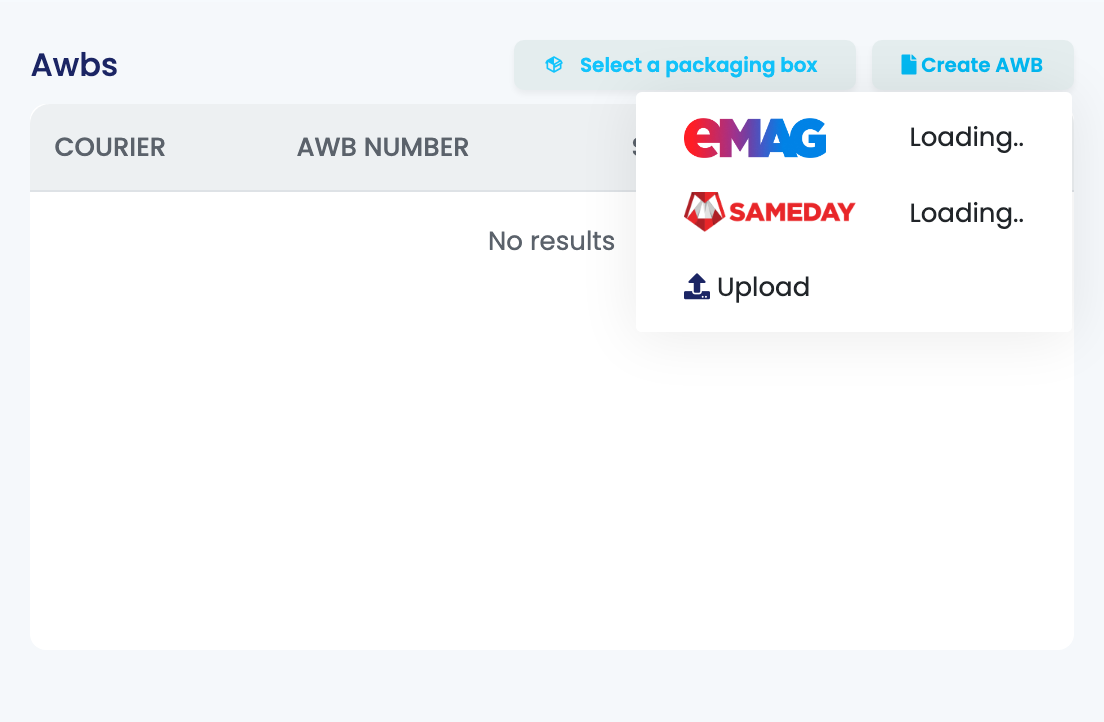
The same Upload option is at the bottom of the Quick Create list in the AWB column of the orders list.
Step 2 — Fill in the AWB and choose the label
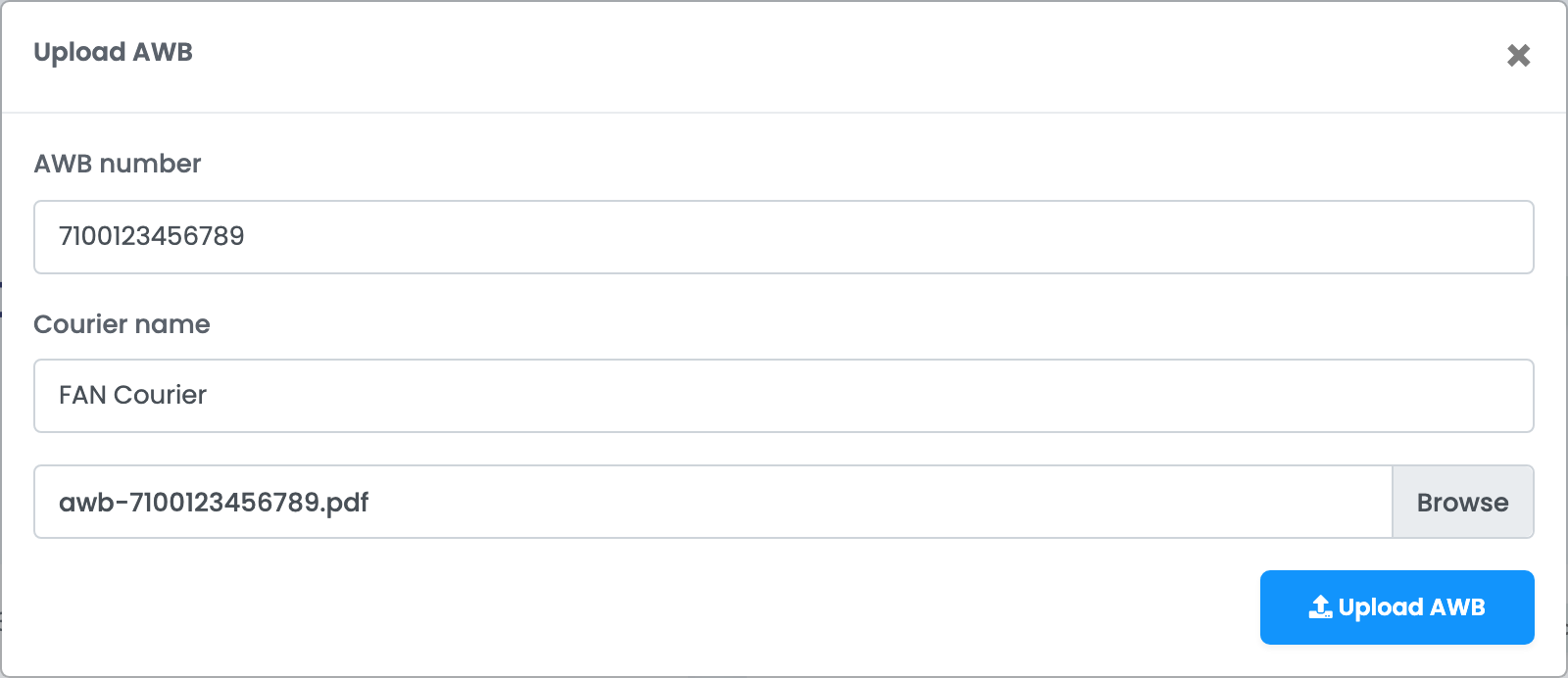
| Field | What goes in it |
|---|---|
| AWB number | The tracking number printed on the label. Required. |
| Courier name |
The courier's brand name, as the courier calls itself — for example FAN Courier or DPD. Optional, but the marketplace needs it.
|
| Choose file | The label as a PDF, at most 10 MB. |
Press Upload AWB. The window closes and the AWB appears on the order.
Step 3 — Check the AWB on the order
The AWB is listed in the order's Awbs section as Manual, with the courier name you typed under it. Its ⋮ menu has Download AWB, View tracking page, Delete AWB and Send awb to printer.
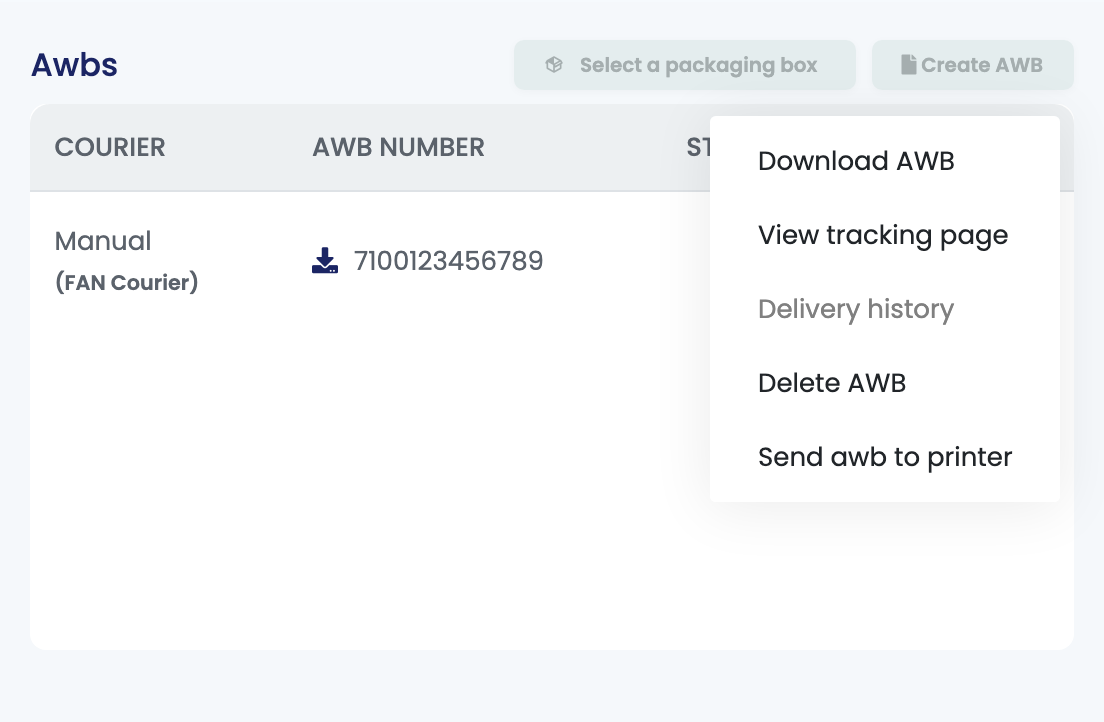
Uploading counts as creating the AWB everywhere else in easySales too: notification rules for a created AWB send your customer the AWB number, automation flows that start when an AWB is created run, and the label prints with your other AWBs.
What the marketplace receives
| Marketplace | What happens |
|---|---|
| eMAG (Romania, Bulgaria, Hungary), Fashion Days | The label PDF is attached to the order on the marketplace. |
| Temu | The AWB number is sent with the Temu courier that matches the name you typed. If no Temu courier matches, the number is not sent and the order shows "Unable to send tracking number: Carrier not found for order." |
| Kaufland | The AWB number is sent with the matching Kaufland courier, or as "Other" when the name matches none. |
| Allegro | The AWB number is sent together with the courier name you typed. |
If the marketplace refuses the AWB, the order shows the reason in its errors. The most common ones are below.
Replacing or deleting an AWB
An order holds one AWB, so Create AWB is greyed out once it has one. To replace it, choose Delete AWB in the AWB's ⋮ menu, then upload the right one.
Delete AWB removes the AWB from easySales only. A marketplace that already received it keeps it — correct it in the marketplace's own seller account.
When an upload is refused
| Message | What to do |
|---|---|
| eMAG AWBs must be generated with eMAG courier | Turn on Allow eMAG AWB generation with other couriers in Settings → Orders Settings. |
| This action is unauthorized. | The order already has an AWB. Delete it first, then upload the new one. |
| AWB cannot be generated for orders with Shipping method Local Pickup | The customer collects this order in person, so it takes no AWB. |
| The file must be a file of type: application/pdf, application/octet-stream. | Upload the label as a PDF. |
| Unable to send tracking number: Carrier not found for order. | Temu did not recognise the courier name. Delete the AWB and upload it again with the courier's brand name. |
| The order has been shipped. This submission is not effective for the shipped order. | The order was already marked as shipped in Temu Seller Center, so Temu keeps the tracking number entered there. |