How to get help from easySales support: tickets and instant answers

Open a support ticket, get an instant answer from the easySales guides, follow the replies, and reopen or rate a closed ticket.
Where to get help
When something in easySales does not work as you expect, you can ask for an instant answer from the easySales guides, or open a ticket for our support team. Both are under Settings → Support → Tickets, and in the Support menu at the top of every page: Tickets and Ask easySales.
Three things to know first:
- Reply in the ticket, not to the e-mail. You get an e-mail when support answers, but it comes from an address that is not read. Write your reply on the ticket's page in easySales.
- An answered ticket closes by itself. When support has answered and the problem is solved, the ticket closes a few days later unless you reply. Replying keeps it open.
- Your whole team shares the tickets. Everyone on your account who can see tickets sees all of them, and can reply to any of them.
Your tickets
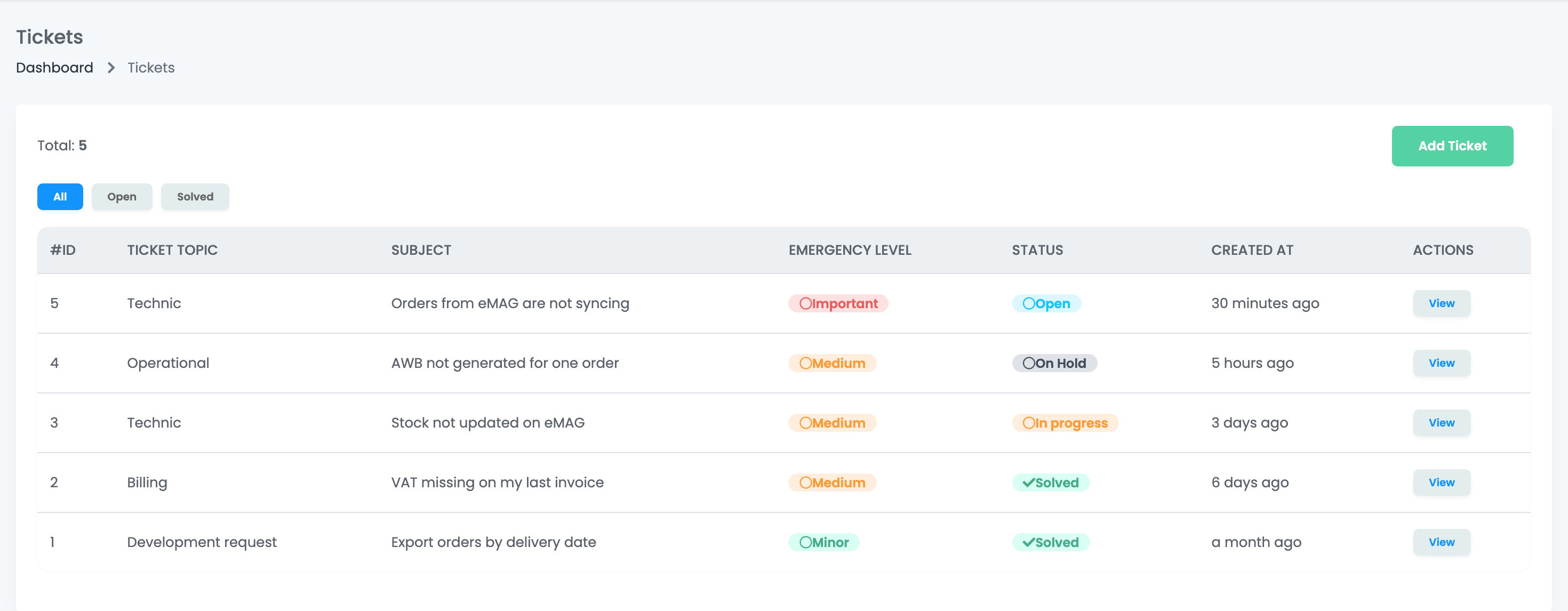
The list shows every ticket of your account, newest first, with its topic, subject, emergency level, status and date. View opens a ticket. The tabs All, Open and Solved filter the list; Open shows only tickets with the status Open, so a ticket waiting for your reply is under All.
| Status | What it means |
|---|---|
| Open | The ticket is new, or you replied. Our team has to answer. |
| On Hold | Support answered and is waiting for your reply. |
| In progress | The problem was passed to our development team. The ticket goes back to Open when the fix is ready. |
| Solved | The ticket is closed. |
| Invalid | The ticket was closed without action. |
Open a ticket
- Press Add Ticket. The first window lists what a complete description needs; press Create ticket to go on.
- Choose the Ticket Topic, write a Subject of up to 40 characters, and describe the problem in Body.
- Choose the Emergency Level: Minor, Medium or Important.
- Check the Phone number, and add screenshots or files with Select files, up to 5.
- Press Save.
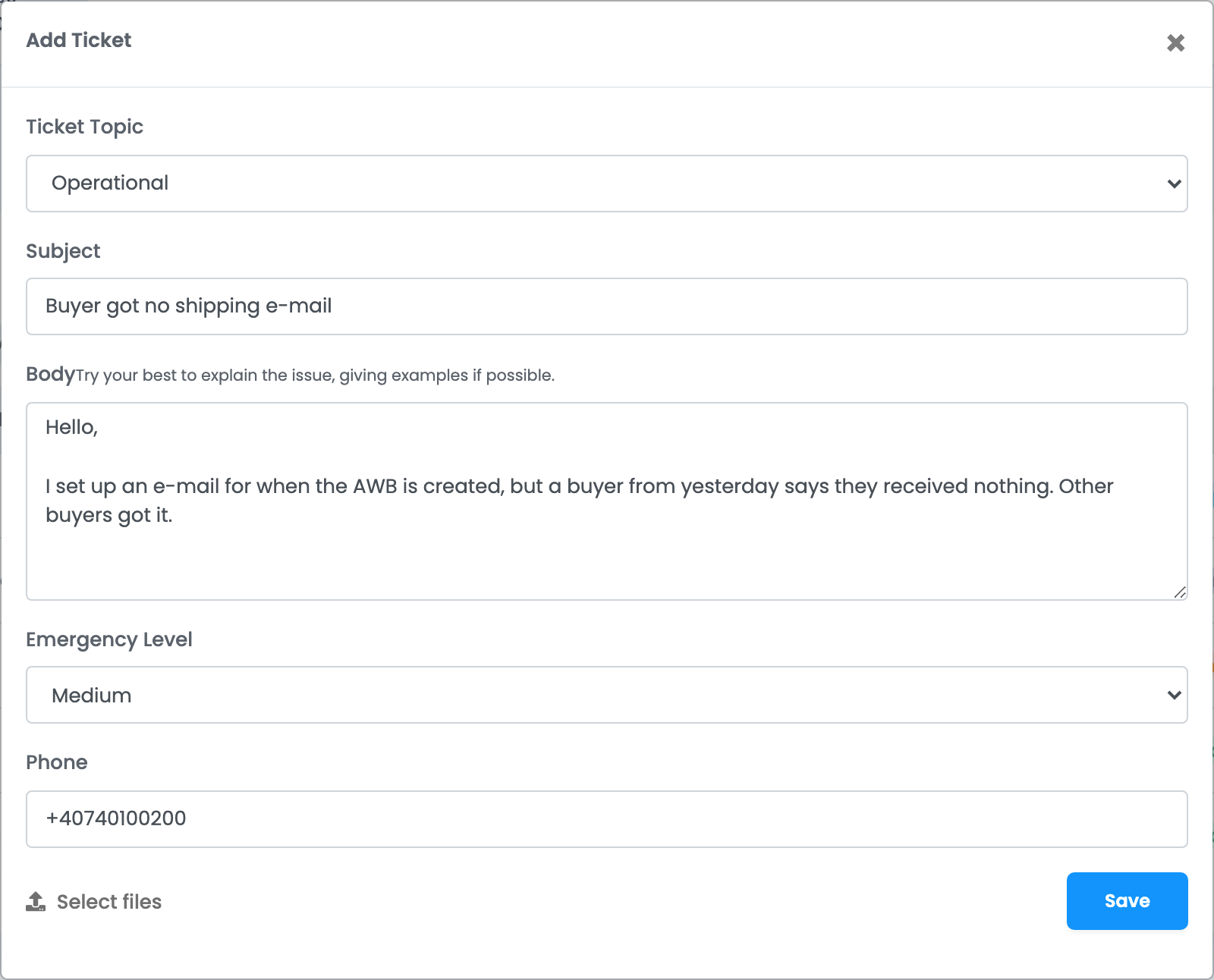
Write what you did, what happened, and what you expected, with the order numbers, products or channels it is about. A ticket that has them can be answered without extra questions.
The instant answer
When the form is complete and you press Save, easySales first looks for an answer in its guides and help content.
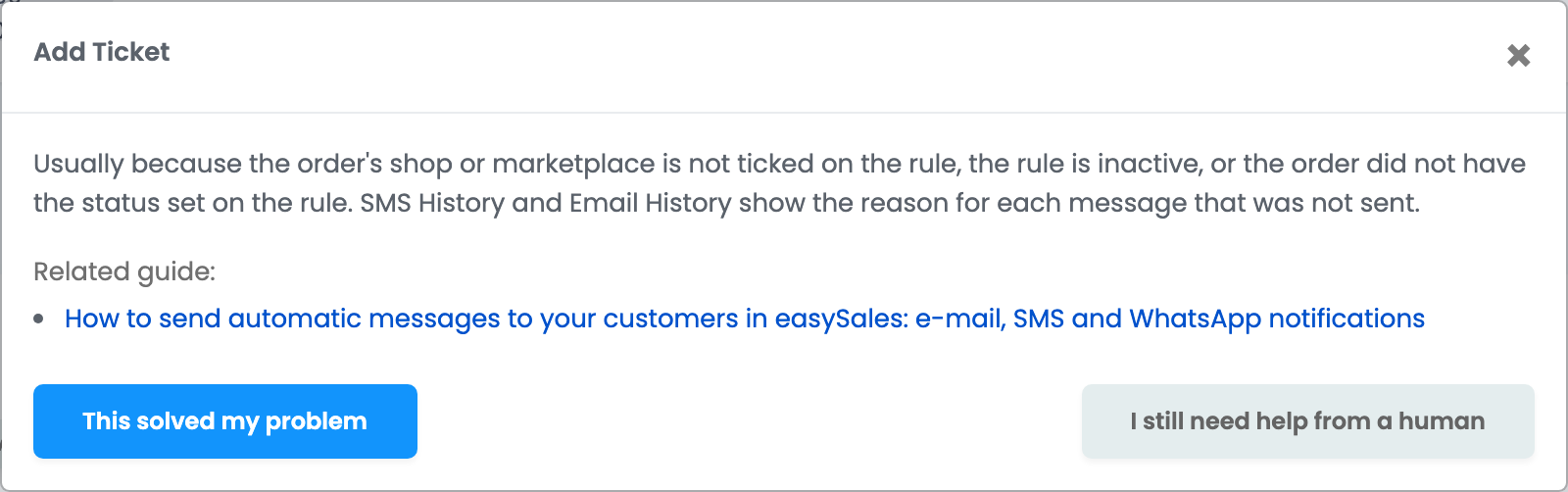
- This solved my problem closes the window. No ticket is opened.
- I still need help from a human opens the ticket with everything you filled in, including your files.
- If the question is about your own account and needs someone to look at it, the ticket is opened for you straight away.
Follow a ticket and reply
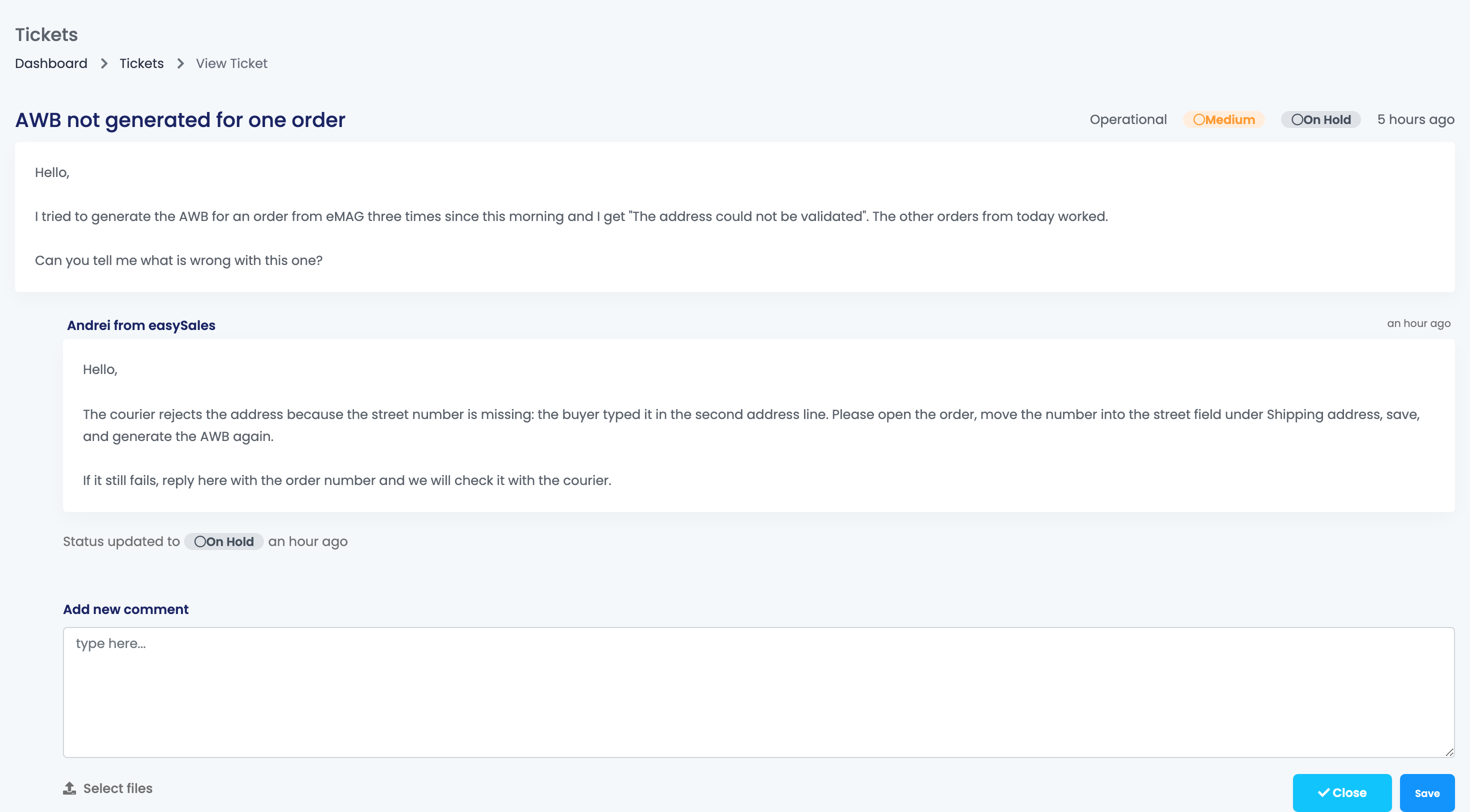
Support's replies appear under your message, with the name of the person who answered. You get an e-mail for each reply, with a button that opens the ticket.
To answer, write in Add new comment, attach files if you need to, and press Save. A ticket that was On Hold goes back to Open, and our team sees your reply. When your problem is solved, you can close the ticket yourself with Close.
When a ticket is closed
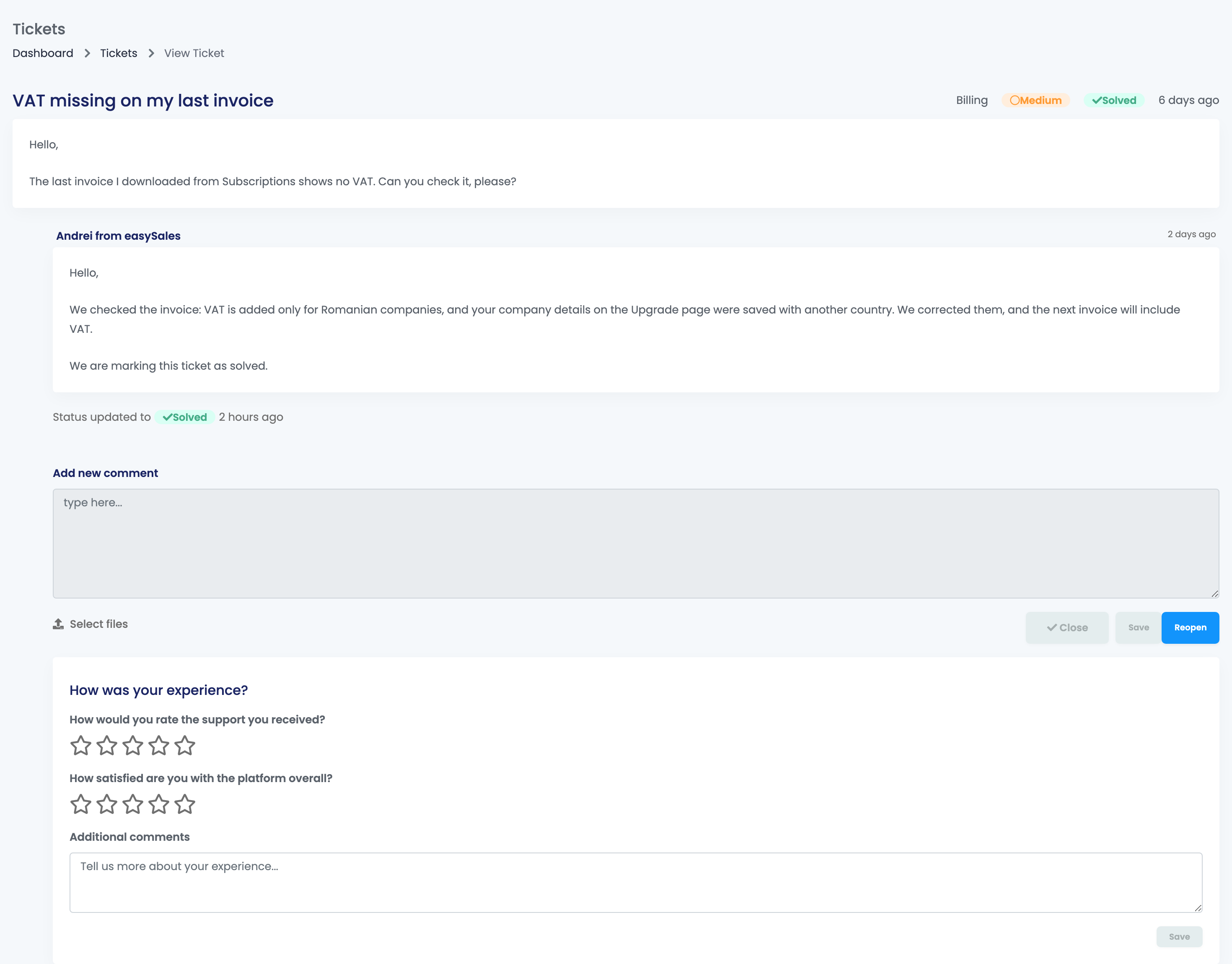
A closed ticket is Solved or Invalid, and you can no longer reply to it. You get an e-mail when a ticket is closed.
- Reopen puts the ticket back to Open. It is available for 7 days after the last message in the ticket; after that, open a new ticket and mention the old ticket's number.
- Under a closed ticket, How was your experience? asks you to rate the support you received and easySales overall. Your rating helps us improve.
Ask easySales
Ask easySales answers a question without opening a ticket. Type the question and press Ask.
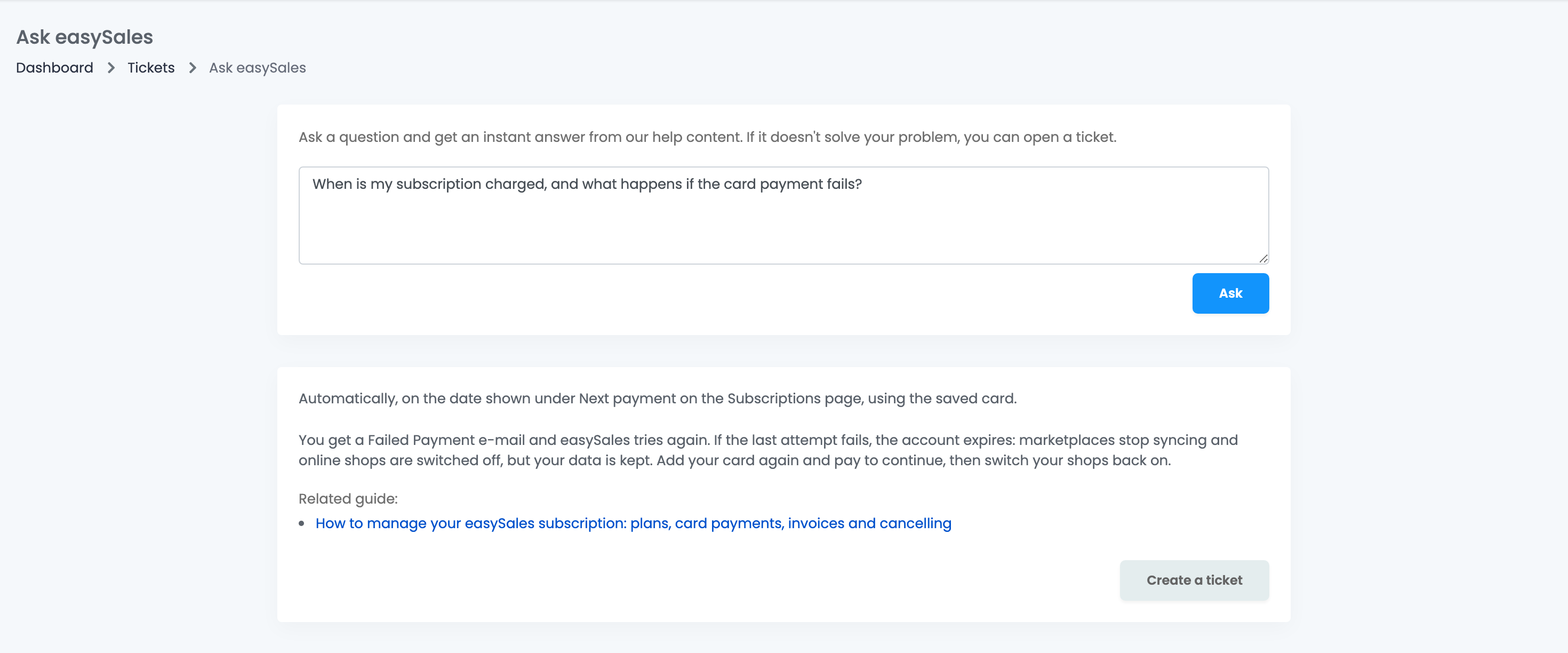
If the answer does not help, Create a ticket opens a ticket with your question as its message. That ticket has the emergency level Minor and no files; add the details and screenshots by replying in the ticket.
Your team and tickets
Team members need the View tickets permission to see the tickets, and Process tickets to open tickets, reply and close them. The list shows which team member opened a ticket. Each e-mail about a ticket goes to the person who opened it.
When something does not look right
| Symptom | What to do |
|---|---|
| My ticket is not under Open | The Open tab shows only tickets with the status Open. Answered tickets are On Hold: find them under All. |
| I answered the e-mail and nothing happened | E-mail replies are not read. Open the ticket and write your reply in Add new comment. |
| My ticket closed although I still need help | Press Reopen on the ticket within 7 days of the last message, then write what is still wrong. After that, open a new ticket. |
| I do not get e-mails about a ticket | The e-mails go to the person who opened the ticket, at the e-mail address of their user. Check that address, and your spam folder. |
| The subject is refused | The subject can have up to 40 characters. Put the details in Body. |
| A team member cannot see Tickets | Give them the View tickets permission, and Process tickets to open and answer tickets. |