A KSeF failure: identifying the mode and counting the deadline
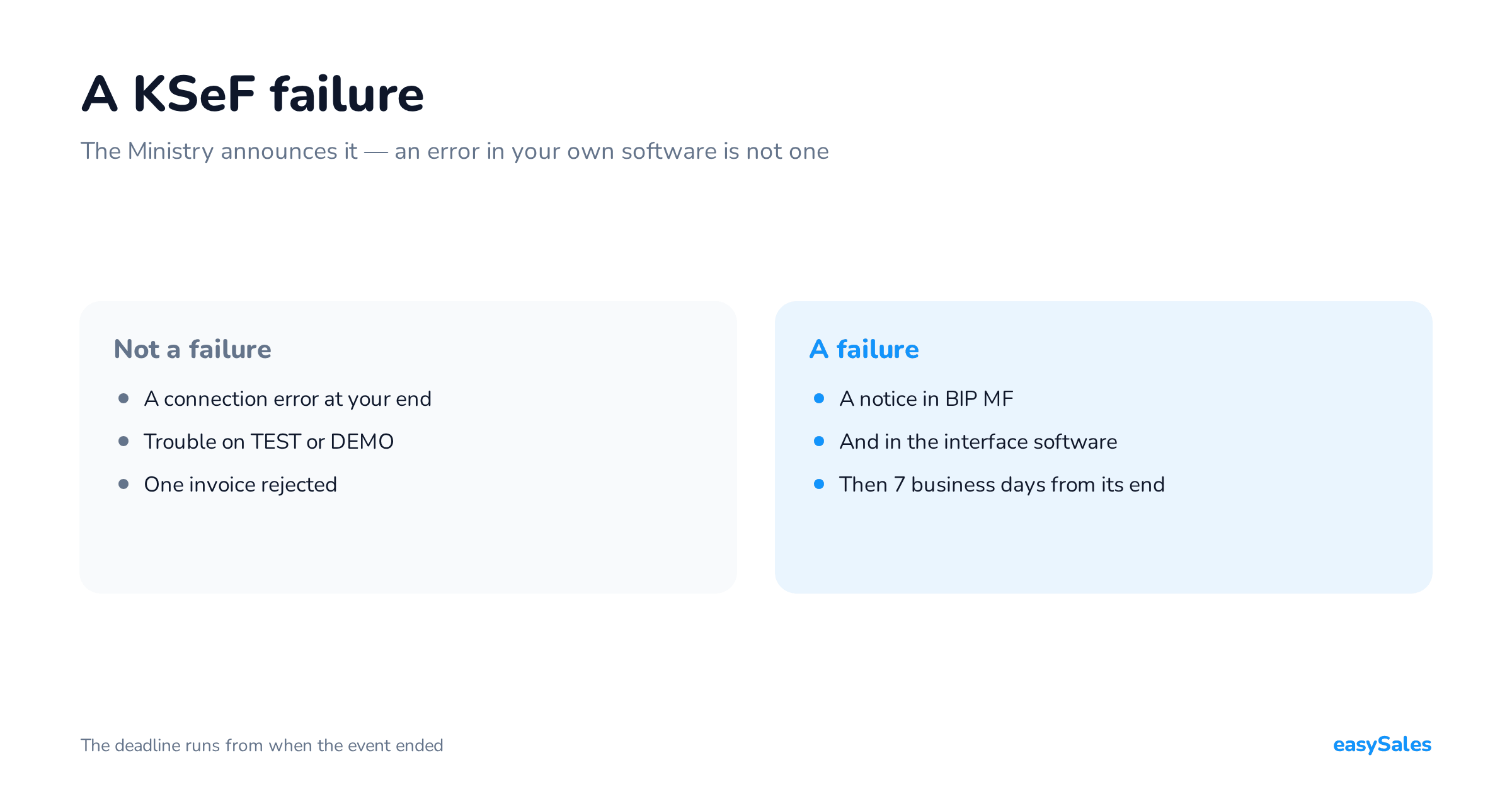
The Ministry announces a KSeF failure — an error in your own software is not one. How to identify the mode, count the deadline and build the retry queue.
A KSeF failure is a state the Ministry of Finance announces in BIP MF and in the interface software. Only such an announcement triggers the failure mode and its seven-business-day deadline.
A connection error in your own software is not a KSeF failure. That distinction decides by when each invoice has to reach the system.
This guide runs from the first error to a resolved outcome for every document: diagnosis, choosing the mode, the deadline, the retry queue and monitoring.
We do not check the current state of KSeF here and make no claim that the system is up or down. The live status lives at the source only — the link is in the first section.
Is KSeF down? Check it at the source
Open the Ministry of Finance technical notices and find the entry carrying today's date. It is the only place that settles the question officially.
Within that entry, verify three things before drawing conclusions.
- The environment — trouble on TEST or DEMO does not mean production has failed.
- The service — a problem with one service can have a different scope than a break in the API accepting invoices.
- The type of event — unavailability, a failure and a total failure carry different consequences and different deadlines.
Keep the text of the notice and the official time the event ended. Most deadlines run from that time, not from the moment somebody noticed the error.
An announced KSeF failure is the only event that grants seven business days. Without an entry here you have no basis for it.

When the Ministry has announced nothing
Check the connection, the invoicing software and the permissions. For a single rejection, start from the validation message, since that is usually one document's problem.
When many submissions lose the connection at once, look for the shared element in the integration. Reasons a single invoice is rejected are covered separately, in the piece on the structured invoice.
No announcement does not stop you issuing invoices. The offline24 mode remains, and it can be used even while KSeF is working normally.
A KSeF failure, unavailability and offline24 — three different states
The casual "KSeF is down" can mean several different situations. Before counting a deadline, assign the document to the right procedure.

The Ministry points to the legal basis for each: offline24 in art. 106nda, unavailability in art. 106nh, and the failure mode in art. 106nf of the VAT act.
The offline24 mode: what the "24" means
The name does not describe a rolling twenty-four hour window. The deadline is the next business day after the day of issue, and the document must be sent promptly.
A Friday invoice therefore normally has a Monday deadline. If the connection returns on the Friday, send it then — "promptly" is part of the rule.
Any taxpayer may use the mode, and it needs no announced failure. The rules are on the Ministry's offline24 page.
Unavailability and failure: the end time is what counts
For announced unavailability, such as planned maintenance, the reference point is the end of that unavailability. Do not count from the moment somebody spotted the error.
For a failure, keep the notices of both its start and its end. If another announced failure appears inside the sending window, the seven days run from the end of that next one.
The details sit on the Ministry's pages for unavailability and for the failure mode.
A total failure has its own procedure
This is an exceptional state, announced through mass media when notices cannot be published through the standard channels. Invoices issued during it are not sent to KSeF afterwards.
A KSeF failure and a total failure are therefore two different states with two different consequences. The first moves the deadline, the second removes the obligation.
A later event can also change the rules for a document already waiting in the queue. An announced failure moves the deadline, and a total failure removes the obligation entirely — the total failure page covers it.
Which is why a queue cannot compute a date once and forget the document. It has to keep the event history and the basis the current deadline rests on.
What to do with invoices that already exist
The order matters, because each step changes what you do in the next. The worst case is resending before establishing what happened to the first attempt.

For every invoice, keep the issue date from field P_1, the time of each attempt, the session and submission identifiers, and the assigned KSeF number once the document is accepted.
Store events with an unambiguous time zone and show the team Polish local time. Count deadlines against the Polish business-day calendar.
Establish the outcome of the previous attempt
Split the documents into three groups: accepted with a KSeF number, definitively rejected, and those with an unknown result. The third group is the one that costs money.
An example: the application transmitted the document, but the connection dropped before the answer arrived. The invoice may well have landed — so read the earlier operation's state first.
Verification in KSeF is asynchronous, meaning it happens after the request has been accepted. Confirming that the file left does not end the process.
Do not restart invoice issuing merely because the previous attempt returned no answer. A retry re-sends the same invoice.
Retry according to the cause
An automatic queue needs rules that tell a connection error, a rate limit and a problem with the document itself apart.

On a 429 response, KSeF gives the block duration in the Retry-After header. Repeated breaches can extend it.
The limits cover status polling too. Checking hard whether it is working yet can therefore make the situation worse rather than better.
What interval between attempts
If a transient error carries no stated wait, a sensible starting point is a growing interval: 30 seconds, 2 minutes, 5 minutes, 15 minutes.
Add a small random offset so every document does not move at once. This is an example integration policy, not a schedule the Ministry requires.
After a run of errors, stop bulk attempts and probe availability with single operations. Once the service returns, raise the pace gradually.
The retry queue: what has to be in it
The queue is a record of documents, their state and the next action. It should survive an application restart and a closed browser.

In a multichannel shop its basic unit is a specific document, not an order. One order can carry an original invoice and a correction, and those have different states.
The dependency between them has to be recorded too. A correction to an invoice issued offline is only issued once the original has its KSeF number — more in the piece on corrections in KSeF.
What to hand the customer in the offline modes
How the document is delivered depends on the mode and on the buyer. That matters when automation attaches a PDF to an email or to a marketplace order.
An invoice handed over outside KSeF before transmission needs two QR codes: one marked OFFLINE and one marked CERTYFIKAT.
The second code requires a KSeF certificate of type 2. A type 1 certificate authenticates you and will not substitute — we cover this in the piece on the KSeF certificate.
Once transmitted and numbered, a visualisation used outside the system carries one code, with the KSeF number beneath it. The Ministry's material on offline mode and QR codes sets out the rules.
A transaction confirmation while there is no number yet
When an offline invoice has no KSeF number yet and the buyer is a domestic taxpayer with a NIP, you may issue them a transaction confirmation.
It is a separate document with its own data layout — it is not an invoice and does not replace one. The Ministry's transaction confirmation page gives the rules and the template.
In automation, separate three stages: building the XML, submitting to KSeF, and handing the document to the customer. Each needs its own completion condition.
Monitoring: which invoices need attention
The panel should show risk per document. A retry count says little on its own — one invoice near its deadline can be more urgent than a hundred freshly queued.
Five measures worth starting from
- Documents with no final result, split into waiting, unknown result and rejected.
- The nearest sending deadline, with the invoice numbers it applies to.
- The age of the oldest unresolved item, including any held for manual handling.
- Time since the last acceptance, set against whether new invoices are being submitted.
- Acceptance rate against queue growth — the queue should shrink despite incoming documents.
Decide the moment a human takes over. If the next automatic attempt would fall after your internal safety deadline, raise an alert.
A halted document stays in the register and in monitoring. Running out of attempts must not remove it from the list of things to settle.
What our own data shows
Everything above is procedure. Below is one number from our own system that shows why a status has to be read carefully.

Our integration checks a submission's outcome at most five times. After the fifth attempt with no final answer the document is marked Failed.
So that status does not mean KSeF rejected the invoice. It means we stopped asking — and the result may still be unresolved.
Which is why 1,373 failed submissions is not a KSeF rejection rate. It is the sum of genuine rejections and documents whose outcome was never settled.
The integration page covers what our KSeF handling does, and the guide to structured invoices gives the wider context.
A checklist before closing the incident
Check every line before calling it done
- Every invoice still to be sent has a recorded mode, deadline and the basis for that deadline.
- The outcomes of interrupted submissions were established, not assumed.
- Accepted documents carry a KSeF number and are excluded from resending.
- Rejected invoices have an owner, a described cause and a next action.
- The queue accounts for corrections depending on their original documents.
- Documents handed to customers carry the markings right for the mode and the buyer type.
Build this procedure before the first timeout arrives. Start by tracing one invoice from order to KSeF number, and see where the team finds its history.
Whether a given obligation applies to your sales is a question for your accountant. What we describe is what validation does and what the system records.