Corrections and returns in KSeF: why one connection is not enough
"No invoice to send" on a correction looks like a bug and is a missing setting. How a return becomes a correction, and what has to be configured for it to arrive.
A correction in KSeF is a separate document type. You do not edit the original invoice — you issue a document that references it, passes the same validation, and receives its own number in the register.
An invoice once accepted stays in the register permanently. That is why there is no undo, only a correction.
There is one configuration mistake here that generates more support tickets than all the others combined — not because it is difficult, but because it looks exactly like a system failure.
The symptom: you process a return, a correction is generated, and the submission says there is no invoice to send.
The system is working correctly. A setting is missing.

A correction invoice is a different document type in KSeF

In KSeF an original invoice and a correction are two different document types with different structures — a correction has to reference the document it corrects.
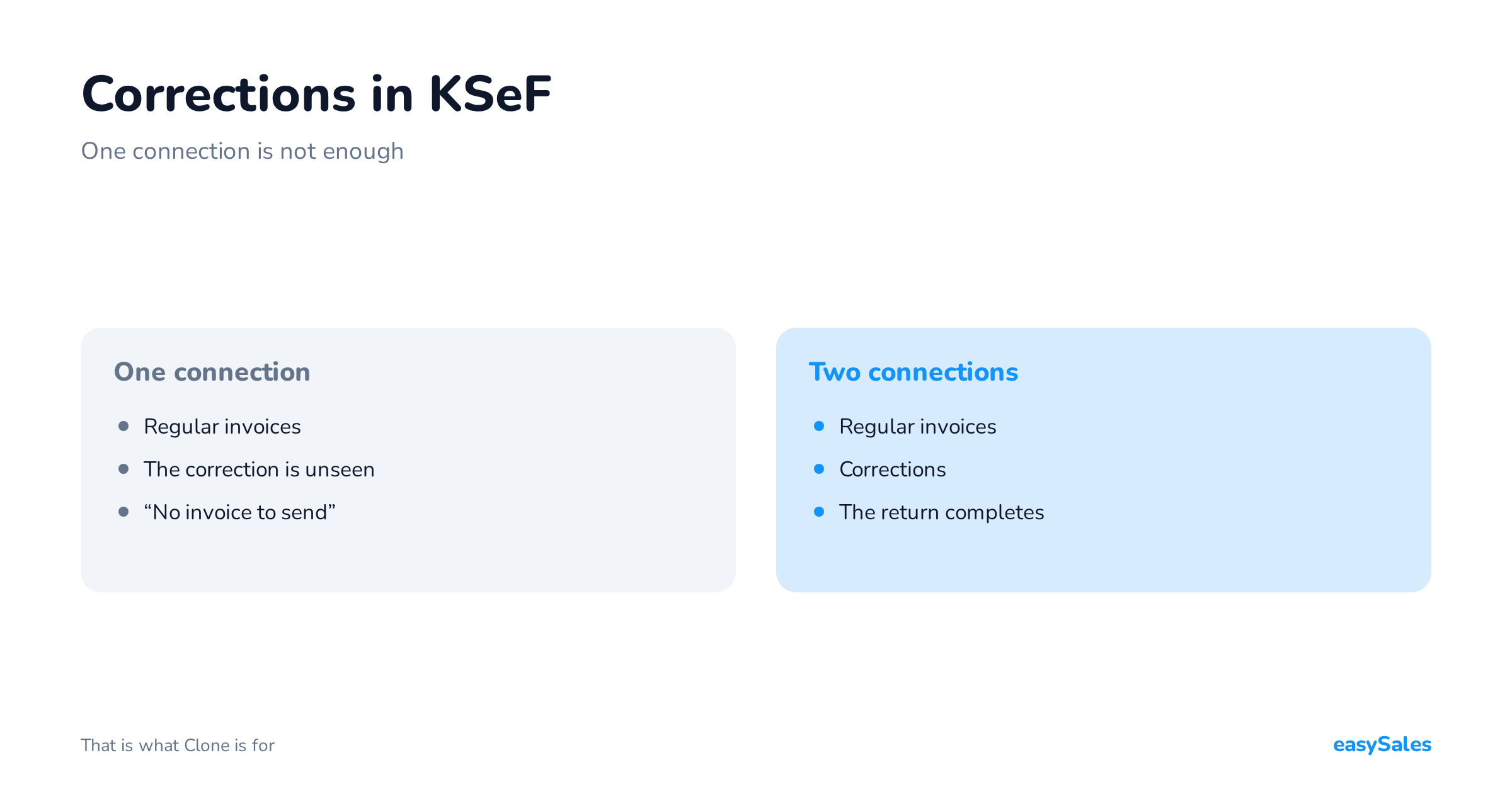
A connection configured for regular invoices handles only regular invoices. When it looks for documents to send, it simply does not see the correction: it is not what it is looking for.
Hence "no invoice to send" on a return that visibly generated a document. Both statements are true at once.
A correction has its own number
It does not replace the original invoice and does not alter it — it refers to it but exists alongside.
Once accepted, an invoice stays in the register permanently, so there is no undo, only a correction.
Partial and full corrections — where programs differ
Before a correction ever reaches submission, it has to be created in your accounting program. And there is a difference here that, at any real volume of returns, translates directly into hours of work.
Returns come in two shapes. The buyer sends the whole order back — you correct the invoice in full and it is straightforward.
Or they send back one item out of five, and you need a correction covering only that item, with the value and tax recalculated.
Not every accounting program handles the second case automatically:
- Fakturownia, wFirma and iFirma accept a correction issued against a specific return. One item back produces a correction for that item, with no manual arithmetic.
- inFakt, Subiekt GT and Subiekt Nexo PRO handle corrections against the whole order. On a partial return the document has to be finished by hand in the program.
For a clothing or footwear seller this is not a detail — partial returns are the rule rather than the exception there, because buyers deliberately order two sizes.
If your category works that way, check this difference before choosing an accounting program, not after your first returns season.
It is also worth noting that this constraint concerns how the document is created, not how it is submitted.
A correction issued by hand travels the same path as an automatic one — provided you have a connection that handles corrections, which is the next section.
Correction or cancellation: why there is no undo
This is a shift in thinking that tends to arrive late and causes misunderstandings with buyers.
Once an invoice is accepted it stays in the register permanently. It cannot be withdrawn, deleted or overwritten.
If the sale did not happen — the buyer backed out, stock ran short, payment failed — a document that has already been accepted still exists. The remedy is a correction, not a deletion.
That has two practical consequences. First, the moment you issue invoices starts to matter. The earlier in the process you issue, the more corrections cancellations will generate.
Sellers with a lot of drop-offs usually move issuing to dispatch for exactly this reason.
Second, a data mistake is also a correction. A wrong rate, a typo in the buyer name, an incorrect price — once the document is accepted, you fix it with a correcting document rather than an edit.
Which is why it pays to catch data errors before submission rather than counting on quietly fixing them afterwards.
You need a second connection
The fix is to run two KSeF connections: one with the document type set to regular invoices, one set to corrections.
Both point at the same account and the same token — they differ only in which documents they handle.
That is what the Clone action on the connections screen is for.
It is not there for backups: it is there so you can build the second connection without retyping the whole configuration. Clone the existing one, change the document type to correction, save.

The full return path
- The buyer requests a return and you accept it.
- A correction is created in your accounting software — referencing the original invoice and its number.
- The correction is submitted through the connection that handles corrections.
- It comes back with its own KSeF number. It is a separate document in the register, not a change to the previous one.
Point four is the one to remember: an accepted invoice does not disappear and does not change.
A correction does not "fix" it retroactively; it places a second document beside it that corrects it. That changes how you think about mistakes — there is no undo, only correct.
Both connections — the one for invoices and the one for corrections — point at the same account and the same token.
You do not need a second token or a second set of permissions. They differ only in the document type they handle.
Which is why cloning the existing connection and changing one field in the copy beats configuring everything from scratch.
Returns do not arrive evenly

The reason this configuration so often surfaces at the worst possible moment is simple: returns have a seasonality of their own, and it is not the same as sales.
The wave of returns lags the sales peak by roughly the withdrawal window plus the time it takes a parcel to travel back.
In practice that means the largest volume of returns after the November and December peak lands in January — the month you are closing the year in anyway.
The consequence is that the correction problem gets discovered across dozens of documents at once rather than one. Found on the first return in a quiet month, it is a fifteen-minute fix.
Found in January against a stack of documents to close, it takes a day and puts everyone in a bad mood.
So it is worth treating this as a scheduled check rather than an incident response.
Correction configuration is one of those things you verify while nothing is happening — because that is when verifying it is free.
A pre-season check: five minutes, once a quarter
A short list worth walking before every sales peak. The whole thing takes minutes, assuming you find nothing to fix:
- Open the list of KSeF connections and count them. There should be at least two: one for invoices, one for corrections. If there is one, that is the entire diagnosis.
- Run one test return against a real, small order and take it all the way through — to the number assigned to the correction. A test return on something that was never an invoice verifies nothing.
- Check the token's permissions, especially if it was generated a while ago or by someone else. Permissions are often granted narrowly, and that only shows up when a status is read.
- Verify the bank account on the connection rather than in account settings — two different places, and only one of them reaches the e-invoice.
- Check how your accounting program handles a partial return. If it only does full corrections, plan time for manual work or consider changing before the season rather than during it.
One last point: run this check even if you have had no returns yet. No returns does not mean the path works — it only means nobody has used it.
Which is why to set it up before you need it
Returns do not arrive evenly. They arrive in a wave after the season, and that is the worst possible moment to discover corrections have never been going out.
Checking takes a minute: open the connections list and see whether any of them has the correction type. If not — clone the existing one and change the type.
Check whether corrections ever went out
Open a few recent returns and see whether the corrections carry system-assigned numbers.
Their absence on documents from months ago does not mean something has just broken — it means this path was never configured.
What a correction must contain to pass validation

Since a correction is a separate document type, it has requirements of its own. Three of them account for most rejections in this category:
- A reference to the original document. A correction has to identify unambiguously the invoice it corrects. If the original was issued outside the system, or was never accepted, that reference leads nowhere — and the document comes back.
- A complete buyer block. Exactly the same requirement as on the original invoice, and exactly the same trap: a missing buyer name on a consumer sale stops a correction just as it would stop an invoice.
- Tax rates from the list the schema allows. A correction to an invoice carrying a rate outside the Polish list inherits the same problem. If the original failed for that reason, the correction will fail all the more.
A correction inherits the original's problems
There is little point diagnosing corrections in isolation from the documents they refer to.
If returns systematically fail, first check whether the original invoices from those orders were accepted at all.
The inverse holds too, and it is good news: tidying data for original invoices fixes corrections as a side effect. It is the same work on order-data quality, done once, paying out on both paths.
A return is not the only route to a correction
It is worth widening the picture, because "correction" tends to mean a returned item and nothing else. That narrowing costs money.
A post-transaction discount, a mistake in the price and an upheld complaint all lead to a correction document, even though no goods come back to stock.
From the submission's point of view the path is identical: the same document type, the same connection, the same requirements.
The practical consequence: if you configure corrections for returns alone, the first discount will find you with nothing to send the document through.

When a correction comes back as a duplicate
A situation that looks like an error and usually is not: you submit a correction and the system replies that such a document has already been accepted, quoting the original document's number.
If the document it points to is the same correction — and most often it is — there is nothing to fix. The number and confirmation attach to the document that already exists.
This happens on a retry after a brief connection problem: the first attempt arrived, the response did not come back, and the second attempt met an already-registered document.
Only the opposite case deserves attention — when the duplicate notice points at a different document. That means two distinct corrections share a number in your series.
A real problem, but one that lives in the accounting program rather than the integration, and has to be solved there.
What to check when a correction will not go out
Five things to check, in order
A diagnostic order that usually finds the cause in minutes:
- Whether a connection with the "correction" type exists. This is cause number one and the fastest to check. Open the connection list and count — if there is only one, that is it.
- Whether the original invoice was accepted. A correction has to point at the document it corrects. If the original never arrived — because it carried a rate outside the Polish list, say — the correction has nothing to refer to.
- Whether the token holds both permissions. Issuing and reading status. A token with only the issuing right lets you submit but not learn the outcome, so the document hangs.
- Whether the correction was created at all. It sounds obvious, but on a partial return in a program that only does full corrections the document may never have been produced — and then there is nothing to send.
- Whether the return was accepted. While a return is still in a requested rather than accepted state, the document path does not start.
The general rule: start with one return, not with the settings. Take a specific case that failed and walk those five points in order.
Reviewing configuration without a concrete document in hand almost always takes longer.
Two more things that surprise people
The bank account on an e-invoice comes from the KSeF connection itself, not from the field in account settings.
They are two different places, and filling in the second one does not work even as a fallback.
The token needs two permissions — issuing invoices and reading status — because the verdict is polled after submission.
A token with only the issuing right saves correctly and stops working exactly when a result is needed.
All of it step by step: the KSeF guide. The connection itself: the KSeF integration.