How to ship Trendyol orders with Trendyol's labels in easySales

Ship Trendyol Romania, Greece and Bulgaria orders on Trendyol's shipping model: set Delivery method to Trendyol pays, let easySales attach Trendyol's label to each order, and handle labels that are late.
How Trendyol shipping works in easySales
When Trendyol pays for shipping, Trendyol chooses the carrier for each order and issues the shipping label itself. easySales brings that label onto the order as its AWB — you print it, pack the parcel and hand it to the carrier. You do not create an AWB with a courier of your own, and you pay no carrier.
This guide covers Trendyol Romania, Greece and Bulgaria.
Two things to know before you begin:
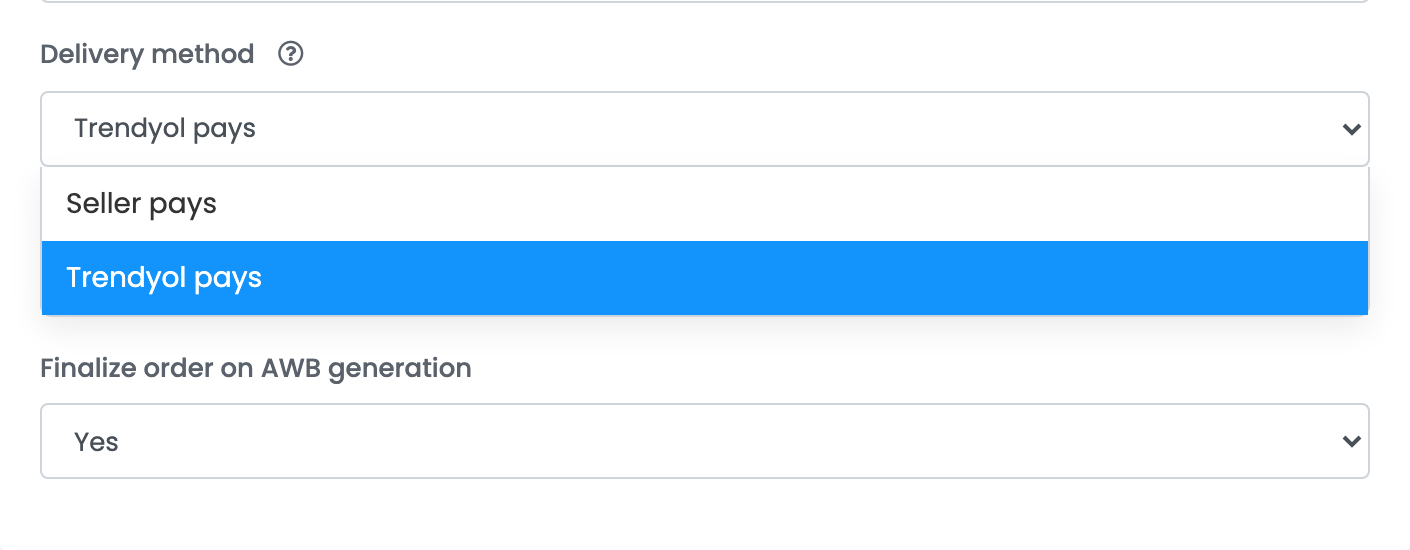
- There is no courier to connect — it is one setting on your Trendyol connection. Delivery method tells easySales who ships your Trendyol orders: Trendyol pays or Seller pays. A new connection starts on Seller pays.
- The setting must match the model Trendyol activated on your account. Trendyol decides whether your account ships on its model or on yours; ask Trendyol to switch it. If easySales says one thing and Trendyol the other, you either ship an order twice or cannot ship it from easySales at all.
Before you start
Your Trendyol store connected
Under Integrations → Marketplaces, one connection per Trendyol site.
Trendyol's shipping model active on your account
Trendyol switches it on — ask Trendyol if you are not sure which model your account uses.
Step 1 — Set the delivery method on your Trendyol connection
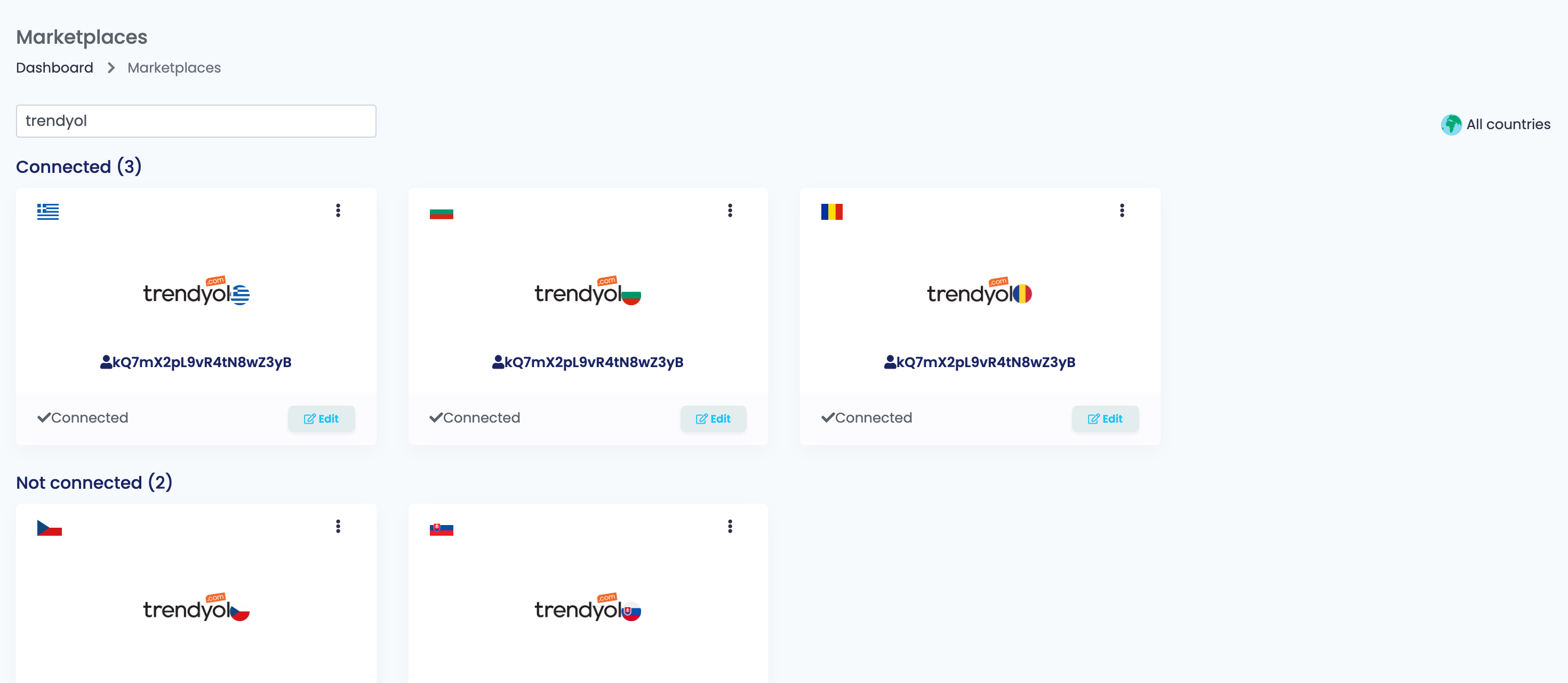
Go to Integrations → Marketplaces, search for trendyol and press Edit on the card of your Trendyol site.
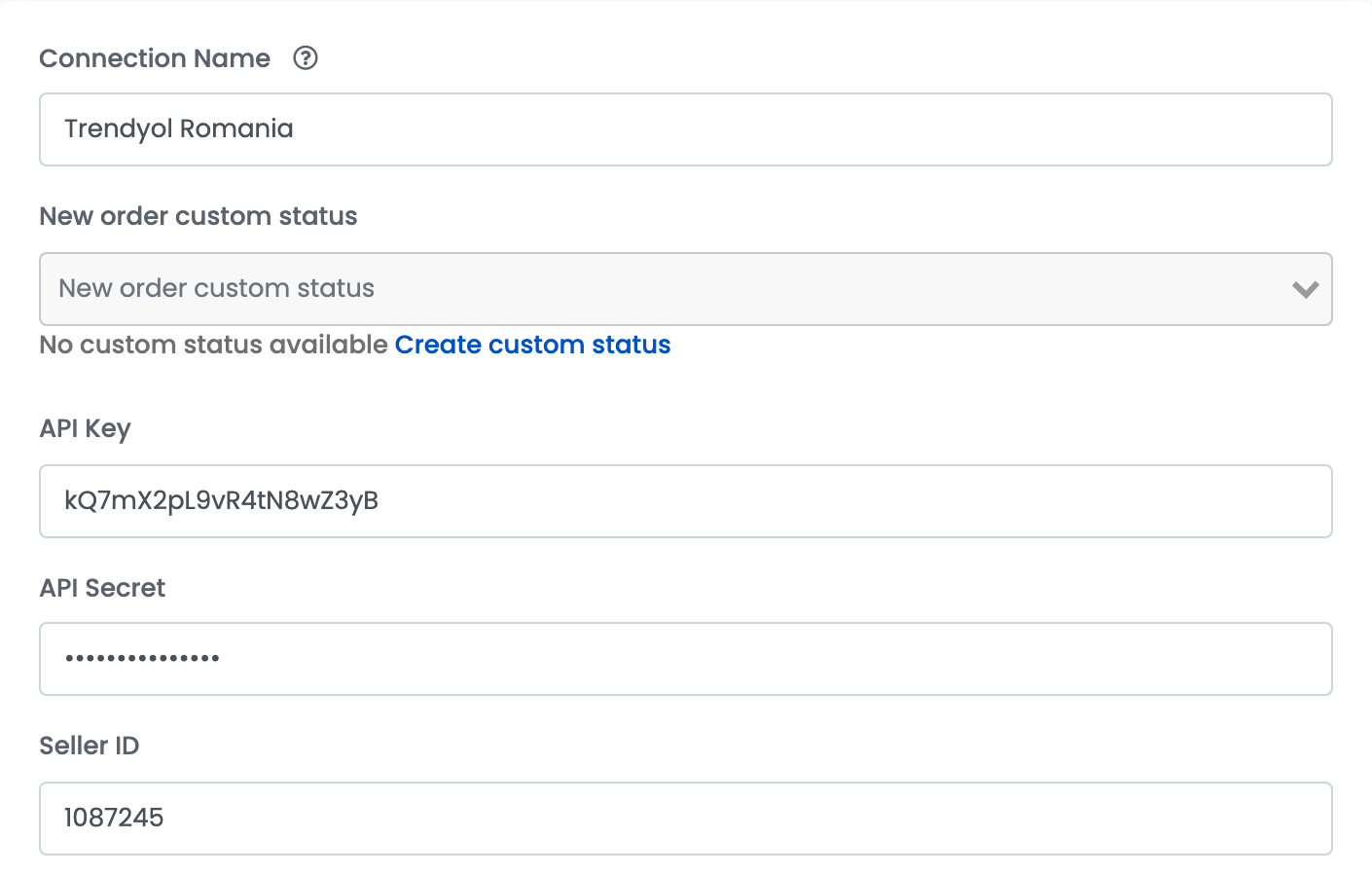
Your connection keeps its API Key, API Secret and Seller ID; nothing about them changes for shipping.
Further down the Main settings tab, set Delivery method to Trendyol pays and press Save. Do this on each Trendyol connection that ships on Trendyol's model — one per site.
| Setting | What happens |
|---|---|
| Trendyol pays | Trendyol chooses the carrier and issues the label; easySales attaches it to the order as its AWB. You create no AWB yourself. |
| Seller pays | You ship with your own courier and create the AWB in easySales; easySales sends the tracking number to Trendyol. No Trendyol label is attached. |
Step 2 — Decide when the order is finished
Finalize order on AWB generation is set to Yes by default. Trendyol's label counts as the order's AWB, so the order in easySales becomes finished as soon as the label arrives — before you have packed it.
Set it to No if your team or your warehouse works from orders that are still in progress: the order then stays open until you finish it yourself or with an automation flow.
What happens with each order
- The order arrives from Trendyol as usual.
- Once the carrier has registered the parcel, Trendyol has the label ready — usually a few minutes after the order. easySales attaches it to the order as its AWB, with the carrier Trendyol chose.
- You print the label from the order, like any AWB, and pack the parcel. AWB scanning and packing work as usual.
- The carrier collects the parcel. Pickups are arranged by Trendyol and the carrier — printing the label in easySales does not book one.
The delivery status on the order then follows Trendyol's tracking.
If the label is not on the order yet
The label only exists once the carrier has registered the parcel, so a new order can be without one for a few minutes. easySales picks it up when Trendyol next updates the order.
If an order still has no label after a while, synchronize the order from its page. If the label is still missing, contact Trendyol: the carrier has not registered the parcel.
Split orders and cancelled packages
- Split order divides a Trendyol order into several packages. Each new package arrives in easySales as its own order, with its own label.
- Cancel packages cancels the order's packages on Trendyol.
When you ship with your own courier (Seller pays)
With Seller pays, you create the AWB with your own courier, as for any order, and easySales sends the tracking number to Trendyol. easySales can send tracking numbers to Trendyol for DPD, Speedy and GLS AWBs.
Messages you may see
| Message | What to do |
|---|---|
| Trendyol manages the delivery process. | The connection is on Trendyol pays: the label comes from Trendyol. Do not create an AWB for this order. |
| Unable to send tracking number: Tracking detail güncellemesi yalnızca seller kargo ödemeli model için geçerlidir | Your Trendyol account ships on Trendyol's model, but the connection says Seller pays. Set Delivery method to Trendyol pays, so that your next orders get Trendyol's label. |
| Unable to send tracking number: ProviderCode must be required | On Seller pays, the AWB is from a courier whose tracking number cannot be sent to Trendyol. Ship Trendyol orders with DPD, Speedy or GLS. |