How to connect Nexus ERP with easySales: a complete setup guide
Connect Nexus ERP to easySales: server details and Get Details, warehouse and accounts, invoice numbering, how an invoice reaches the order, the stock source connection and Nexus's error messages.
What connecting Nexus gives you
With Nexus connected as billing software, easySales issues the invoice for an order directly in Nexus ERP — with the customer, the products, shipping and discounts on it — and attaches the PDF to the order. It can also mark an invoice as paid, cancel it, issue a reverse invoice and produce a warranty. Your accounting stays in Nexus; easySales only fills it in.
Three connections, one server
Nexus appears in three places in easySales. They are independent, they take the same server details, and you can connect any combination of them.
| Where | What it does |
|---|---|
| Integrations → Billing Software | easySales issues the invoice for an order in Nexus and attaches the PDF to the order. |
| Integrations → Stock sources | Product stock is read from Nexus into easySales. |
| Integrations → ERP systems | The order itself is sent to Nexus as a customer order, for companies that process orders in Nexus. |
Most of this guide is about the first, because that is where invoicing happens.
Before you start
A Nexus API server that easySales can reach
Its public IP address, its port and whether it answers over HTTP or HTTPS, plus an access token. Your Nexus consultant provides them.
Your accounting accounts
The debit, cash register, product, discount and shipping accounts your invoices are booked to.
An archived invoice report in Nexus
An invoice report set to be archived when an invoice is validated. It is what easySales reads the invoice PDF from.
Step 1 — Open the Nexus card
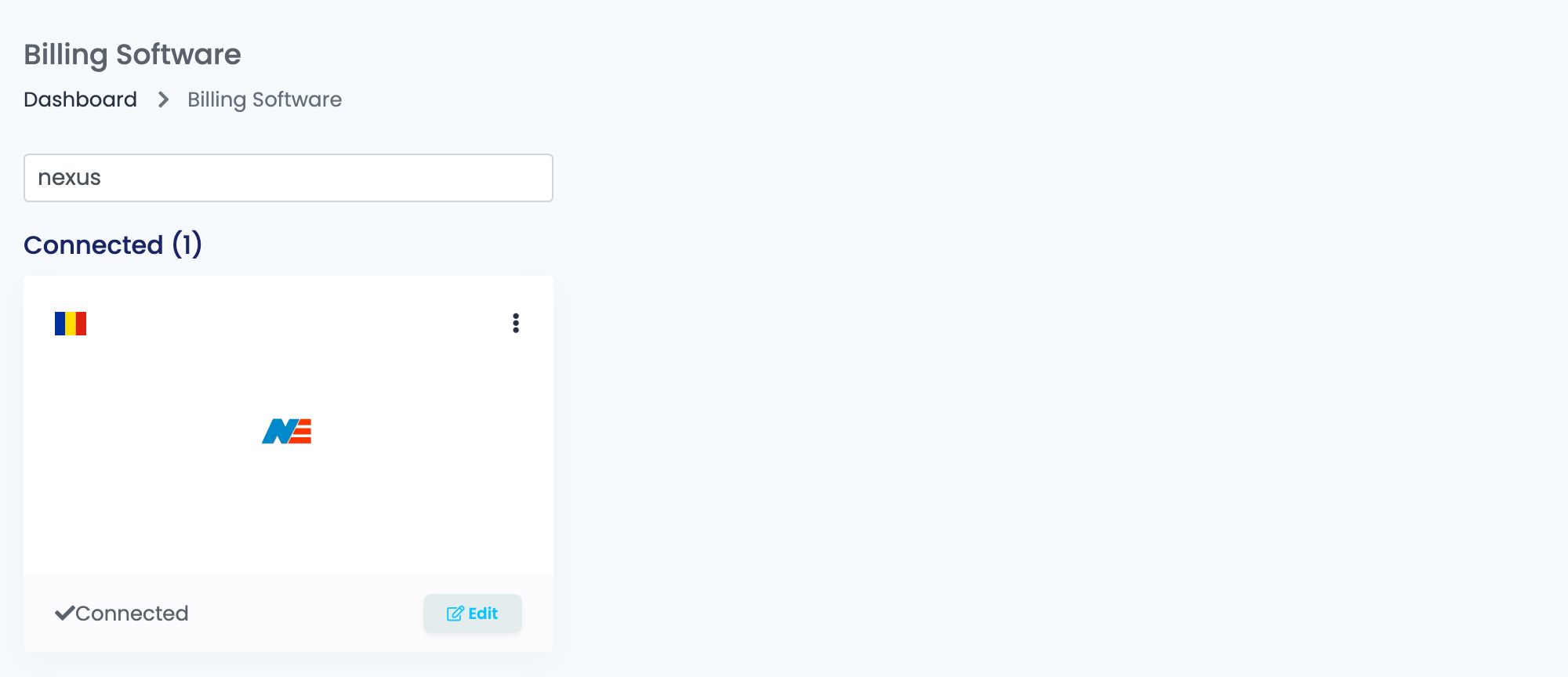
Go to Integrations → Billing Software, search for nexus and press Connect on the Nexus card — or Edit, if you have connected it before.
Step 2 — The server details, and Get Details
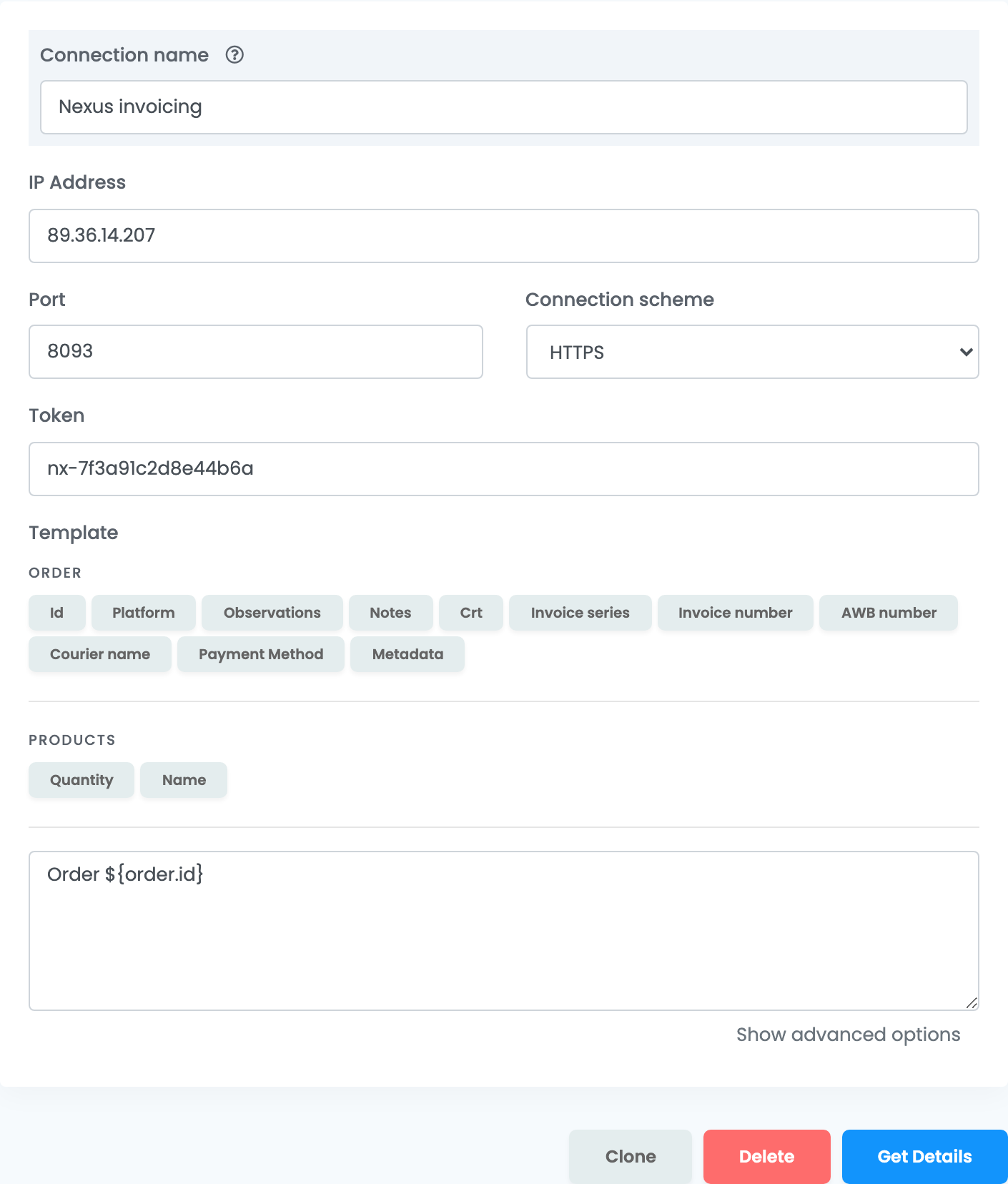
IP Address, Port and Connection scheme say where your Nexus API server answers; Token is the access token for it. Your Nexus consultant gives you all four. Connection name is what you will see inside easySales when you pick between connections.
Step 3 — Warehouse, document type and accounts
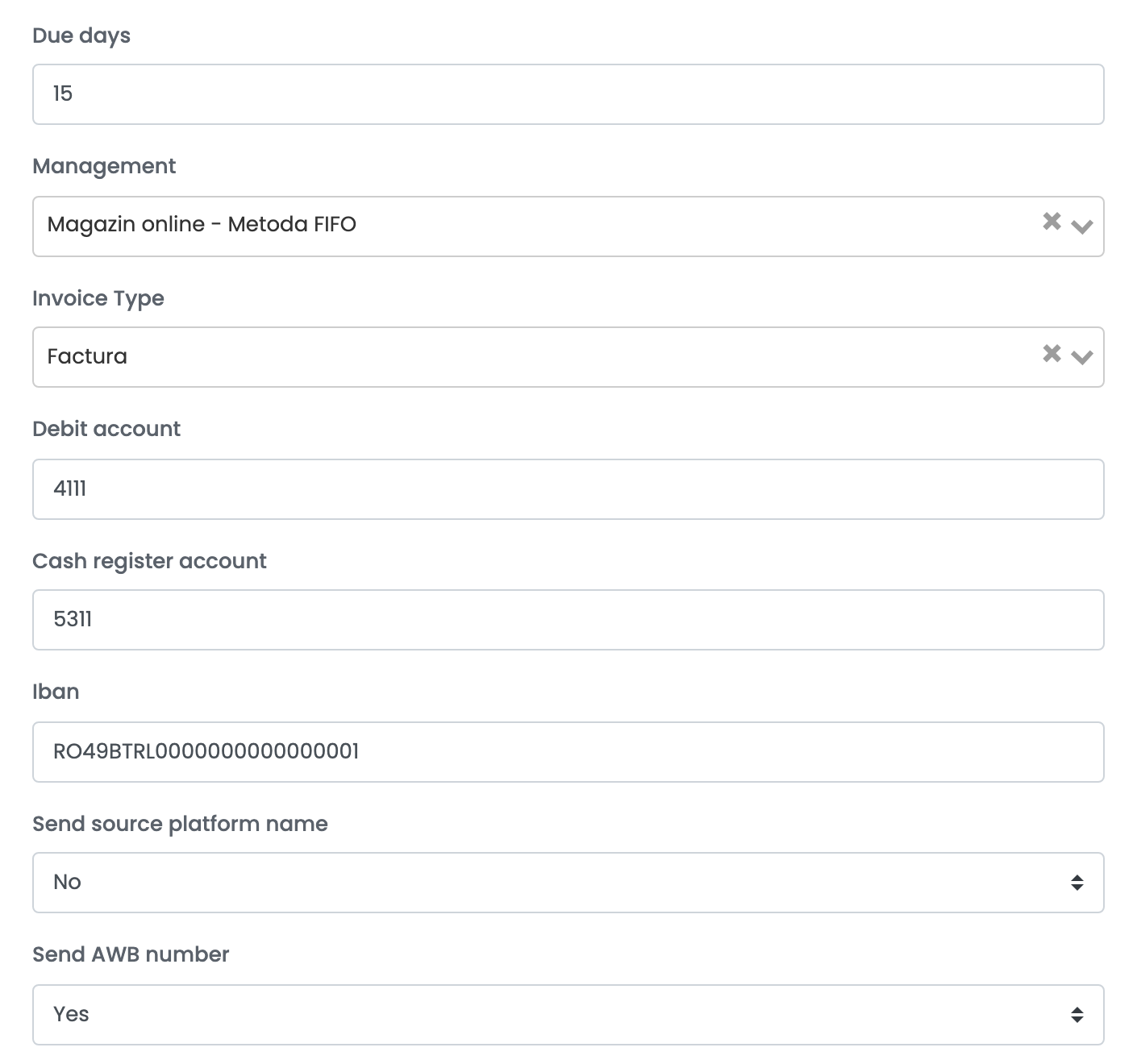
| Field | What it does |
|---|---|
| Due days |
How many days after the invoice date the payment falls due. 0 makes it due the same day.
|
| Management | The Nexus warehouse the invoiced products leave from — the list comes from your Nexus server. Nexus checks the stock of each product in this warehouse. |
| Invoice Type |
The Nexus document type to issue, under Nexus's own names — Factura for an ordinary invoice, or another type such as Factura externa or Livrare OSS.
|
| Debit account |
The customer account the invoice is booked to, such as 4111.
|
| Cash register account |
The account a payment is booked to when you mark an invoice as paid, such as 5311.
|
| Iban | The bank account sent with the payment when you mark an invoice as paid. |
| Send source platform name | Sends the channel the order came from — the marketplace or the shop — as the agent on the Nexus invoice. When it is on, you can map each platform to a Nexus agent name. |
| Send AWB number | Sends the order's AWB number with the invoice, when the order already has one. |
Step 4 — Numbering, and the lines on the invoice
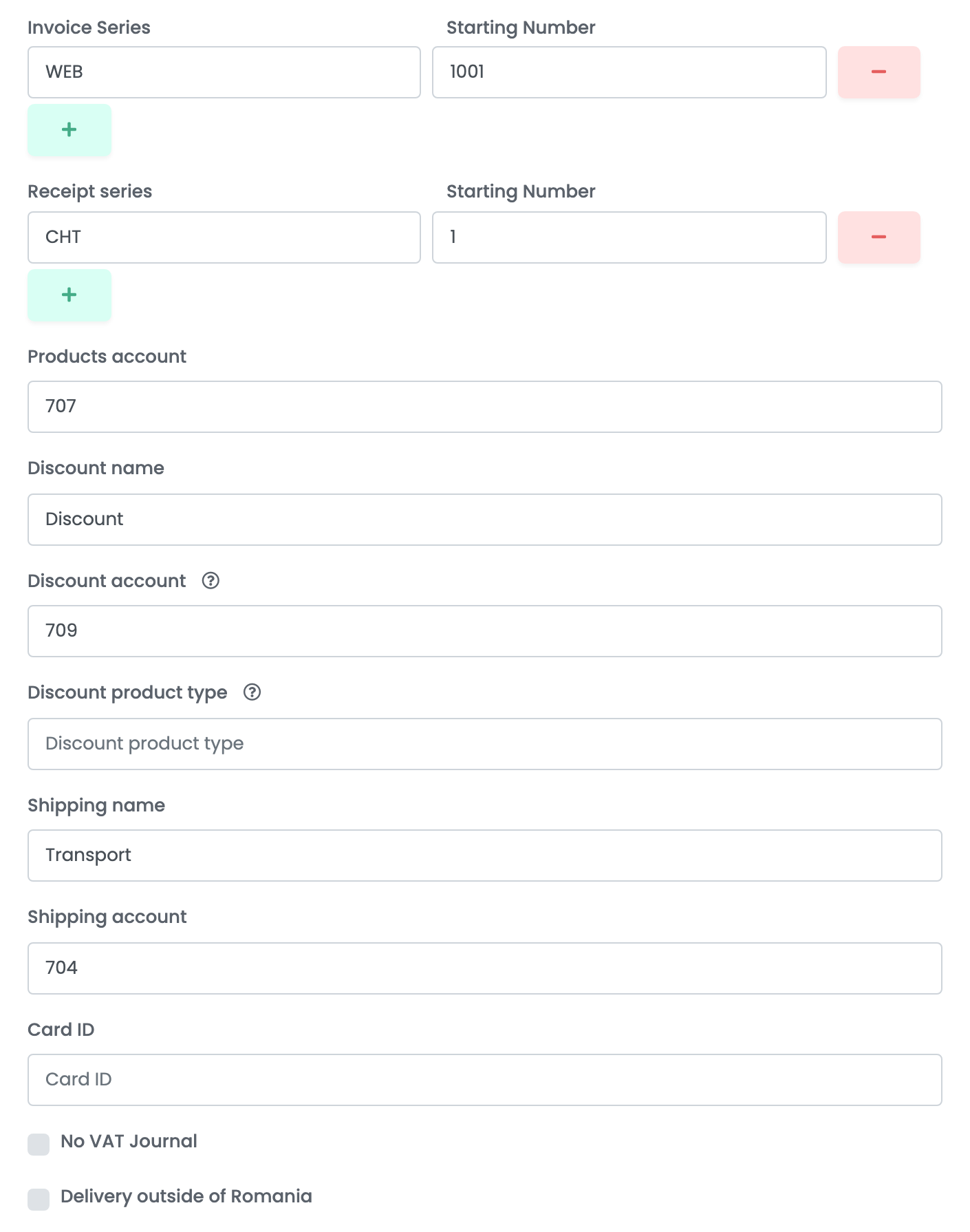
| Field | What it does |
|---|---|
| Invoice Series and Starting Number | The series and the next number easySales uses. Press + to add another series; you choose between them when you issue an invoice. |
| Receipt series and Starting Number | The same, for receipts. Required. |
| Products account |
The revenue account every product line is booked to, such as 707.
|
| Discount name and Discount account |
The Nexus article used for a discount line, and its account, such as 709.
|
| Discount product type |
Optional. The Nexus product type for the discount article, such as WDA.
|
| Shipping name and Shipping account |
The Nexus article used for the shipping line, and its account, such as 704.
|
| Card ID | Optional. The id of the Nexus document book the invoice is registered in. |
| No VAT Journal | Keeps these invoices out of Nexus's VAT journal. |
| Delivery outside of Romania | Marks the invoices as delivered outside Romania. |
Step 5 — The notes template
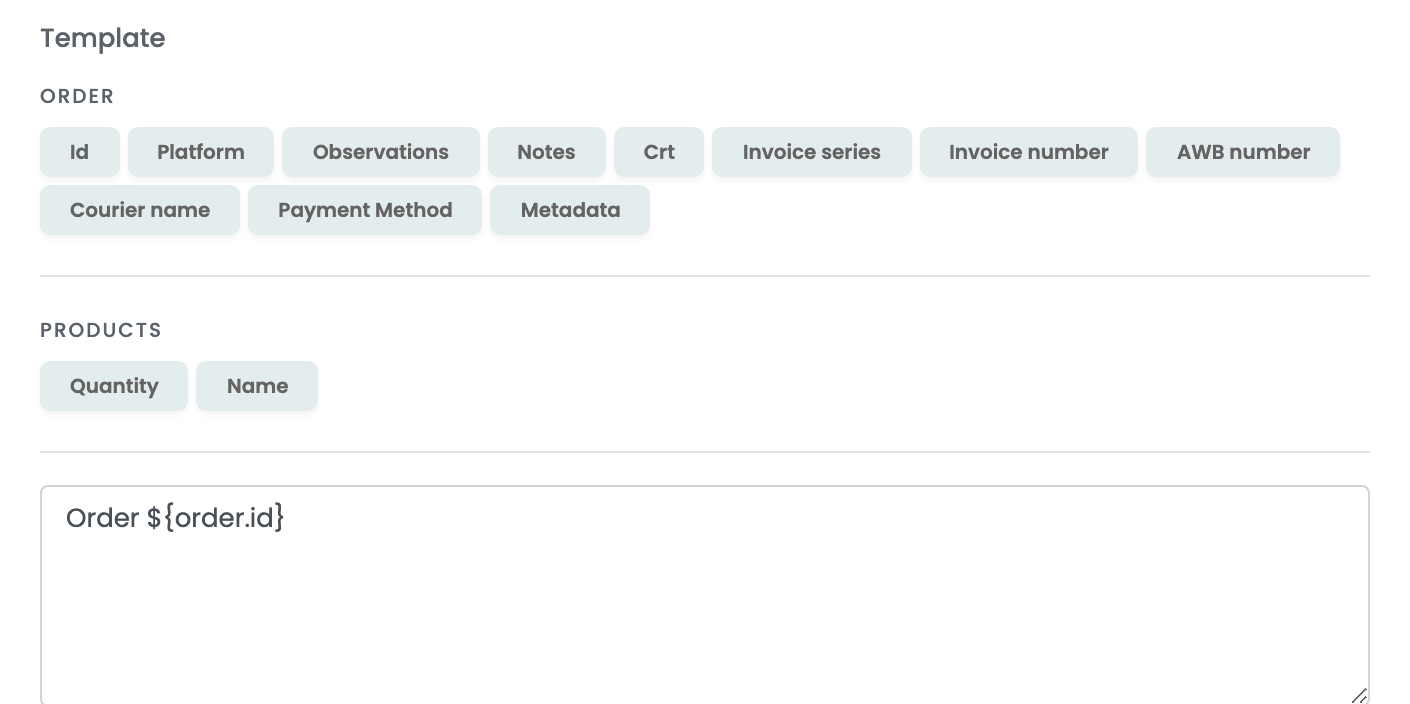
What the template produces is printed on the invoice as its observations. The buttons above the box insert values from the order — order number, platform, AWB number, courier, payment method — and from its products.
Step 6 — Advanced options
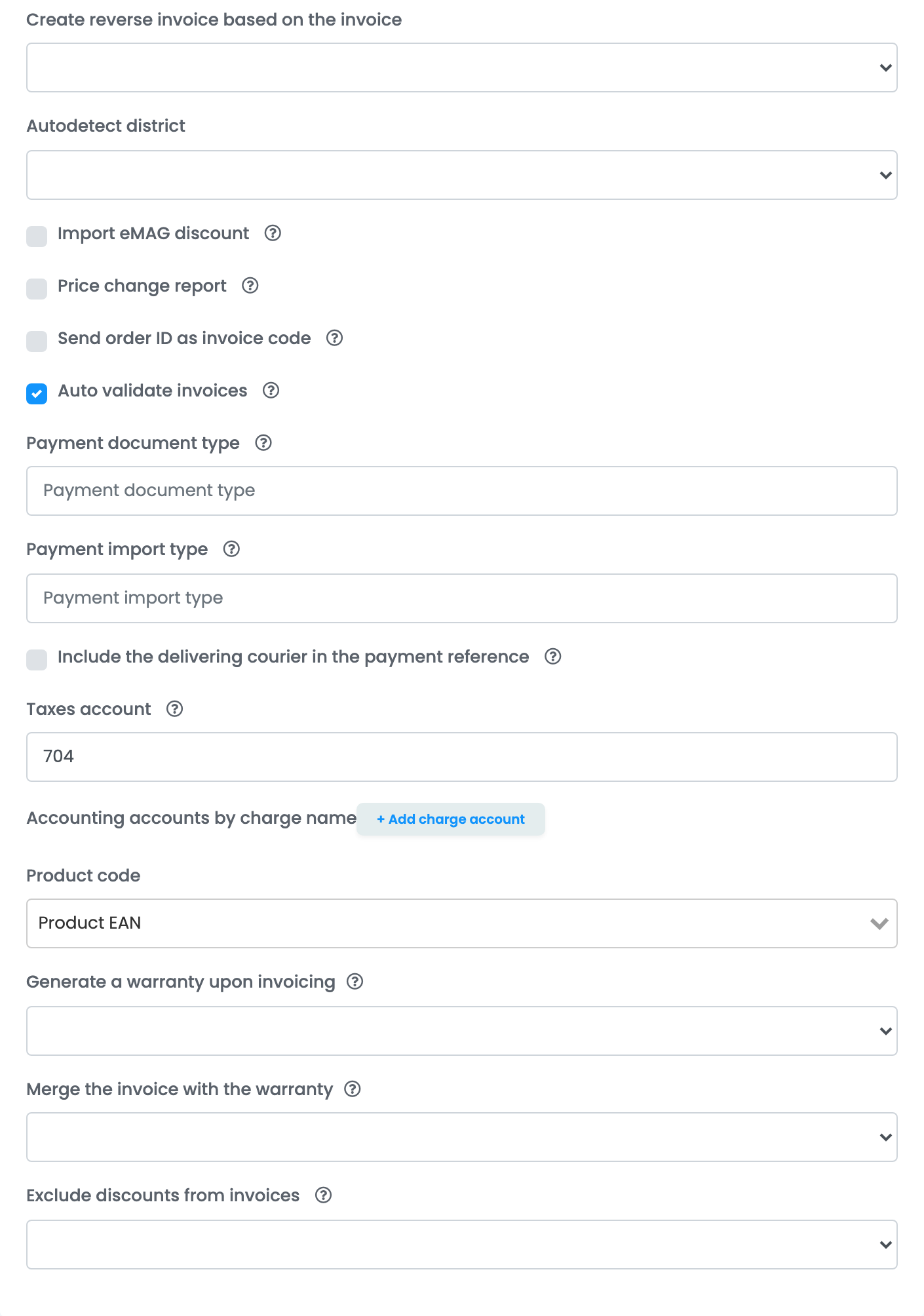
| Setting | What it does |
|---|---|
| Create reverse invoice based on the invoice | Builds a reverse invoice from the lines of the original invoice. |
| Autodetect district |
For a customer in Bucharest, works out the sector (Sectorul 1 to Sectorul 6) from the address or the postal code, so the customer is created in Nexus in the right locality.
|
| Import eMAG discount | Creates the eMAG discount in Nexus under its original name. When it is on, the discount's class and import type are needed as well. |
| Price change report | Has Nexus generate a price change report for retail goods in advance. |
| Send order ID as invoice code | Sends the easySales order number as the invoice's code in Nexus. |
| Auto validate invoices | Validates each invoice as soon as Nexus imports it. On by default — leave it on, because the invoice reaches the order only after validation. |
| Payment document type and Payment import type |
What is sent to Nexus when an invoice is marked as paid. The defaults are Chitanta and BAL; for a payment into a bank account in lei use Ordin de plata. Import types: CAL cash register in lei, CAD cash register in foreign currency, BAL bank in lei, BAD bank in foreign currency.
|
| Include the delivering courier in the payment reference |
Puts the courier in front of the payment document number, for example Cargus-502.
|
| Taxes account |
The account for other charges on the order, such as a packaging tax — 704 by default.
|
| Accounting accounts by charge name | Books a charge to its own account when its name contains the text you set. |
| Product code | Which product code Nexus uses to find the article: Product EAN (the default) or the SKU. |
| Generate a warranty upon invoicing / Merge the invoice with the warranty | Produces a warranty document when the invoice is issued, and optionally downloads the two together. |
| Exclude discounts from invoices | Leaves the order's discount lines off the invoice. |
Press Save. The Nexus card now shows Connected.
How an invoice reaches the order
Nexus does not hand the invoice back straight away. easySales sends the invoice to Nexus, Nexus imports and validates it, and easySales then collects the PDF from the Nexus archive and attaches it to the order. The invoice appears on the order a little after you issue it, and while it is on its way, the order is marked as processing.
The stock source connection
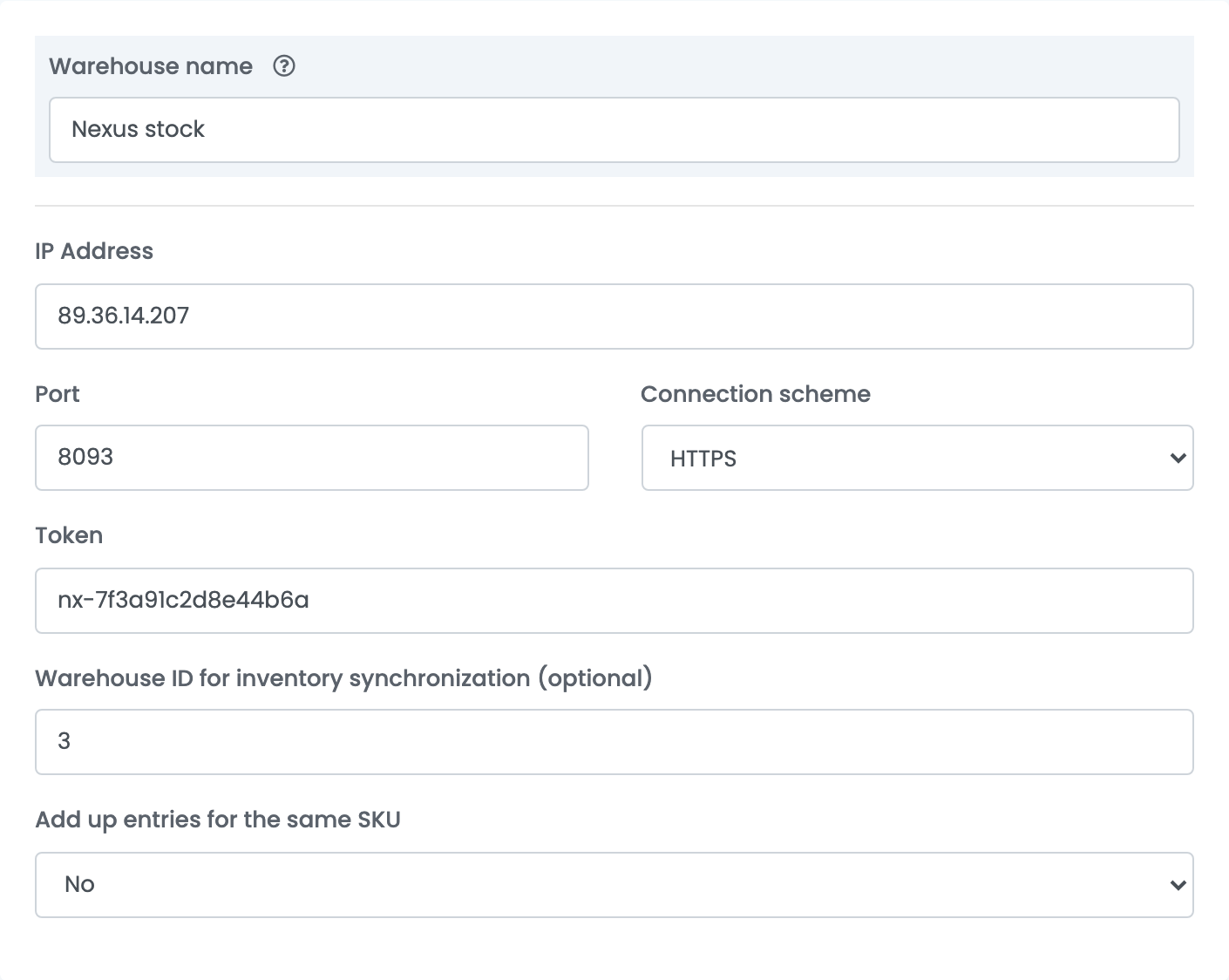
Under Integrations → Stock sources, a Nexus connection reads product stock from Nexus into easySales. It takes the same IP Address, Port, Connection scheme and Token.
| Field | What it does |
|---|---|
| Warehouse name | What you will see in easySales for this stock source. |
| IP Address, Port, Connection scheme, Token | The same server details as the billing connection. |
| Warehouse ID for inventory synchronization (optional) | The Nexus warehouse to read stock from. Left empty, stock is read from every warehouse. |
| Add up entries for the same SKU | When the same product appears in several Nexus warehouses, Yes adds the quantities together; No takes one of them. |
When Nexus refuses an invoice
Nexus's message is shown on the order, in Romanian, as Nexus writes it. These are the ones worth recognising.
| Message | What it means |
|---|---|
FCL031 - Cantitate insuficienta in stoc pentru produsul …
|
Not enough stock of that product in the Nexus warehouse chosen under Management. The most common refusal: receive the stock in Nexus, or pick the warehouse that holds it. |
FCL026 - … Lipsa produs in nomenclator …
|
The product, discount or shipping line is not an article in Nexus's catalogue. Add it in Nexus, or correct the product's EAN or SKU, or the Discount name and Shipping name. |
Documentul Factura [ … ] a fost inregistrat deja …
|
That invoice number is already used in Nexus. Raise the Starting Number of the series. |
FCL022 - … conturi nu identifica unic tipul …
|
An account set on the connection does not identify a single article type in Nexus. Check the Products, Discount and Shipping accounts with your Nexus consultant. |
Lipsește codul fiscal al clientului.
|
The order is for a company but has no fiscal code. Add the CUI to the customer and issue the invoice again. |
Lipsa licenta NexusAPI
|
The Nexus API licence is not active on your server. Ask Nexus to enable it. |