How to connect NeoManager with easySales: a complete setup guide
Connect NeoManager to easySales as billing software, as an ERP or as a stock source: server details, invoice numbering, customer matching, payment type mapping, article ids and what each message means.
What connecting NeoManager gives you
NeoManager is business software you run on your own server, and easySales talks to it over that server's Web Connector. Depending on how you want to work, it can be the place your invoices are issued, the place your orders are processed, the place your stock comes from — or all three.
That is the first thing to know about it: NeoManager appears in three places in easySales, not one.
| Page | What the connection does |
|---|---|
| Integrations → Billing Software | easySales issues the invoice for an easySales order, in NeoManager, and attaches the PDF to the order. |
| Integrations → ERP systems | easySales sends the order to NeoManager; the invoice is issued there and easySales fetches it back onto the order. |
| Integrations → Stock sources | Product stock is read from a NeoManager warehouse into easySales. |
All three ask for the same server coordinates, and you can connect any combination of them. Most sellers start with Billing Software, and this guide starts there too.
Before you start
NeoManager, installed and reachable
The integration talks to the Web Connector on your own NeoManager server, so you need its address and port, and the server has to answer from outside your network.
A user for easySales
A NeoManager user name and password, and the company name as NeoManager holds it. The user name is written on the invoices, so a dedicated user makes them easy to recognise.
The ids your consultant gives you
The warehouse (Gestiune), and the article ids for the discount and the shipping charge. They are ids inside your own NeoManager, so nobody outside it can tell you what they are — ask your NeoManager consultant for them by name.
Step 1 — Find the NeoManager card
Go to Integrations → Billing Software and search for neomanager.
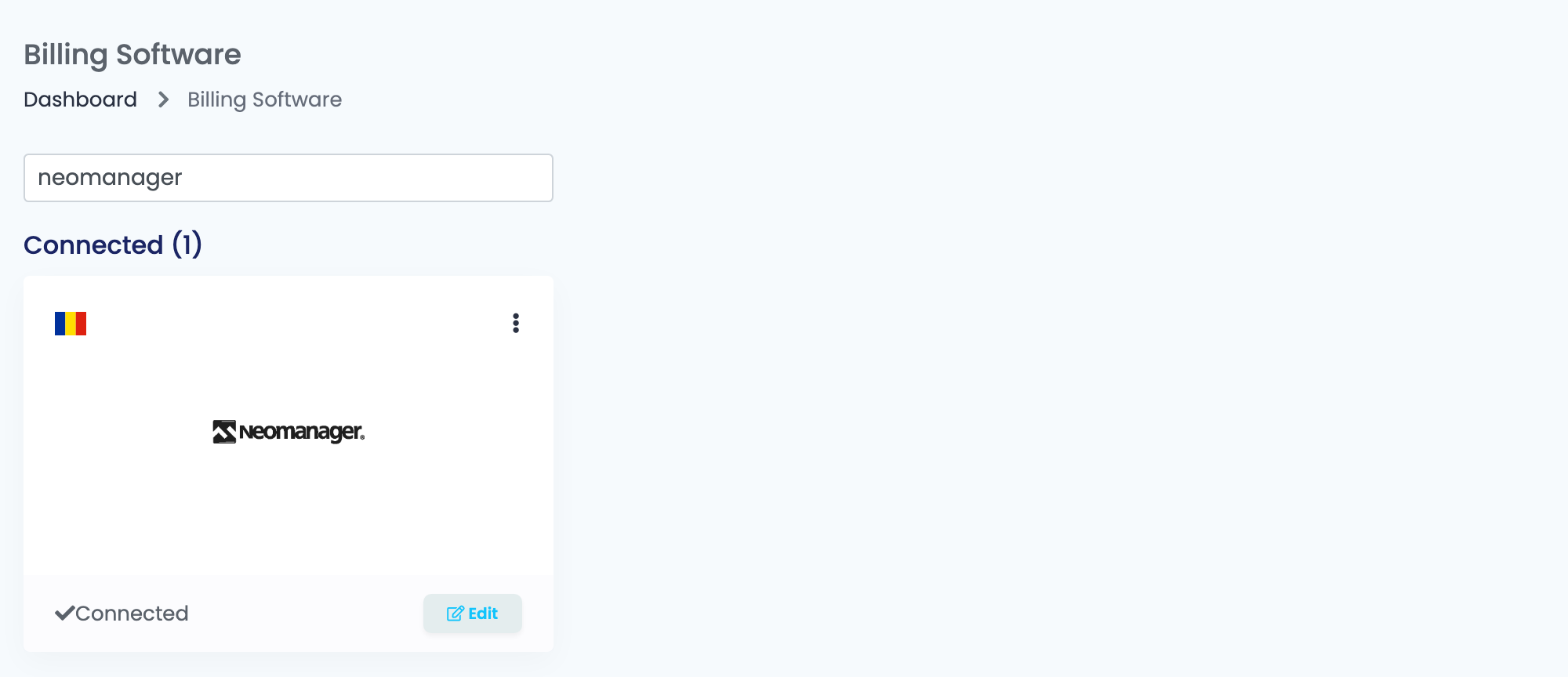
Press Connect on the card, or Edit if you have connected it before.
Step 2 — Where your NeoManager is
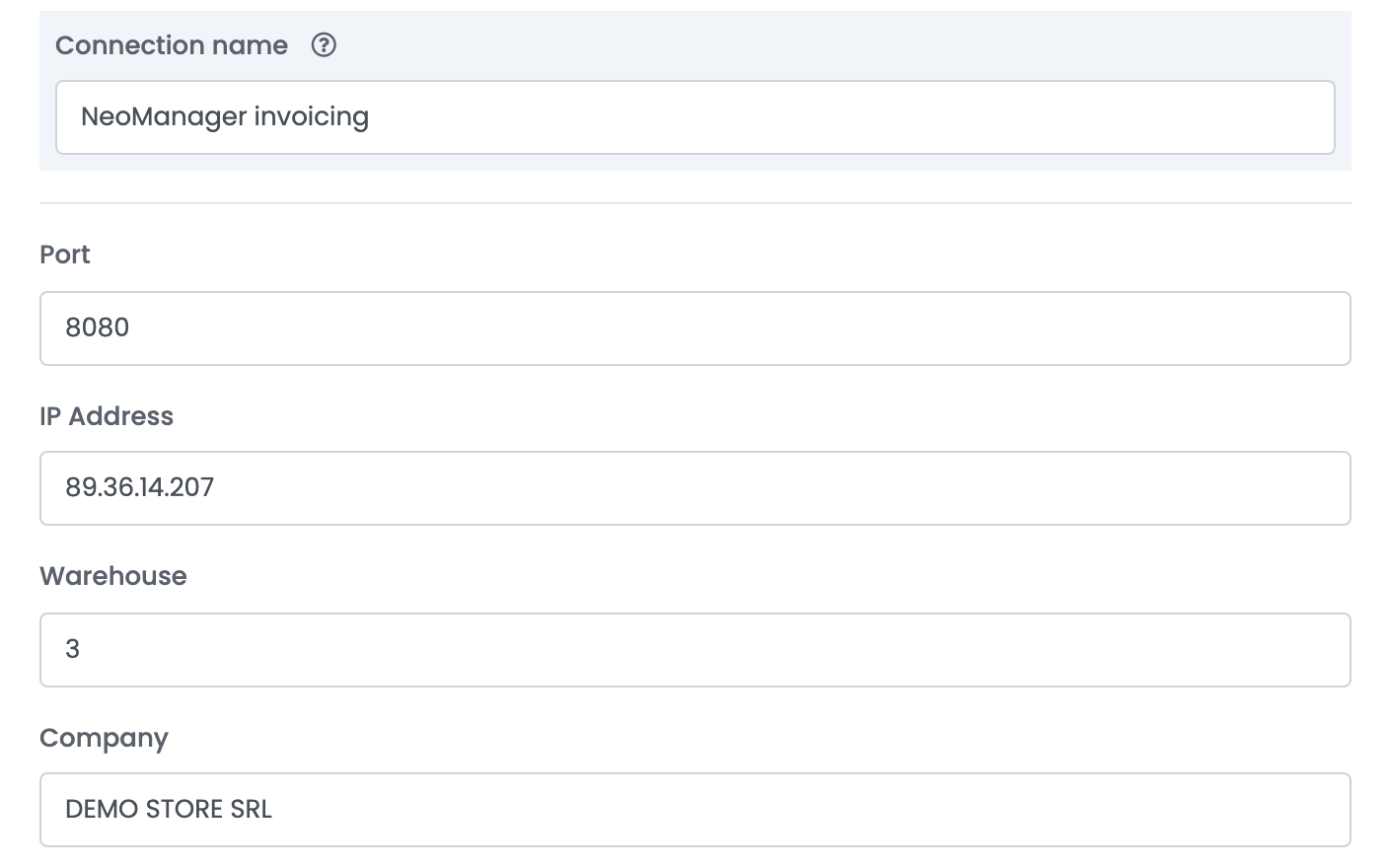
| Field | What it is |
|---|---|
| Connection name | What you see inside easySales. Name it after the company or the warehouse it invoices for. |
| IP Address | The address of the server NeoManager is installed on. |
| Port | The port its Web Connector answers on. |
| Warehouse |
The NeoManager Gestiune id the invoices are issued from. Several ids exist in most installations; use the one your stock is on.
|
| Company | The company name exactly as NeoManager knows it — it is part of the login, not a label. |
| Username and Password | The NeoManager user easySales signs in as. The user name is also written on the invoice as the one who issued it, so give easySales a user of its own. |
| Source | A name of your choosing that NeoManager tags these documents with, so you can tell which ones came from easySales. |
Step 3 — How invoices are numbered and dated
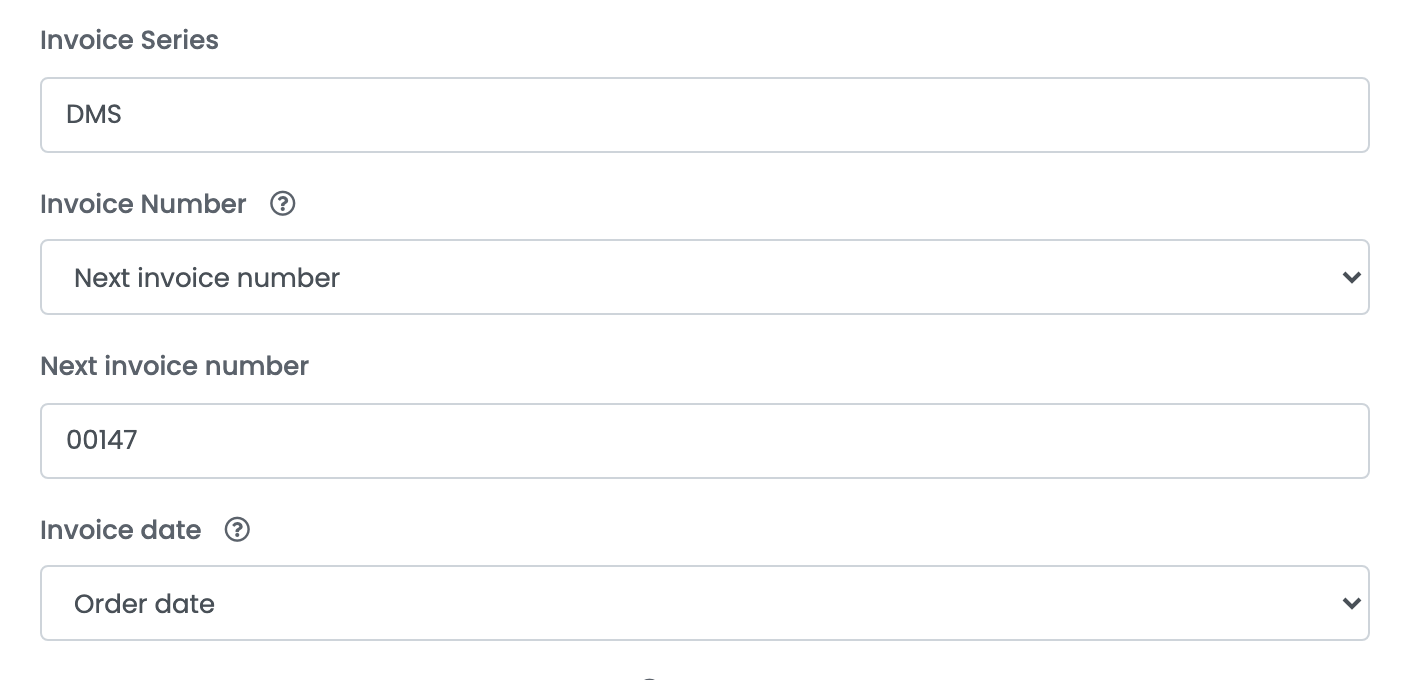
| Field | What it does |
|---|---|
| Invoice Series |
The series the invoices are issued on. Dashes, underscores and slashes are removed before it is sent, so DMS-2026 arrives as DMS2026.
|
| Invoice Number = Auto | NeoManager numbers the invoice itself, from its own counter on that series. |
| Invoice Number = Next invoice number |
easySales sends the number. The field below holds the next one to use, and it moves on by itself after each invoice, keeping the leading zeros — 00147 becomes 00148.
|
| Invoice date = Order date | The invoice carries the date the order was placed. |
| Invoice date = Invoice create date | The invoice carries the date it was issued. |
Step 4 — Customers and payment types
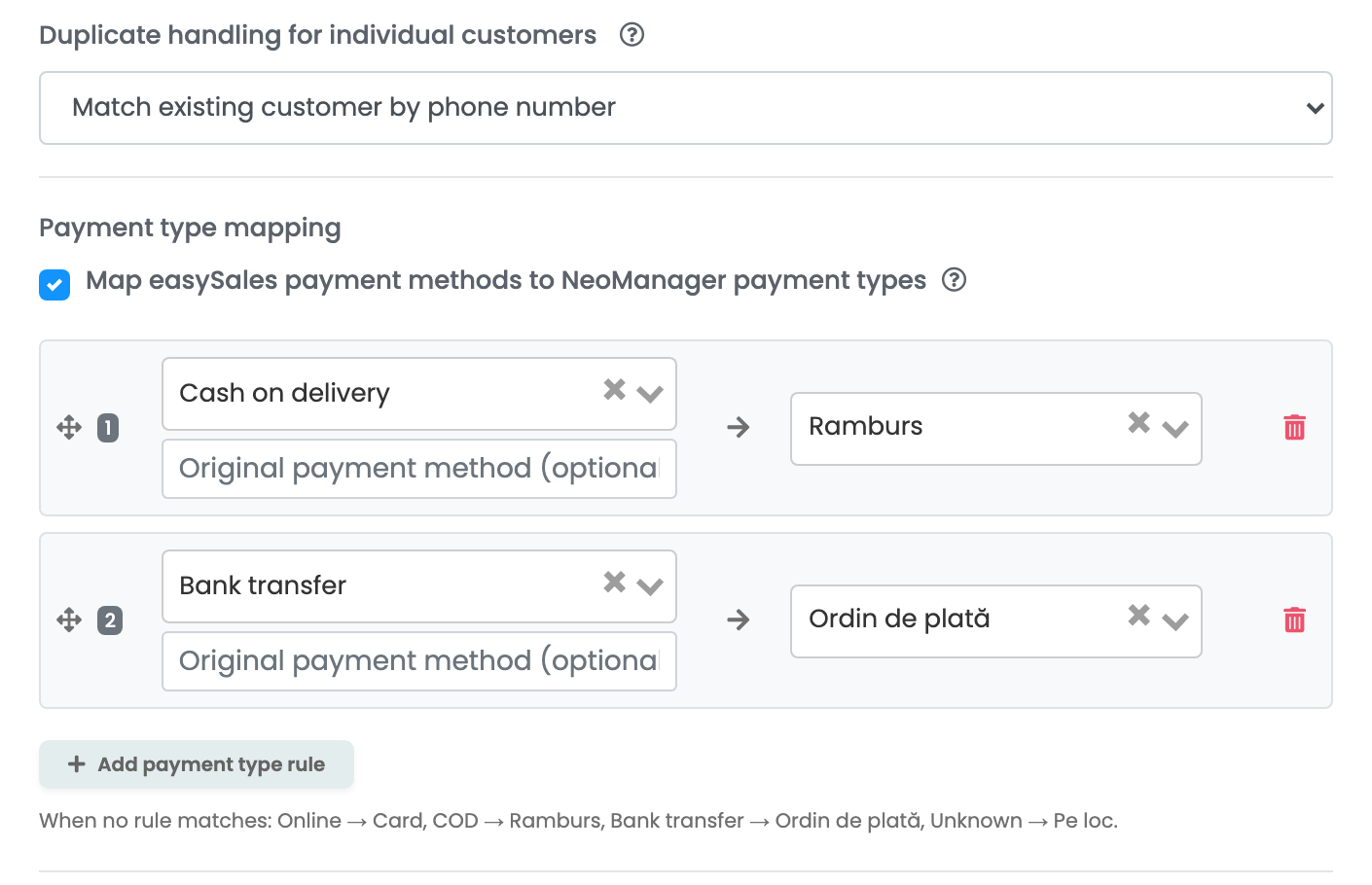
Duplicate handling for individual customers decides what happens when a private customer orders from you again.
| Option | What happens |
|---|---|
| Always create a new customer | A new customer record in NeoManager for every order. Nothing is ever matched, so nothing is ever attached to the wrong person — at the cost of a long customer list. |
| Match existing customer by phone number | An existing individual with the same phone number is reused, and the invoice goes to that record. When no one matches, a new customer is created as before. |
Companies are not affected by this setting: a company order is always matched against NeoManager by its fiscal code, and only created when nothing matches.
Payment type mapping decides which NeoManager payment type ends up on the invoice.
With the box ticked, you write the rules yourself. Each rule points an easySales payment mode — or the payment method as the marketplace spelled it — at one NeoManager payment type. The rules are checked from the top and the first match wins; drag a rule by its handle to change the order.
| Type | Usually used for |
|---|---|
| NeoManager default | Leave the choice to NeoManager's own setting for the customer. |
| Card | Paid online by card. |
| Ramburs | Cash on delivery. |
| Ordin de plată | Bank transfer. |
| Pe loc | Paid on the spot. |
| La termen | Payable at a later date, on terms. |
| Efect comercial and Exceptat | Commercial paper and exempt documents, for the cases your accountant asks for by name. |
Step 5 — Which NeoManager article each line is booked to
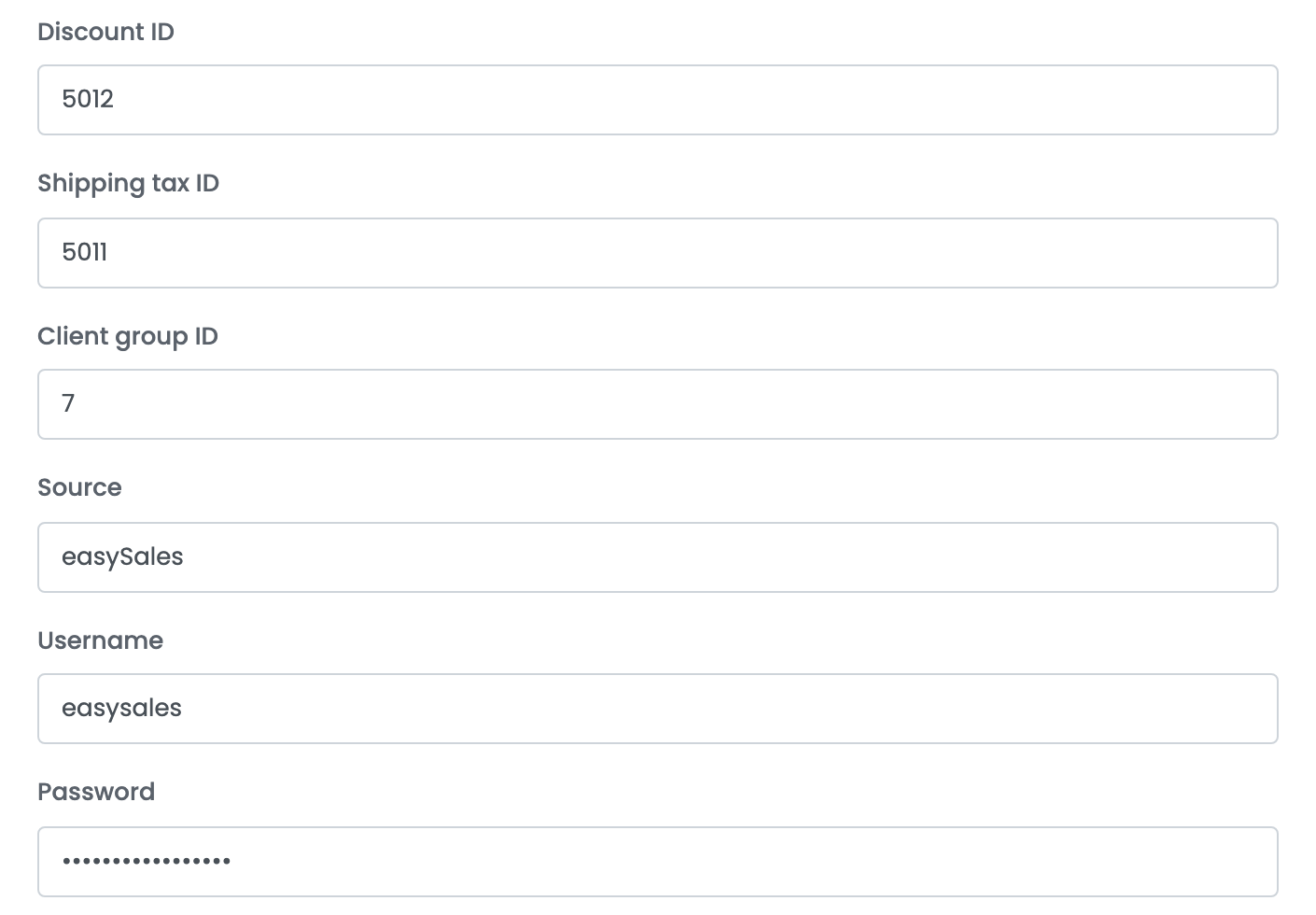
An invoice line has to name an article in NeoManager. The products name themselves, through their Stock code; the discount and the shipping do not, so you give them an article id here.
| Line | Article in NeoManager |
|---|---|
| a product | the product's Stock code in easySales |
| the discount | Discount ID |
| the shipping charge | Shipping tax ID |
Step 6 — The notes template
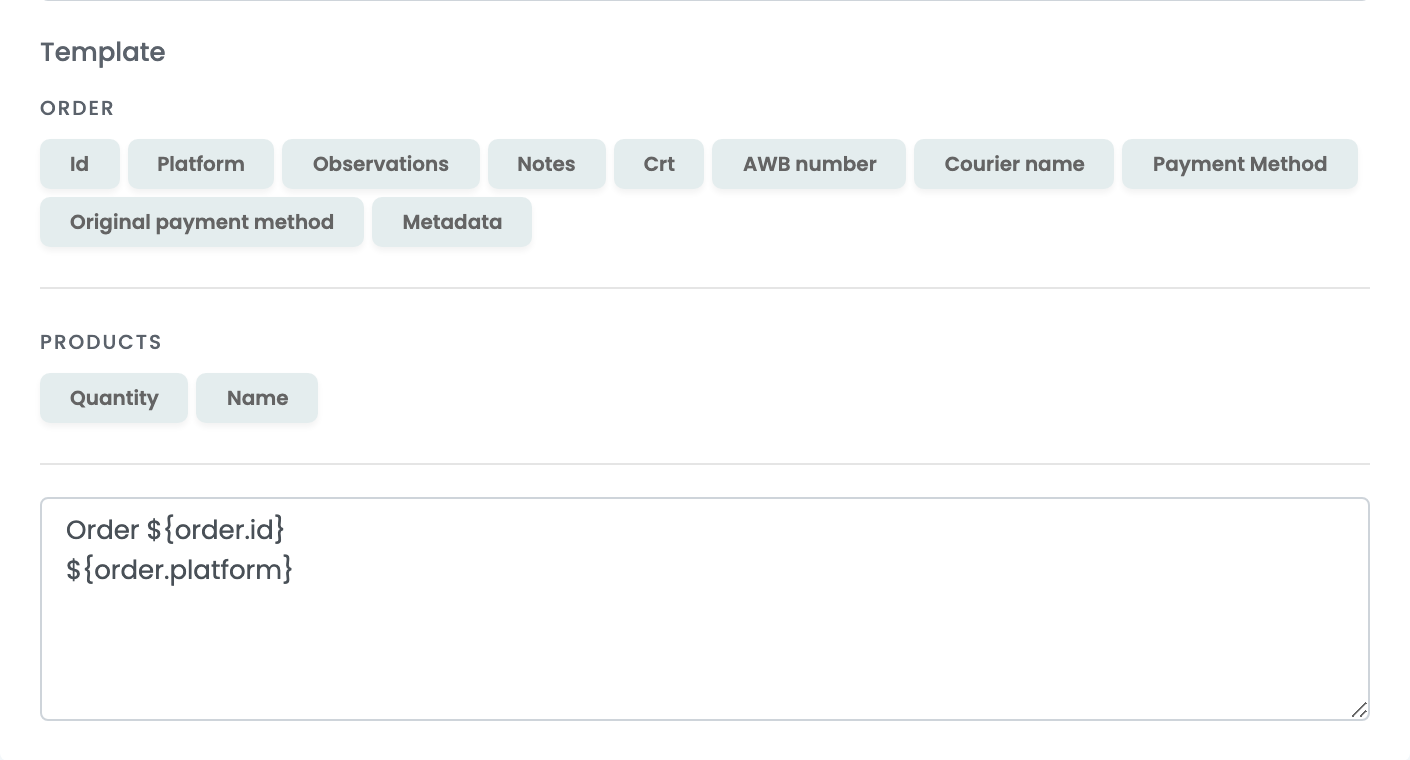
What the template produces becomes the invoice's Observations in NeoManager. The buttons above the box insert values from the order — order number, sales channel, invoice series, the quantity and SKU of each product.
The ERP connection
Billing Software has easySales issue the invoice. The ERP connection turns that around: easySales sends the order to NeoManager, the invoice is issued there, and easySales fetches it back and attaches it to the order. Choose it when NeoManager, not easySales, is where orders are processed.
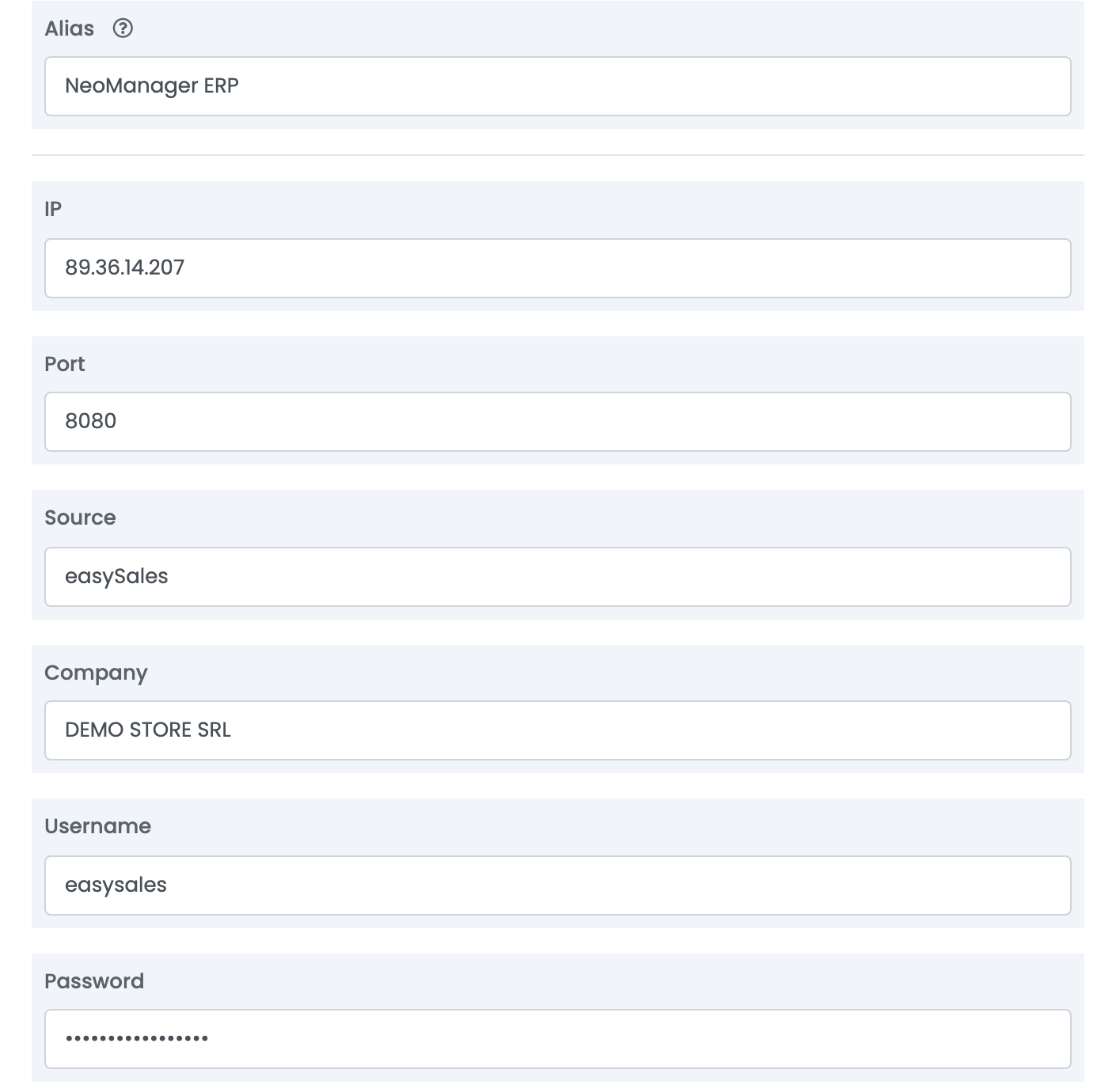
The server block is the same. Below it, the ERP form asks for a few more ids.
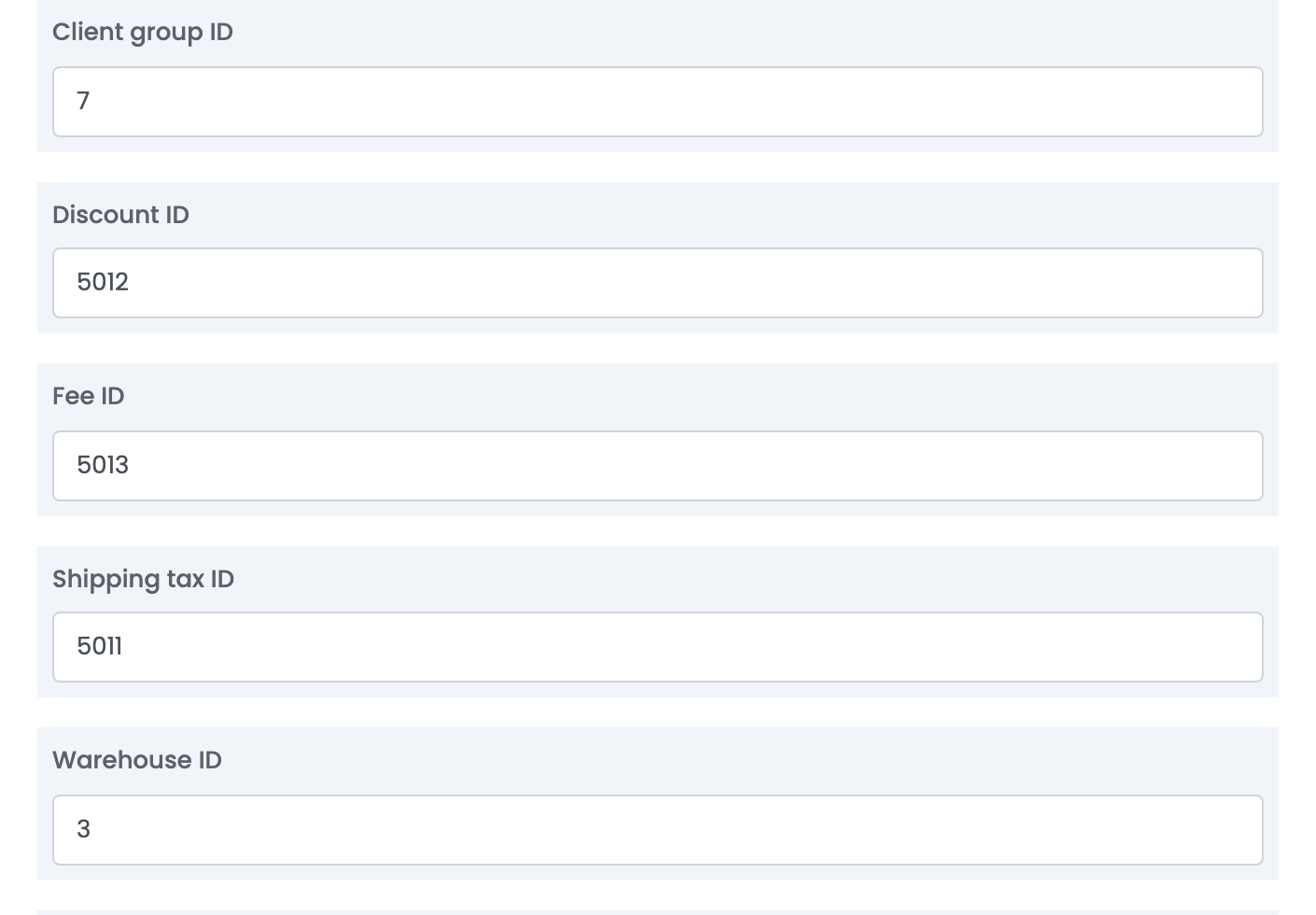
| Field | What it is |
|---|---|
| Client group ID | The NeoManager customer group that new customers are created in. |
| Discount ID | The article the discount line is booked to. |
| Fee ID | The article any other charge on the order is booked to. |
| Shipping tax ID | The article the shipping line is booked to. |
| Warehouse ID |
The Gestiune the order is sent to.
|
Two settings sit at the bottom of that form. Duplicate handling for individual customers works exactly as it does on the billing connection. TipOperatieStoc decides what NeoManager does with the stock when the order lands:
| Option | What happens when the order arrives |
|---|---|
| 1 | Everything on the order is reserved. |
| 2 | Everything on the order is put on order. |
| 3 | What is in stock is confirmed; the rest is reserved. |
| 4 | What is in stock is confirmed; the rest is put on order. |
| 5 | Everything is confirmed, and the whole order fails if the full quantity cannot be held. |
The stock source connection
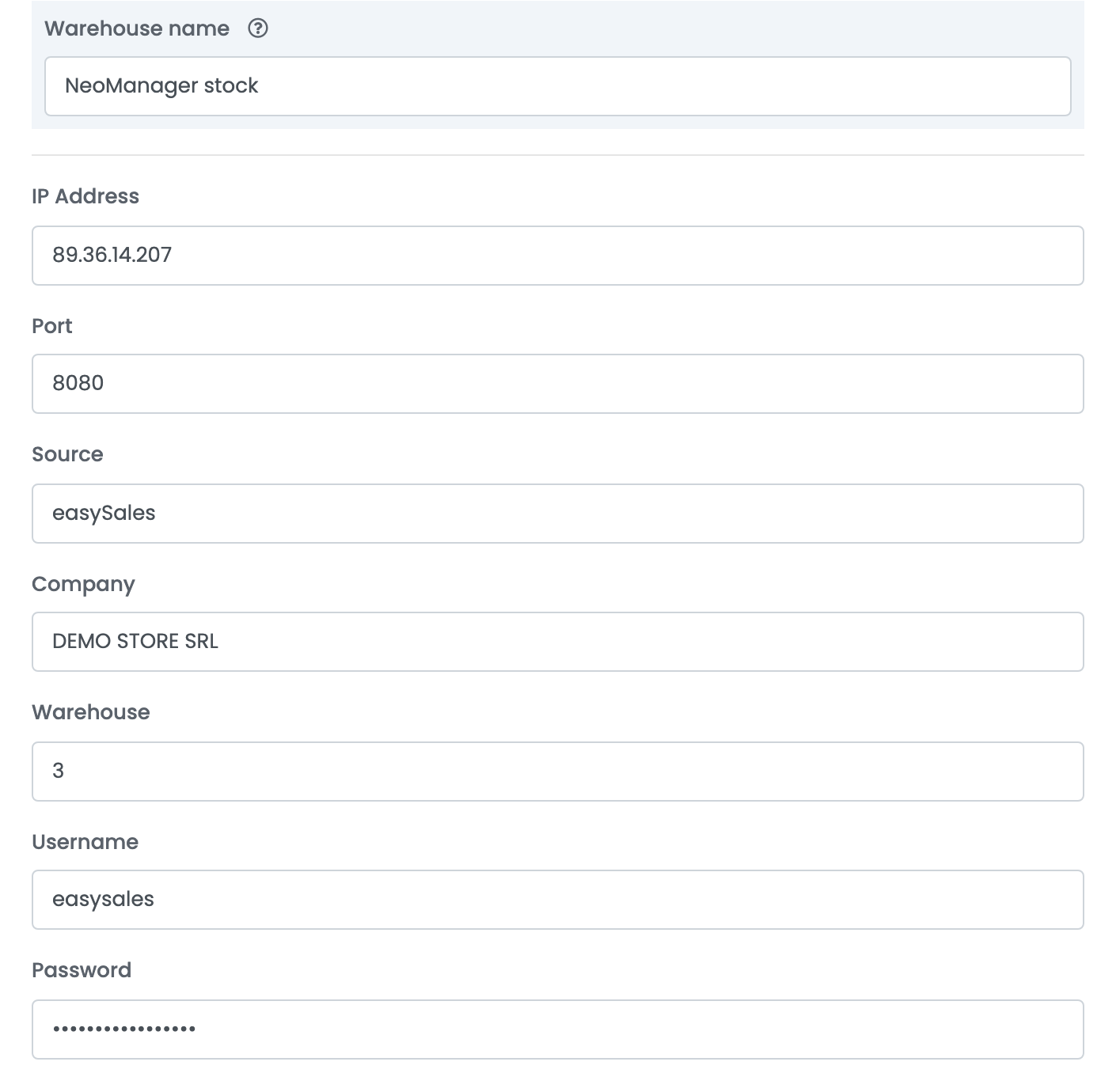
This one reads stock out of a NeoManager warehouse and writes it onto your products in easySales. It is also what teaches easySales which NeoManager article each product is, and it does that by SKU.
Invoices you have to correct
An invoice issued through easySales is a real NeoManager document from the moment it is created, and the two systems part company as soon as you want to undo one.
Where invoices go wrong
| Message | What it means |
|---|---|
Invoice series not found.
|
Invoice Number is set to Next invoice number but the field under it is empty. Fill in the number to start from. |
A expirat sesiunea
|
The session with NeoManager timed out. easySales signs in again and retries by itself; if it keeps coming back, the Web Connector is restarting or unreachable. |
Could not connect to host / Error fetching http headers
|
The server did not answer. Check that the IP address and port are right and that the machine is reachable from outside your network. |
NeoManager login returned an empty session token.
|
The server answered but would not sign easySales in. Check Company, Username and Password — the company name has to be exactly as NeoManager holds it. |