Allegro invoices in Fakturownia and wFirma — and what happens next with KSeF
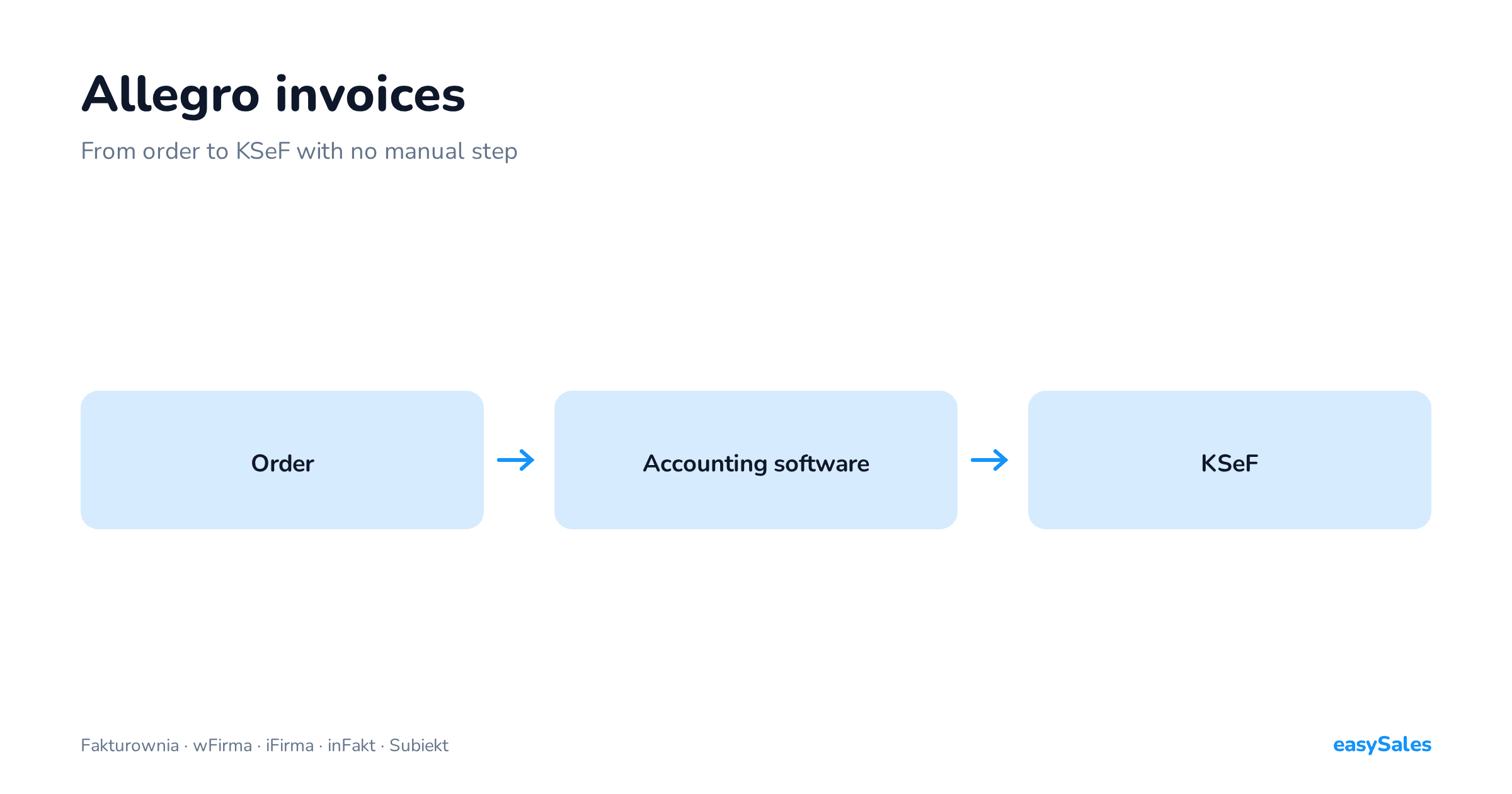
How an invoice is generated automatically from an Allegro order in your accounting software, and what has to be true for it to continue to KSeF.
Automatic invoicing from Allegro is a rule that issues the document in your own accounting program the moment an order reaches an agreed status — usually "paid" or "shipped".
The invoice is built from the order data, takes a number from your own series, and lands where it needs to be at month end. No retyping, no second panel.
Issuing them by hand looks minor until you multiply it by order count: thirty invoices a day at two minutes each is an hour — every day, all year.
The whole point is that the invoice should be created in the program where you actually keep your books, not somewhere separate that you then have to move it out of.

How the Allegro–Fakturownia and Allegro–wFirma integration works
An Allegro order arrives with the buyer's details, line items and payment method.
A rule decides when the invoice is created — usually on a status change to paid or shipped — and issues it directly in your program: Fakturownia, wFirma, iFirma, inFakt or Subiekt.
The document takes a number from your own numbering and is where it needs to be at month end from the start.
The buyer receives the invoice by email, and you never touch it. From the order-handling side the Allegro–Fakturownia and Allegro–wFirma integrations behave identically — what differs is what happens inside the accounting program itself.
What actually reaches the invoice from an Allegro order
An invoice is not created from nothing — it is built from the data that arrived with the order.
It is worth knowing which fields, because that is also the list of places where things can go wrong:
- The buyer — name or company name, tax id, address. This is what the buyer entered on Allegro, and it decides whether the document is a business invoice or a consumer one.
- Line items — product name, SKU, quantity, unit price and VAT rate. The rate comes from the product record rather than the order, so a product with no rate set is an invoice that will not issue.
- Shipping — the delivery cost as its own line, with its own rate.
- Payment and currency — the payment method and the order currency.
- Numbering — the number is assigned by your accounting software, from your own series. The system does not create a parallel numbering of its own, and that matters: continuity stays where it belongs.
The practical consequence: invoice quality depends on catalogue quality. Products with no VAT rate, no name, or a name you would rather not see on a document will come back as issuing errors.
It is the same housekeeping that pays off across every other automation — done once, it works everywhere.
Business or private buyer — how the system tells

This is a call you make reflexively when invoicing by hand, and one you have to express as a rule when automating.
On a marketplace it comes down to a single signal: whether the order carries a tax id.
A buyer who wants a business invoice supplies their tax id with the order, and the document is issued to the company details.
A buyer without one is a consumer sale, and the invoice is issued to a private person. The order also carries whether the buyer is VAT-registered, which matters when selling abroad.
Two cases worth handling deliberately:
- A tax id supplied after the order. Buyers do ask for a business invoice after purchase. If a consumer invoice has already been issued, that needs a correction rather than a second invoice — which is why it is worth setting the issuing moment at an event that gives the buyer time to complete their details.
- A foreign buyer. An order from another country with an EU VAT number is a different case from a domestic business sale and different again from a consumer one. If you sell abroad, decide separately what happens to those documents rather than assuming the domestic rule covers them.
Three things to set once
When it is issued
Tie it to the event that genuinely means a sale in your model — otherwise you are issuing invoices for orders that will still change their mind.
Recognising the buyer
On a marketplace this comes down to whether a tax number is present in the order data.
The rule should recognise that by itself, because deciding manually on every order is that same hour a day again.
Which channels are in scope
If you sell on several channels, decide which of them should generate invoices at all.
It looks like a cosmetic setting and it is what determines whether documents that do not belong there reach your accounts.
The number is assigned by your accounting program, from your own series. The system does not create a parallel numbering — and that matters more than it sounds.
Continuity stays where it belongs, and changing your order tooling does nothing to it.

When to issue: on payment or on dispatch

This setting looks like a detail and decides how many corrections you will issue over a year. The two common options have different consequences, and it is worth choosing rather than leaving the default.
Invoice on payment
The document is created once the money has arrived. Upside: the buyer gets the invoice quickly, often before the parcel leaves, which heads off "when will I get my invoice" messages.
Downside: orders cancelled after payment — stock ran out, the buyer changed their mind — already have a document, and it has to be corrected.
Invoice on dispatch
The document is created when the parcel actually ships.
Upside: you only invoice sales that genuinely happened, so there are noticeably fewer corrections. Downside: the buyer waits longer, and on business sales they may well ask.
A practical guide: the more cancellations you have, the stronger the case for issuing on dispatch. If you cancel less than a few percent of orders, issuing earlier is friendlier to the buyer and costs you little.
If you sell from stock that is sometimes inaccurate, or you run pre-orders, dispatch is the safer moment.
There is a third option people think about less often: invoice on request. The document is only created when the buyer ticks the box.
It makes sense for purely consumer sales where a receipt satisfies most buyers — but on business sales it leaves you handling exceptions by hand, so it is rarely right for all of your sales.
Whichever you pick, set it once and identically across channels. Different issuing moments per order source is the simplest way to end up with a monthly reconciliation that will not tie out.
Corrections and returns — where the programs diverge

Up to this point everything behaves the same whichever accounting program you connect. Returns are where that stops being true, and it is the most important practical difference between them.
Returns come in two shapes. Either the buyer sends the whole order back — and you correct the invoice in full.
Or they send back one item out of five, and you need a correction covering only that item rather than the whole document.
And here is the crux: not every program handles that second case automatically.
- Fakturownia and wFirma accept a correction issued against a specific return. One item returned produces a correction for that item — with no manual arithmetic and no document created outside the system.
- inFakt, Subiekt GT and Subiekt Nexo PRO handle corrections against the whole order. On a partial return that means finishing the job by hand in the accounting program.
If your category sees a lot of partial returns — clothing, footwear, anything bought in two sizes — this is not a technical footnote but a real difference in how many documents you issue manually every month.
Worth checking before you choose a program rather than after your first returns season.
One more thing about corrections: a correction is a separate document type, not an edit of the original invoice. It has its own number, its own date and its own path.
Accounting systems do not let you "fix" an issued invoice, and rightly so — but it does mean that when configuring automation you have to think about the correction flow separately, rather than assuming it travels the same route as the invoice.
What happens next with KSeF
If you issue structured invoices, creating the document in your accounting software is not the end of the path — it still has to go to KSeF and come back with a number.
That is a separate connection and a separate step, and it can equally well be automatic.
Two things are worth knowing in advance, because both catch people out:
- Not every invoice should go there. Documents outside the Polish VAT regime — cross-border sales, for instance — will not pass schema validation and will keep coming back rejected. The scope of what gets sent has to be narrowed deliberately.
- Corrections are their own document type. A return generates a correction, and a correction reaches KSeF by a different path than the original invoice. If you do not plan for it during setup it looks like a malfunction, when it is a missing setting.
We take both apart in the guide: KSeF and structured invoices.
It is also worth settling upfront who sends the invoice to the buyer.
Either the accounting program by email, or the system alongside the dispatch notification. Both are valid.
What matters is that one place does it. With both channels enabled the buyer receives the same document twice and writes to ask which one counts.
Three things worth knowing about KSeF
Connecting accounting is not filing to KSeF
This is the most common misunderstanding here and worth settling plainly. Integrating Fakturownia or wFirma means the invoice is created in your program.
Sending it to the national e-invoicing system is a separate connection and separate configuration — connecting the accounting program alone does not start it.
In practice you need three things at once: the program where the invoice is created, the KSeF connection, and a rule saying which documents should go there.
Missing any one of them produces the same outcome: the invoices exist, but they are not in KSeF.
Not everything belongs there
The sending scope has to be narrowed deliberately. Documents outside the Polish VAT regime — typically cross-border sales — do not pass schema validation and come back rejected.
That is not an integration fault but a document sent somewhere it does not fit. In our own data it is comfortably the most common cause of rejections.
The KSeF number comes back
Once accepted, the invoice receives a number assigned by the system, and that number is the evidence the document was effectively issued.
It is worth checking that you can see it on the order — an invoice that "went" but has no number is either in transit or rejected, not accepted.
What is mandatory, and from when, is a question for your accountant — here we only describe how the system behaves.
Do not run two accounting programs against the same sales. Two programs issuing invoices for the same orders means two numbering series and duplicate documents.
Unpicking that takes longer than the configuration that caused it — and when you do change program, it is enough for new invoices to be created in the new one while the old ones stay put with their series.
Why an invoice did not issue
When the automation did not fire, the cause is almost always one of five.
Five reasons an invoice was not issued
- The order did not meet the rule's condition. Usually it simply has not reached the status at which invoices are created. Check the status before hunting for a fault.
- A product with no VAT rate. One line without a rate stops the whole document. That includes the shipping cost if it has no rate assigned.
- Incomplete buyer details. A missing address, or a tax id in a format the program will not accept. On business sales this is the most frequent reason.
- The invoice already exists. Systems guard against issuing a second document for the same order — desirable behaviour, even though it looks like an error.
- The accounting program refused the request. Exhausted request limits, expired authorisation, or a closed accounting period. The fix is on the program's side, not the integration's.
A general rule: start with one order, not with the settings. Open the specific order that did not get an invoice and walk those five points in turn.
You will find the cause faster than by reviewing configuration.

Check your own setup: how many Allegro invoices issue themselves
Open your last ten Allegro orders and count how many have an invoice issued without your involvement. That is the only number that tells you whether this part is genuinely automated.