How to connect to the easySales API: OAuth clients and personal access tokens
Create OAuth clients and personal access tokens for the easySales API, choose the right grant type and scopes, and keep your connections from logging each other out.
What API settings are for
The easySales API lets your own systems and your partners' systems read and change your data: products, stock, orders, invoices and more. API Settings is where you create the credentials they use. Open it from Settings → Account → Settings with the API Settings button, or from Page settings → Integrations → API Settings.
Three things to know first:
- One live token per connection. When a system asks for a new token, the previous token of the same connection stops working. Give each system its own client, and let it reuse its token instead of asking for a new one every time.
- A personal access token is shown only once. Copy it when you create it. If you lose it, create a new one; the old one stops working.
- Choose the scopes carefully. A token can do only what its scopes allow, and the scopes cannot be changed later.
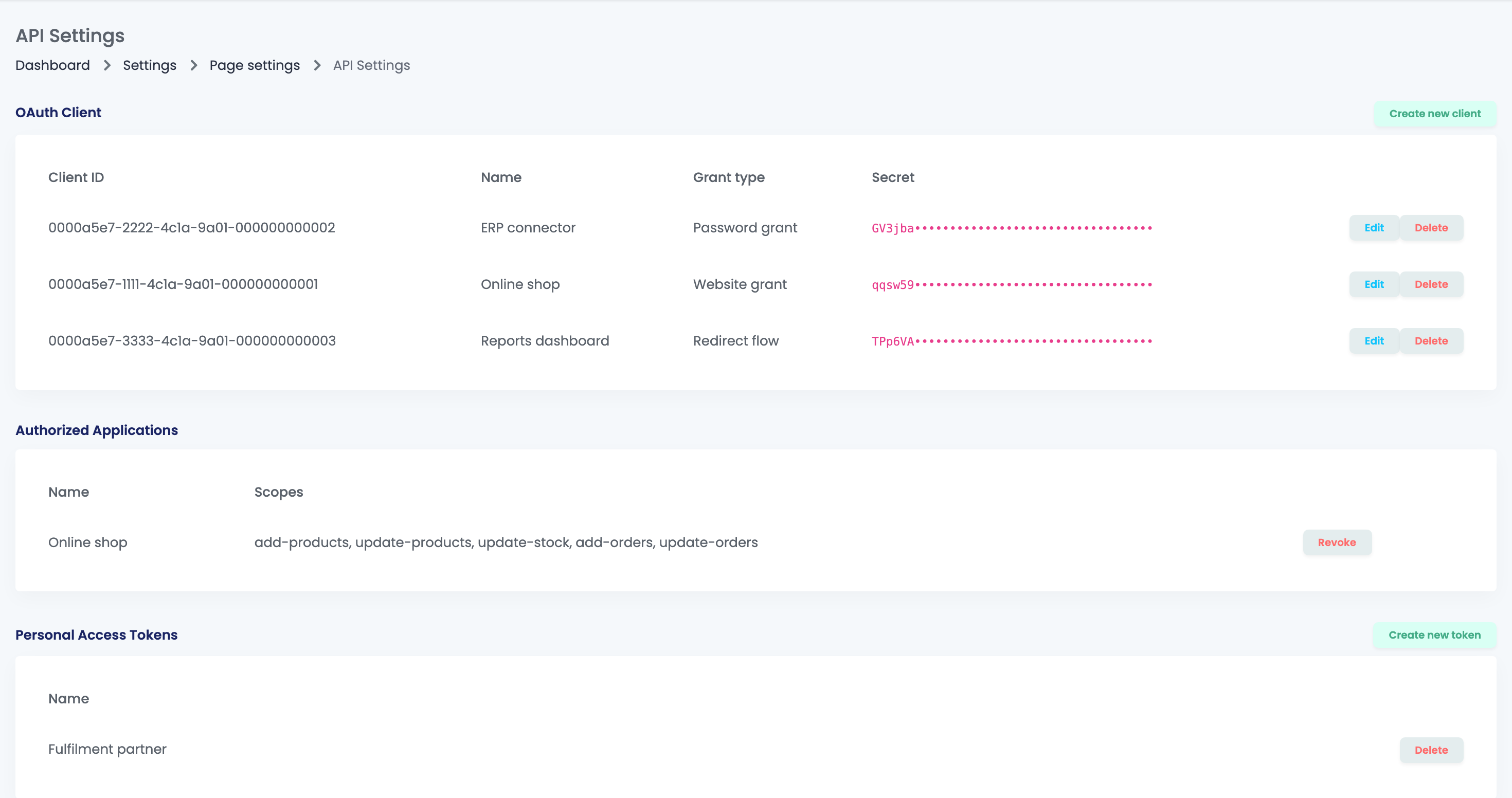
| Section | What it holds |
|---|---|
| OAuth Client | The clients your systems use to get tokens, with their Client ID, Grant type and Secret. |
| Authorized Applications | The applications that hold a token from one of your website or redirect clients, with their scopes. Revoke stops one. |
| Personal Access Tokens | Your personal access tokens, by name. Delete stops one. |
Create an OAuth client
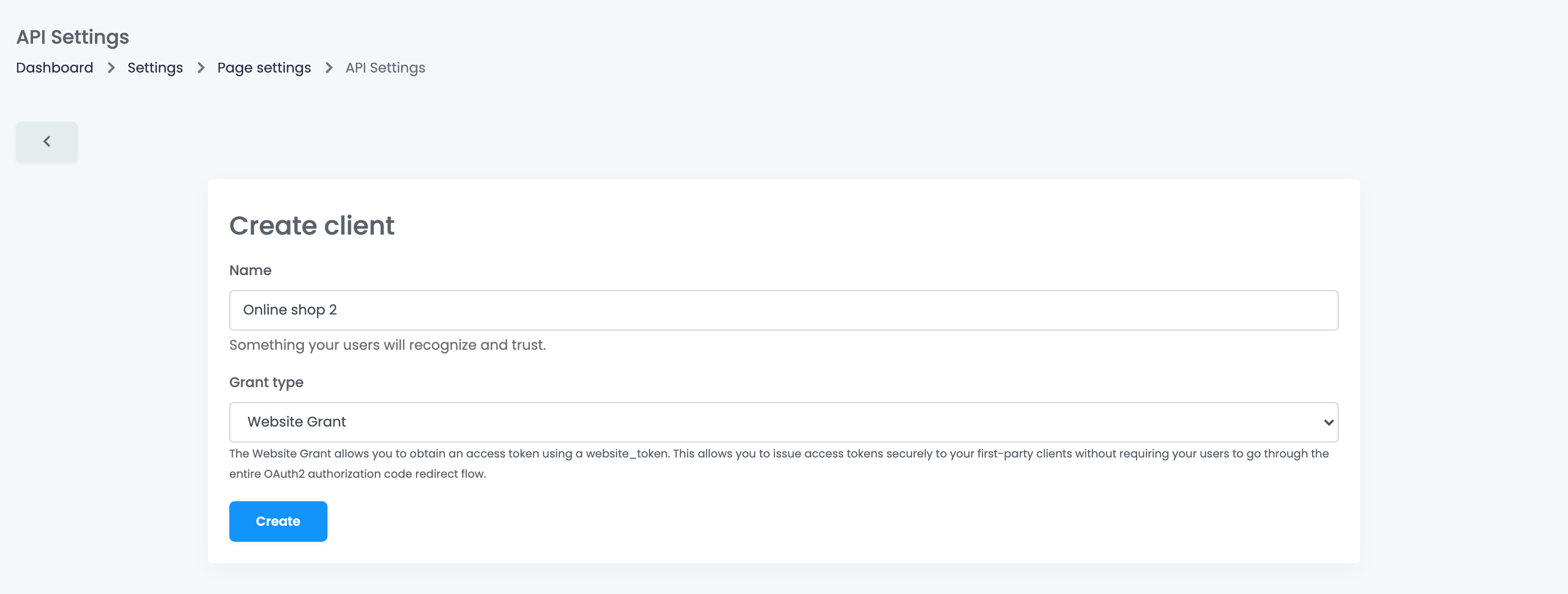
- Press Create new client.
- Give it a Name you will recognise, for example the name of the system that will use it.
- Choose the Grant type. For Redirect Flow Grant, also enter the redirect URL of your application.
- Press Create. The client appears in the list with its Client ID and Secret.
| Grant type | Use it for |
|---|---|
| Website Grant | An online shop module or a custom shop connected to easySales. Next to the client ID and secret, it uses the website token of the shop, which you get when you connect the shop under Integrations. |
| Password Grant | Your own system that gets its token with the login details of your easySales account. |
| Redirect Flow Grant |
An application where you approve the access in easySales and are sent back to the application. The redirect URL must use a host name, such as localhost or a domain, not an IP address.
|
Edit changes only the name and the redirect URL. To change the secret, create a new client, switch your system to it, then Delete the old one. Deleting a client stops every token issued with it at once.
Create a personal access token
A personal access token is a ready-made token for a script, a tool or a partner that only needs to call the API.
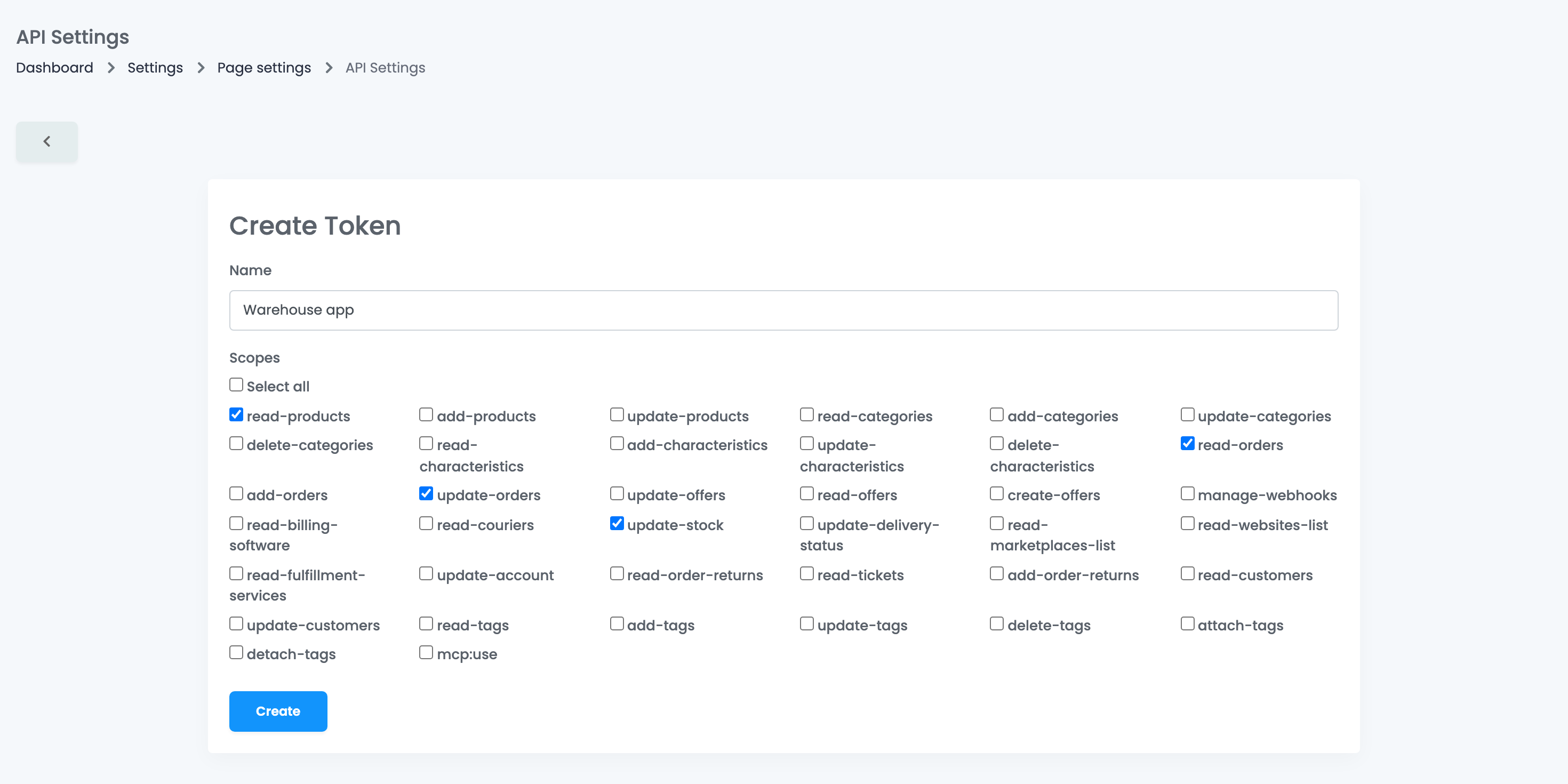
- Press Create new token.
- Give it a Name, and tick the Scopes it needs, or Select all.
- Press Create, and copy the token right away.
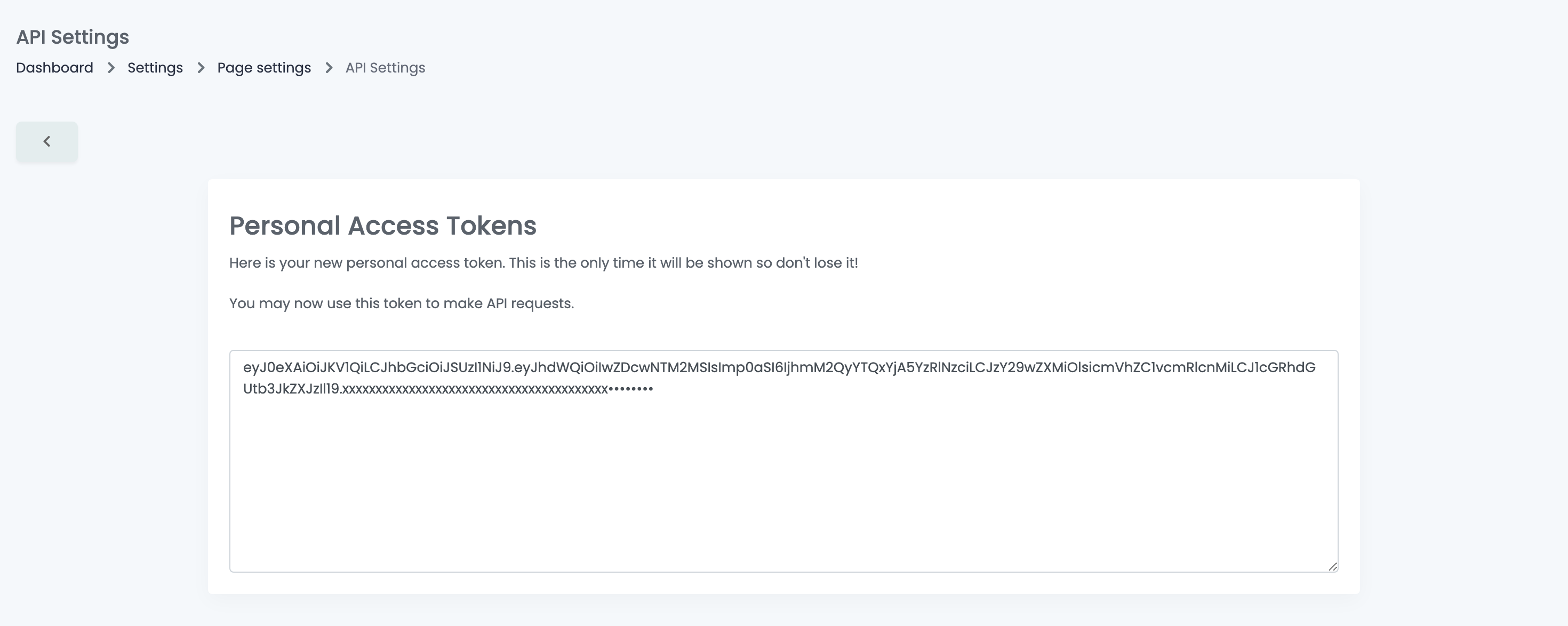
Your account has one personal access token at a time: creating a new one ends the previous one. If two partners need access, give them OAuth clients instead.
Use the API
- Send requests to
https://easy-sales.com/api/v2, with the headersAuthorization: Bearerfollowed by your token, andAccept: application/json. - Tokens are valid for one year. Keep the token and reuse it until then.
- Your account can make up to 500 requests per minute, shared by all its tokens.
- The endpoints, the fields and examples are in the API documentation at api.easy-sales.com.
Your team and API settings
Team members with the View settings permission can open API Settings and see your OAuth clients, including their secrets, but cannot create, edit or delete them, and do not see personal access tokens. Give that permission only to people who should have access to your API credentials.
When something does not look right
| Symptom | What to do |
|---|---|
| The API answers "Unauthenticated." | The token was replaced by a newer one from the same client, or it expired. Use one client per system and keep the token it got. |
| The API answers "Invalid scope(s) provided." | The token does not have the scope for this request. Create a new token with the scope ticked. |
| I lost my personal access token | It cannot be shown again. Create a new one; the old one stops working. |
| The API returns a web page instead of JSON |
Add the header Accept: application/json to your requests.
|
| "Too Many Attempts." | Your account went over 500 requests per minute. Slow down your requests and reuse your token. |
| A partner lost access when I created a token | Creating a personal access token ends the previous one. Give each partner its own OAuth client. |