How to connect iFirma with easySales: a complete setup guide
Issue your orders' invoices in iFirma: the faktura API key, your login, the invoice notes, issuing invoices, KSeF, the accounting month and common refusals.
What connecting iFirma gives you
iFirma (ifirma.pl) is Polish online accounting and invoicing software. Connected to easySales, it issues your orders' invoices: easySales sends the buyer and every line of the order, iFirma creates and numbers a domestic VAT invoice (faktura krajowa), and the invoice PDF stays on the order. On marketplaces that accept invoices, such as Allegro, the invoice is sent to the marketplace too.
Three things to know before you begin:
- easySales needs the "faktura" API key, together with your iFirma login. iFirma has four API keys; only the one called faktura is used. You generate it in iFirma and paste it into easySales with the e-mail address you log in to iFirma with.
- Save does not test the key. A wrong login or key shows up only when the first invoice is issued, so issue one test invoice right after connecting.
- Corrections are made in iFirma. Cancelling or deleting an invoice in easySales removes it from the order only; the invoice stays in iFirma, where you correct or cancel it.
Before you start
An iFirma account
For your company registered in Poland.
Your iFirma login
The e-mail address you log in with.
The "faktura" API key
Generated in iFirma under Konfiguracja → Rozszerzenia i integracje → API.
Step 1 — Generate the "faktura" API key in iFirma
- Log in to ifirma.pl and go to Konfiguracja → Rozszerzenia i integracje → API.
- Press Aktywuj dostęp podstawowy.
- Press wygeneruj next to the key named faktura and copy the key.
Step 2 — Connect iFirma in easySales
Go to Integrations → Billing Software, search for ifirma and press Connect on the iFirma card — or Edit, if you have connected it before.
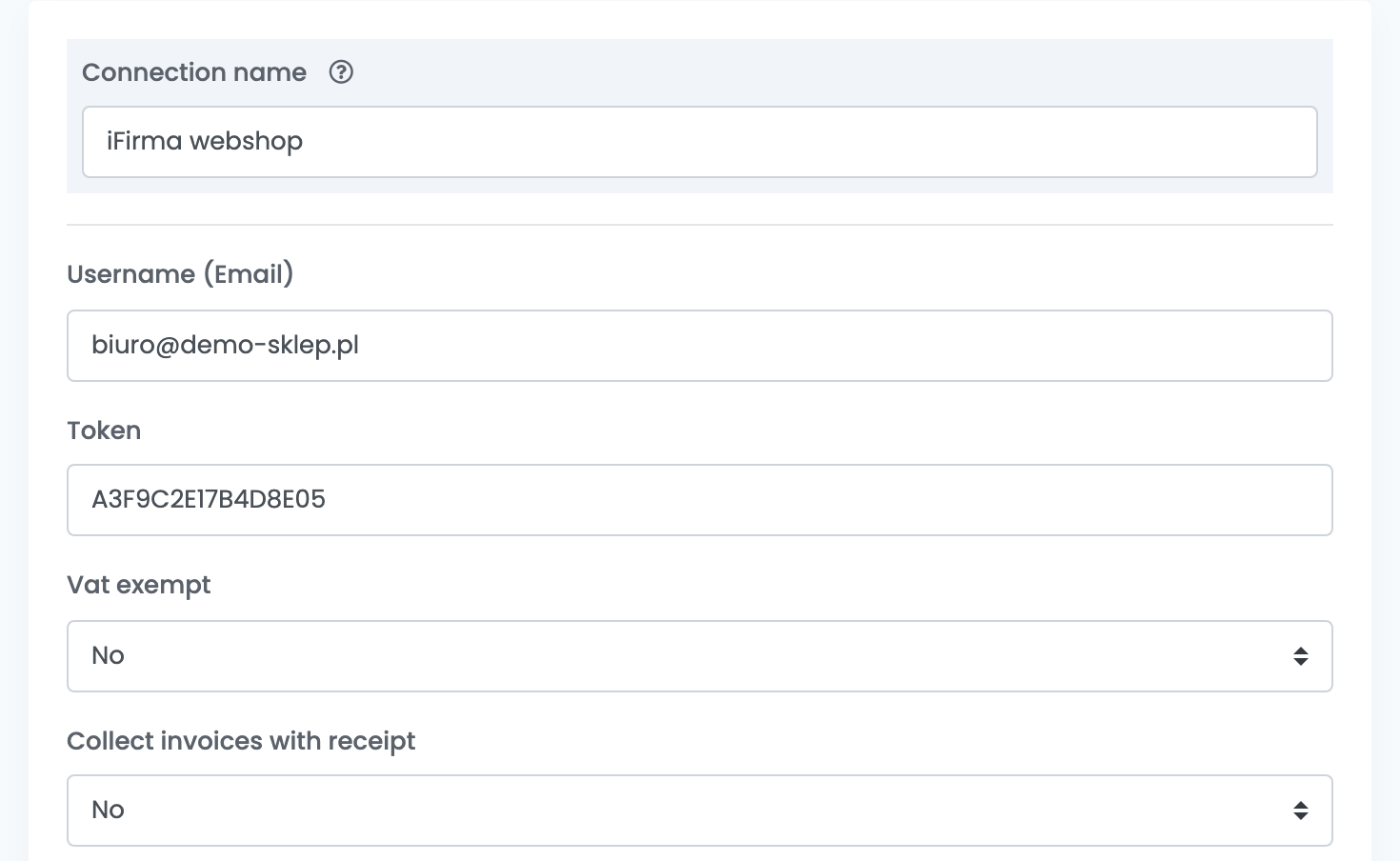
| Field | What goes in it |
|---|---|
| Connection name | A name you will recognise, used only inside easySales. |
| Username (Email) | The e-mail address you log in to iFirma with. |
| Token | The faktura API key from step 1. |
| Vat exempt | No for a VAT payer. |
| Template | The text of the invoice notes — see step 3. |
Step 3 — The invoice notes
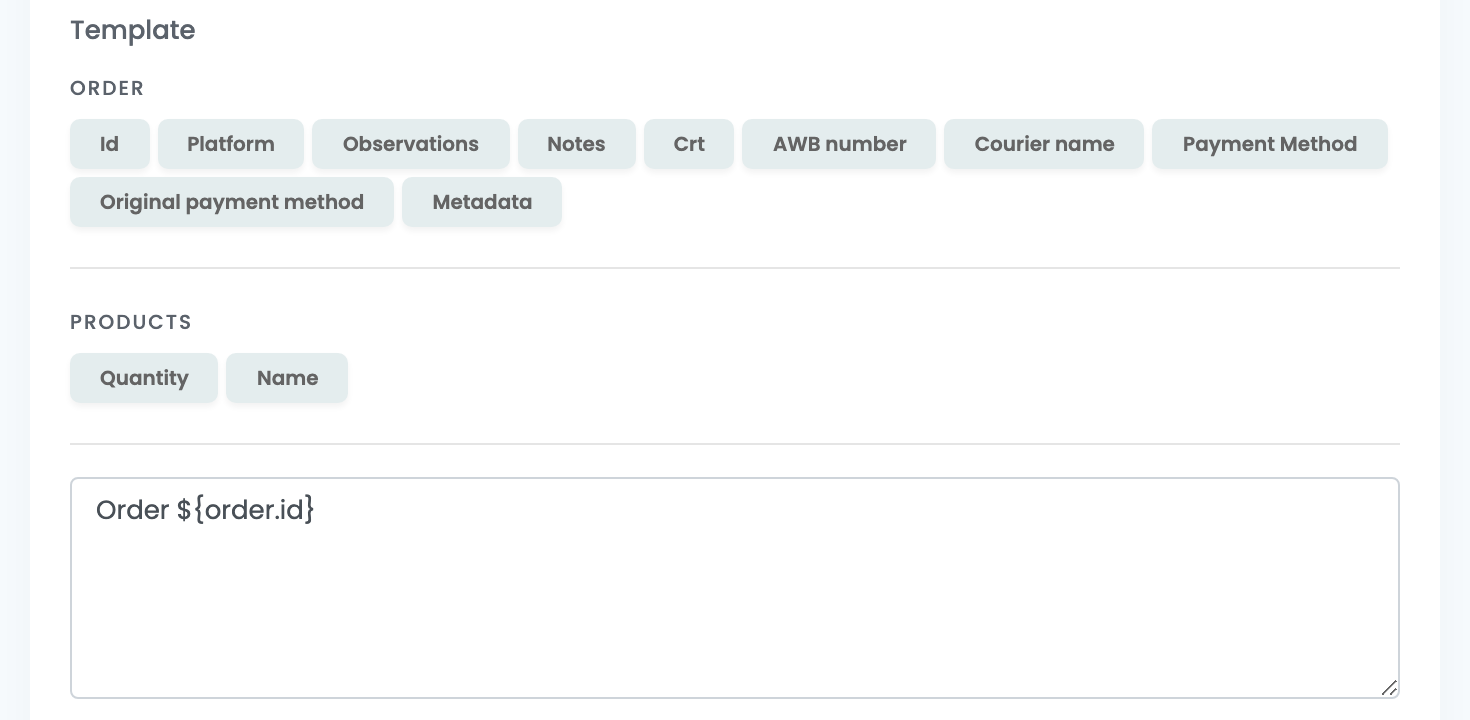
Template is the text written in the notes (Uwagi) of every invoice. Press the buttons to add order details — the order ID, the platform, the AWB number, the payment method — or type your own text.
Show advanced options opens a few more choices: gift products as a separate discount, removing special characters from the buyer's details, a warranty issued with each invoice, and leaving discounts off the invoice.
Press Save, then issue a test invoice from an order.
Issuing invoices
- From the order: in its Invoices section, press Create Invoice and choose iFirma.
- In bulk: select orders in the orders list, open Actions, choose Generate invoice and then iFirma. Every order gets its own invoice.
- Automatically: in Flows, add the action Create invoice with your iFirma connection.
What iFirma receives:
- Buyer: the company or customer name, the billing address, e-mail and phone.
- Lines: every product with its quantity, gross price and VAT rate from the order, and the shipping as a line of its own.
- Dates: the issue date is the day you issue the invoice, the sale date is the order date.
- Number: iFirma numbers the invoice.
KSeF
easySales sends nothing to KSeF for iFirma invoices: iFirma does it, following its own KSeF settings. In iFirma, under KSeF → Konfiguracja KSeF, choose whether invoices issued through the API are sent to KSeF automatically or on demand.
When iFirma refuses an invoice
The reason is shown on the order:
| Message | What to do |
|---|---|
| Pole 'Data wystawienia' musi być zgodna z miesiącem i rokiem księgowym | The accounting month in iFirma is not the current one. Switch it to the current month in iFirma and issue the invoice again. |
| The invoice issue date cannot be later than the 15th day of the month following the month of sale. | Polish rules allow an invoice until the 15th day of the month after the sale. Issue invoices for older orders directly in iFirma. |
| IFirma Error: Pole 'Cena jedn. brutto' musi być większe od 0 | A line of the order has a price of 0, such as a free gift. iFirma does not accept lines without a price. |