How to use Temu Buy Shipping in easySales: a complete setup guide
Buy Temu's shipping labels from easySales: one Buy Shipping connection per Temu account with its warehouse, the preferred carrier, package sizes and the messages Temu returns.
What Temu Buy Shipping gives you
Temu Buy Shipping lets you buy the shipping label for a Temu order from Temu itself, with the carriers Temu offers for your storefront — for example Packeta, InPost, Magyar Posta, GLS, FAN Courier or DPD. It is for deliveries to addresses in the EU. In easySales it works like any courier: you create the AWB from the order list or the order page, and print Temu's label from the order. Temu already has the tracking number, because the label is Temu's.
Two things to know before you begin:
- One Buy Shipping connection per Temu account, each with its own warehouse. A connection has no login of its own: it uses the Temu marketplace connection you choose in Marketplace Account, and the warehouse of that Temu account. If you sell on several Temu storefronts with separate accounts, make one Buy Shipping connection for each, and create every order's AWB with the connection of the storefront the order came from.
- Buying the label marks the order as shipped on Temu. Temu moves the order to shipped as soon as the label is bought. So buy the label only when the parcel is ready — and not for an order you have already shipped in Temu Seller Center.
Before you start
Your Temu storefront connected
Under Integrations → Marketplaces, with its access token.
A warehouse for Buy Shipping
Set up in Temu Seller Center for each Temu account you ship from.
Size templates on your products
So Temu gets the real package size and weight.
Step 1 — Check your Temu connection
Temu Buy Shipping uses the access token of your Temu marketplace connection in easySales. That token must include Temu's shipping permissions. If your AWBs are refused with access_token don't have this api access, authorize easySales again in Temu Seller Center, under Apps and services, and paste the new token into your Temu marketplace connection.
Step 2 — Connect Temu Buy Shipping
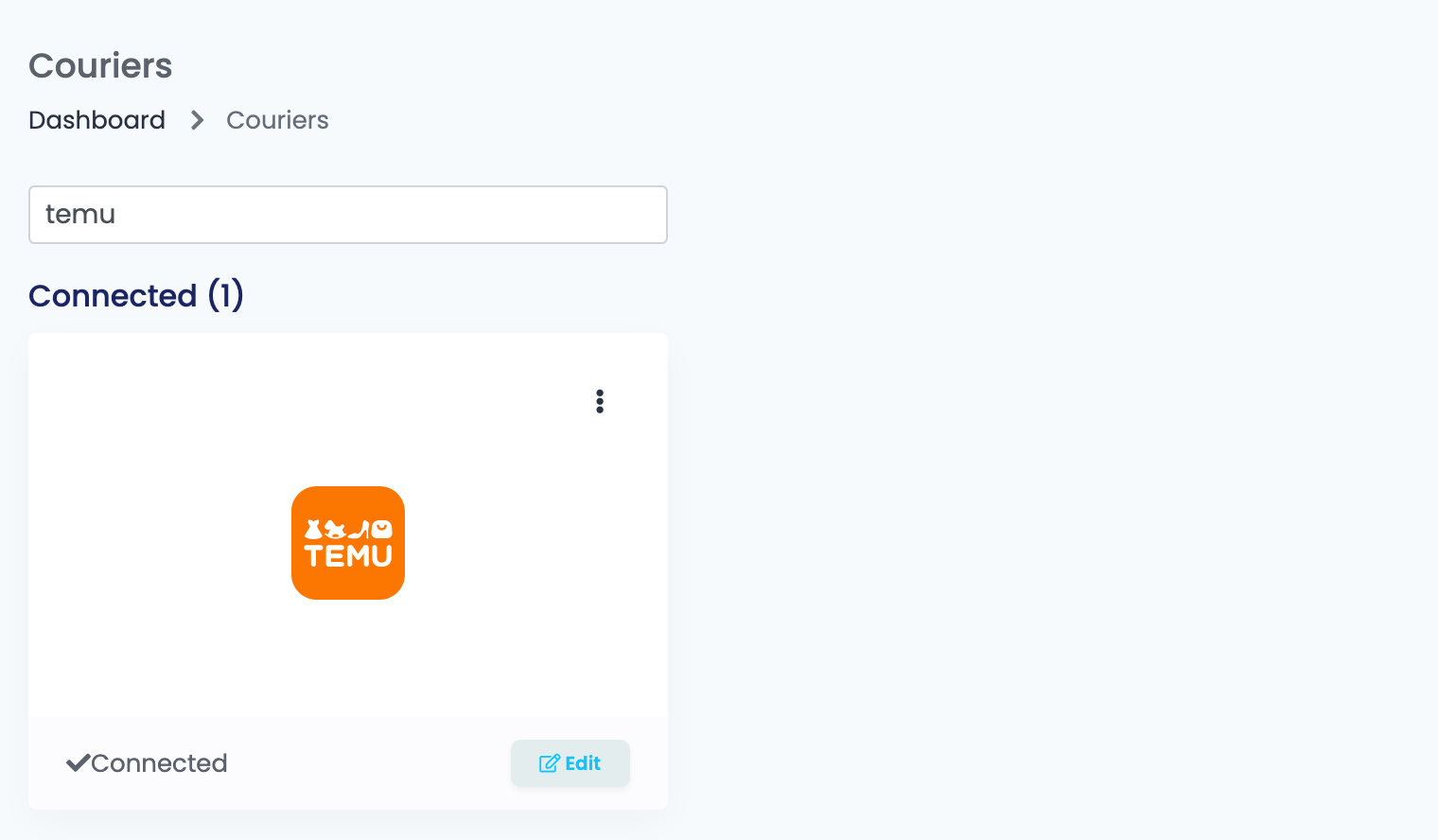
Go to Integrations → Couriers, search for temu and press Connect on the Temu card — or Edit, if you have connected it before.
Fill in the connection:
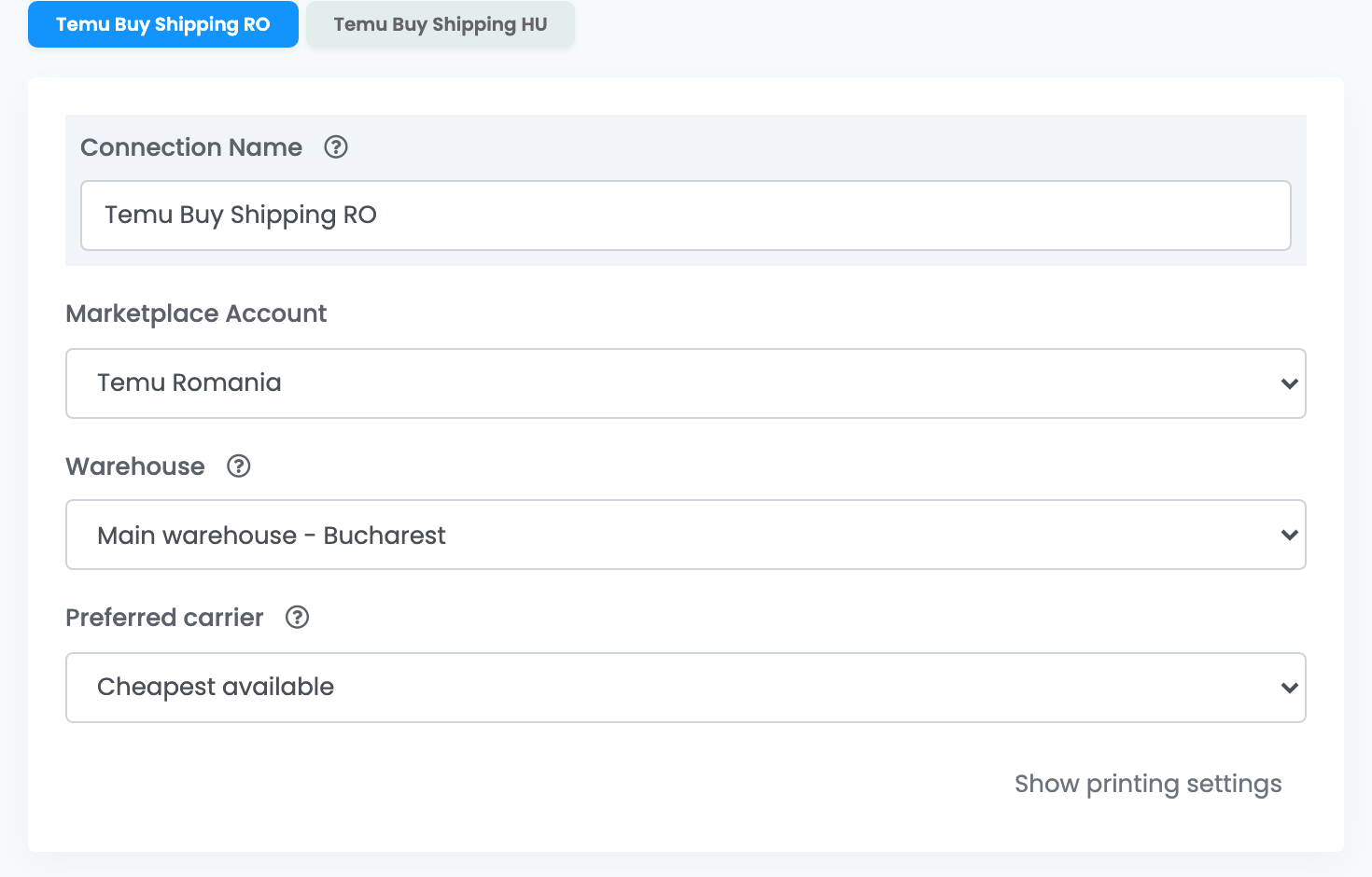
| Field | What goes in it |
|---|---|
| Connection Name |
A name that says the storefront, for example Temu Buy Shipping RO.
|
| Marketplace Account | The Temu marketplace connection whose orders this connection ships. |
| Warehouse | The Temu warehouse these orders ship from. It must be set up for Temu shipping labels (Buy Shipping) in Temu Seller Center. The list is read from Temu once you choose the account. |
| Preferred carrier | Cheapest available lets easySales take the cheapest carrier Temu offers for each order. If you choose a carrier, it is used whenever Temu offers it for the order; when it does not, the AWB is refused, and you change or remove the preference. |
Press Save.
Step 3 — Add a connection for each Temu account
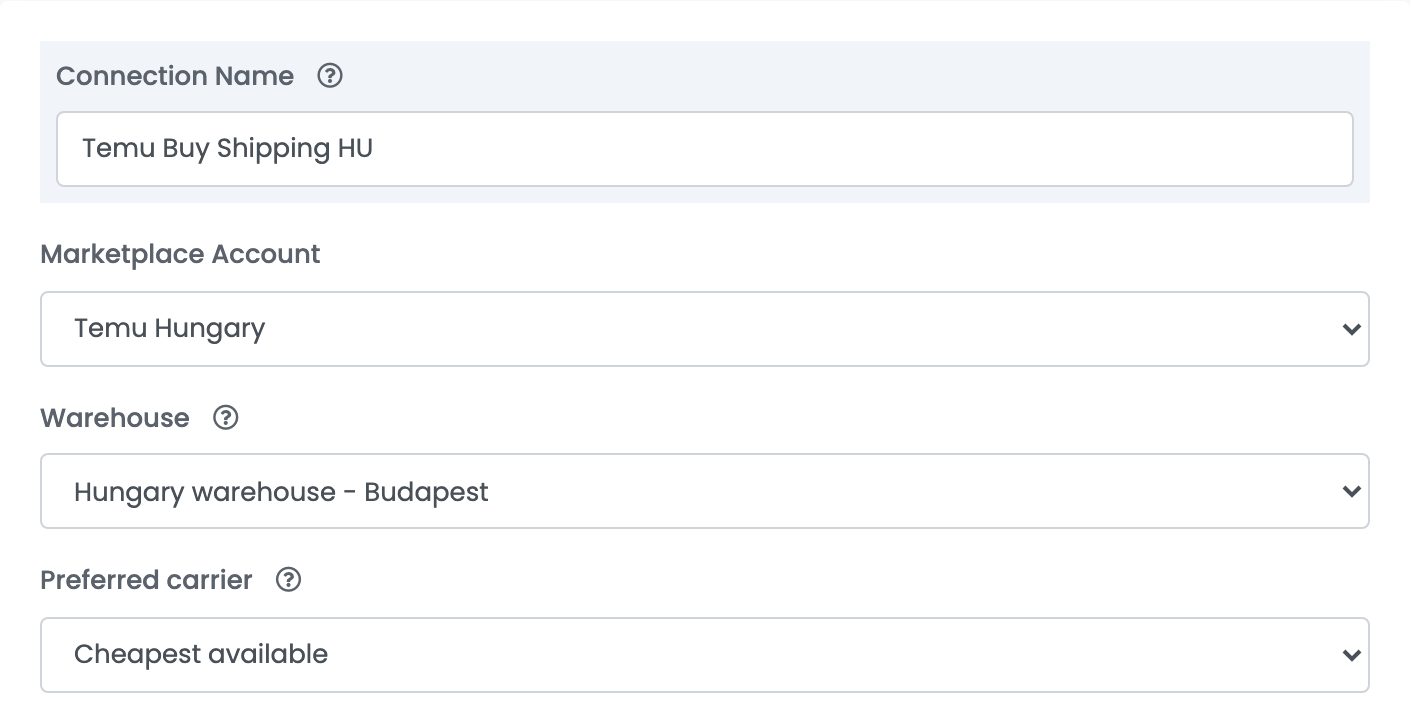
For the next storefront, choose Connect another courier account from the ⋮ menu on the Temu card, choose that storefront's Temu connection in Marketplace Account and its warehouse in Warehouse. Name each connection after its storefront — each gets its own tab.
Creating AWBs
- Quick create, from the order list, uses the connection's warehouse and carrier choice.
- From the order page you can choose the carrier for that order under Preferred carrier and change the weight before you create the AWB.
The label goes on one package per order. Its weight and size come from the size templates of the order's products, or from the order's weight when there are none — set size templates on your products, so Temu gets the real package size.
Temu prepares the label a few seconds after you ask for it, so easySales first shows AWB scheduled for creation, it could take a few moments. When Temu refuses, the order shows Failed to create AWB. Reason: followed by Temu's message.
When an AWB is refused
The messages you are most likely to see on an order:
| Message | What to do |
|---|---|
| The order has been shipped. This submission is not effective for the shipped order. | The order is already shipped in Temu Seller Center, so Temu sells no label for it. Nothing to do in easySales. |
| You have already requested by Temu integrated logistics. … | A label was already requested for this order. Wait a moment and open the order again: the AWB appears when Temu has it ready. |
| Orders exist after-sales applications, please complete the processing before operation | The order has an open after-sales request. Finish it in Temu Seller Center, then create the AWB. |
| Address change pending. Please process before shipping. | The buyer asked to change the address. Handle the request in Temu Seller Center, then create the AWB. |
| Failed to get shipping services: The parentOrder or Order is invalid. … | The connection belongs to another Temu account than the order. Use the connection of the order's storefront. |
| … is not eligible for this shipment … Change the preferred carrier in the courier settings or remove the preference to use the cheapest eligible carrier. | Temu does not offer your preferred carrier for this order. Choose another carrier on the order page, or set Preferred carrier to Cheapest available. |
| Could not create AWB. Missing Temu warehouse selection. | The connection has no warehouse. Open it, choose the Warehouse and save. |
| access_token don't have this api access … | Your Temu token does not include the shipping permissions. Authorize easySales again in Temu Seller Center and paste the new token into your Temu marketplace connection. |