Allegro and InPost: labels and tracking without retyping
Tracking numbers that return to Allegro by themselves, and labels printed in batches. What shipping looks like when the courier is connected to the order system.
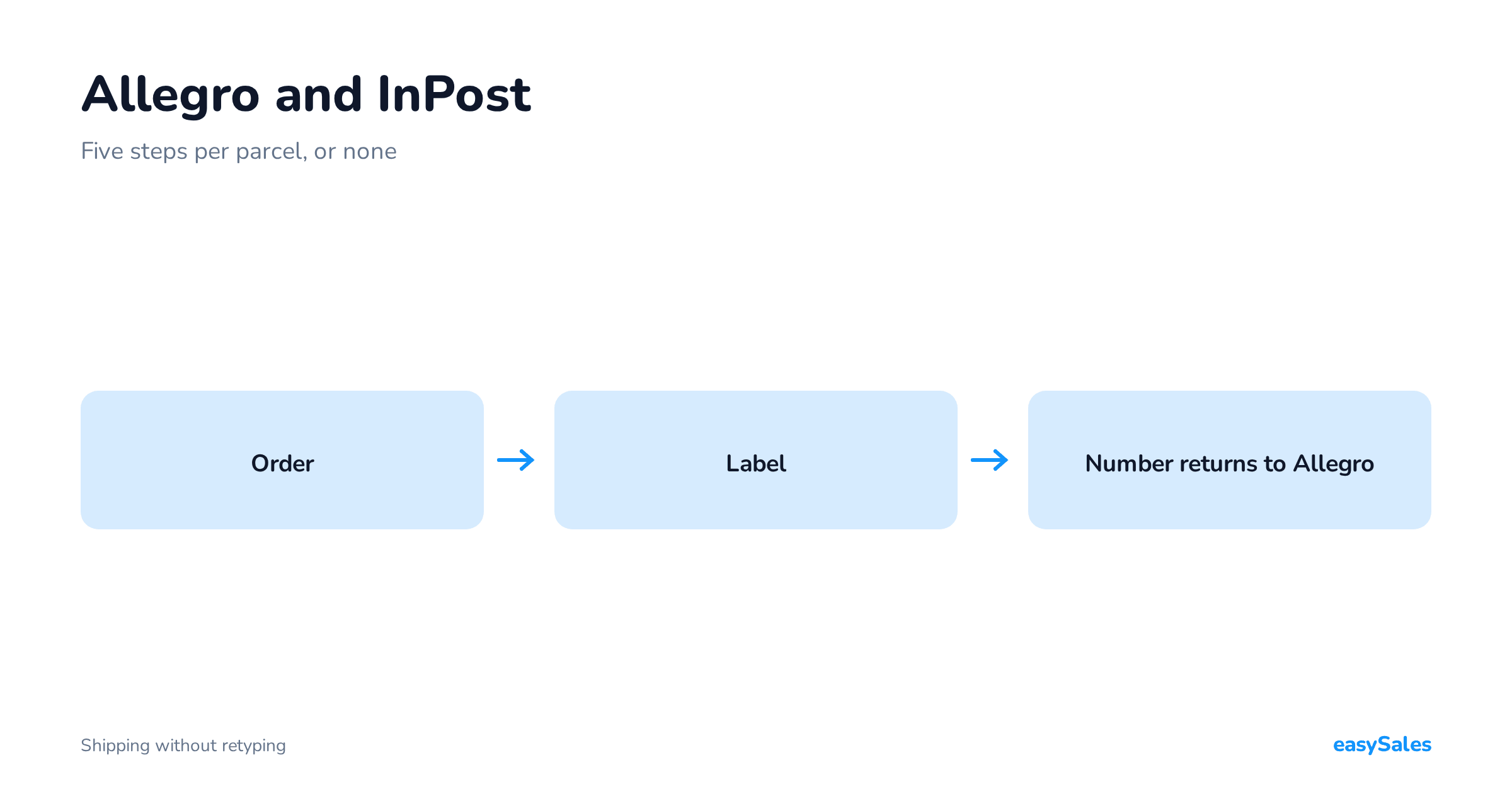
Connecting Allegro to InPost means linking your InPost sender account to the system that handles your orders — so the waybill is built from the order data and the tracking number returns to Allegro by itself.
Without that link, shipping is five repeated actions per parcel: generate the label, print it, copy the tracking number, paste it into Allegro, change the status.
At thirty parcels a day that is about an hour whose only product is moving data from one window to another.
How to connect Allegro and InPost
The connection has two sides, and only one of them needs anything from you.
What you set on the InPost side
You need a ShipX API token from the InPost panel — it is what gives the system access to your sender account.
Once it is entered, the system pulls the list of organisations attached to that account from InPost, and you point at the one you ship under.
Three settings remain: the service (parcel locker, courier or oversized shipment), the default parcel size used whenever a product has no dimensions in the catalogue, and the label format — a normal printout or A6 for a label printer.
Those are decisions made once. From then on the waybill is built from data the order already carries.

What arrives from Allegro
You do not set the collection point anywhere. The buyer picks it while ordering, and the locker identifier travels with the order onto the waybill.
There is one condition: the order has to reach the system carrying that identifier.
If it arrives without one — because it was created by hand or imported from a file — the shipment cannot be created, because there is nowhere to address it. That is the single most common cause of failure.

What disappears when InPost is connected to orders
The tracking number returns by itself
This is the step that hurts most, because it is purely mechanical and easy to get wrong — and getting it wrong means a buyer tracking somebody else's parcel.
With courier and marketplace in one system, the number reaches Allegro the moment the waybill is created.
Labels print in batches
Select the day's orders, get one PDF. The gain is not saved clicks; it is that packing becomes a single activity instead of thirty tab switches.
The status changes once
You mark the order shipped in your system and Allegro finds out on its own. There is no second place to repeat it — and no second place to forget.
The InPost locker the buyer chose
For Paczkomat delivery the buyer picks the InPost point on Allegro.
That choice has to travel with the order and land on the waybill without your involvement — otherwise you are back to retyping, only worse, because instead of a tracking number you are copying a point identifier.
The chosen locker also gets changed after ordering, and it is worth knowing how that behaves.
As long as the waybill has not been created, the change arrives with the order update and you do nothing.
Once the shipment exists, the point is already on the label.
The only route then is cancelling and creating a new one — which is why it does not pay to generate labels earlier than you actually pack.
What it costs in minutes
Before we get to what can be automated, it is worth sizing the problem — because "a few clicks" sounds harmless until you multiply it by the number of parcels.
Handling one shipment by hand usually means: open the courier panel, retype the recipient or search for the order, pick the service and parcel size, generate the label, print it, copy the tracking number, switch to Allegro, paste the number, change the status.
Even with practice that is about two minutes, assuming nothing goes wrong.
At thirty parcels a day that is an hour. At a hundred it is over three hours — half a working day whose only output is moving data from one window to another.
And that estimate is optimistic, because it excludes mistakes: a number pasted onto the wrong order, a label printed twice, an order missed when statuses were updated.
The second part of the cost is less visible and often more expensive.
Every copy-paste is an opportunity for error, and an error in a tracking number means a buyer following someone else's parcel. That ends in a message, an explanation and sometimes a complaint — more minutes, in a worse mood.
So the question is not "is it worth connecting the courier to orders", but "how many parcels a day make it pay off".
The answer is usually lower than expected — the break-even is somewhere around a dozen shipments a day, not a few hundred.
Parcel locker sizes, in numbers

Before automation, one thing that comes up in every conversation about lockers: the size. Compartments come in three sizes, and they decide whether a parcel can go to a machine at all:
- Size A — 380 × 640 × 80 mm, up to 25 kg. Anything flat: clothing, books, cosmetics, small electronics.
- Size B — 380 × 640 × 190 mm, up to 25 kg. A standard box, and the most commonly used size.
- Size C — 380 × 640 × 410 mm, up to 25 kg. Large cartons, small appliances, bulk footwear.
On top of those there is an oversized courier parcel at 500 × 500 × 800 mm, also up to 25 kg, and a letter format at 325 × 230 × 80 mm with a 2 kg limit.
Why this matters for the integration: parcel size is part of the waybill, not a decision made while packing. If your catalogue holds product dimensions, the system picks the size itself and you never click it.
If it does not, every shipment needs a manual choice — and that is the point where the "integration" stops saving time.
Filling in dimensions is a boring afternoon of work that then pays out every day.

What actually travels from the order to the waybill
With the integration connected properly, the waybill is built from data already on the order. It is worth knowing exactly which, because that tells you where to look when something fails:
- Recipient — first and last name split out of the order field, plus email and phone. The phone is mandatory for a locker delivery, because that is where the pickup code goes.
- Delivery point — either a street address or the identifier of the InPost point the buyer chose. One or the other, never both.
- Dimensions and weight — the parcel size derived from product data or set as a default.
- Cash on delivery — amount and currency, if the order is COD.
- Insurance — amount and currency, if you use it.
- Additional services — the set you choose once in the integration settings.
One practical note about the recipient: the name is split into two fields at the first space. A buyer who entered only a first name, or a company name with no space, arrives at InPost with an empty surname.
It does not block the shipment, but it is worth knowing when a label looks odd — the source is the order data, not the integration.
Rules instead of clicking
The biggest gain comes when you stop choosing the courier by hand.
A condition like "order from Allegro, locker delivery, weight under a threshold → create the shipment and generate the label" runs itself, and you only print.
That is the difference between a system that displays orders and one that handles them.
Three rules worth starting with
These three cover most of the day:
The rules to start from
- Create the shipment automatically for locker deliveries. Condition: order from Allegro, paid, delivery to a locker. Action: create the InPost shipment and generate the label. This takes the largest group of orders off your hands, because the locker is the default choice for Polish buyers.
- A separate path for cash on delivery. Condition: same delivery method, but payment on collection. Action: shipment carrying the COD amount from the order. Splitting these two cases matters, because COD has extra requirements at the collection point.
- An exception for large and heavy. Condition: weight or size above the locker threshold. Action: do not create a shipment, flag the order for manual handling. A rule that deliberately does nothing is as valuable as one that acts — it prevents a shipment that would have been rejected anyway.
The principle when building these: start with the most common case, not the hardest one. A rule covering 70% of orders that you set up in fifteen minutes is worth more than a complete rule set for every situation that you never finish.
Add the exceptions later, once you see which ones actually occur.
It is also worth remembering that a rule acts on an order, not on a channel.
The same logic will handle an order from your shop or another marketplace as long as the conditions match — there is no need to duplicate it per source.
Additional services you set once
InPost offers a set of additional services, and which ones are available depends on the shipping service you pick.
You configure them once in the integration settings, and from then on they attach to every shipment automatically. The most used ones:
- Email and SMS notifications — the buyer is told when the parcel is sent and when it reaches the locker. For locker deliveries the SMS is effectively essential.
- Cash on delivery — the amount to collect, in a currency matching the order.
- Insurance — the declared value of the parcel.
- Label-free shipping — sending against a code, without printing a sticker. Useful at low volume or with no printer to hand.
- Document return — where you need a signed document back.
- Saturday delivery and end-of-week collection — for sellers who pack in batches rather than daily.
- Delivery time windows — courier delivery within a chosen band, including a late-afternoon 5–8pm window.
The point of that list: these are decisions you make once for a whole channel, not per parcel. If today you tick the same three options on every Allegro order, that is precisely the work the integration is meant to take off you.
The tracking number returns to Allegro by itself, the moment the waybill is created. That is the entire reason to connect the courier to the marketplace rather than run them separately.
The buyer sees tracking with no action from you — and there is nowhere left for you to mistype it.
Four errors that stop a shipment being created
When a waybill will not generate, the cause almost always belongs to one of four groups. They are worth knowing, because API messages tend to be terse:

1. No collection point. The order is marked as a locker delivery, but the locker identifier never arrived or was lost along the way.
Without it the shipment cannot exist — there is nowhere to address it. The usual cause is an order created manually or imported from a file without that field.
2. The machine does not support the requested function. The point exists but does not do what you are asking — usually cash on delivery, or a parcel size that location does not accept.
Not every InPost point is a full-size locker; some are partner points with a narrower range of services.
3. Sending method unavailable for the service. The chosen combination of service and sending method does not exist — for example dropping off at a machine for a service that only allows courier collection.
4. Mismatched COD or insurance currency. The amount is there, but in a currency the service will not take.
This one surprises people selling abroad from the same account — the order is in euros while the domestic service expects złoty.
A fifth, rarer case: too many parcels in one shipment. If you split an order across multiple parcels, InPost enforces a limit and large orders have to be broken into separate shipments.
What these errors have in common is that almost none of them is an integration fault. Each is a mismatch between the order data and what the chosen service can do.
So read them as a pointer to the data that needs fixing, rather than as a breakdown.
Booking a collection instead of a trip to the machine
The last step, and the easy one to forget: labels alone do not make parcels leave. They still have to be handed over.
At higher volume, instead of carrying parcels to a machine you book a collection — a courier comes to your address and takes the whole batch.

A collection is booked from within the system for the shipments you select, and can be cancelled if plans change.
In practice it means a packing day ends with one click rather than a drive to a drop-off point. This is the part that starts to matter from roughly twenty parcels a day upwards.
What happens after dispatch: statuses and tracking
Creating the waybill is not the end of the information flow but the start of it.
From that moment the parcel has a life of its own, and it is worth knowing what comes back to the system and to the buyer.
The number reaches the buyer
This happens automatically when the waybill is created, so the buyer sees tracking in their account with no action from you.
This is the step that most often slips with manual handling — not because anyone forgets, but because it gets done in batches at the end of the day.
Statuses refresh by themselves
The system polls the courier for parcel states and updates them on the order.
That gives you one view of what is in transit, what is waiting in a locker and what has been collected, without opening the courier's website.
Uncollected parcels surface earlier
A parcel sitting in a locker longer than usual is a cue to contact the buyer before it comes back to you.
With manual tracking you normally find out at the moment of the return — which is to say, once the cost has already happened.
The practical conclusion: the value of the integration does not stop at the label. A label saves a minute per parcel, but it is the returning statuses that save conversations with buyers and let you act on problems before they turn into returns.
On cash on delivery, check the chosen point supports it. The COD amount travels from the order along with its currency, but not every InPost point offers the service.
It is one of the more common reasons a shipment will not create — and it looks like an integration fault when it is a limitation of the location.
The test
Take one order and count how many times you copy something to the clipboard before the parcel leaves. If the answer is above zero, that is exactly the time available to reclaim.