How to use processing groups in easySales: bulk invoices and AWBs
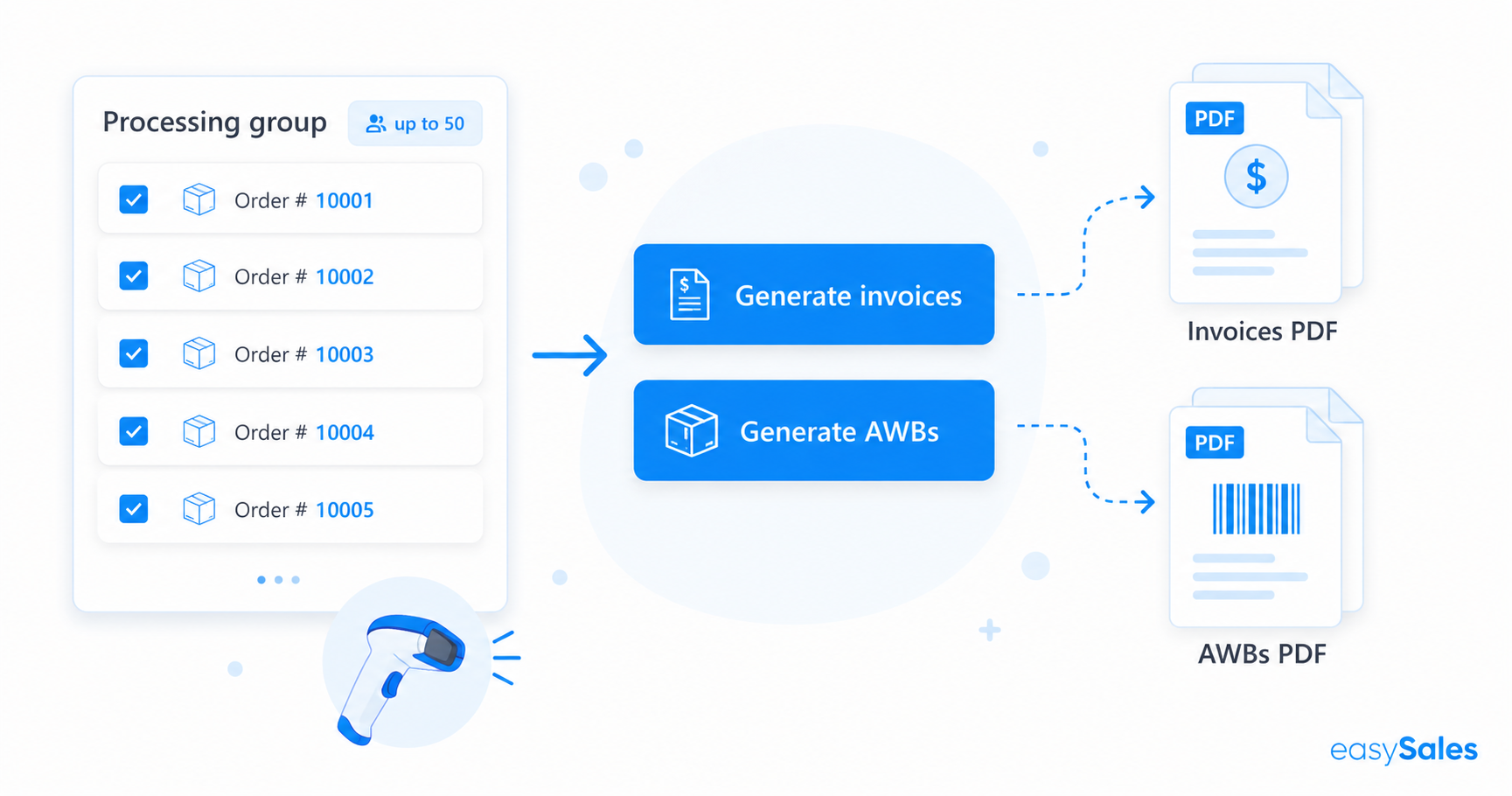
Processing groups let you issue invoices and AWBs for a batch of orders at once, without opening each one. Group up to 50 orders, assign them to your team, then generate the documents in bulk and download them as a single PDF. This guide covers creating a group, processing it, downloading the documents, and scanning during pick and pack.
When the orders pile up, opening each one to issue its invoice and AWB is the slowest part of the day. Processing groups collapse that into one action: gather a batch of orders, generate every document at once, and download them in a single file ready for the printer.
What processing groups are
A processing group is a batch of orders you handle together. Instead of detailing each order, you issue the invoices and AWBs for the whole group in bulk — and you can assign the group to the team member who'll process it.
Bulk invoices
Issue invoices for the whole group in one action.
Bulk AWBs
Generate AWBs for every order in the group at once.
Warranty certificates
Generate warranty certificates for the group too.
Assign to your team
Allocate the group to the person who will process it.
One PDF each
Download a single combined PDF for invoices and one for AWBs.
Pick & pack scanning
Scan products by EAN or SKU while picking and packing the group.
Step 1 — Create a group and add orders
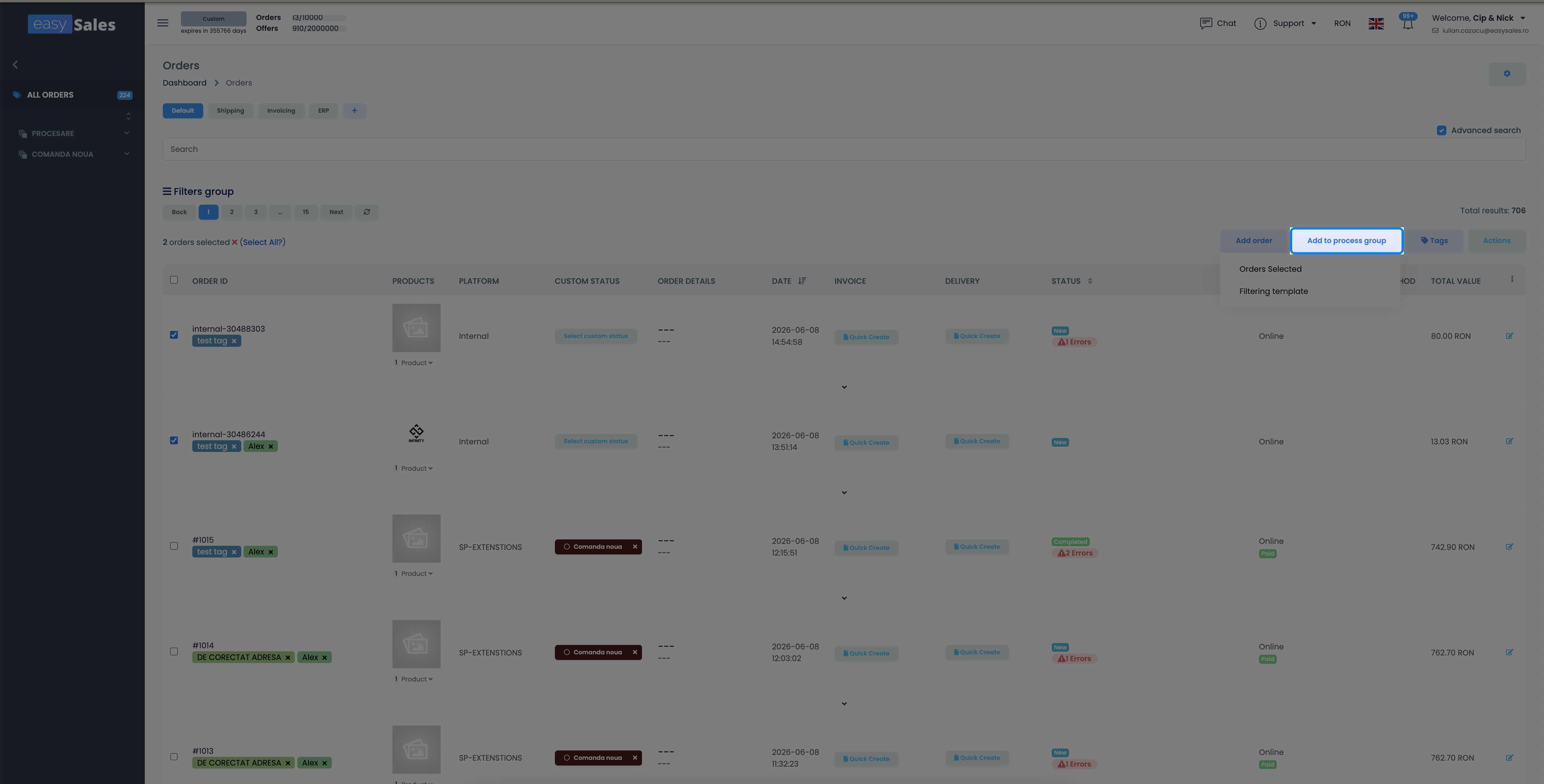
Go to the Orders tab, select the orders you want, and use Add to process group to add them to a new or existing group. Orders added to a group move to the Processing status, and you can assign the group to the team member who'll handle it.
Step 2 — Process the group
Open the group from Order Processing. From the group's orders view you can generate the invoices, AWBs, and warranty certificates for the whole batch at once — each through its own selector.
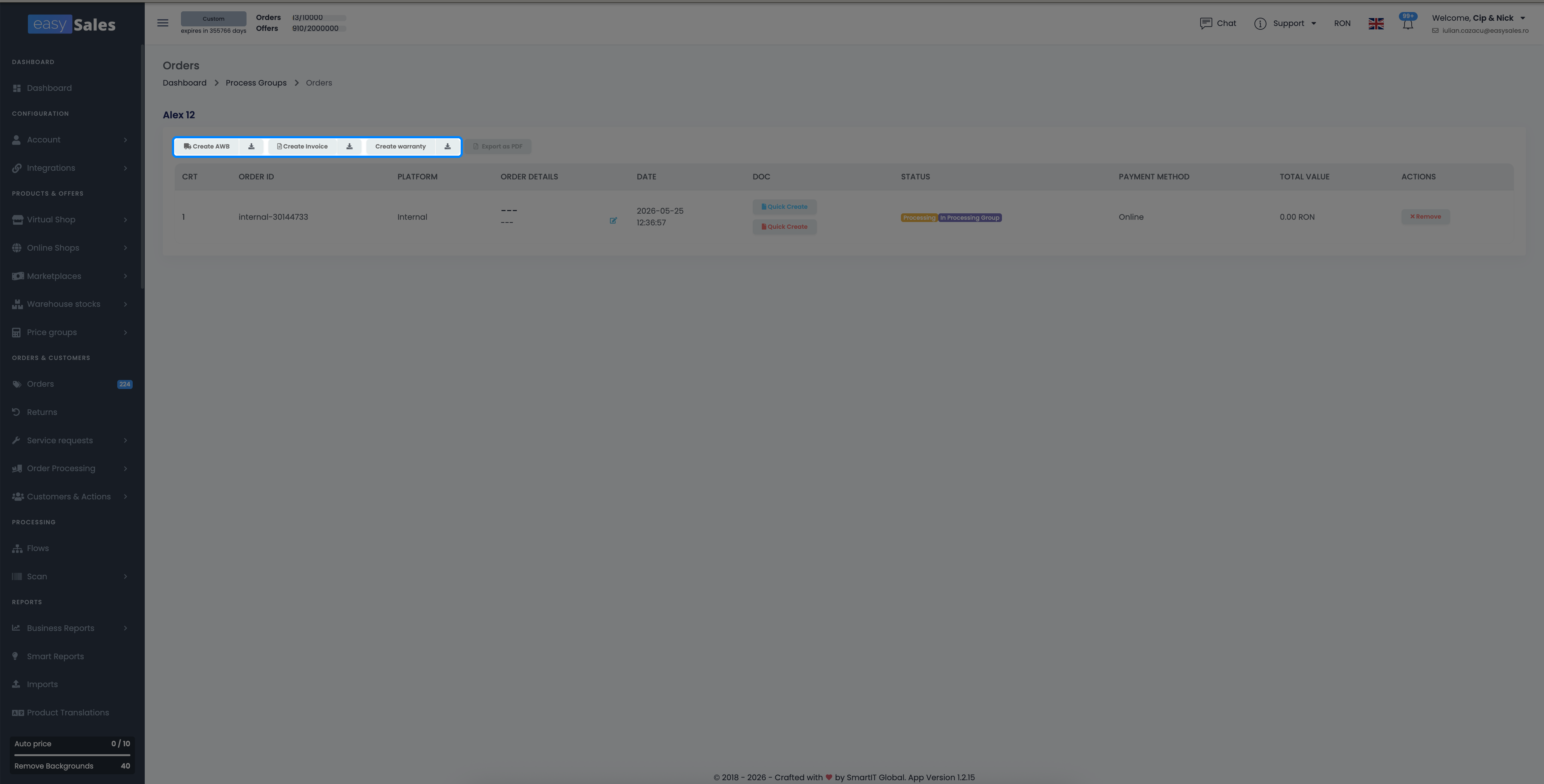
Generating the documents doesn't finalize the orders or move stock by itself — that still follows your normal order workflow and stock settings. The group just lets you produce all the documents in one pass.
Download the documents
After generating, download the batch with a single click. easySales merges the individual files into one combined PDF for the invoices and one for the AWBs (and a combined option for both), so you can send the whole batch to the printer in one go.
Remove an order from a group
Changed your mind about an order — or one threw an error during processing? Open the group, remove that order, fix what's needed on it separately, and process the rest.
Scan products while picking and packing
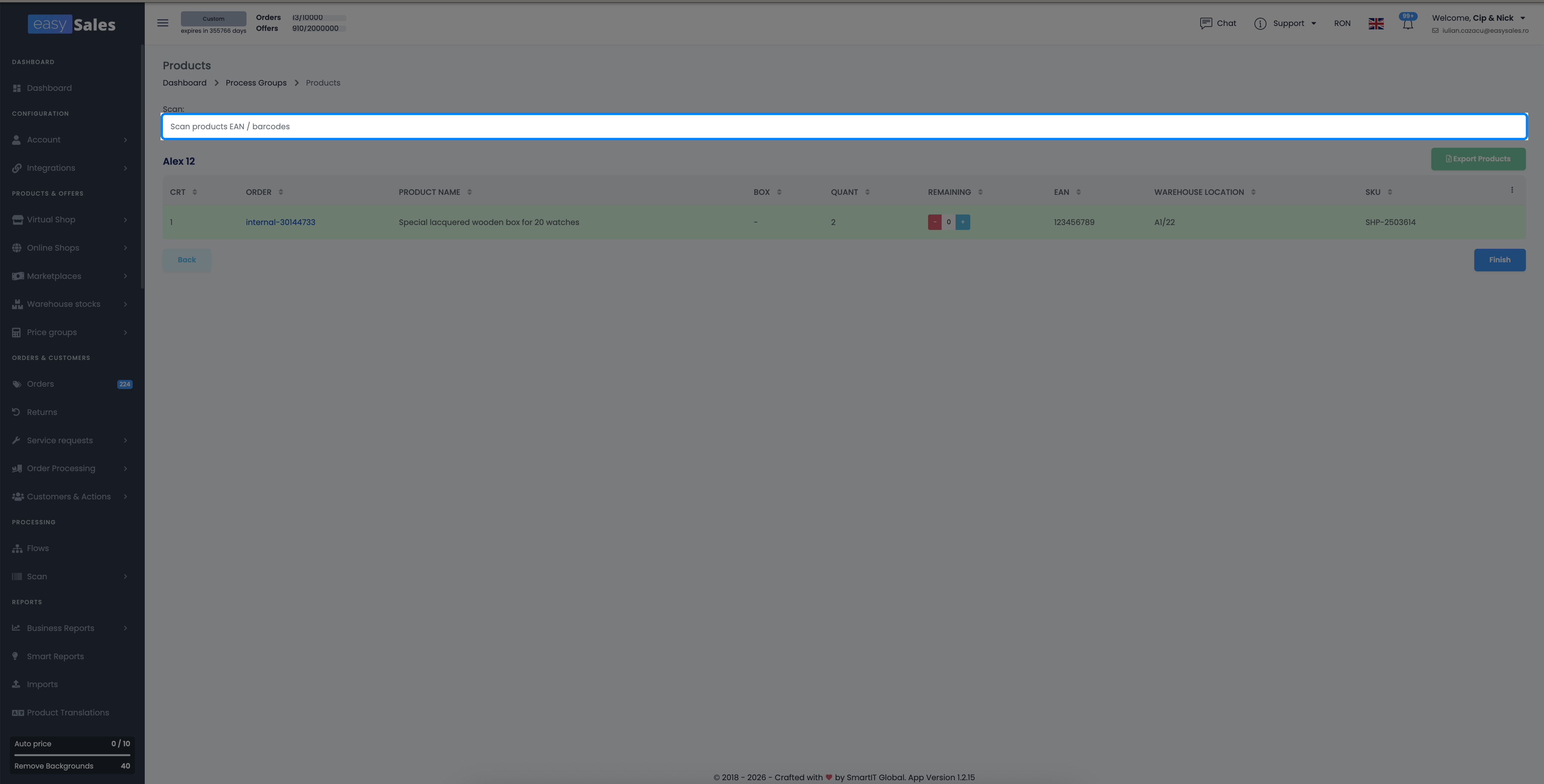
If you have a barcode reader, scan products in the group's Pick products and Pack products sections — the scanner matches each item by its EAN or SKU and ticks off the quantity. Each line shows the product's warehouse location, so your team knows where to find it on the shelf.
Process a whole batch in one click
Try easySales free for 14 days and issue invoices and AWBs for dozens of orders at once with processing groups. No credit card required.