How to set up webhooks in easySales: send orders, AWBs and stock changes to your systems
Send easySales events such as new orders, AWBs, invoices and stock changes to your own systems the moment they happen, and keep the subscriptions working.
What webhooks do
A webhook tells another system the moment something happens in easySales. When an order arrives, an AWB is created or a stock level changes, easySales sends the details to an address you choose, so your ERP, accounting tool or online shop can react straight away instead of asking easySales every few minutes.
Open the page at easy-sales.com/webhooks while you are signed in. Each line on it is a subscription: one event, sent to one address.
Three things to know first:
- The receiving address must be built by you or your developer. easySales sends the data; the system at that address decides what to do with it.
- A subscription that keeps failing switches itself off. After 100 failed attempts easySales stops sending and e-mails you. It does not switch back on by itself.
- Events are not kept while a subscription is off. When you turn it back on, sending starts again from that moment.
Subscribe to an event
- Press Subscribe to webhook.
- In Url, enter the address that will receive the data. Use an https address.
- Leave HTTP method on POST.
- In Webhook, choose the event.
- In Secret, enter a key of at least 24 characters. Your system uses it to check that the data really comes from easySales.
- Press Save.
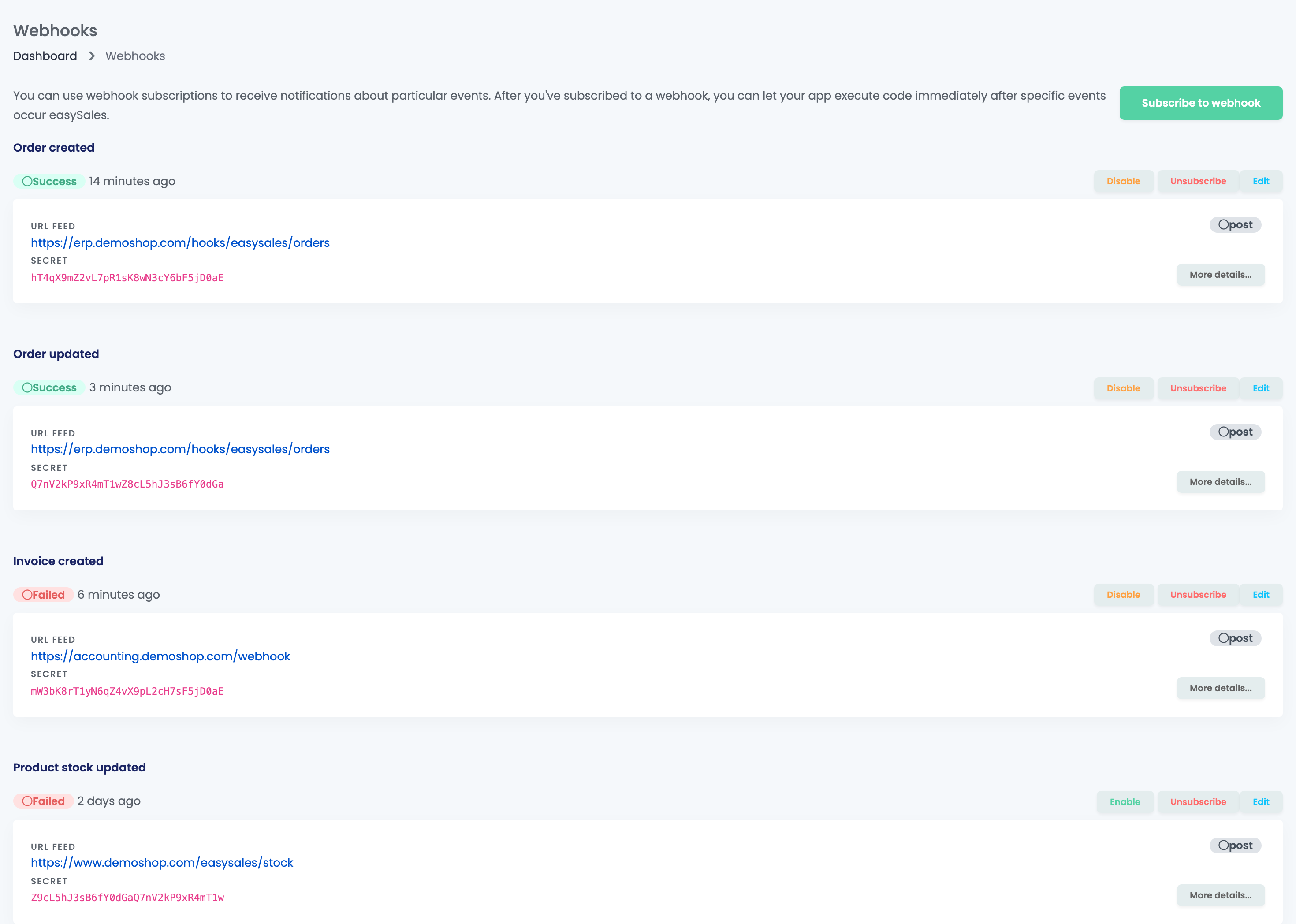
The subscription appears under the name of its event. To send the same event to a second system, subscribe again with the other address. One address can be added only once for each event.
| Event | Sent when |
|---|---|
| Order created | A new order arrives from any channel or is added by hand. |
| Order updated | Anything changes on an order, for example its status, products or address. This event is sent often. |
| Awb created | An AWB is generated for an order through a courier in easySales. |
| Delivery status updated | The courier reports a new delivery status for a shipment. |
| Invoice created, Storno invoice created | An invoice or a storno invoice is issued for an order. |
| Return created, Return updated | A return is created, or its status, products, notes, shipments or invoices change. |
| Product created, Product updated | A product is added or changed, including its price. |
| Product stock updated | A product's stock changes. |
| Category created / updated, Characteristic created / updated | A category or a characteristic is added or changed. |
| Products refresh requested, Stock refresh requested | A refresh of products or stock is requested for an online shop. |
| Ticket created, Ticket updated | A conversation with a buyer starts in Customers → Tickets, or changes. |
| Account suspended, Account activated | The easySales account is suspended or activated again. |
Follow what was sent
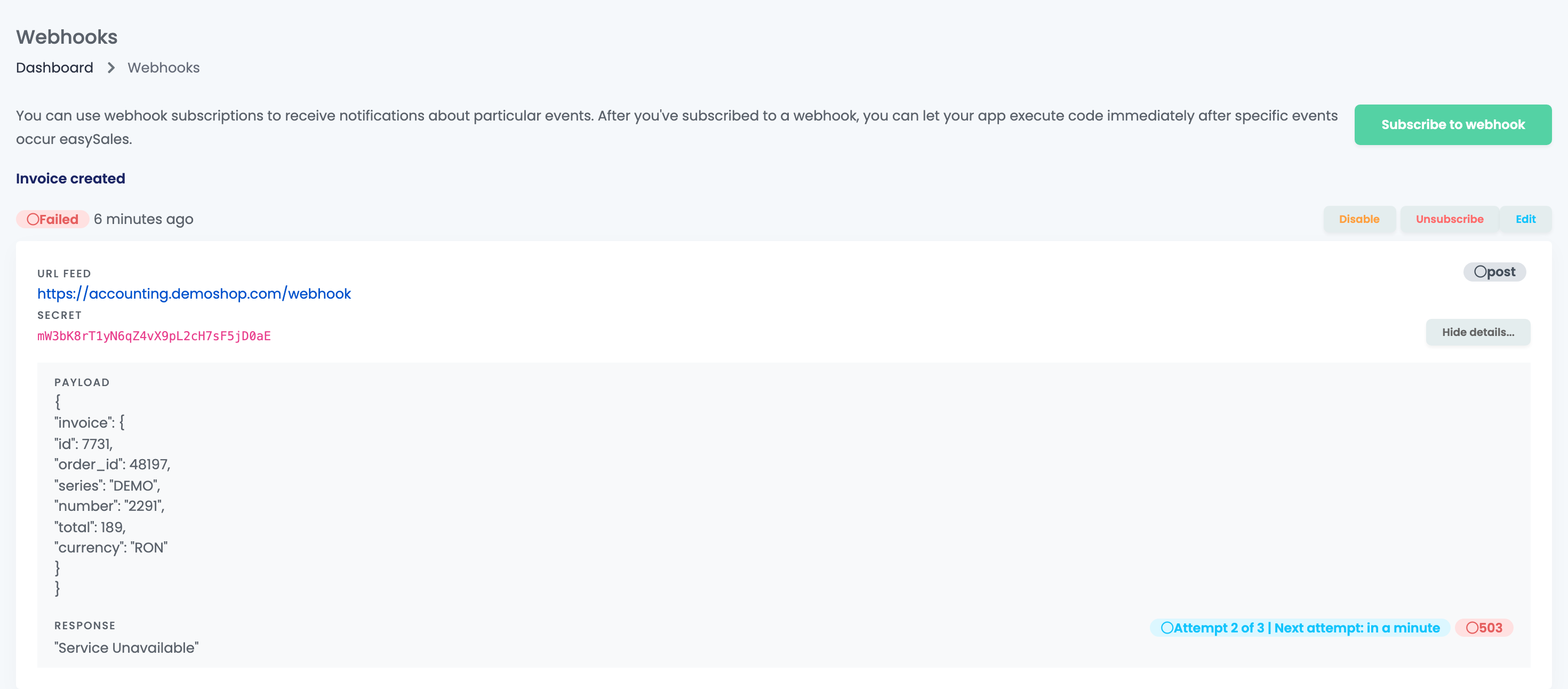
Each subscription shows Success or Failed for the last event sent, and when it was sent. Press More details... to see that event:
- Payload is the data easySales sent.
- Response is what your address answered, with its status code.
- Attempt 2 of 3 | Next attempt: … means the event failed and will be sent again. Final attempt has been made means there are no more tries for that event.
Only the last event of each subscription is shown here.
Change, pause or remove a subscription
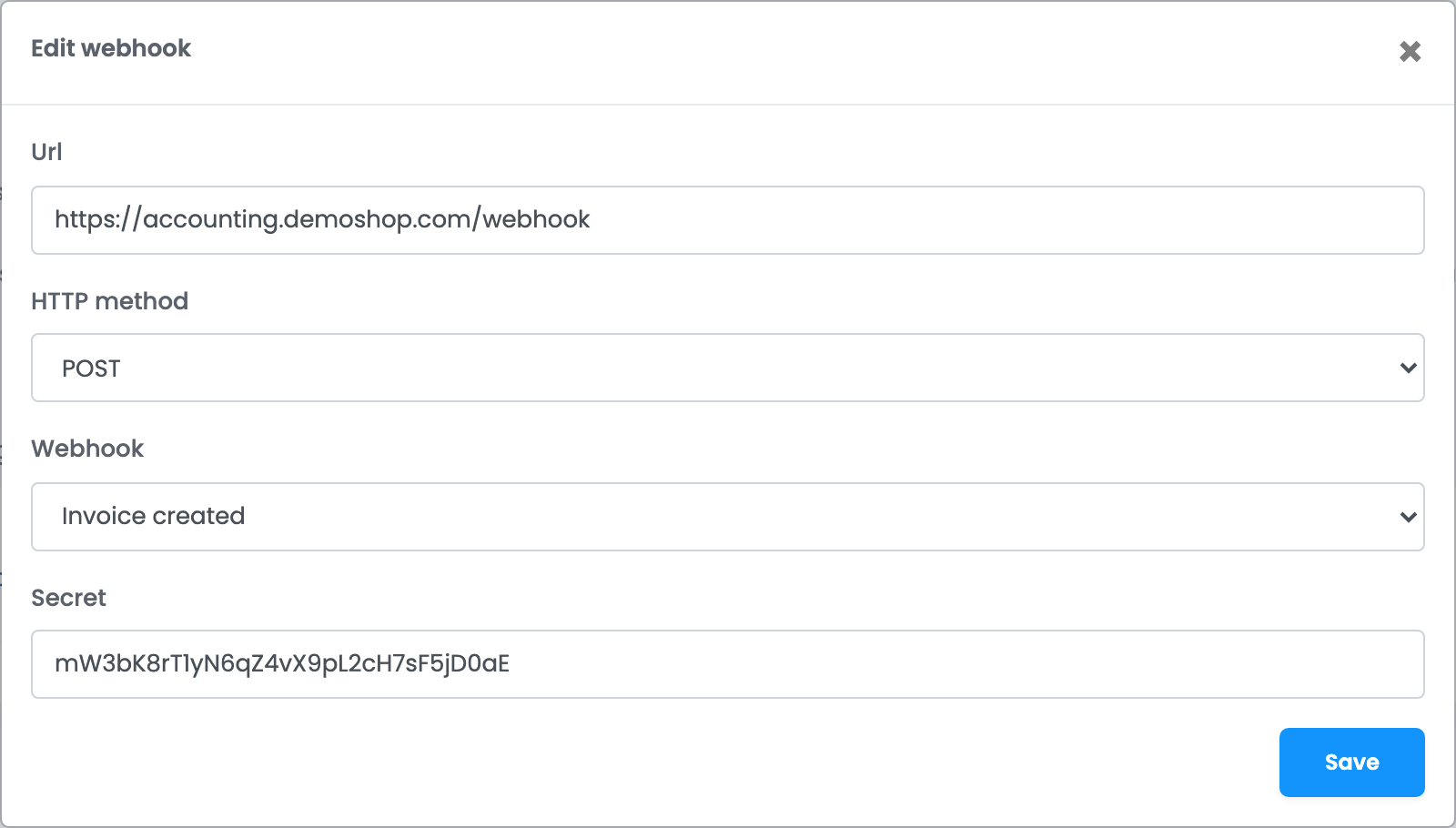
- Edit changes the address, the HTTP method or the secret. To send a different event, subscribe to that event and remove the old subscription.
- Disable pauses the subscription and Enable starts it again. Nothing is sent while it is paused, and the events from that time are not sent later.
- Unsubscribe removes the subscription at once.
What your system needs to do
| Detail | |
|---|---|
| Format | JSON, with the event data under payload and the subscription id and event name under webhook. |
| Signature | The Signature header holds an HMAC-SHA256 of the body, made with your secret. Compute it on the body exactly as received. |
| Answer | Any 2xx status within 3 seconds. Answer first and process the data afterwards. |
| Certificate | https addresses must have a valid certificate. |
| Retries | Three tries per event: the second about 10 seconds after the first, the third about 100 seconds later. |
| Order of arrival | Because of retries, events can arrive out of order. Use the data in the payload, not the arrival time. |
When a subscription switches itself off
Every failed try counts: an error answer, no answer within 3 seconds, or a certificate problem. After 100 failed tries the subscription is switched off and you receive the e-mail "Webhook has been disabled". Its View webhooks button opens this page.
- Fix the problem at the receiving address.
- Press Enable on the subscription.
- Fetch the changes you missed through the easySales API, for example the orders changed during that time.
Your team and webhooks
A team member needs the View webhooks permission to open the page. With it, they can add, change, pause and remove subscriptions.
When something does not look right
| Symptom | What to do |
|---|---|
| Nothing arrives any more and the subscription shows Enable | It was switched off after repeated failures. Fix the address, press Enable, then fetch the missed changes through the API. |
| The last event shows Failed | Open More details... and check the status code and the answer of your address. |
| "The secret must be at least 24 characters." | Enter a secret of 24 characters or more. |
| "The url has already been taken." | That address already receives this event. Edit the existing subscription instead. |
| Storno invoices are not received | Subscribe to Storno invoice created; Invoice created covers regular invoices only. |
| The receiving system is flooded with order updates | Order updated is sent for every change. Answer quickly and process the data in the background. |