How to connect ShopMania with easySales: product feed setup
List your products on ShopMania Romania with an easySales feed: categories, shipping, availability, the Feed URL and the feed rules that help.
What the ShopMania feed does
ShopMania is a price-comparison site. Shoppers compare offers there and click through to your shop to buy. easySales builds the product file ShopMania reads — names, categories, prices, availability, images and links from your online shop — and keeps it at a fixed address, the Feed URL.
Three things to know before you begin:
- Every product needs a category. ShopMania rejects offers without one, and prefers the full path, such as
Home > Kitchen > Cookware. Step 4 shows how to send it. - Create the feed on your online shop's tab, not on Virtual Shop. ShopMania sends shoppers to each product's page in your shop, and only your online shop's products carry that link.
- Prices are sent in RON. The feed is for ShopMania Romania.
Before you start
A ShopMania merchant account
Your shop joined to the ShopMania merchant program.
Your online shop connected to easySales
The feed takes its products, links and images from it.
Products with categories, stock and images
ShopMania needs a category on every offer; products without stock or images stay out of the file.
Step 1 — Connect the feed
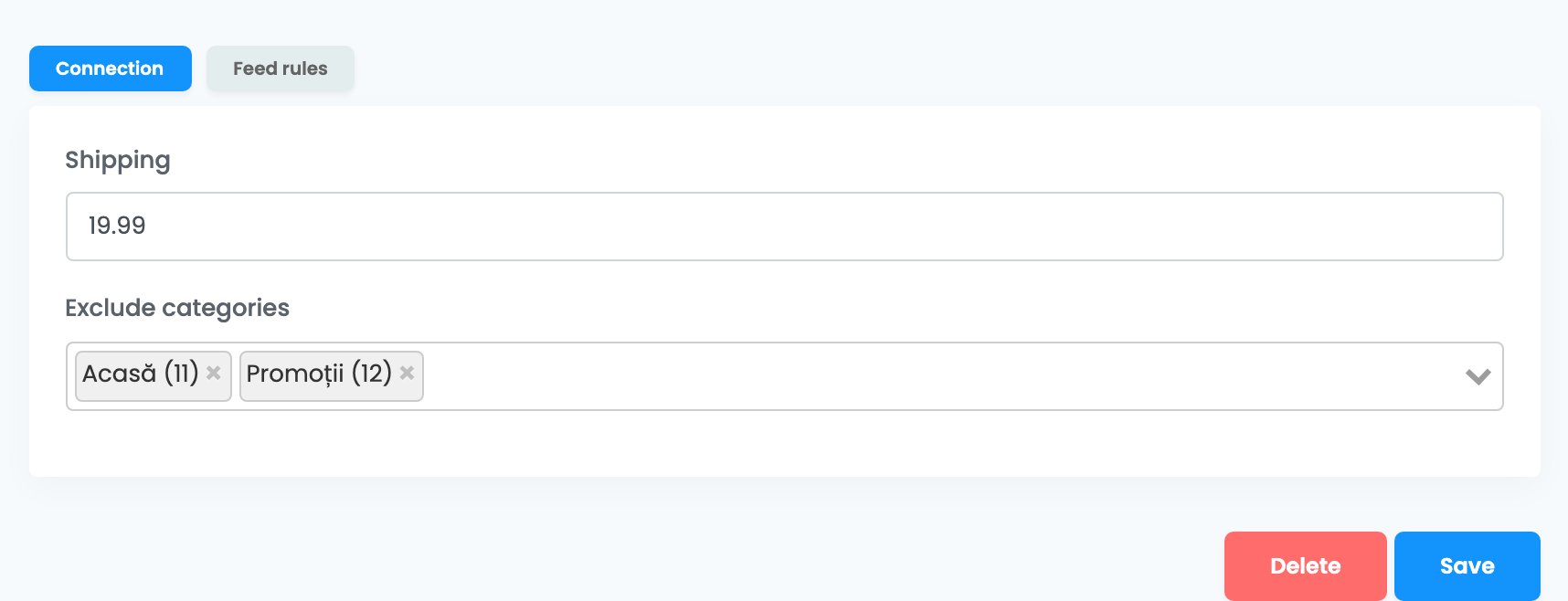
Go to Products → Online Shops → Feed and choose the tab of your online shop. Press Connect on the ShopMania card. The Connection tab has two fields:
| Field | What goes in it |
|---|---|
| Shipping |
The shipping cost for every product, in RON, taxes included. Type a number only, with a dot for decimals — for example 19.99, or 0 for free shipping.
|
| Exclude categories | Optional. Categories whose name should not be sent — see Step 4. |
Press Save.
Step 2 — Give ShopMania your Feed URL
Back on the Feed page, the card shows the Feed URL and, once the file is ready, Last generated with its date and time. The first file is ready within the hour after you save.
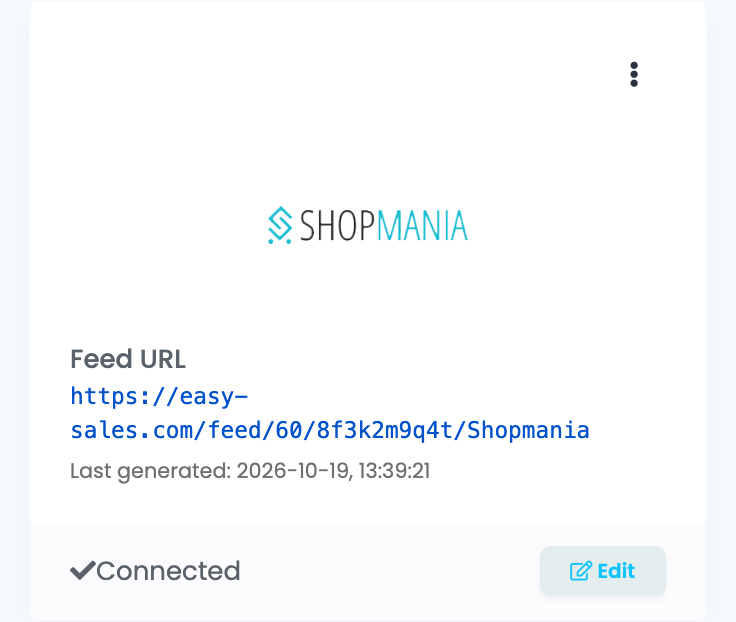
When Last generated appears, copy the Feed URL and enter it in the Upload URL setting of your ShopMania merchant account. ShopMania reviews a new shop before listing it, and then downloads your file once a day, overnight.
Step 3 — Two settings in your ShopMania account
| Setting | What to do |
|---|---|
| Settings → Product availability settings |
Match easySales' availability texts — In stock / In stoc and Out of stock / Stoc epuizat — to ShopMania's In stock and Out of stock. Without this, ShopMania does not display them.
|
| Settings → Shipping settings | Tick Individual product shipping prices so ShopMania shows the Shipping value from your feed. |
Step 4 — Get the categories right
For each product, easySales sends one category: the first of the product's categories that is not in Exclude categories. Two tools decide what ShopMania sees:
- Exclude categories — exclude broad parent or promotional categories, such as Home, Promotions or New, so the more specific category is the one sent.
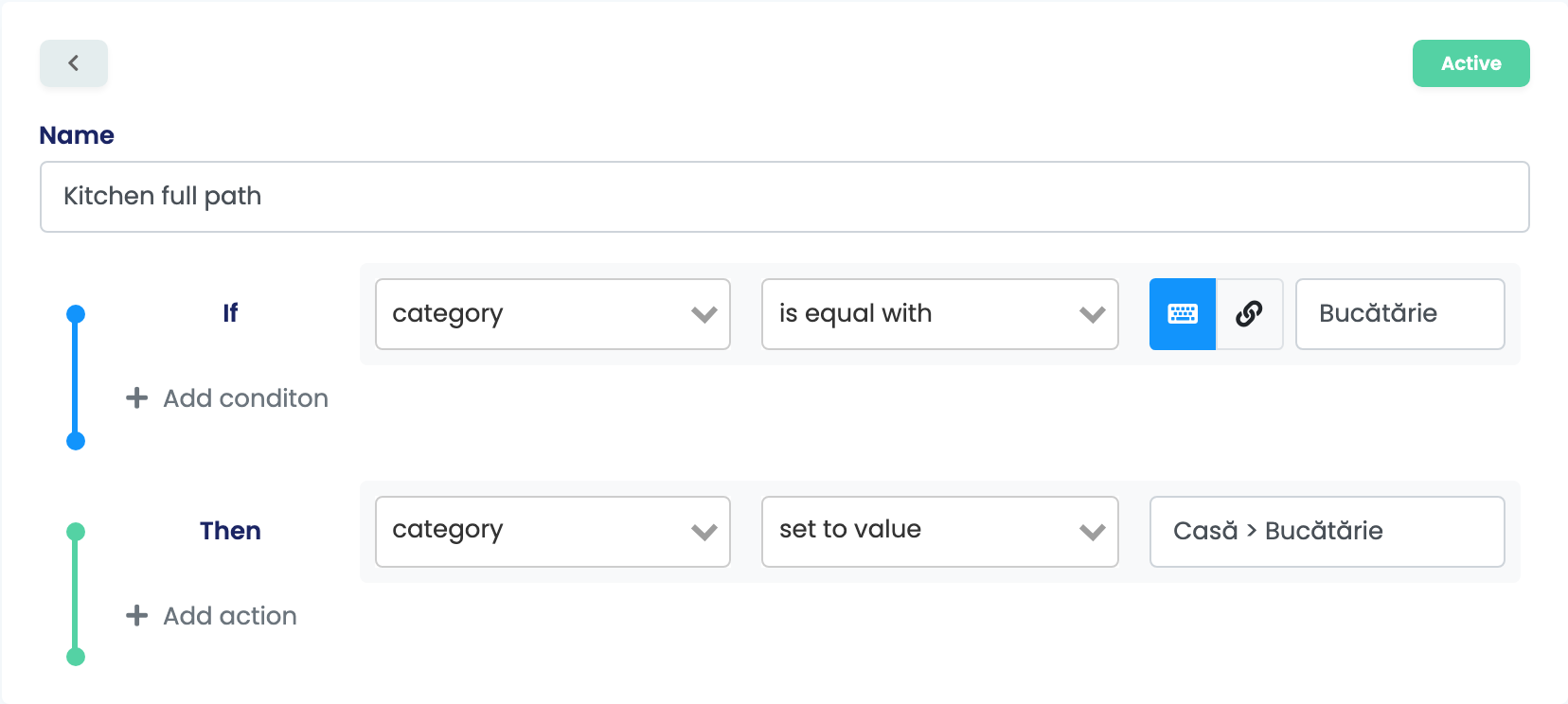
- Feed rules — to send a full path, open the feed with Edit, then Feed rules → Create a new rule: If category is equal with that category → set category to the full path.
What goes into the file
Each active product of the shop with stock and at least one image is one offer in the file, with:
| In the file | Taken from |
|---|---|
| MPC | The product's SKU |
| Category | The first category that is not excluded, or the value a rule sets |
| Manufacturer | The product's brand |
| GTIN | The product's EAN, when it has one |
| Name, description and URL | The product and its page in your shop |
| Image | The product's first image |
| Price and currency | The sale price with VAT, in RON — the product's own VAT rate if it has one |
| Shipping | The Shipping value |
| Availability |
In stock / In stoc, or Out of stock / Stoc epuizat
|
To list only products you can deliver, add a rule: If stock is less than 1 → exclude product from feed. To change the price for ShopMania, write the rule on sale price or tax rate.
When something does not look right
| Symptom | What to do |
|---|---|
| The Feed URL answers "Feed generation in progress..." | The first file is not ready yet. Wait until Last generated appears on the card. |
| ShopMania rejects offers for a missing or incomplete category | Give the products a category in easySales, exclude broad parent categories, or send the full path with a rule. Rejected offers are listed in ShopMania under Products Stats → Rejected Offers. |
| A product is missing from ShopMania | Check that it is active, has stock and has at least one image, and that no rule excludes it. |
| Availability or shipping does not show on ShopMania | Set Product availability settings and Individual product shipping prices in your ShopMania account. |
| Products have no link on ShopMania | The feed was created on the Virtual Shop tab. Delete it and connect it on your online shop's tab. |