How to connect Nowe Kolory with easySales: a complete setup guide
Ship orders from Poland to Romania and Hungary with Nowe Kolory and easySales: login and Account ID, the eMAG setting, labels, easybox and errors.
What connecting Nowe Kolory gives you
Nowe Kolory is a Polish logistics partner for sellers who ship from Poland to customers in Romania and Hungary — most often orders from eMAG and the other marketplaces there. With Nowe Kolory connected, you create its labels in easySales for each order, cash on delivery included, and the delivery status of every parcel updates on its own.
Three things to know before you begin:
- All three login values come from Nowe Kolory. The API username, the password and the Account ID are issued when you sign up with them. The Account ID is a short code — a few letters — not your username.
- eMAG Romania orders need one setting. Turn on Allow eMAG AWB generation with other couriers under Settings → Orders Settings.
- Orders from your own shop need the customer's e-mail and phone. Nowe Kolory refuses a label without them.
Before you start
An agreement with Nowe Kolory
They issue your API username, password and Account ID.
Orders for Romania or Hungary
Nowe Kolory delivers there from Poland.
Customer e-mail and phone on own-shop orders
Labels for orders from your own shop need both.
Step 1 — Connect Nowe Kolory
Go to Integrations → Couriers, search for nowe and press Connect on the Nowe Kolory card.
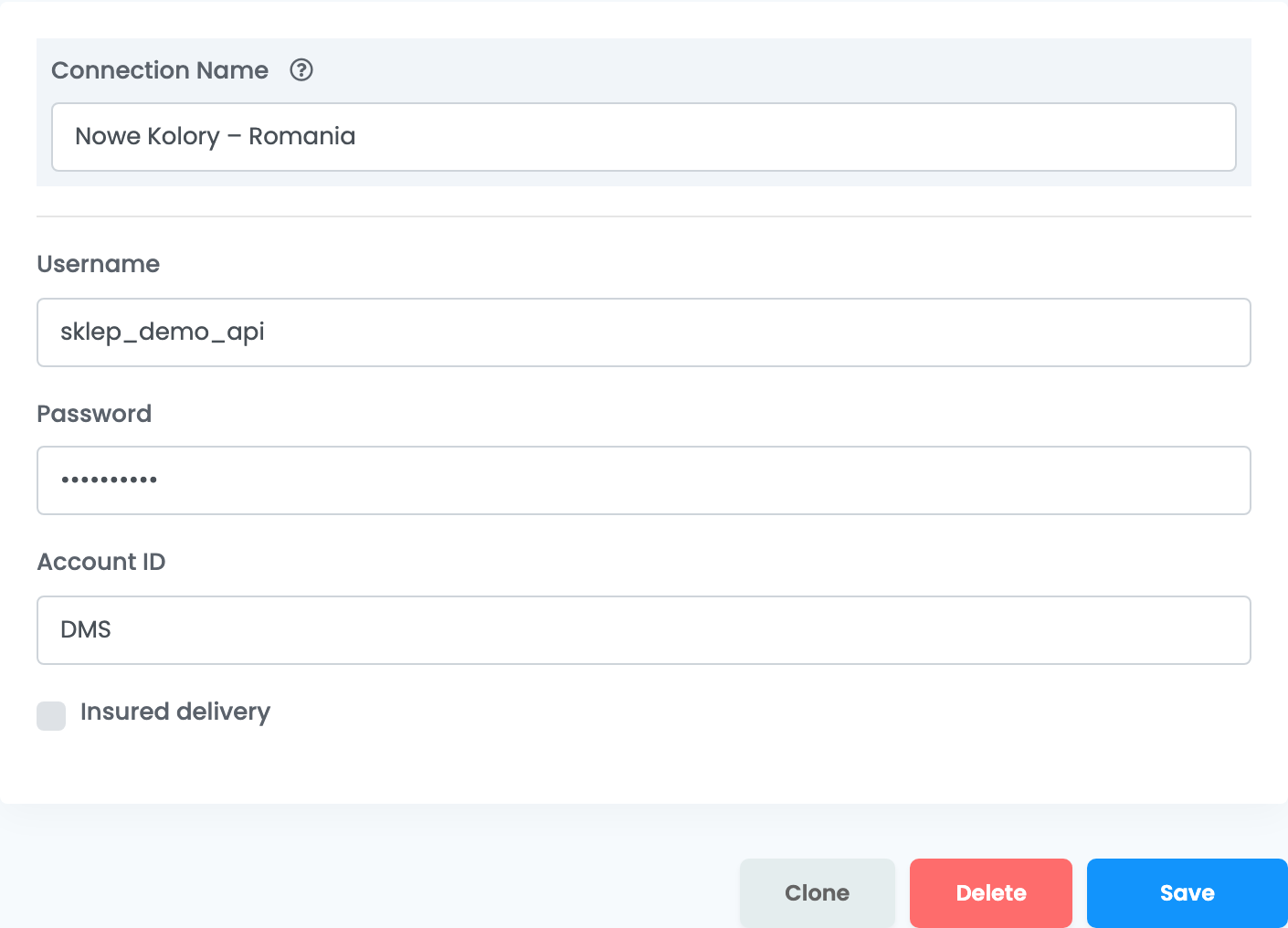
| Field | What goes in it |
|---|---|
| Connection Name |
A name you will recognise, for example Nowe Kolory – Romania.
|
| Username | The API username Nowe Kolory gave you. |
| Password | The password that goes with it. |
| Account ID | The short code Nowe Kolory gave you, for example three letters. It is not your username. |
| Insured delivery | Ticked, every parcel is insured for the order's total. |
Press Save. easySales signs in to Nowe Kolory with the username and password; Authentication failed means one of them is wrong.
Step 2 — Allow other couriers on eMAG Romania orders
eMAG Romania orders are shipped with the eMAG courier unless you allow otherwise. Open Settings → Orders Settings and turn on Allow eMAG AWB generation with other couriers. Without it, a Nowe Kolory label for an eMAG Romania order is refused with eMAG AWBs must be generated with eMAG courier.
Creating labels
- Quick create: in the orders list, choose Quick Create → Nowe Kolory in the AWB column.
- From the order: in the order's Awbs section, press Create AWB and choose Nowe Kolory. There you can change the cash-on-delivery amount and, for a delivery to a locker, the point.
Each order gets one label. Cash on delivery is collected for orders paid on delivery. Parcels are sent as 30 × 30 × 30 cm unless you use packaging boxes, and their weight comes from the products — at least 1 kg.
eMAG orders to an easybox go to the easybox the buyer chose, without any extra step. For eMAG orders, the label reaches eMAG automatically.
When something does not work
| Message | What to do |
|---|---|
| Authentication failed | The username or password is wrong. Check them with Nowe Kolory and save again. |
| ERROR_105 - Insufficient permission, please check credentials and accountID | The Account ID is wrong. Ask Nowe Kolory for the correct code. |
| ERROR_102 - Email is required; | The order has no customer e-mail. Add it to the order and create the label again. |
| Phone number is required; | The order has no customer phone number. Add it and create the label again. |
| eMAG AWBs must be generated with eMAG courier | Turn on Allow eMAG AWB generation with other couriers under Settings → Orders Settings. |
| ERROR_107 … Oficiul a fost inchis de transportator. Schimba oficiul sau muta pe home delivery! | The locker the order goes to is closed. Create the label from the order and choose another point, or deliver to the address. |
| ERROR_100 - Internal error occurred while processing request. Please try again later. | Temporary. Try again a little later. |