How to connect DHL24 with easySales: a complete setup guide
Connect DHL24 (DHL eCommerce Poland) to easySales: the WebAPI key and customer number, services, cash on delivery with insurance, DHL points and the messages DHL returns.
What connecting DHL24 gives you
DHL24 is the parcel service of DHL eCommerce in Poland, for shipments within Poland and to other European countries. Connected to easySales, it creates the AWB for an order from the order list or the order page, puts DHL's shipment number on the order and sends it to the marketplace or shop the order came from.
DHL24 is not DHL Express: DHL Express is a separate integration in easySales, with its own card.
Two things to know before you begin:
- easySales connects with a DHL24 WebAPI key, not with your dhl24.com.pl login. DHL issues the WebAPI key and its password on request. You also need your DHL customer number (SAP), which has 7 digits.
- One connection ships with one DHL service. Each connection has a single Shipping services value, and it must fit the order — a domestic service does not deliver abroad, and a parcel for a DHL point needs the point service. Make one connection per service you use.
Before you start
A contract with DHL eCommerce Poland
With your 7-digit DHL customer number (SAP).
DHL24 WebAPI access
A WebAPI key and password, issued by DHL on request.
A pickup address in Poland
The address DHL collects your parcels from.
Step 1 — Ask DHL for WebAPI access
- Ask DHL eCommerce for access to the DHL24 WebAPI through DHL's contact form, choosing the category WebAPI - uzyskanie dostępu (WebAPI - Obtaining Access).
- DHL sends you a WebAPI key and its password. The login and password of your dhl24.com.pl account do not work here.
- Have your DHL customer number (SAP) at hand: the 7-digit number of your contract with DHL.
Step 2 — Connect DHL24 in easySales
Go to Integrations → Couriers, search for dhl24 and press Connect on the DHL24 card — or Edit, if you have connected it before.
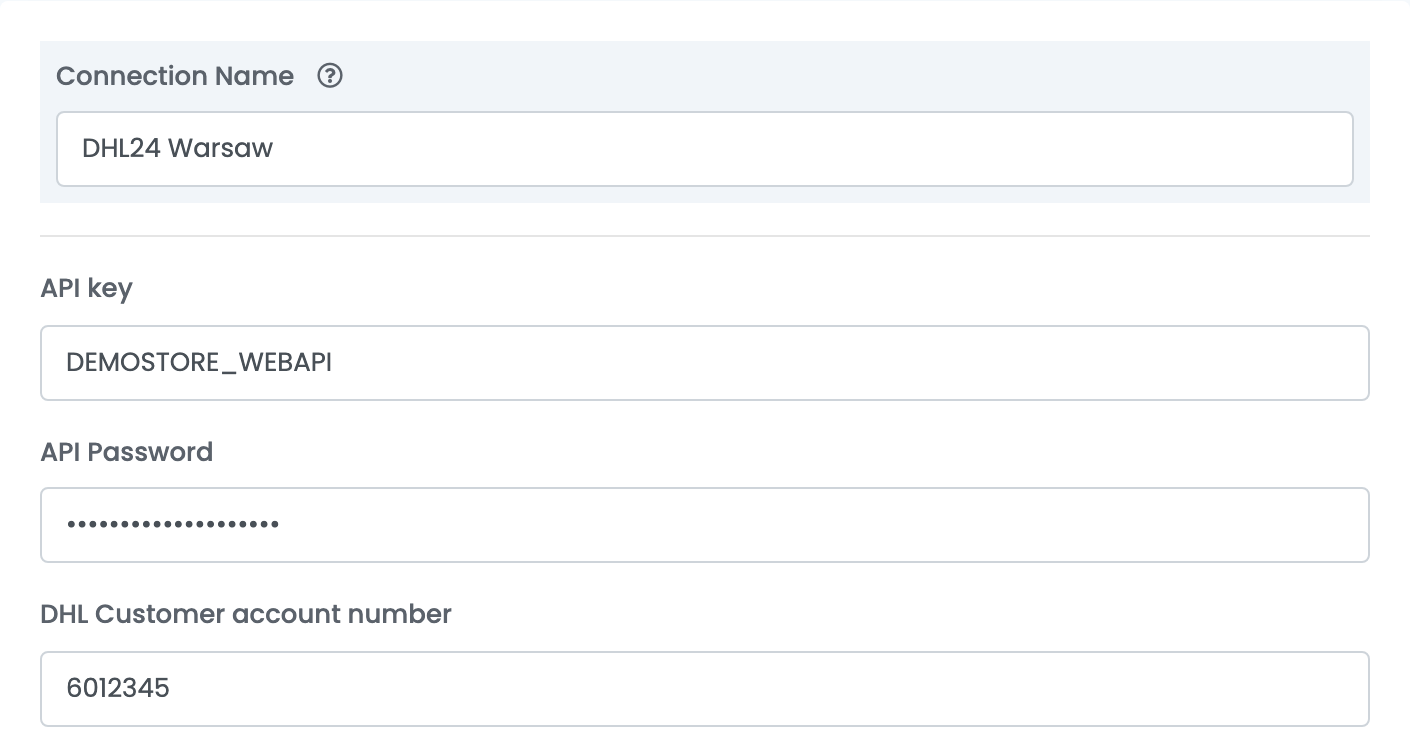
Fill in the connection details:
| Field | What goes in it |
|---|---|
| Connection Name |
A name you will recognise when choosing between connections, for example DHL24 Warsaw.
|
| API key | The WebAPI key from DHL. |
| API Password | The WebAPI password from DHL. |
| DHL Customer account number | Your 7-digit DHL customer number (SAP). It is the payer of every AWB from this connection. |
Step 3 — Parcel, services and sender
| Field | What it does |
|---|---|
| Package size | What you usually send: envelope, parcel or pallet. Most sellers choose Parcel. |
| Additional Services | Added to every AWB from this connection: Evening Delivery, Saturday Delivery, Saturday Shipment (collection on Saturday) and Insurance. Choose only what your contract with DHL includes. |
| Shipping services | The DHL service of every AWB from this connection — see the list below. |
| AWB Format | A4 for an office printer, A6 for a label printer. |
| Insurance currency | The currency of the insured value, PLN by default. The insured value is the order total. |
The Shipping services you can choose:
| Service | Use it for |
|---|---|
| Domestic shipment | Standard delivery within Poland. |
| Premium shipment | DHL's premium delivery within Poland. |
| Domestic 09 / Domestic 12 | Delivery within Poland by 9:00 / by 12:00. |
| Evening delivery shipment | Evening delivery within Poland. |
| Shipment delivered to point | Delivery to a DHL POP or DHL BOX 24/7 point. |
| Connect shipment | Road delivery to other European countries. |
| Connect Plus shipment / Connect Plus Pallet shipment | DHL's Connect Plus service for parcels / for pallets. |
| International shipment | DHL's international parcel service. |
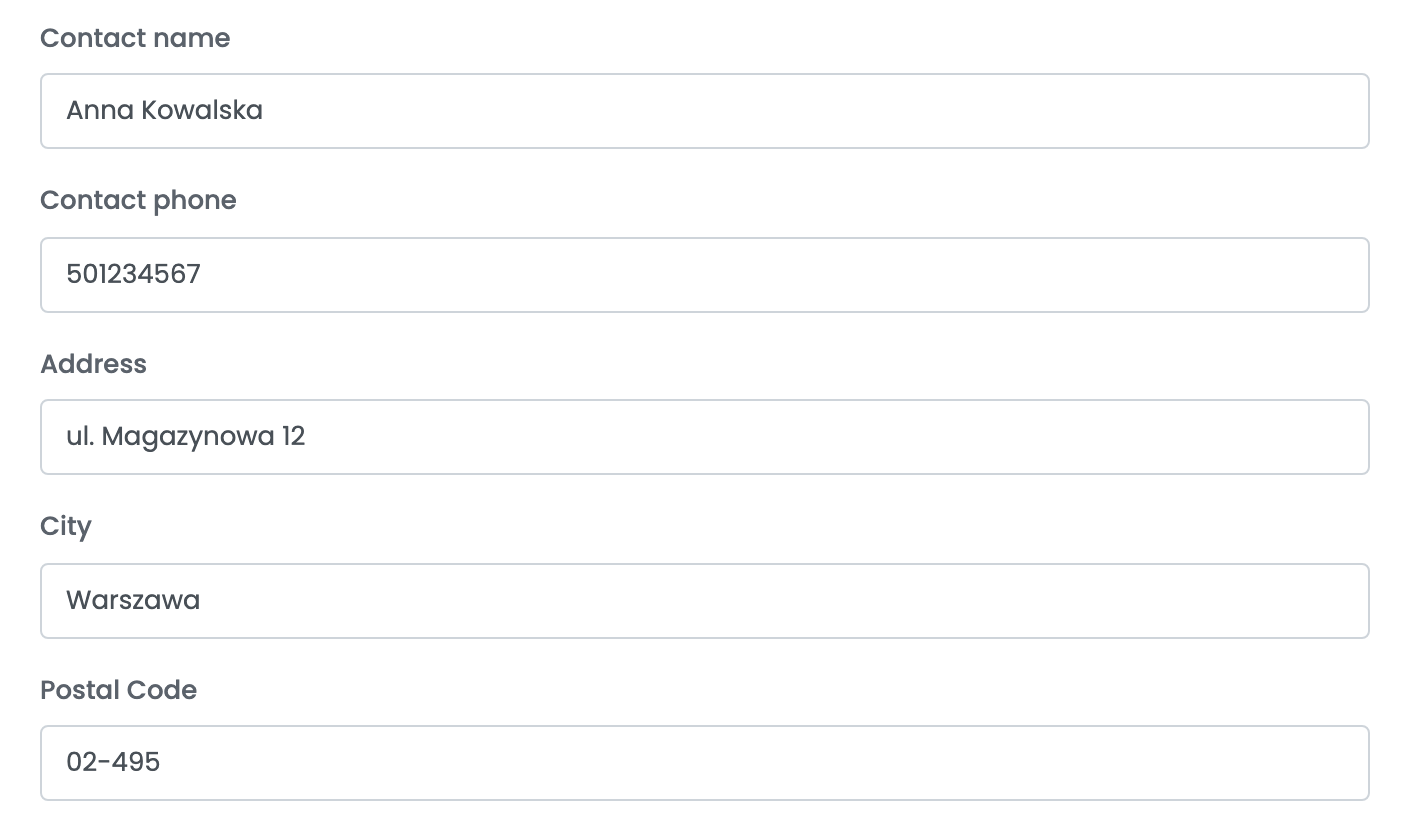
The sender is the address DHL collects your parcels from:
| Field | What goes in it |
|---|---|
| Contact name | The person DHL contacts at the pickup address. |
| Contact phone | Their phone number. |
| Address, City, Postal Code | The pickup address in Poland. |
Press Save. A wrong WebAPI key or password shows up when you create the first AWB: DHL refuses it with Nieprawidlowe dane autoryzacyjne.
For another service or another pickup address, open the connection and press Clone, then give the copy its own name and change what differs.
Creating AWBs
- Quick create, from the order list, uses everything saved on the connection. The weight is the weight of the order's products, split across the parcels.
- From the order page you can change the weight, the number of parcels and envelopes, their sizes, the cash-on-delivery amount, the insured value and the additional services before you create the AWB.
Cash on delivery is added when the order is paid on delivery; the amount is the order total.
When an AWB is refused
DHL's answer is shown on the order, in Polish. The ones you are most likely to see:
| Message | What to do |
|---|---|
| Nieprawidlowe dane autoryzacyjne | The API key or the API Password is wrong — often the dhl24.com.pl login entered instead of the WebAPI key. Enter the WebAPI details from DHL on the connection and save. |
| Błędy walidacji przesyłki: Usługa niedostępna dla danego kraju. | The connection's service does not deliver to the order's country. Create the AWB with a connection that uses an international service, such as Connect shipment or International shipment. |
| Błędy walidacji przesyłki: Przy zwrocie pobrania wymagane jest ubezpieczenie przesyłki. | A cash-on-delivery parcel must be insured. Select Insurance under Additional Services on the connection and create the AWB again. |
| Błędy walidacji przesyłki: Podany numer punktu serwisowego jest błędny bądź niedostępny dla zadanych usług | The DHL point on the order is wrong or does not accept this service. On the order page, choose another point and create the AWB with a Shipment delivered to point connection. |
| Błędy walidacji przesyłki: Zawartość pola Preawiz Odb Nr Tel musi być liczbą. | The customer's phone number contains characters other than digits. Correct it on the order, digits only. |
| Błędy walidacji przesyłki: Wartość w polu Telefon jest za krótka (minimalna liczba znaków to 8). | The customer's phone number is too short. Correct it on the order. |
| Błędy walidacji przesyłki: Niepoprawny kod pocztowy dla wybranego kraju. | The postal code does not exist in the delivery country. Correct it in the order's delivery address. |