How to connect Cdiscount with easySales: a complete setup guide
Sell on Cdiscount with easySales: authorise easySales on Octopia, enter your Seller ID, set delivery modes, publish offers by EAN and import your Cdiscount orders.
What connecting Cdiscount gives you
Cdiscount is one of France's largest marketplaces, and its seller platform runs on Octopia. With Cdiscount connected, easySales publishes your products to Cdiscount as offers, keeps their price and stock up to date, and imports your Cdiscount orders next to the orders from your other channels.
Three things to know before you begin:
- You authorise easySales on Octopia first. easySales connects as an aggregator, so there are no API keys to copy: you grant access once on Octopia, then enter only your Seller ID in easySales.
- The EAN is each offer's identity. Cdiscount matches every offer to a product sheet by its EAN. A product without a valid EAN cannot be listed.
- Shipping is confirmed in Cdiscount. Confirm each shipment and its tracking number, and handle invoices, in your Cdiscount seller panel.
Before you start
A Cdiscount seller account
Active on Octopia, Cdiscount's seller platform.
Your Seller ID
The numeric identifier of your Cdiscount seller account.
Products with valid EANs
Cdiscount identifies every offer by its EAN.
French product content
French titles and descriptions, and images of at least 500×500 px, for products new to Cdiscount.
Step 1 — Authorise easySales on Octopia
Open the API Credentials page in your Octopia seller area (developer.octopia-io.net/user-guides/api-credentials). Under I'm using a feed aggregator, choose I know my aggregator's clientId. Enter easysales as the client ID, tick the Terms & Conditions box and press Confirm my aggregator clientId. Then press Proceed with seller authentication and sign in with your Cdiscount seller account.
Step 2 — Connect Cdiscount in easySales
Go to Integrations → Marketplaces, search for cdiscount and press Connect on the Cdiscount card.
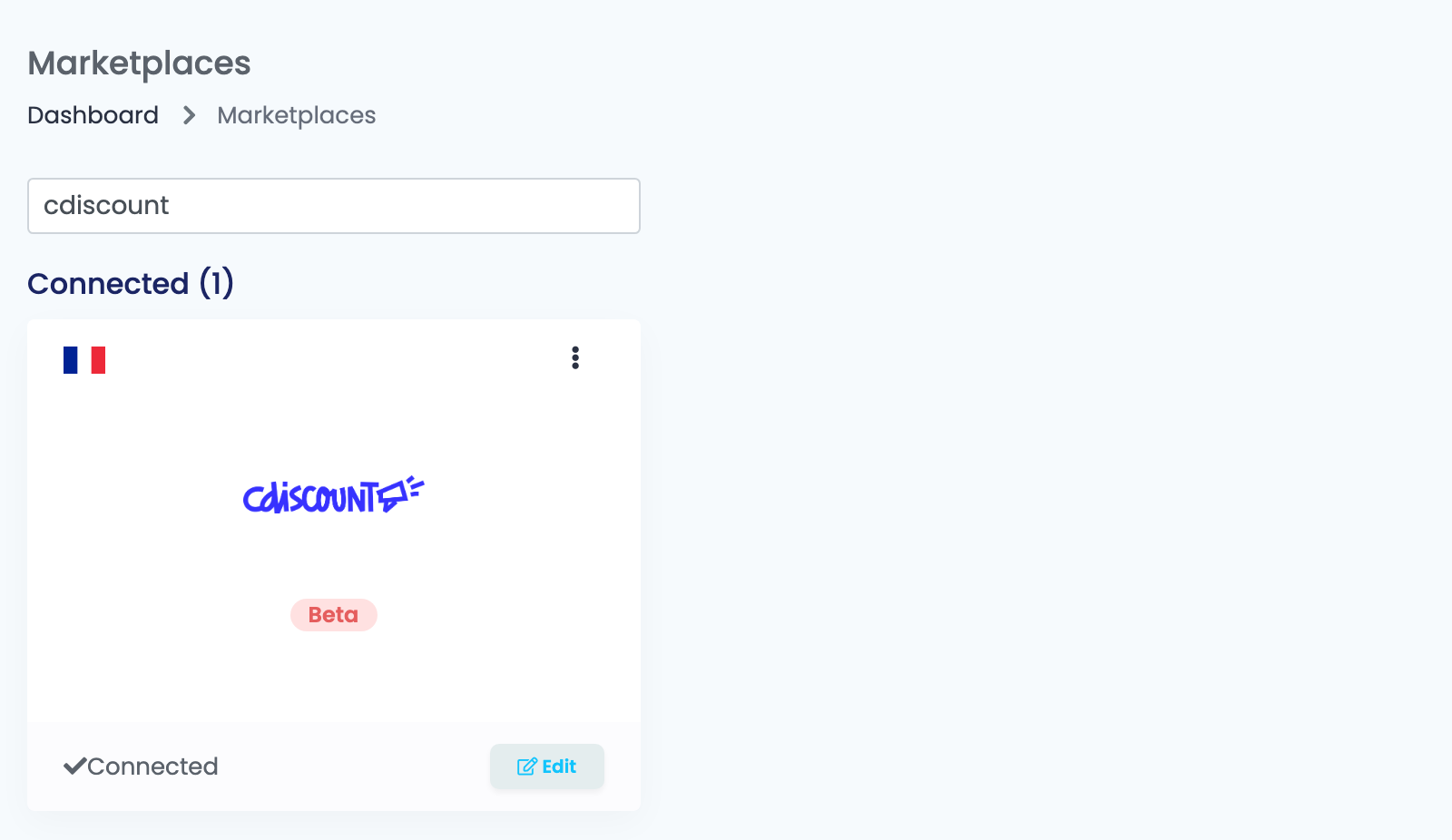
Fill in the connection on the Main settings tab:
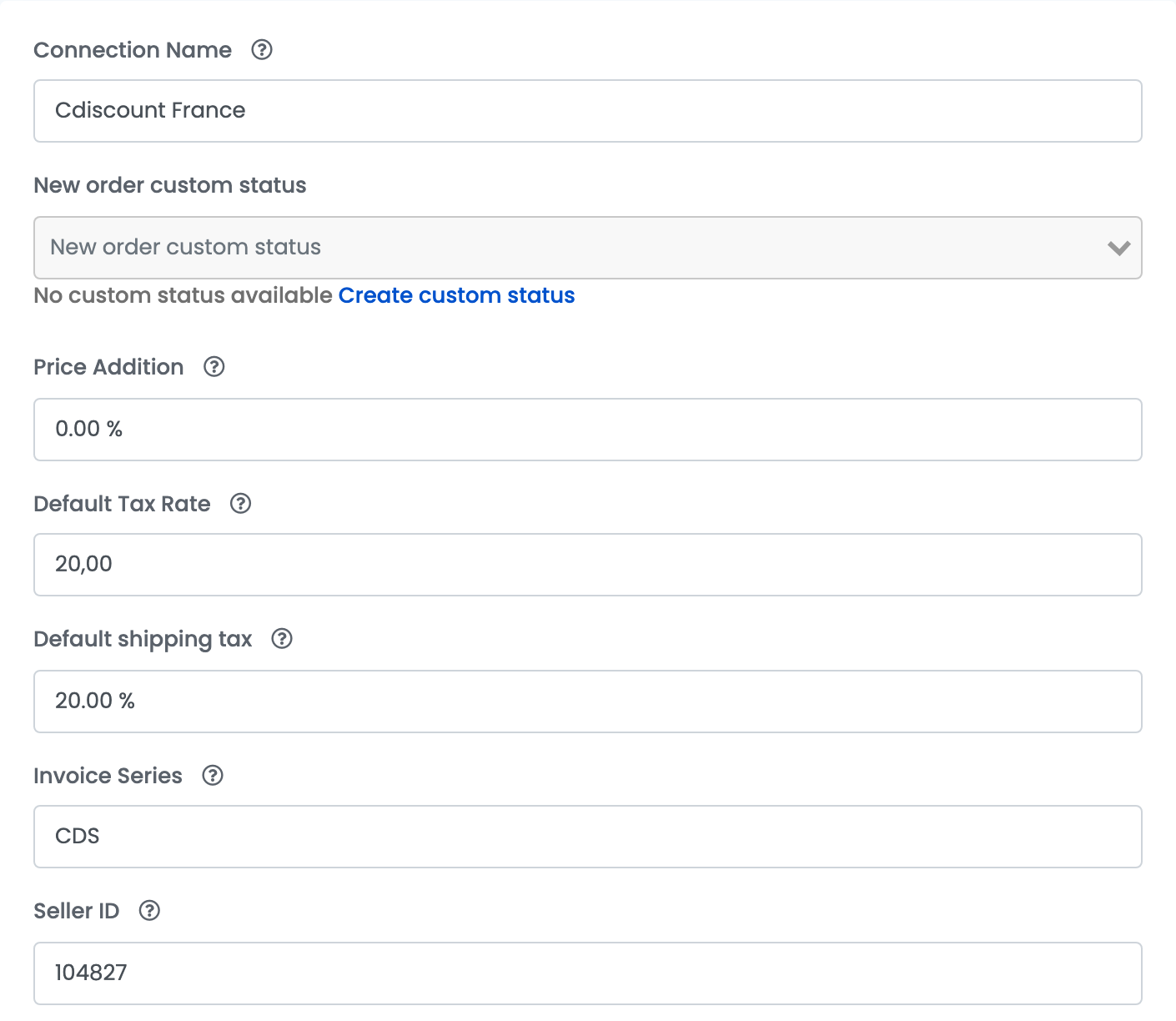
| Field | What goes in it |
|---|---|
| Connection Name | A name you will recognise, for example Cdiscount France. |
| New order custom status | Optional. The status new Cdiscount orders get in easySales. |
| Price Addition | A percentage added to the product's price for Cdiscount. It is applied when an offer is created, so a later change only affects new offers. |
| Default Tax Rate | The VAT rate added to your prices for Cdiscount and used on your Cdiscount orders; products from a shop in France keep their own rate. Set 0 if you are not a VAT payer. |
| Default shipping tax | The VAT rate of the shipping cost. |
| Invoice Series | Optional. The default series for invoices of these orders. |
| Seller ID | The numeric identifier of your Cdiscount seller account. |
Step 3 — Delivery modes
Every offer goes to Cdiscount with the delivery modes of its connection. Add at least one, with its Shipping cost in EUR.
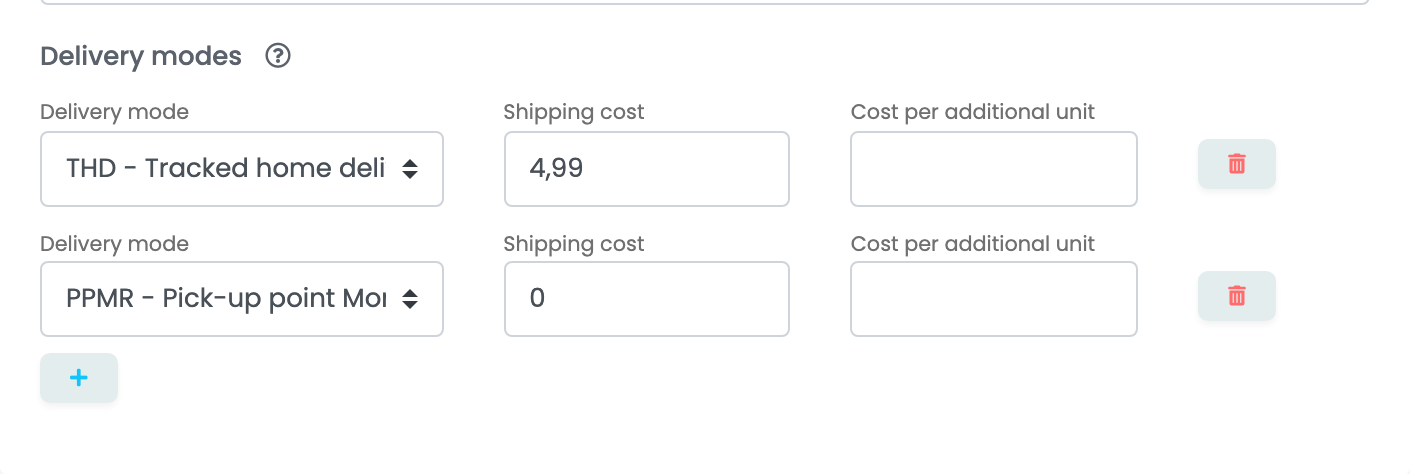
| Field | What goes in it |
|---|---|
| Delivery mode | A Cdiscount delivery mode — for example THD - Tracked home delivery or a pick-up point mode. |
| Shipping cost | What the buyer pays for this mode, in EUR. 0 makes it free. |
| Cost per additional unit | Optional. What each extra item in the same order adds. |
Press Save. easySales checks the access with Cdiscount; on the first connection it then imports the offers you already have on Cdiscount and your recent orders.
Your offers on Cdiscount
easySales sends each product to Cdiscount with its SKU as the seller reference, its EAN, its price with VAT, its stock and its Handling time — set it to at least 1 day on the product.
- The EAN is already on Cdiscount: your offer is attached to the existing product sheet.
- The EAN is new to Cdiscount: easySales first creates the product sheet — the French title and description (the product's French translation when it has one), the brand, up to 6 images and its characteristics. Choosing a category is optional; Cdiscount places the product itself when the title and description say clearly what it is.
Cdiscount processes offers in batches, so a new offer or a change can take from a few minutes to a few hours to show, and a first large catalogue can take several days. Let it finish rather than resending.
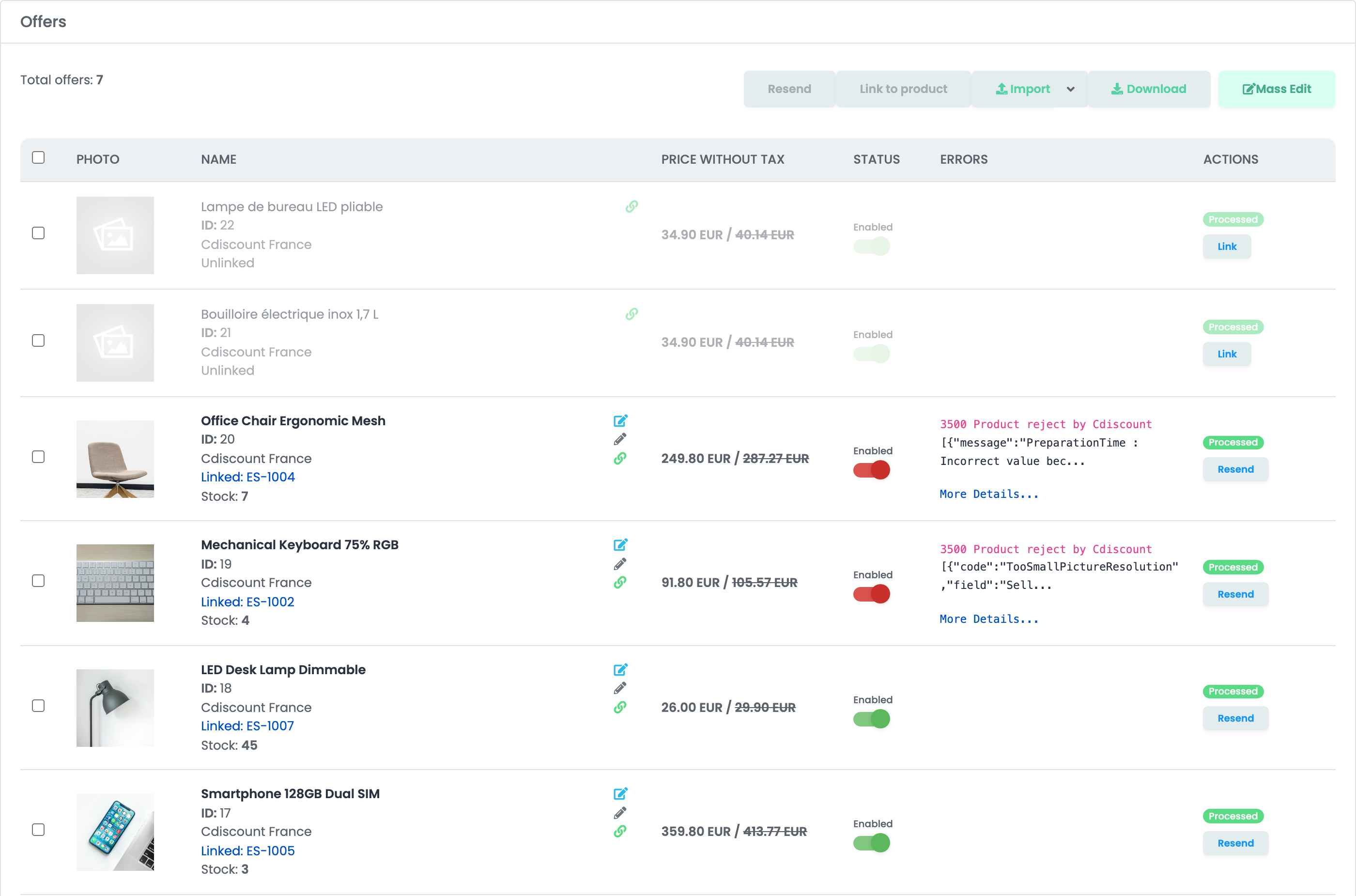
Offers you already had on Cdiscount arrive in Offers as Unlinked: they receive no price or stock, and their orders arrive without the product, until you link them. Press Link on each one, or use Autolink to link them by EAN. When Cdiscount refuses an offer, the Errors column shows its message; open More Details... for the full text.
Orders
New Cdiscount orders are imported every few minutes with the New status, or with the New order custom status you chose. Cdiscount orders are paid online. When Cdiscount marks an order shipped or delivered it becomes Completed in easySales, and a cancelled or refused order becomes Canceled.
When something does not work
| Message | What to do |
|---|---|
| Forbidden | easySales has no access to your seller account yet. Do Step 1 on Octopia, with the client ID in lowercase, and check the Seller ID. |
| Forbidden: Vous n'êtes pas autorisé à créer ou modifier des produits. / You are not allowed to create or edit products. | Your Cdiscount account cannot create product sheets. Ask Cdiscount to allow it, or list only products whose EAN is already on Cdiscount. |
| The 'Gtin' field must be a valid GTIN (8 to 13 characters with a valid country code prefix and a valid control key suffix). | Correct the product's EAN. |
| Your image file resolution must be at least 500x500px. | Replace the product's images with larger ones. |
| The elements provided in the title and - or description of the product are not explicit enough to allow us to validate that the associated category is adequate… | Make the French title and description say clearly what the product is, or choose its Cdiscount category on the offer. |
| PreparationTime : Incorrect value because the value is lower than the minimal authorized value… | Set the product's Handling time to at least 1 day. |
| Offer : You have to set up, at least, one delivery mode to 0€ on this product category… | Add a delivery mode with a Shipping cost of 0 to the connection. |
| Your quota has been exceeded, please wait before submitting more products. | Cdiscount limits how many new product sheets it accepts at once. Wait, then press Resend on the offer. |
| Offer - Incorrect seller reference : Updating the offer is impossible. The EAN/GTIN on which you have listed your offer has a different seller reference… | You already sell this EAN on Cdiscount under another seller reference. Keep the original SKU on the product. |
| Product : This product is subject to restrictions on sale… | Cdiscount restricts this product. Check the restrictions in Cdiscount's Help Center. |