How to connect Ceneo with easySales: a complete setup guide
Sell on Ceneo with Kup Teraz and easySales: the API key, allowlisting 3.124.61.144, the offer feed, offers by SKU, orders and tracking.
What connecting Ceneo gives you
Ceneo is one of Poland's largest price-comparison sites, and with Kup Teraz shoppers can buy directly on Ceneo. With Ceneo connected, easySales publishes your offers to Ceneo through a feed and imports your Kup Teraz orders next to the orders from your other channels.
Three things to know before you begin:
- Ceneo only answers allowlisted addresses. Before you connect, add easySales' address 3.124.61.144 to the API allowlist in your Ceneo panel.
- Your offers reach Ceneo through a feed. After you connect, easySales gives you a feed address; Ceneo reads your offers from it once you add it in your Ceneo panel.
- Offers are created from easySales. Each offer is identified by its product's SKU; existing Ceneo listings are not imported.
Before you start
A Ceneo shop account with Kup Teraz
Your shop must already be set up on Ceneo.
Your Ceneo API key
From Raporty i analityka → API in your Ceneo panel.
easySales' address on your allowlist
3.124.61.144, under Lista adresów IP do wywoływania metod API.
Products with SKU, URL and images
The SKU identifies each offer; the product page address and images go into the feed.
Step 1 — Prepare the API in your Ceneo panel
In your Ceneo shop panel, open Raporty i analityka → API:
- Copy your API key from Twój klucz do API.
- Make sure the API dla usługi Kup teraz method has the status Aktywna.
- Under Lista adresów IP do wywoływania metod API, press Dodaj and add 3.124.61.144.
Step 2 — Connect Ceneo in easySales
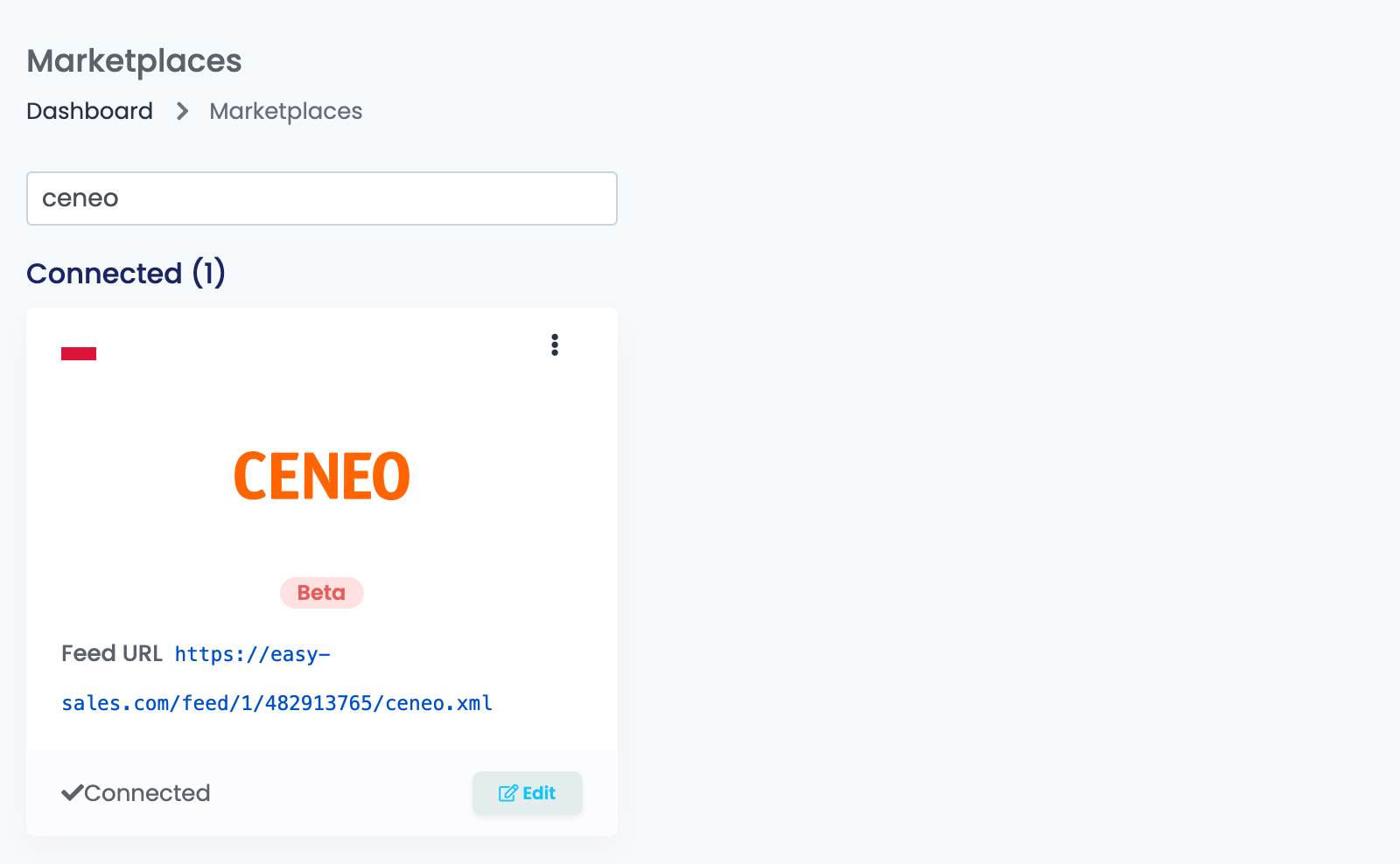
Go to Integrations → Marketplaces, search for ceneo and press Connect on the Ceneo card. Fill in the Main settings tab:
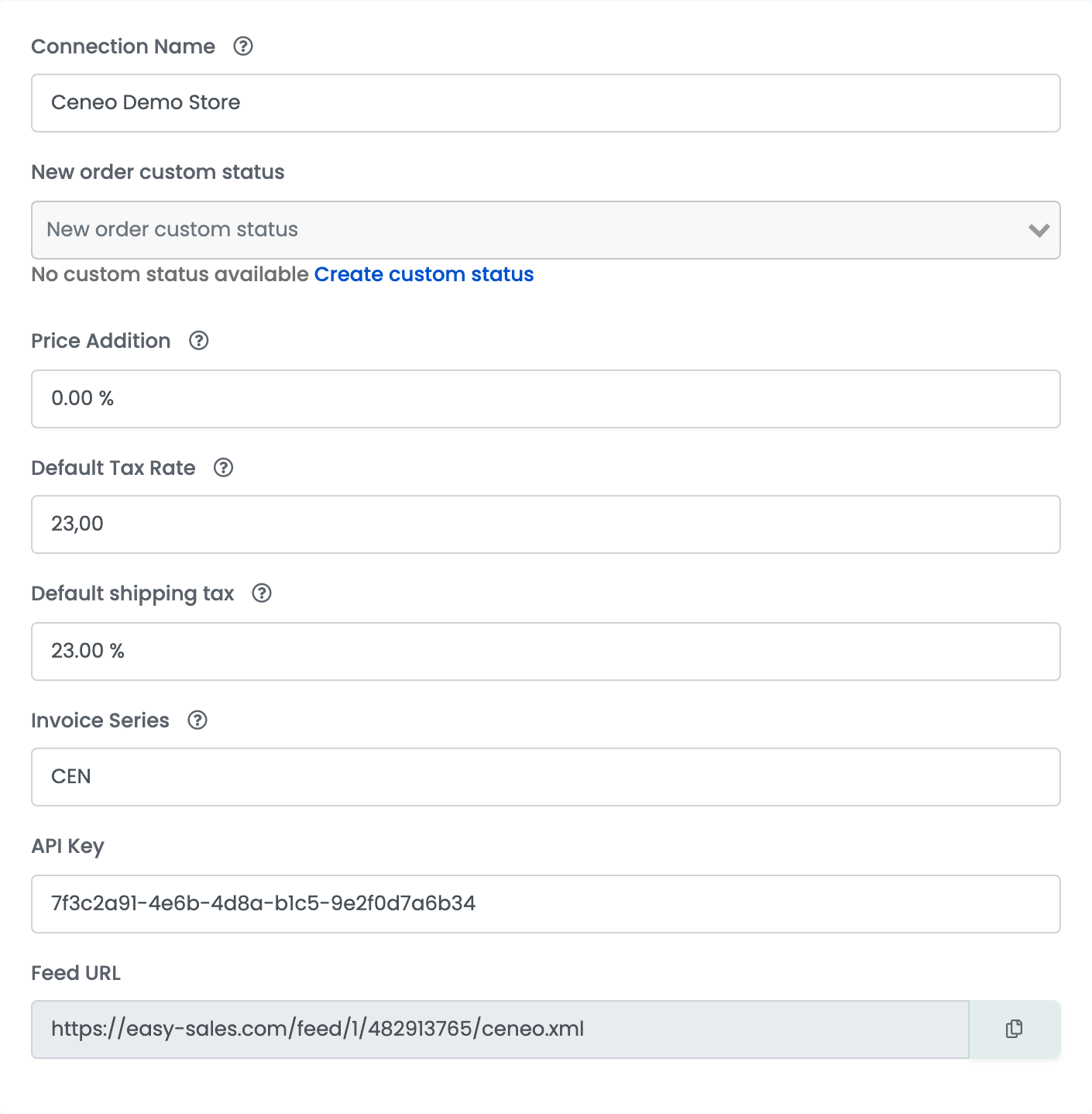
| Field | What goes in it |
|---|---|
| Connection Name | A name you will recognise. |
| New order custom status | Optional. The status new Ceneo orders get in easySales. |
| Price Addition | A percentage added to the product's price for Ceneo. It is applied when an offer is created, so a later change only affects new offers. |
| Default Tax Rate | The VAT rate of your Ceneo sales — 23 for most products in Poland. Set 0 if you are not a VAT payer. |
| Default shipping tax | The VAT rate of the shipping cost. |
| Invoice Series | Optional. The default series for invoices of these orders. |
| API Key | The key from Twój klucz do API in your Ceneo panel. |
| Feed URL | Appears after you save. The address Ceneo reads your offers from. |
Press Save. easySales tests the API key with Ceneo; when the test passes, it starts importing your Ceneo orders.
Step 3 — Add the feed address in Ceneo
Once the connection is saved, the Feed URL appears on the connection and on the Ceneo card. Copy it and add it in your Ceneo shop panel as the address of your offer feed. easySales refreshes the feed regularly, and Ceneo reads it on its own schedule.
Step 4 — Additional settings
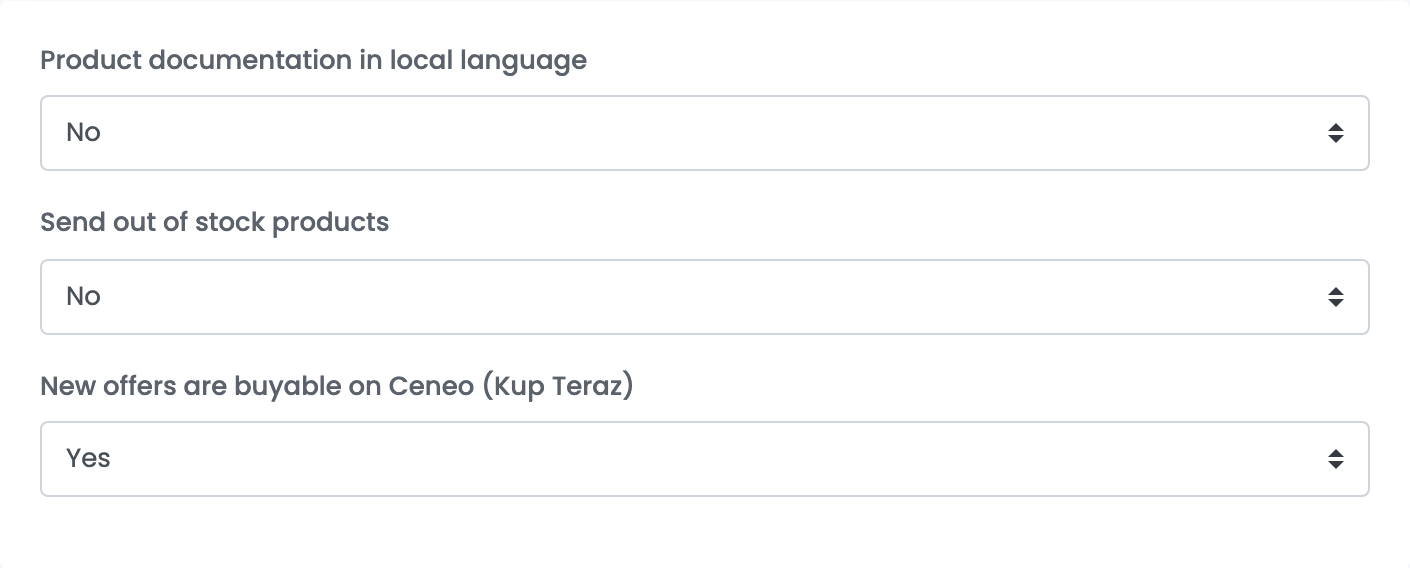
| Field | What goes in it |
|---|---|
| Product documentation in local language | No translates names, descriptions, categories and characteristics into Polish for Ceneo. Yes sends them as they are — choose it when your products are already in Polish. |
| Send out of stock products | No leaves offers without stock out of the feed. Yes sends them with stock 0. |
| New offers are buyable on Ceneo (Kup Teraz) | Yes makes new offers buyable on Ceneo. No lists them for price comparison only. |
Your offers on Ceneo
Create your Ceneo offers from your products in easySales. Each offer goes into the feed with the product's SKU as its ID, its price with VAT in PLN, its stock, its handling time, images, description, brand and EAN.
An offer stays out of the feed when its product has no page address (URL), when its SKU is longer than 100 characters, or when it has no stock and Send out of stock products is No. Problems Ceneo needs fixed show in the Errors column of the offer:
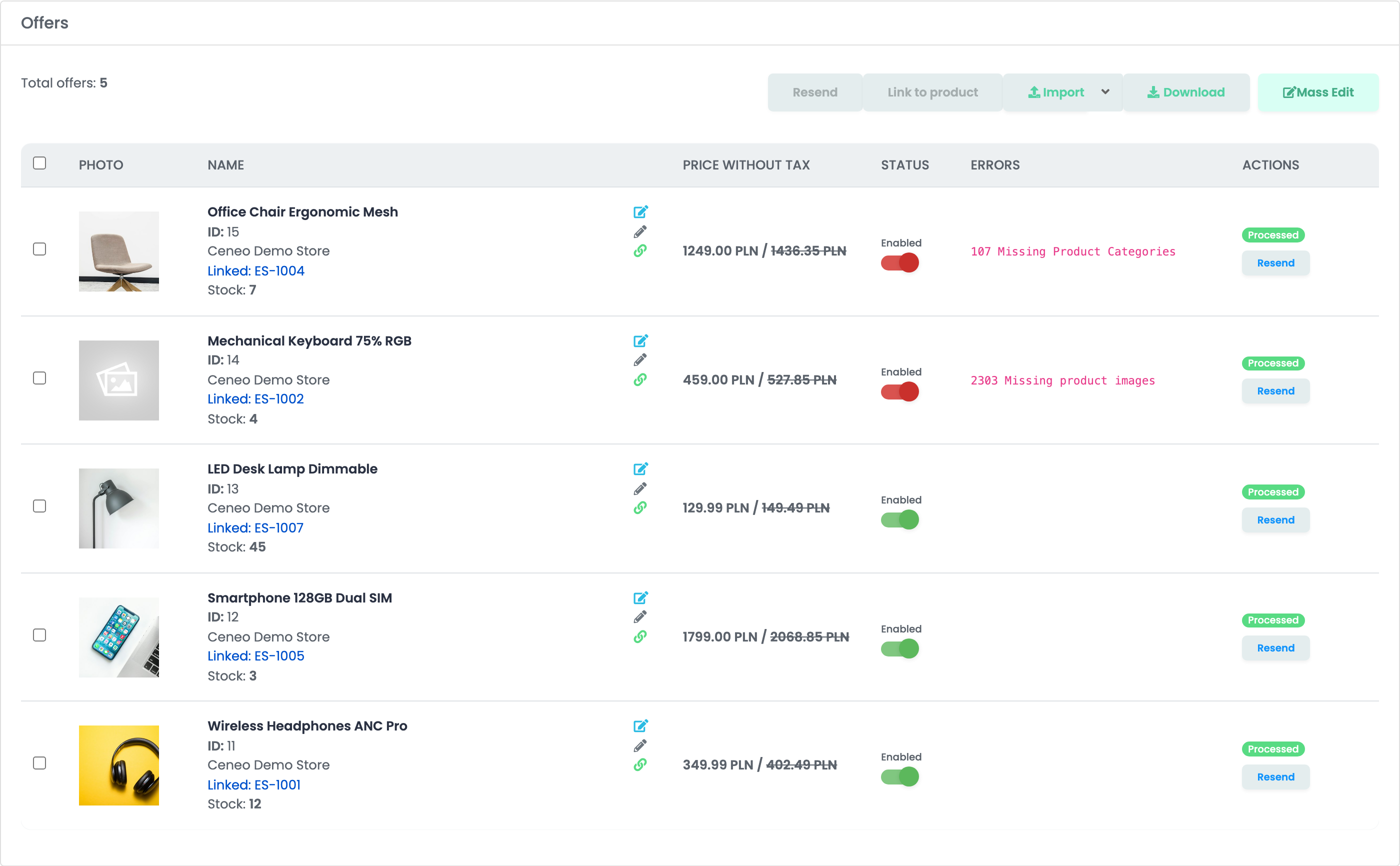
Only offers that are buyable with Kup Teraz bring orders; the others appear on Ceneo for price comparison only. Each offer has its own Kup Teraz switch.
Orders
New Kup Teraz orders are imported every few minutes and confirmed on Ceneo automatically. Orders delivered to a pickup point arrive with the point's address; cash-on-delivery orders arrive as cash on delivery.
When you generate the AWB, its tracking number goes to Ceneo for InPost, ORLEN Paczka, Poczta Polska, DPD Polska, GLS Polska, DHL, DHL24, UPS and FedEx. Cancelling an order in easySales cancels it on Ceneo too. Invoices are not sent to Ceneo.
When something does not work
| Message or symptom | What to do |
|---|---|
| Save shows an error from Ceneo | Check the API Key, that 3.124.61.144 is on your Ceneo IP list and that API dla usługi Kup teraz is Aktywna. Then press Save again. |
| 2303 Missing product images | Add images to the product, then press Resend on the offer. |
| 107 Missing Product Categories | Give the product a category, then press Resend on the offer. |
| 2304 Missing product sku | Give the product a SKU — it is the offer's ID on Ceneo. |
| 2301 Invalid product price | Set a price on the product. |
| Unable to upload awb: no Ceneo parcel carrier is mapped for this courier | Ceneo accepts tracking only from the couriers listed above. Ship Ceneo orders with one of them. |