How to connect BOX NOW with easySales: locker labels
Create BOX NOW locker labels from easySales: Client ID and Client Secret, where parcels are sent from, choosing the locker and BOX NOW's messages.
What BOX NOW gives you
BOX NOW delivers parcels to its automated lockers in Bulgaria, Greece, Cyprus and Croatia. The buyer gets a PIN by SMS and e-mail and collects the parcel from the locker. With the BOX NOW connection you create the label from the order in easySales, print it, and follow the delivery until the buyer picks the parcel up.
Three things to know before you begin:
- Every parcel goes to a BOX NOW locker — there is no home delivery. If the buyer chose a locker at checkout and the order carries it, easySales uses it. Otherwise you pick the locker when you create the AWB from the order.
- The order needs the buyer's phone number and e-mail. BOX NOW sends the locker PIN to both.
- Your Client ID and Client Secret come from BOX NOW. You receive them after you register your company with BOX NOW's integration support.
Before you start
A BOX NOW business account
For each country you ship from: Bulgaria, Greece, Cyprus or Croatia.
Your Client ID and Client Secret
The Partner API credentials BOX NOW issues to you.
A warehouse registered with BOX NOW
Or drop-off at any locker enabled on your account.
Step 1 — Connect BOX NOW
Go to Integrations → Couriers, search for boxnow and press Connect on the BOX NOW card of your country. Each country — Bulgaria, Greece, Cyprus, Croatia — has its own card and its own BOX NOW account.
Fill in Connection Name, Client ID and Client Secret, then press Get Details. easySales signs in to BOX NOW and loads the places your account can send parcels from.
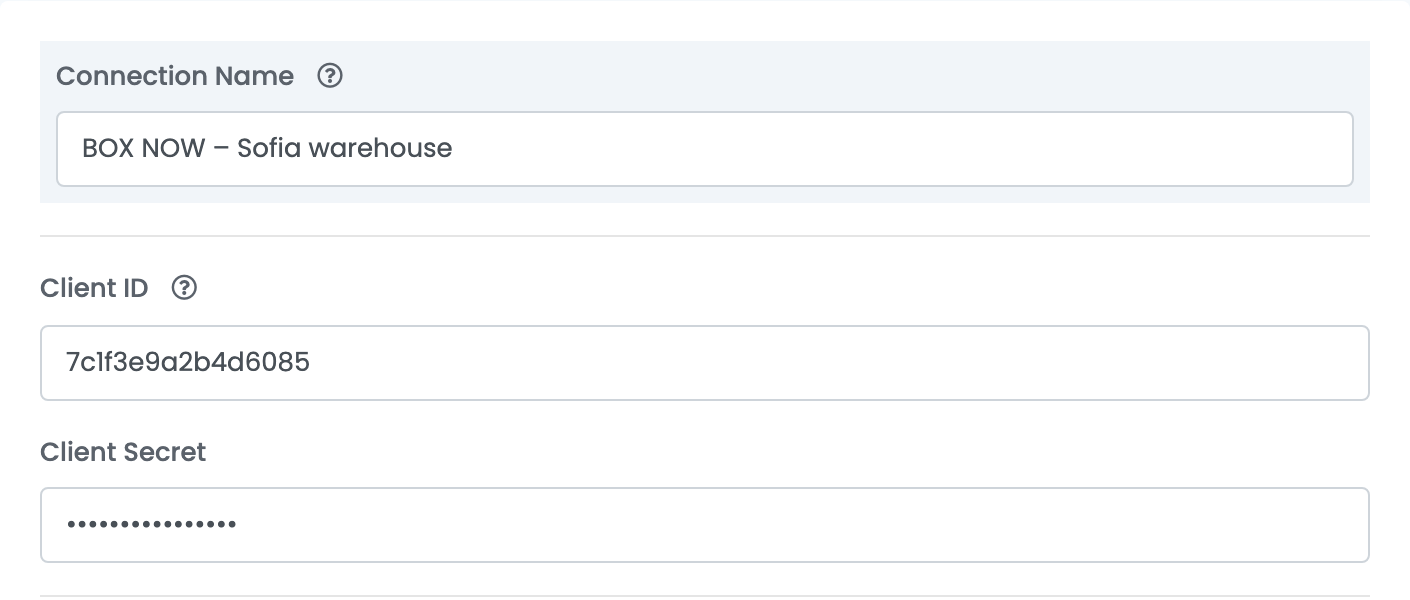
If BOX NOW does not accept the credentials, the message reads Invalid Credentials - BOX NOW authentication failed: check the client ID and the client secret. Copy both values again from what BOX NOW sent you.
Step 2 — Choose where parcels are sent from
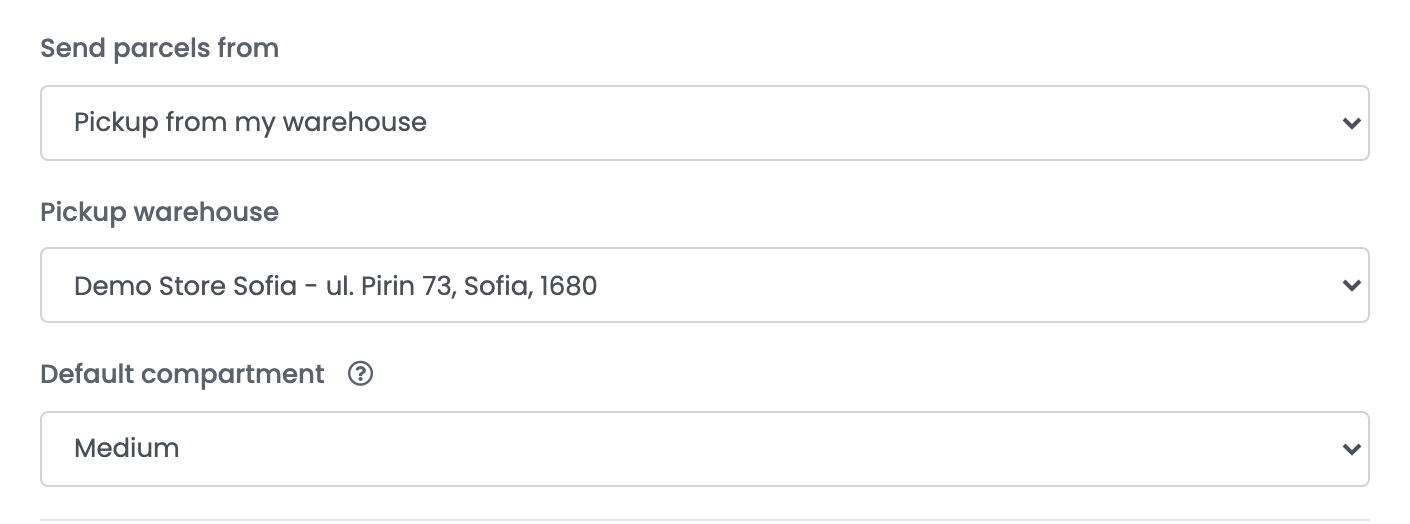
After Get Details, three more fields appear:
| Field | What goes in it |
|---|---|
| Send parcels from | Pickup from my warehouse: a BOX NOW courier collects the parcels from your warehouse. Drop off at any BOX NOW locker: you take the parcels to a locker yourself. |
| Pickup warehouse | The warehouse BOX NOW collects from. Only the warehouses registered on your BOX NOW account are listed. |
| Default compartment | Small, Medium or Large — the locker compartment used for every parcel unless you change it when you create the AWB. |
Press Save.
Creating labels
- Quick create: in the orders list, choose Quick Create → BOX NOW in the AWB column. This works when the order carries the BOX NOW locker the buyer chose at checkout.
- From the order: in the order's Awbs section, press Create AWB and choose BOX NOW. Pick or search the locker, and change the compartment, the parcels, their weight or the cash-on-delivery amount if you need to.
Each parcel gets its own label, and the label prints as a PDF from the order. easySales follows the parcel's status at BOX NOW: in transit, in the locker, delivered, or returned when the buyer does not collect it.
To cancel a label, delete the AWB in easySales while BOX NOW still shows the parcel as new. Once the parcel is on its way, BOX NOW no longer cancels it.
When something does not work
| Message | What to do |
|---|---|
| Choose a BOX NOW locker for this order | The order does not carry a BOX NOW locker. Create the AWB from the order page and pick the locker there. |
| The order needs the customer's phone number and email: BOX NOW sends them the locker PIN. | Add the buyer's phone number and e-mail to the order, then create the AWB again. |
| The customer's phone number could not be converted to international format, for example +359 88 123 4567. | Correct the phone number on the order, with the country code. |
| The BOX NOW locker is invalid. Choose another locker for this order. | The locker is no longer available. Pick another one when you create the AWB. |
| The BOX NOW origin is invalid. Check the pickup warehouse on the BOX NOW connection. | Open the connection, press Get Details, choose the warehouse again and press Save. |
| Your BOX NOW account is not enabled for cash on delivery. Choose another payment mode or contact BOX NOW support. | Ask BOX NOW to enable cash on delivery, or create the AWB without a cash-on-delivery amount. |
| Your BOX NOW account has an overdue balance, so no delivery request can be created. | Settle the balance with BOX NOW, then create the AWB again. |
| BOX NOW cannot cancel this parcel: only new, undelivered parcels can be cancelled. | The parcel is already on its way. Arrange the return with BOX NOW. |