How to ship Allegro orders with Wysyłam z Allegro in easySales: a complete guide
Create Wysyłam z Allegro labels from easySales: activate the service on Allegro, connect the Allegro shipping card to your Allegro account, keep Delivery method on Auto, book pickups and fix refused AWBs.
What Allegro shipping gives you
Wysyłam z Allegro (Ship with Allegro) is Allegro's own shipping service: you buy the label for an Allegro order from Allegro, at Allegro's rates, with carriers such as Allegro One, InPost, DPD, Poczta Polska and Packeta. In easySales it is a courier like any other: you create the AWB from the order list or the order page, print the label, and the delivery status follows Allegro's tracking. Allegro already knows the tracking number, because the label is Allegro's.
There are four cards, one per Allegro site: AllegroPL, AllegroCZ, AllegroSK and AllegroHU.
Two things to know before you begin:
- It has no login of its own: it ships through your Allegro connection. You choose one of your Allegro marketplace connections in Marketplace Account, and the labels are bought on that Allegro account. So the connection ships that account's Allegro orders only — orders from other channels, or from another Allegro account, cannot use it.
- Keep Delivery method on Auto. With Auto, every label uses the delivery method the buyer chose at checkout, including the parcel locker and cash on delivery. A fixed method is sent on every order, and Allegro refuses it on the orders it does not fit.
Before you start
Your Allegro account connected
Under Integrations → Marketplaces, one connection per Allegro account and site.
Wysyłam z Allegro activated
On the same Allegro account — see step 1.
A sender and pickup address
The address printed on the label and the one the carrier collects from.
Step 1 — Activate Wysyłam z Allegro on your Allegro account
- In your Allegro account, add a default sender address in the Wysyłam z Allegro address book (Książka adresowa – Wysyłam z Allegro) — or send any one parcel with Nadaj przesyłkę from your Allegro orders list. Either one activates the service on the account.
- If you ship with InPost through Allegro, add your InPost credentials in the InPost integration settings of your Allegro account. Allegro needs them for InPost labels.
- Changes made in Allegro reach easySales within a few minutes.
Step 2 — Connect the Allegro shipping card
Go to Integrations → Couriers, search for allegro and press Connect on the card of your Allegro site — the card's flag shows which site it is. Your Allegro account must already be connected under Integrations → Marketplaces.
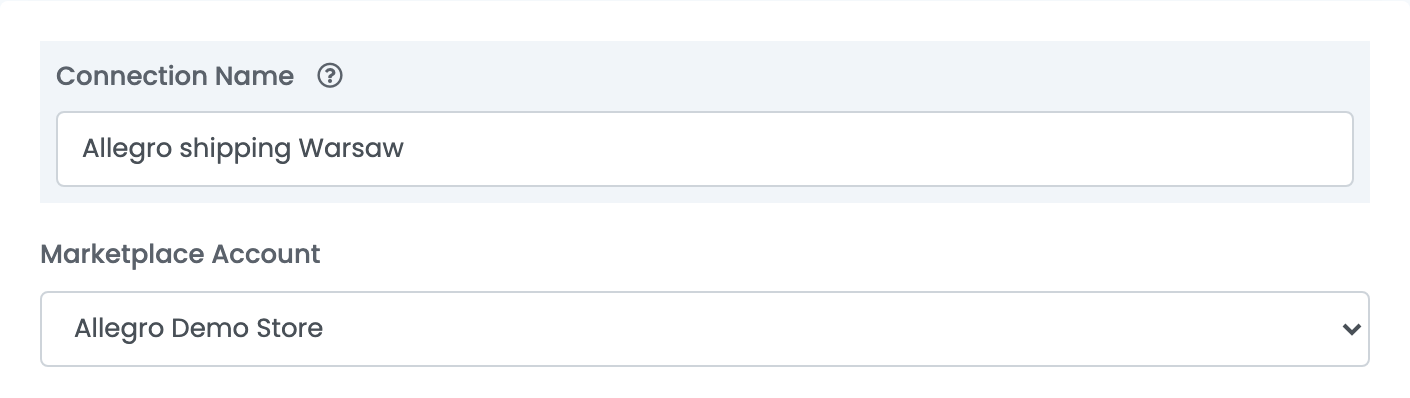
| Field | What goes in it |
|---|---|
| Connection Name |
A name you will recognise when choosing between connections, for example Allegro shipping Warsaw.
|
| Marketplace Account | The Allegro connection whose orders this connection ships. The labels are bought on that Allegro account. |
The Marketplace Account list shows only the Allegro connections of that card's site: an AllegroPL card lists your AllegroPL connections.
Step 3 — Sender and pickup address
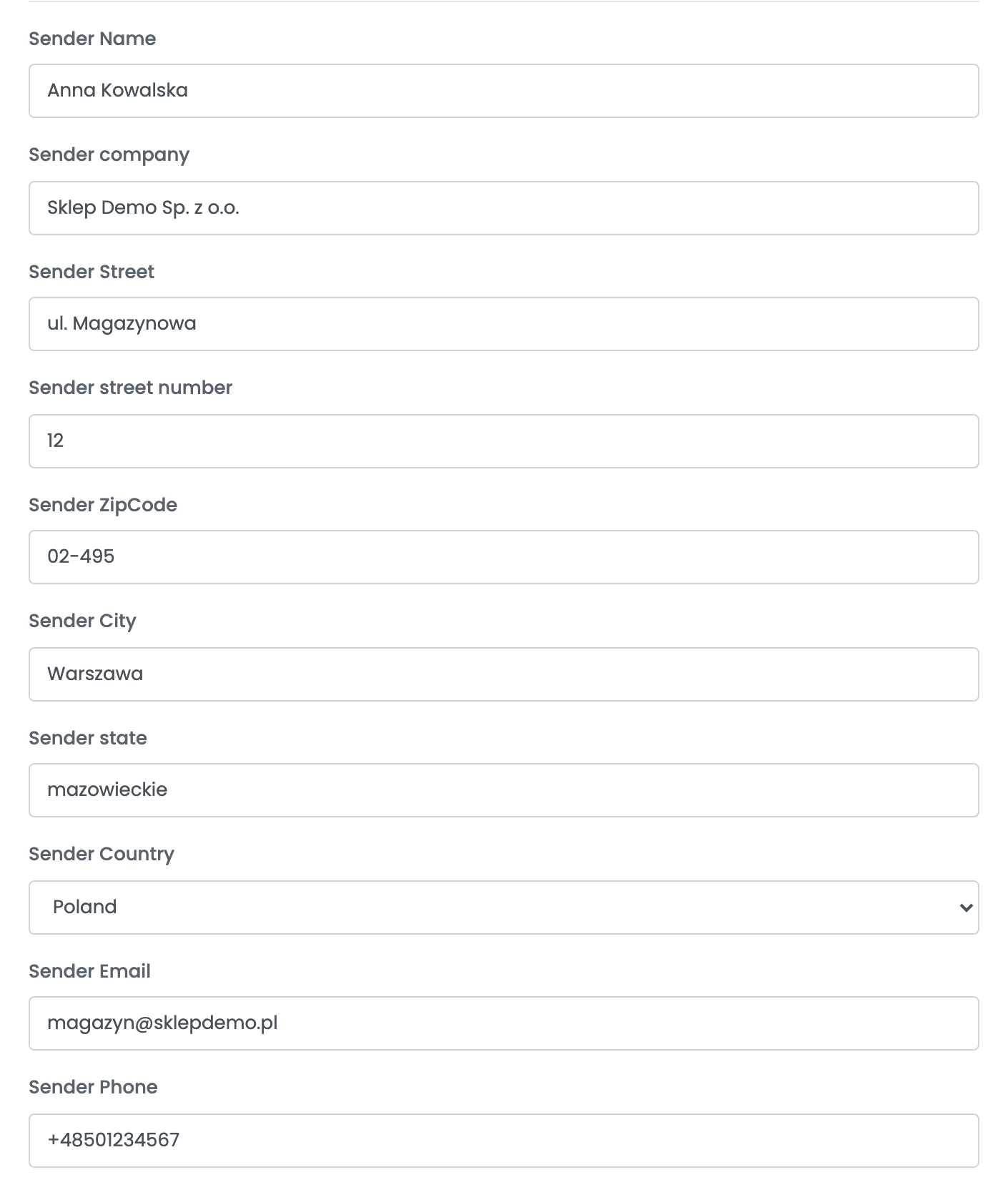
| Fields | What goes in them |
|---|---|
| Sender Name, Sender company, Sender Street, Sender street number, Sender ZipCode, Sender City, Sender state, Sender Country, Sender Email, Sender Phone | The sender printed on the label. The street number goes in its own field. |
| Pickup name … Pickup phone | The address the carrier collects your parcels from. Usually the same as the sender; it can differ, for example a warehouse. |
Step 4 — Pickup, label and delivery method
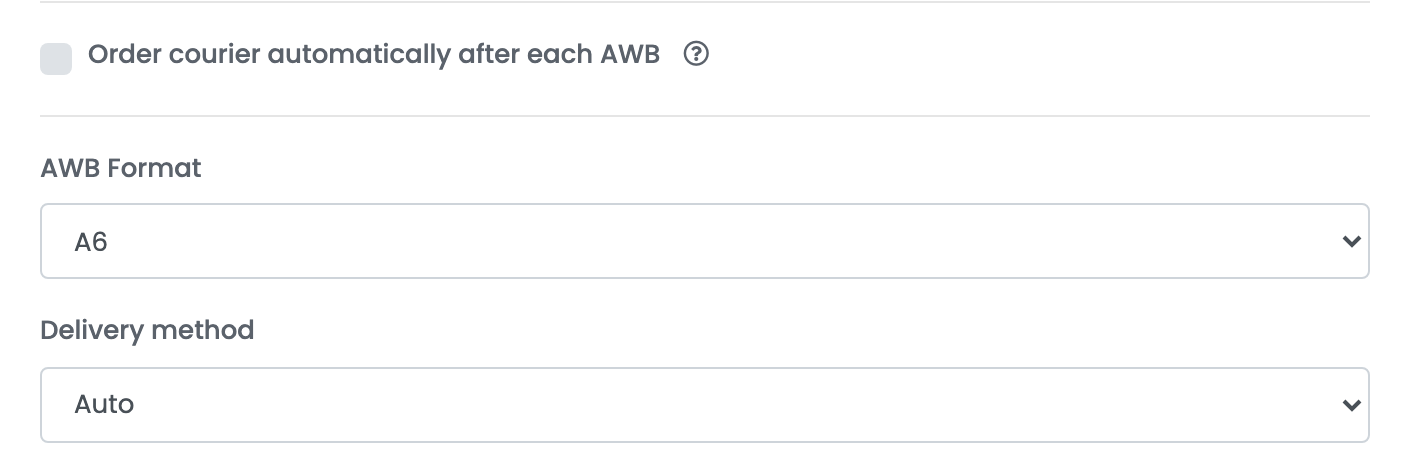
| Field | What it does |
|---|---|
| Order courier automatically after each AWB | Books the carrier's collection at the pickup address after each AWB, inside the Pickup hours you set (From / To, between 09:00 and 16:00, at least two hours apart). Leave it off if you drop your parcels off at a point or an Allegro One Box. Pocztex does not collect parcels. |
| AWB Format | A4 for an office printer, A6 for a label printer. |
| Delivery method | Auto — the method the buyer chose — or one of the Wysyłam z Allegro methods active on your account. |
Press Save. For another Allegro account or another pickup address, choose Connect another courier account from the ⋮ menu on the card, or open the connection and press Clone.
Creating AWBs
- Quick create, from the order list, uses the connection's settings. With Auto, the label takes the buyer's delivery method and, for a parcel locker or pickup point, the point the buyer chose. The parcel weighs what the order's products weigh, and cash on delivery is added when the order is paid on delivery.
- From the order page you can change the weight, the parcels and their sizes, the cash-on-delivery amount and the pickup point before you create the AWB.
Allegro creates the label a few seconds after you ask for it, so easySales first shows AWB scheduled for creation, it could take a few moments. When Allegro refuses a label, the order shows Failed to create AWB: followed by Allegro's reason, usually in Polish.
One AWB carries one parcel: only DPD accepts several parcels in one shipment. For an order in several boxes, create one AWB per box.
When an AWB is refused
The messages you are most likely to see on an order:
| Message | What to do |
|---|---|
| Pole ulica musi zawierać numer budynku | The delivery street has no building number. Add it to the order's shipping address and create the AWB again. |
| Długość podanego tekstu przekracza 30 znaków | The customer's name or company name is longer than Allegro accepts. Shorten it on the order and create the AWB again. |
| Przekroczono dopuszczalny limit paczek w pojedynczym zleceniu. … | The AWB has more than one parcel. Create one AWB per parcel. |
| Brak poświadczen InPost | Allegro has no InPost credentials for your account. Add them in the InPost integration settings of your Allegro account. |
| Wybrana metoda dostawy nie może obsłużyć tego zamówienia. | The connection's delivery method does not fit the order. Set Delivery method to Auto. |
| Nie jesteś właścicielem zamówienia | The order belongs to another Allegro account. Create the AWB with the connection for that account. |
| Nie można odczytać danych zamówienia. Sprawdź czy zamówienie ma odpowiedni status do realizacji (np. czy jest opłacone)… | Allegro cannot ship the order yet, usually because it is not paid. Wait until it is paid. |
| Tekst na etykiecie jest za długi (maks. 35 znaków) | The connection's Notes template makes the label text too long. Shorten the template. |
| Failed to request pickup: Wybrany przedział czasowy podjazdu jest niedostępny. Wybierz inny przedział czasowy. | The AWB was created, but the carrier offers no collection inside your Pickup hours. Widen the hours on the connection, or book the collection in your Allegro account. |