How to connect About You with easySales: a complete setup guide
Connect ABOUT YOU to easySales: the Seller Center API key, one card per country, VAT and invoice settings, the data About You needs, product approval, orders and shipping.
What connecting About You gives you
ABOUT YOU is a European fashion marketplace. Connected to easySales, it receives your products as offers, gets their stock and prices from easySales, and sends your About You orders into easySales, where you invoice and ship them. easySales sends the AWB back to About You when you ship.
Three things to know before you begin:
- A sent offer is not yet live. About You reviews every new product before it goes on sale. An offer easySales has sent can still be waiting for approval, or be rejected, in Seller Center — check it there.
- One API key, one card per country. The key from your Seller Center works for every country in your About You contract. Each country has its own card in easySales: connect each one you sell in, with the same key.
- The brand must be one of your About You brands. easySales matches each product's brand to the brands registered on your About You account, by their exact name. A brand About You does not know leaves the offer without a brand.
Before you start
An active About You seller account
With the countries you sell in included in your contract.
An Admin user in Seller Center
Only an Admin can create the API key.
Your brands registered with About You
The brand names in easySales must match them exactly.
Step 1 — Create your API key in Seller Center
- Sign in to ABOUT YOU Seller Center with an Admin user.
- Go to Settings → API Keys and press + Add.
- Give the key a name, for example
easySales, and an expiry date if you want one. - Copy the key as soon as it appears: Seller Center shows it only once.
Step 2 — Connect your About You country
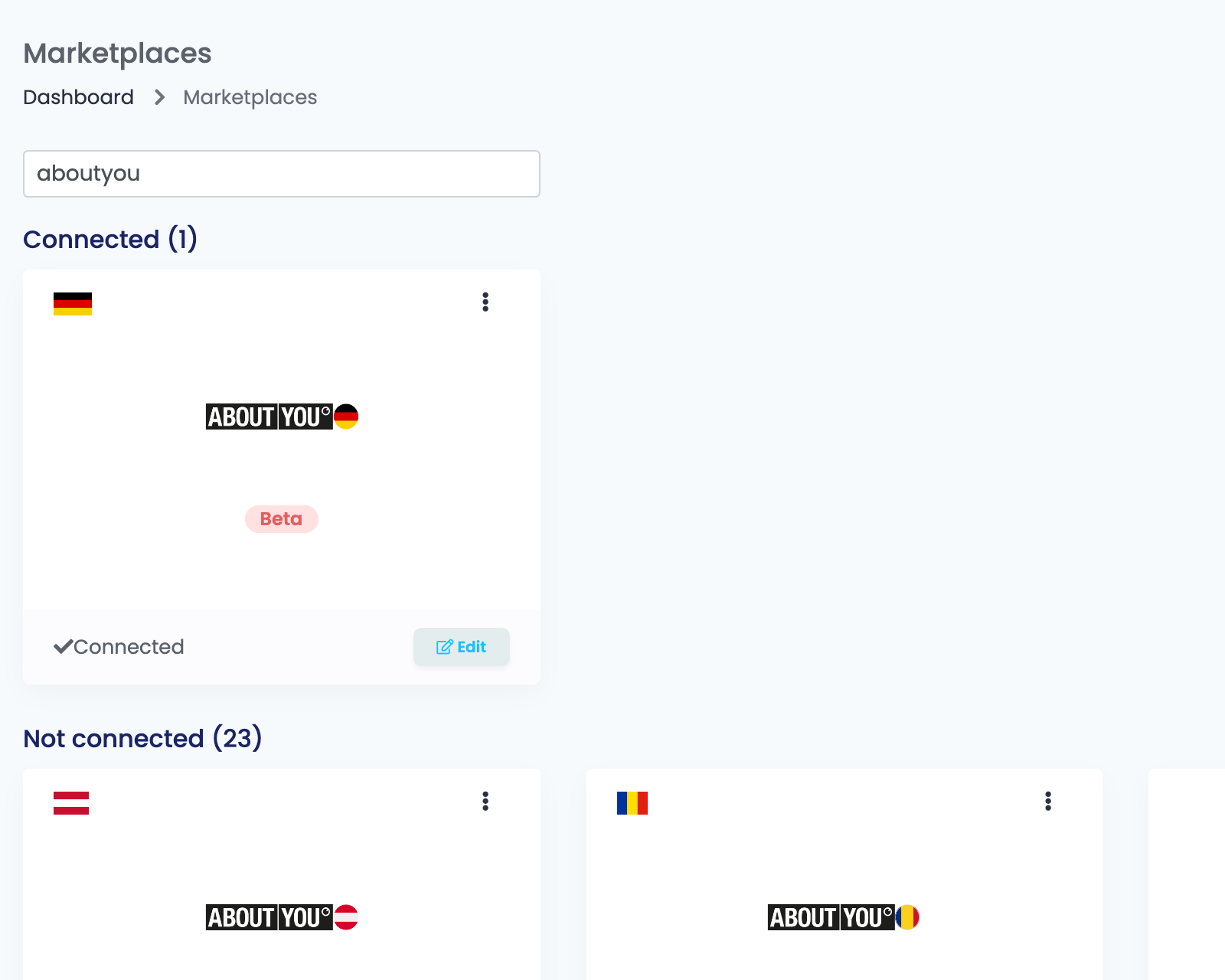
Go to Integrations → Marketplaces, search for aboutyou and press Connect on the card of the country you sell in — or Edit, if you have connected it before. Fill in the Main settings tab:
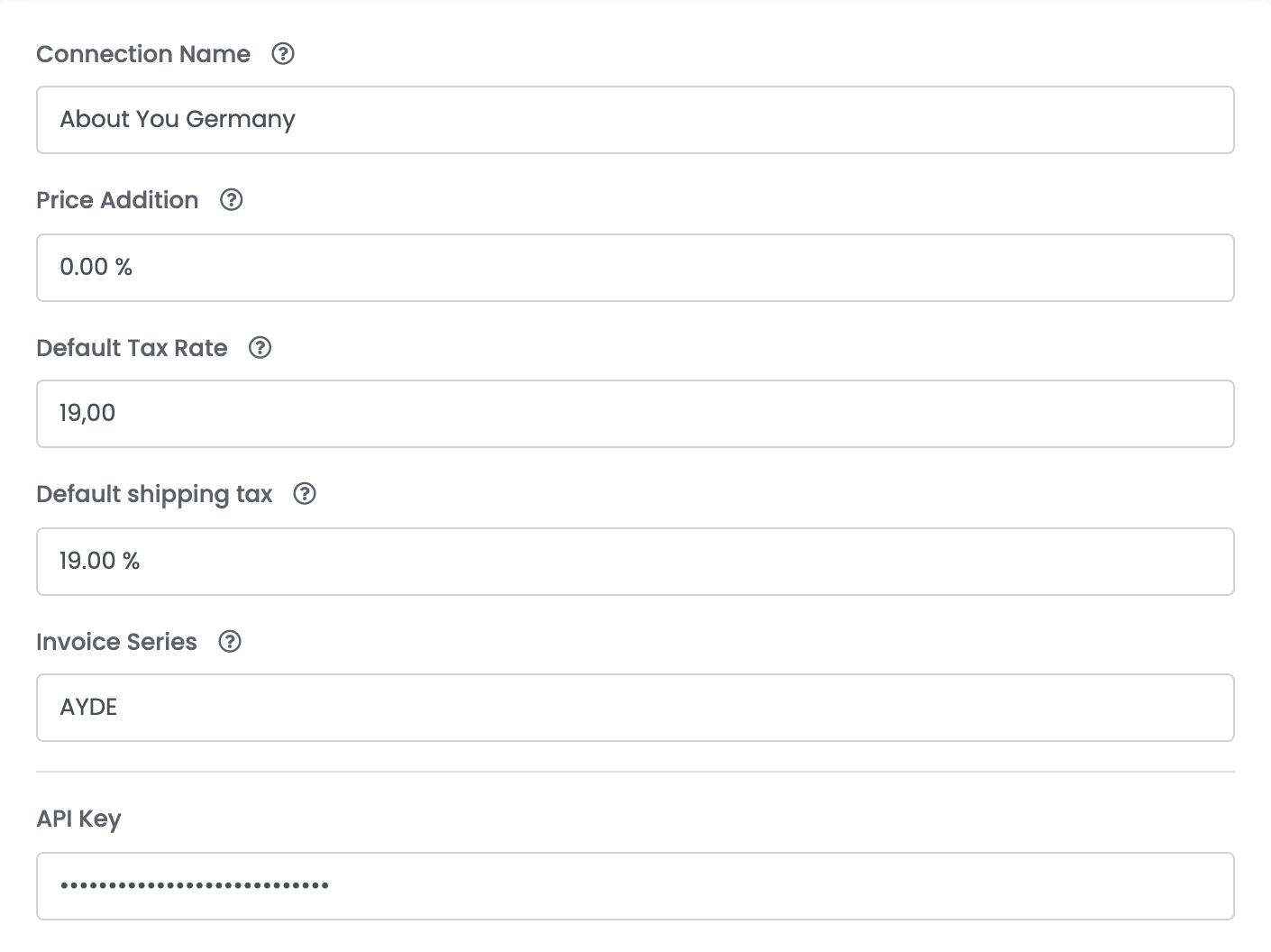
| Field | What goes in it |
|---|---|
| Connection Name |
A name you will recognise, for example About You Germany.
|
| Price Addition | A percentage added to your product prices on About You. Leave 0 to sell at your easySales prices. |
| Default Tax Rate |
The VAT rate of the country, for example 19 for Germany. easySales adds it to the offer price it sends to About You.
|
| Default shipping tax | The VAT rate for shipping on your About You orders. |
| Invoice Series |
The invoice series for your About You orders, for example AYDE.
|
| API Key | The key you created in Seller Center. |
Step 3 — Additional settings
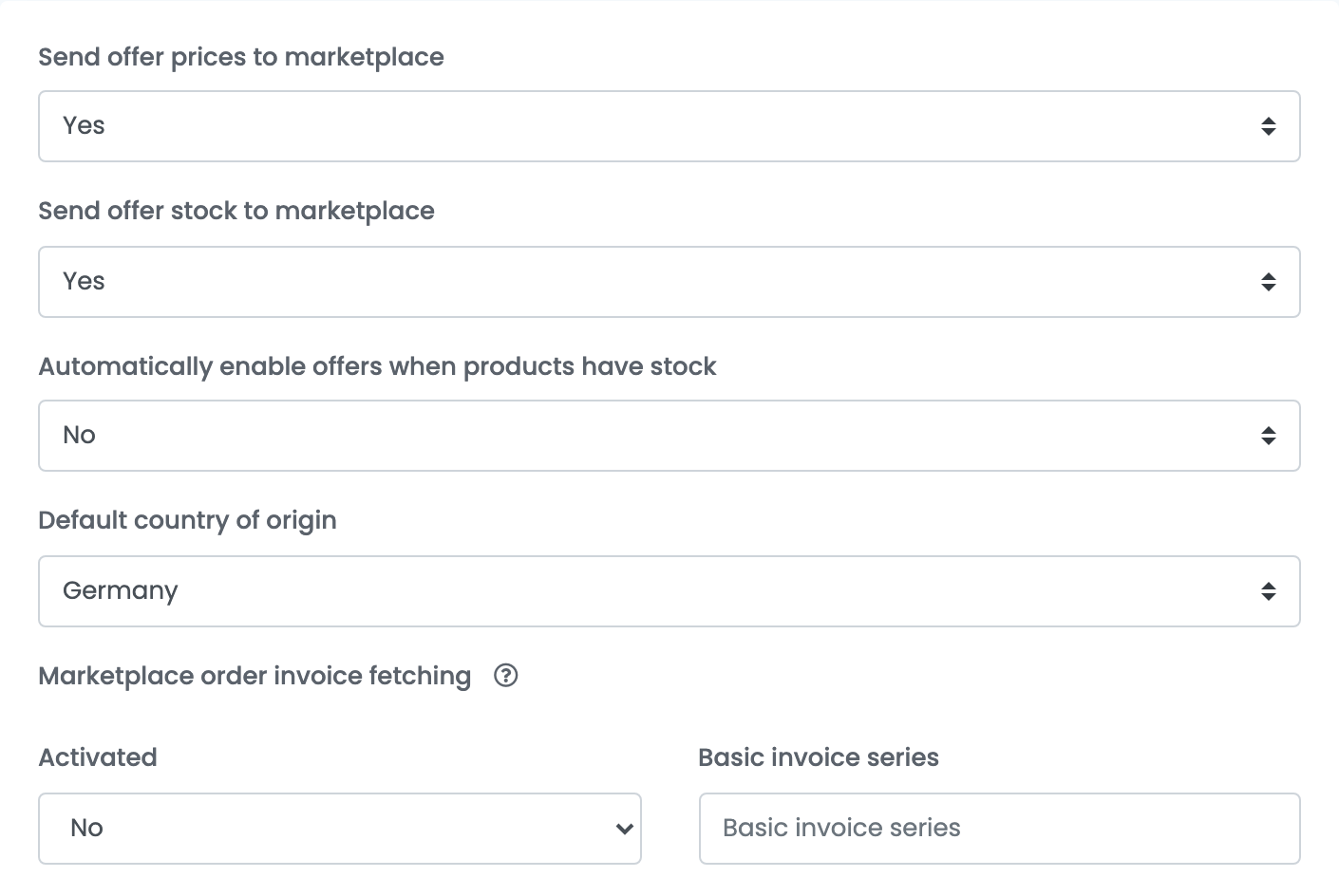
| Field | What it does |
|---|---|
| Send offer prices to marketplace | Yes keeps your About You prices up to date from easySales. |
| Send offer stock to marketplace | Yes keeps your About You stock up to date from easySales. |
| Automatically enable offers when products have stock | Yes turns your About You offers back on by themselves when their product is in stock again. |
| Default country of origin | The country of origin given to new offers whose product has none. |
| Marketplace order invoice fetching | With Activated on Yes, easySales attaches About You's invoices to your About You orders, with the Basic invoice series you enter. |
Press Save. easySales checks the API key with About You and that the country is in your contract. With both right, you see Marketplace Connected and easySales starts importing your orders and the products you already have in Seller Center.
Step 4 — Send your products to About You
- Map your categories to About You's under Categories, with Map categories, and map the About You characteristics your products need.
- Go to Products, select the products and choose Add offer(s) on → the About You country.
- Follow the offers in Marketplaces → Offers, on the tab of the country.
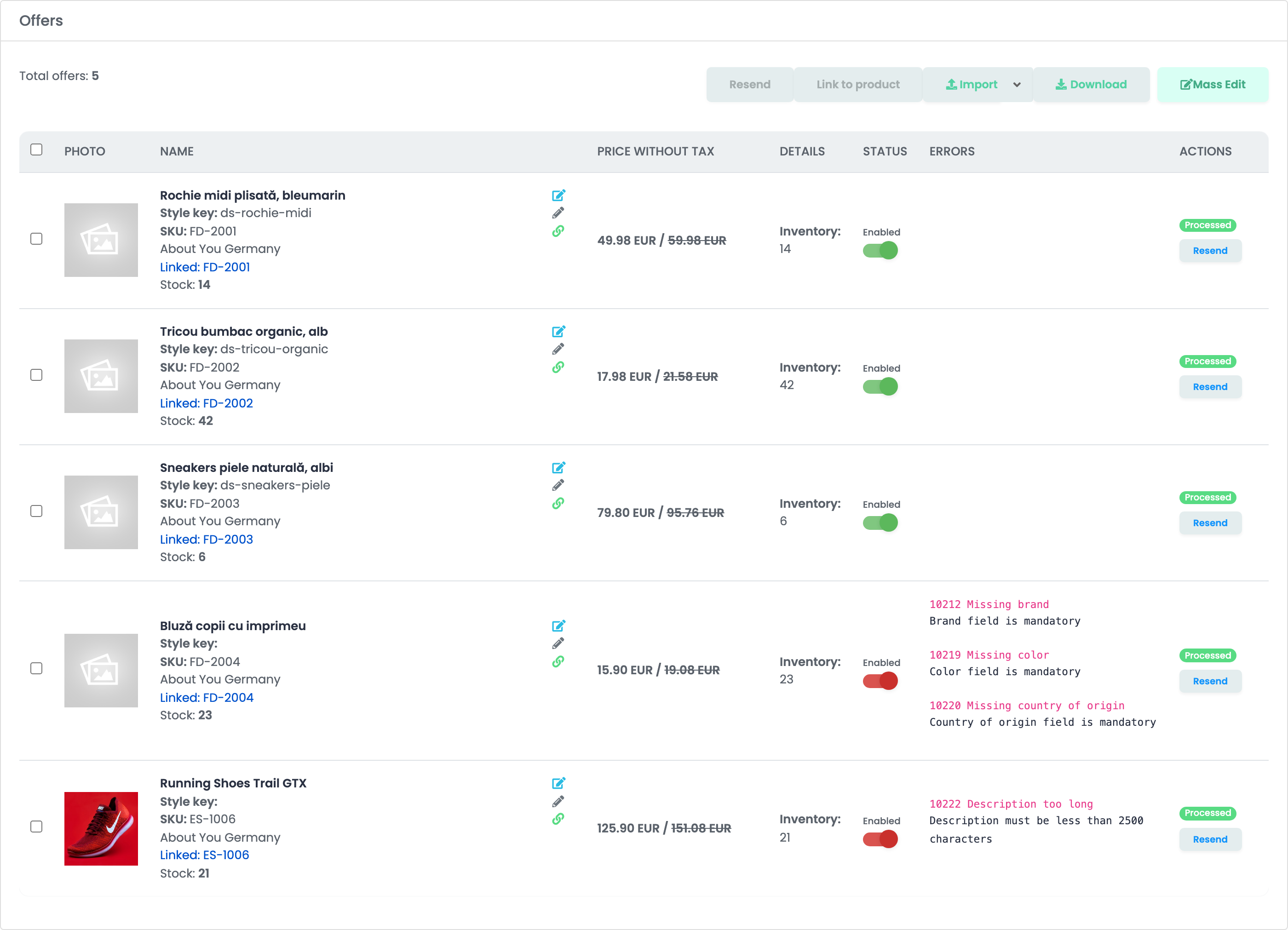
easySales checks each offer before sending it. About You needs, for every product:
- a name, a description under 2,500 characters, images and a price;
- a brand registered on your About You account;
- a colour, the weight, the EAN and the country of origin;
- an About You category, with its mandatory characteristics and, where the category asks for it, the material composition.
An offer that misses one of them shows the error on its row. Complete the product and press Resend. Products you already had in Seller Center appear on the tab without a product: link each one with Link to product.
Orders and shipping
- Orders arrive in easySales a few minutes after they are placed on About You, with their status kept up to date.
- Shipping: create the AWB in easySales as usual. easySales sends its tracking number to About You when the courier of the AWB is one of About You's carriers for that country.
- Cancellations made in easySales are sent to About You.
- Fulfilment by About You orders are shipped by About You: easySales does not send their AWB.
When something does not work
| Problem | What to do |
|---|---|
| Unauthorized. API key is not present or incorrect. Make sure the API key is sent as 'X-API-Key' header. You can generate an API key in the Seller Center settings. | The API key is wrong, expired or deleted. Create a new one in Seller Center, enter it and press Save. |
| Country not enabled on your ABOUT YOU contract | Your contract does not include this country. Connect the card of a country you sell in, or ask About You to add the country. |
| 10212 Missing brand — Brand field is mandatory | The brand is not one of your About You brands. Use the brand's exact name from Seller Center, or register the brand with About You. |
| 10219 Missing color, 10220 Missing country of origin | Give the product a colour and a country of origin, then press Resend. |
| 10222 Description too long | Shorten the description to under 2,500 characters, then press Resend. |
| 10213 Missing category | Map the product's category to About You under Categories, then press Resend. |
| The offer was sent but is not on About You. | Check the product in Seller Center: it may be waiting for approval or have been rejected. |