How to connect ORLEN Paczka with easySales: a complete setup guide
Ship to ORLEN Paczka parcel machines and pickup points with easySales: Partner ID and Partner Key, one box size per connection, points on the order and labels.
What connecting ORLEN Paczka gives you
ORLEN Paczka is a Polish parcel network of parcel machines and pickup points, many of them at ORLEN stations. Your buyer collects the parcel from the point they chose. With ORLEN Paczka connected, easySales creates the shipment for an order, receives the label and puts the AWB on the order.
Three things to know before you begin:
- Every parcel goes to an ORLEN Paczka point. There is no home delivery: each label needs the point the buyer chose, identified by ORLEN Paczka's own point code.
- The Partner ID and Partner Key come from ORLEN Paczka. You receive them from your ORLEN Paczka sales representative after you sign a business agreement. The Partner ID is not your login e-mail.
- One connection is one box size. S, M or L goes on every label of the connection; add a connection for each size you ship.
Before you start
A business agreement with ORLEN Paczka
Signed with an ORLEN Paczka sales representative.
Your Partner ID and Partner Key
The production credentials your sales representative gives you.
Your address in Poland
And a Polish phone number for the sender.
ORLEN Paczka points at checkout
A point picker in your shop, so orders arrive with the buyer's point.
Step 1 — Your Partner ID and Partner Key
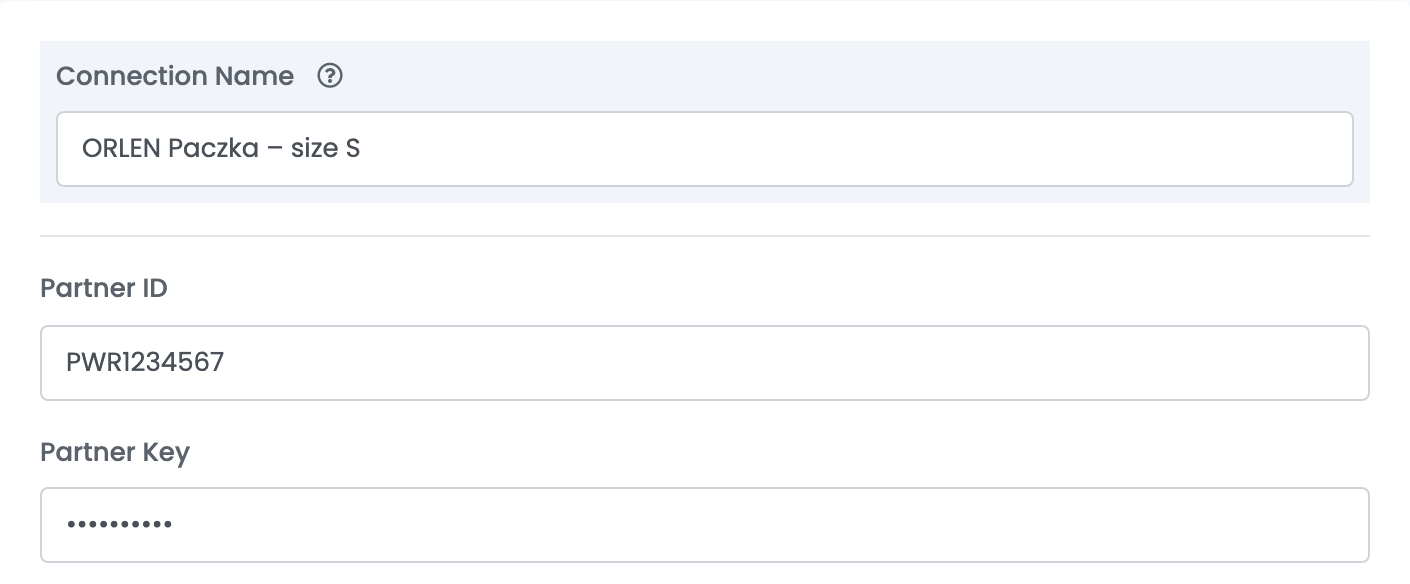
Go to Integrations → Couriers, search for orlen and press Connect on the ORLEN Paczka card. Enter a Connection Name, then the Partner ID and Partner Key from ORLEN Paczka.
Step 2 — Your address and the box size
| Field | What goes in it |
|---|---|
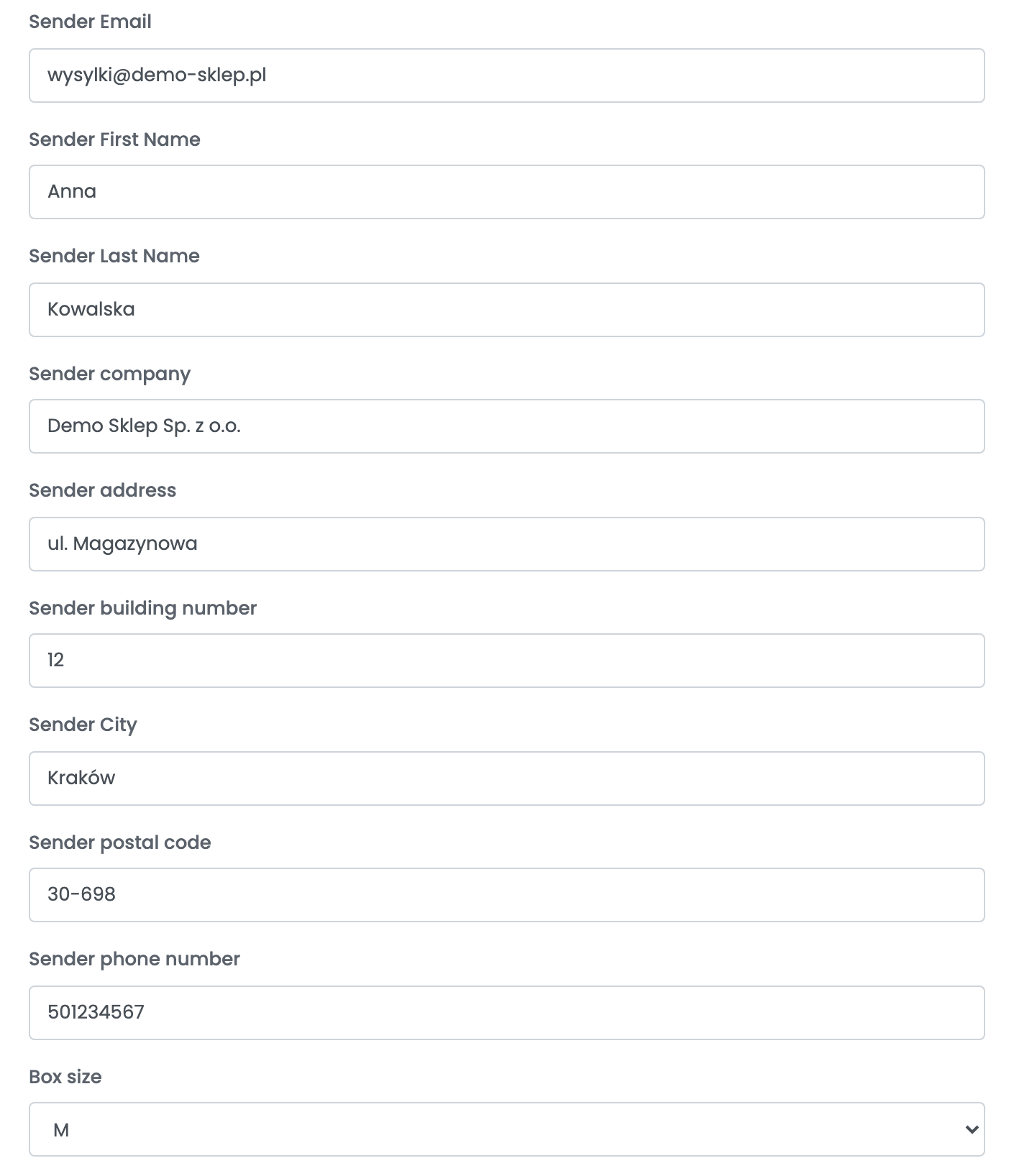
| Sender Email, Sender First Name, Sender Last Name, Sender company | You and your company, as the sender on the label. |
| Sender address, Sender building number, Sender City, Sender postal code | Your address in Poland: the street in one field, the building number in the next. |
| Sender phone number | A Polish mobile number: 9 digits, or +48 and 9 digits. ORLEN Paczka refuses other formats — for the buyer's phone too. |
| Box size | S (up to 8 × 38 × 60 cm), M (up to 19 × 38 × 60 cm) or L (up to 41 × 38 × 60 cm), each up to 20 kg. |
Press Save. easySales checks the Partner ID and Partner Key with ORLEN Paczka; Invalid credentials. means one of them is wrong. To ship in another size, open the connection, press Clone and change Box size in the copy.
Creating labels
- Quick create: in the orders list, choose Quick Create → ORLEN Paczka in the AWB column. The label goes to the ORLEN Paczka point saved on the order — the point the buyer picked at checkout in your shop.
- From the order: in the order's Awbs section, press Create AWB and choose ORLEN Paczka. Pick the point from the list for the order's city, or search by city, street or district.
If quick create answers Delivery location not found., the order has no ORLEN Paczka point easySales recognises: create the AWB from the order and pick the point there.
The AWB goes to the marketplace or shop the order came from. Hand the parcel in within 14 days — after that, ORLEN Paczka cancels the shipment. Labels created through easySales do not appear in ORLEN Paczka's WebTrucker panel.
Deleting the AWB on the order cancels the shipment at ORLEN Paczka, as long as the parcel has not been handed in.
When something does not work
| Message | What to do |
|---|---|
| Invalid credentials. | Check the Partner ID and Partner Key with your ORLEN Paczka sales representative. The Partner ID is not your login e-mail. |
| Delivery location not found. | The order has no ORLEN Paczka point easySales recognises. Create the AWB from the order and pick the point there. |
| Unable to delete all specified awbs, reason: cannot be cancelled | The parcel has already been handed in, so the shipment can no longer be cancelled. |