What Is a Product Feed? A Complete Guide for Online Sellers
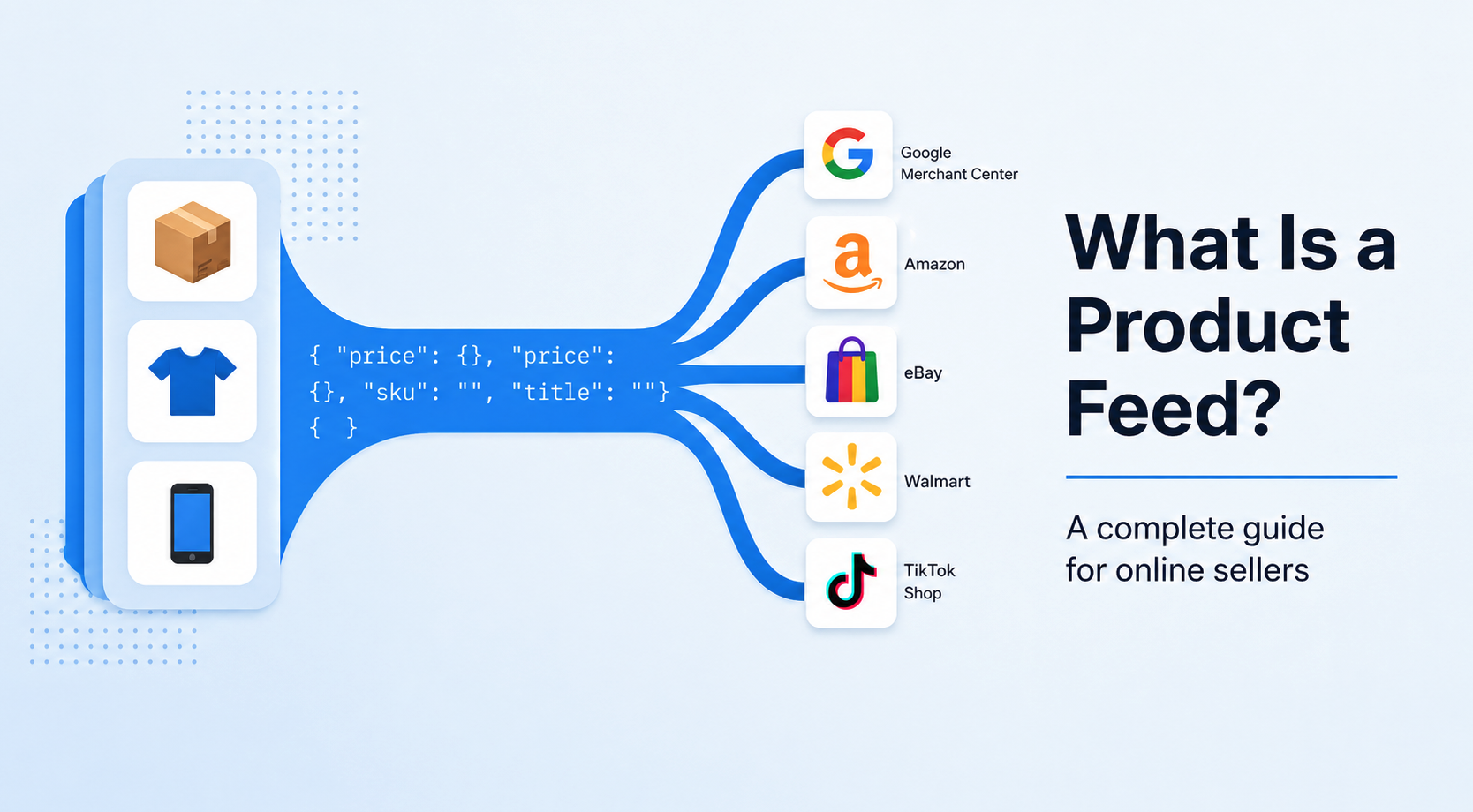
A product feed is the file that connects your catalog to Google Shopping and price-comparison engines. Here's how feeds work, why they matter, and how easySales generates them for you.
If you sell online on more than one channel, sooner or later someone will ask you for a "product feed". Maybe Google Shopping wants a Merchant Center file. Maybe a price-comparison engine in your country wants an XML URL. Maybe a partner wants a daily CSV of your catalog.
They're all asking for the same thing in different shapes: a structured file listing your products with the fields each channel needs to display them.
This guide explains what a product feed is, why feeds matter for ecommerce, how they get generated and refreshed, and how easySales handles it across 17+ pre-built channels.
What is a product feed?
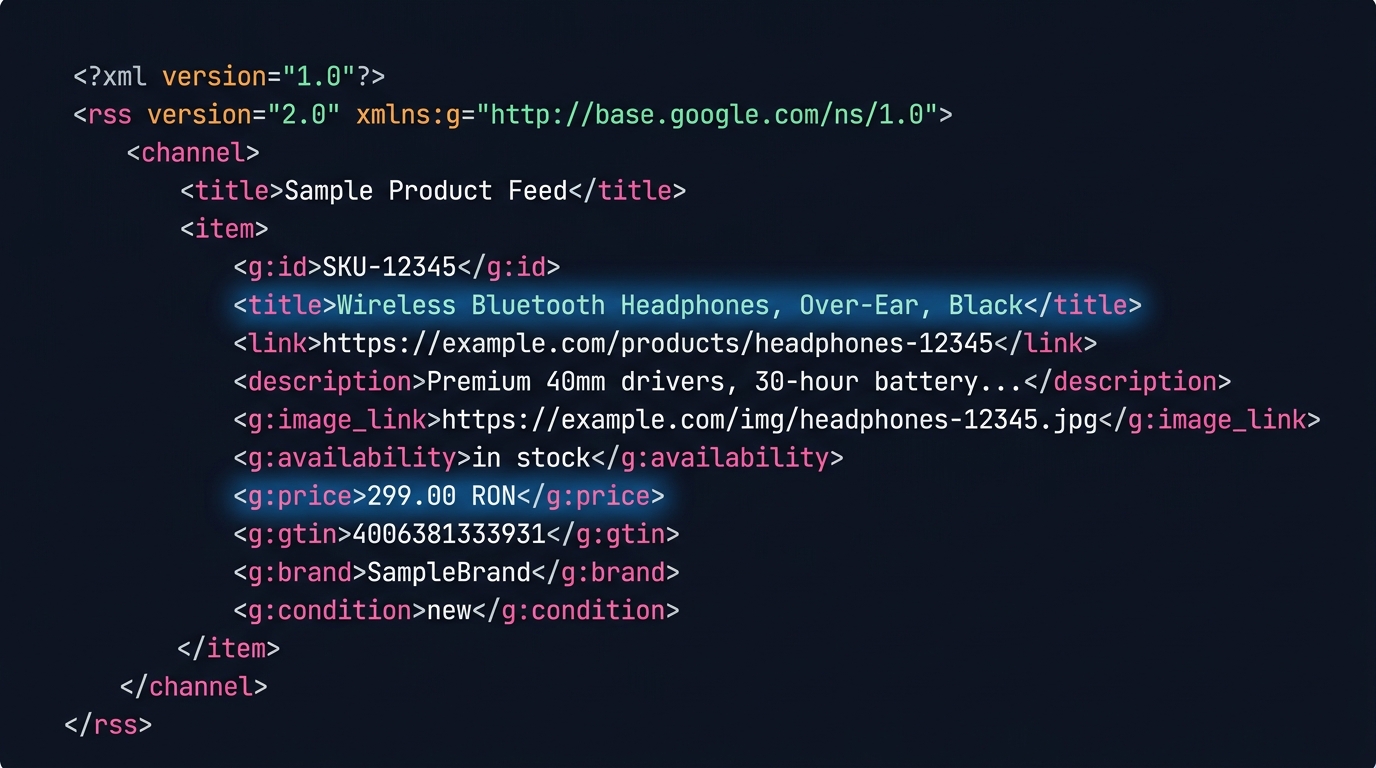
A product feed is a structured file — almost always XML or CSV — with one row per product (or variation) and one column per attribute the channel cares about: identifier, title, description, image URL, price, stock, category, brand, GTIN, shipping cost, and a long list of channel-specific extras.
Channels don't read your store directly — they read your feed. Once a day, or every few hours, the channel's crawler downloads the file from a URL you give them, parses it, and updates what shoppers see. If a product isn't in the feed, it doesn't exist on that channel. If the price in the feed is wrong, the price the shopper sees is wrong.
The feed is the contract between your catalog and the channel.
Why product feeds matter for online sellers
Three reasons feeds are worth getting right.
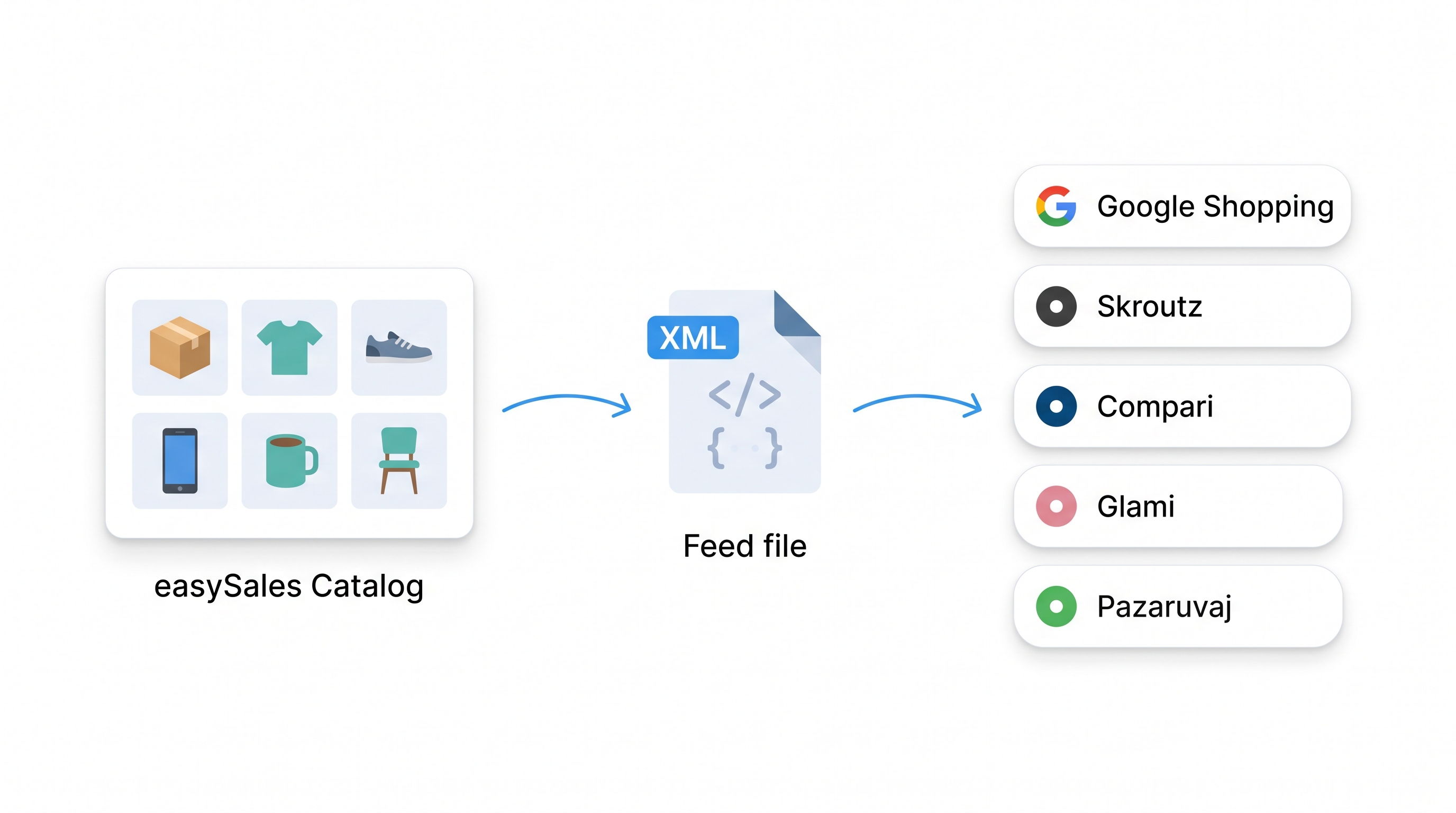
Reach without rebuilding your catalog. A feed is the cheapest way to put the same catalog in front of shoppers on Google Shopping, Skroutz, Compari, Pazaruvaj, and a dozen other engines at once. Maintain one product database; let the feeds translate it for each audience.
Feed quality drives advertising performance. On Google Shopping, your title, GTIN, product category, and image quality decide how often your ad shows up and what you pay per click. A clean feed consistently outperforms a sloppy one on the same ad budget. Comparison engines work the same way: better data, better placement.
Manual channel-by-channel maintenance doesn't scale. Without feeds, every channel becomes its own data-entry job: one CMS for your store, another upload portal for Google, a third spreadsheet for the comparison engine, a fourth email to your affiliate partner with the latest CSV. With feeds, you change the product once and every connected channel sees it on the next refresh.
What's inside a feed
The fields in a feed fall into three groups.
Identity
How the channel uniquely identifies your product. SKU, GTIN/EAN, MPN, brand. These fields decide whether the channel matches your offer with the same product from another seller (productisation), so they need to be accurate and stable over time.
Content
What the shopper sees. Title, description, images, category. These fields decide whether a shopper clicks. Channels enforce strict rules here — Google Shopping caps titles at 150 characters and prohibits promotional language; Skroutz expects a specific structure; Compari requires a category at the lowest available level.
Commerce
The numbers. Price, currency, availability, shipping cost, tax. These fields change most often, and stale values cause the most damage: a wrong price means rejected ads; out-of-stock items still showing as available mean refunds and angry shoppers.
Some feeds also carry channel-specific extras — Google Shopping uses condition, gender, age_group, material; Skroutz Marketplace expects shipping rules; affiliate networks track UTM parameters and commission rates. Each pre-built feed in easySales already maps your catalog to the fields the channel expects.
The main types of feeds
Most product feeds fall into one of four categories.
Search and shopping engines. Google Shopping is the obvious one. The file populates Google Merchant Center, which powers Shopping ads, the free shopping listings, and product results across Google Search.
Price-comparison engines. Regional shopping engines that aggregate offers from many sellers and rank them. Skroutz in Greece, Compari and Árukereső in Hungary, Pazaruvaj in Bulgaria, Favi for furniture and home across CEE, Glami for fashion, Shopmania in Romania, the Pepita network across CEE. Each has its own format, but the pattern is the same: publish a feed at a URL, they crawl it, your products show up in their listings.
Affiliate platforms. Networks like 2Performant publish your catalog to their affiliate partners, who promote your products for a commission on each sale. The format is similar to a comparison feed, with extra fields for tracking and commission.
Custom feeds. Anything else. A supplier asking for a daily CSV of your stock, a partner with their own XML schema, a niche channel we haven't pre-built — all handled with custom feed formats.
How feed generation works
The lifecycle of a feed is simpler than it looks.
- Your catalog lives in easySales — products, prices, stock, images, categories.
- For each channel, you create a feed configuration: which products to include, which fields to map, channel-specific rules.
- easySales generates the feed file on a schedule and saves it to a stable URL —
https://feeds.easy-sales.com/.../feed.xml. - You give that URL to the channel once.
- The channel polls the URL on its own schedule (typically every 1, 3 or 6 to 24 hours), downloads the latest file, and updates what shoppers see.
The important consequence: feeds aren't real-time. When you change a price in easySales, three things happen before the shopper sees it. The feed regenerates. The channel polls your URL. The channel re-indexes its catalog. End to end, typically a few hours.
In easySales specifically:
- Feeds regenerate every hour by default.
- A feed only regenerates while it's being read. If a channel stops polling your feed URL, easySales pauses regeneration to save resources and resumes the moment the channel reads the file again.
- Each feed records when the channel last fetched it, so you can verify the integration is working.
For most use cases, hourly is fast enough. If you need real-time stock or pricing in front of shoppers, that's a job for a marketplace API integration, not a feed.
How easySales helps you generate feeds
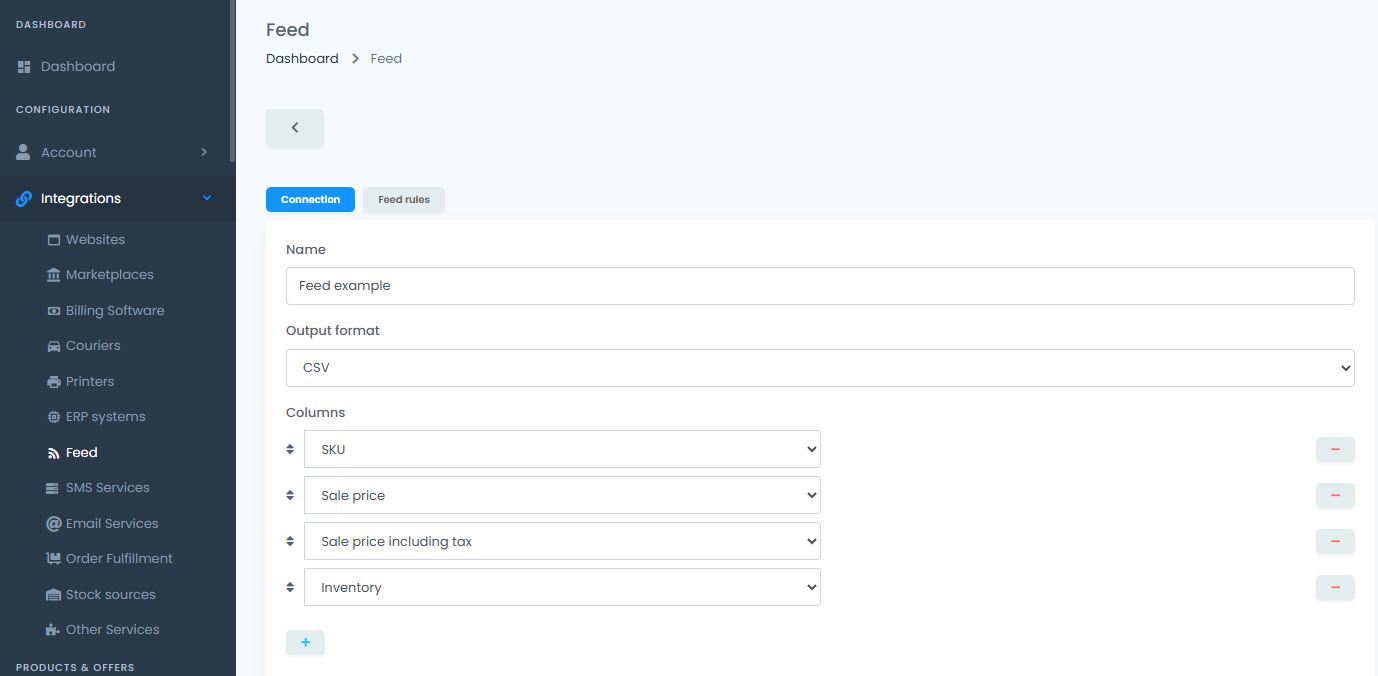
easySales ships with pre-built feeds for the channels online sellers in our region use most, plus generic builders for everything else.
Google Shopping
Google Merchant Center feed in the format Google expects, including required identifiers, attributes, and shipping rules.
Skroutz & Skroutz Marketplace
XML feed for the largest Greek price-comparison engine, plus a separate marketplace feed when you sell directly through Skroutz.
Árukereső, Compari, Pepita HU
Hungarian comparison engines and the regional Pepita network (also covers BG, AT, DE, HR, PL, RO, SK).
Pazaruvaj
Bulgaria's leading price-comparison engine.
Favi & BlueWinston
Favi for furniture and home in CEE, BlueWinston for advanced Google Shopping campaign management.
Glami
Multi-country fashion comparison shopping.
Romanian channels
Shopmania, Okazii, Teamdeals, 2Performant (affiliate), Bringo (grocery), and the generic Price feed.
Custom & Dynamic
XML, CSV, or fully custom output formats when you need a feed for a partner or channel we haven't pre-built.
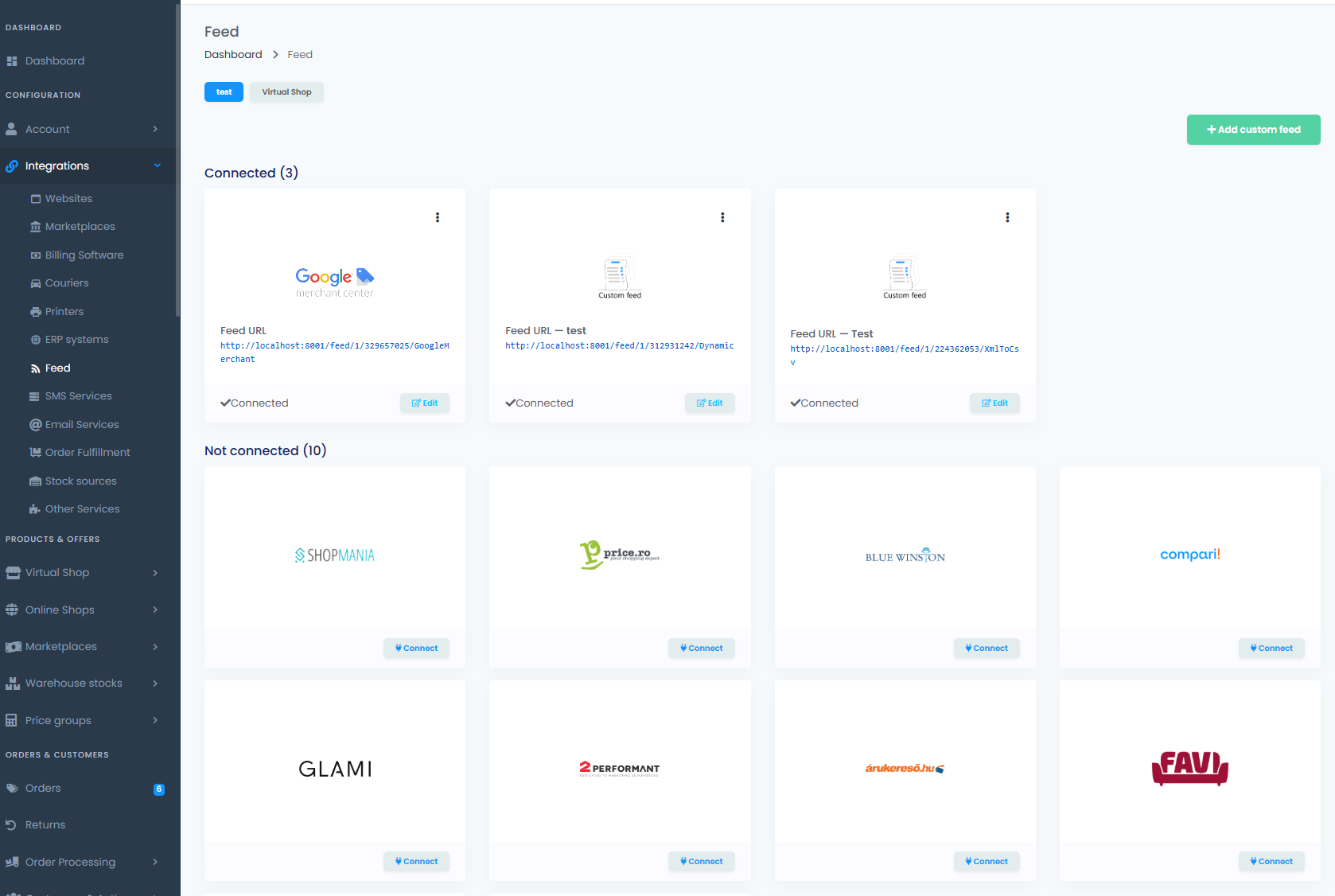
A few things that come for free with any easySales feed:
- Stable feed URL. Give the channel one URL and never touch it again.
- Automatic regeneration. The platform handles the schedule.
- Per-feed product filters. Exclude categories, individual products, or anything below a stock or price threshold.
- Feed Rules. Override field values per channel — prepend the brand to titles only for Skroutz, or send a different price for one marketplace — without changing your master catalog.
- Read tracking. Each feed records when the channel last fetched the file, so you know the integration is working.
- Custom XML, CSV, and Dynamic builders. When the pre-built list isn't enough, you map fields yourself.
The same product catalog drives every feed. You don't maintain a separate database per channel. You don't reconcile prices between systems. You change the product in one place and every channel sees the change.
Wrapping up
A product feed is the structured file that connects your catalog to a shopping channel. It's how Google Shopping, comparison engines, affiliate networks, and custom partners get the data they need to display your products. The format varies by channel, but the model is the same: one catalog, many feeds, automatic refresh.
If you're already running ads on Google Shopping or listing on a price-comparison engine, you have a feed somewhere — the question is whether it's clean, fresh, and easy to maintain. If you're not yet, you'll need one before you can start.
Generate your first feed in minutes
Try easySales free for 14 days. No credit card required.