如何将 Cdiscount 连接到 easySales:完整设置指南
通过 easySales 在 Cdiscount 上销售:在 Octopia 上授权 easySales,填写卖家 ID,设置配送方式,按 EAN 发布报价并导入你的 Cdiscount 订单。
连接 Cdiscount 能为你带来什么
Cdiscount 是法国最大的交易市场之一,它的卖家平台运行在 Octopia 上。连接 Cdiscount 后,easySales 会把你的产品作为报价发布到 Cdiscount,让它们的价格和库存保持最新,并把你的 Cdiscount 订单与其他渠道的订单一起导入。
开始之前需要了解三件事:
- 你需要先在 Octopia 上授权 easySales。 easySales 以聚合商身份连接,因此没有需要复制的 API 密钥:你只需在 Octopia 上授权一次,然后在 easySales 中只填写你的 卖家 ID。
- EAN 是每个报价的身份。 Cdiscount 按 EAN 把每个报价匹配到一个产品页。没有有效 EAN 的产品无法上架。
- 发货在 Cdiscount 中确认。 在你的 Cdiscount 卖家后台确认每笔发货及其跟踪号,并在那里处理发票。
开始之前
Cdiscount 卖家账号
已在 Cdiscount 的卖家平台 Octopia 上启用。
你的卖家 ID
你的 Cdiscount 卖家账号的数字标识符。
带有效 EAN 的产品
Cdiscount 按 EAN 识别每个报价。
法语产品内容
对于 Cdiscount 上没有的新产品,需要法语标题和描述,以及至少 500×500 像素的图片。
第 1 步 — 在 Octopia 上授权 easySales
在你的 Octopia 卖家区域打开 API Credentials 页面(developer.octopia-io.net/user-guides/api-credentials)。在 I'm using a feed aggregator 下选择 I know my aggregator's clientId。输入 easysales 作为 client ID,勾选 Terms & Conditions 复选框,然后点击 Confirm my aggregator clientId。接着点击 Proceed with seller authentication,用你的 Cdiscount 卖家账号登录。
第 2 步 — 在 easySales 中连接 Cdiscount
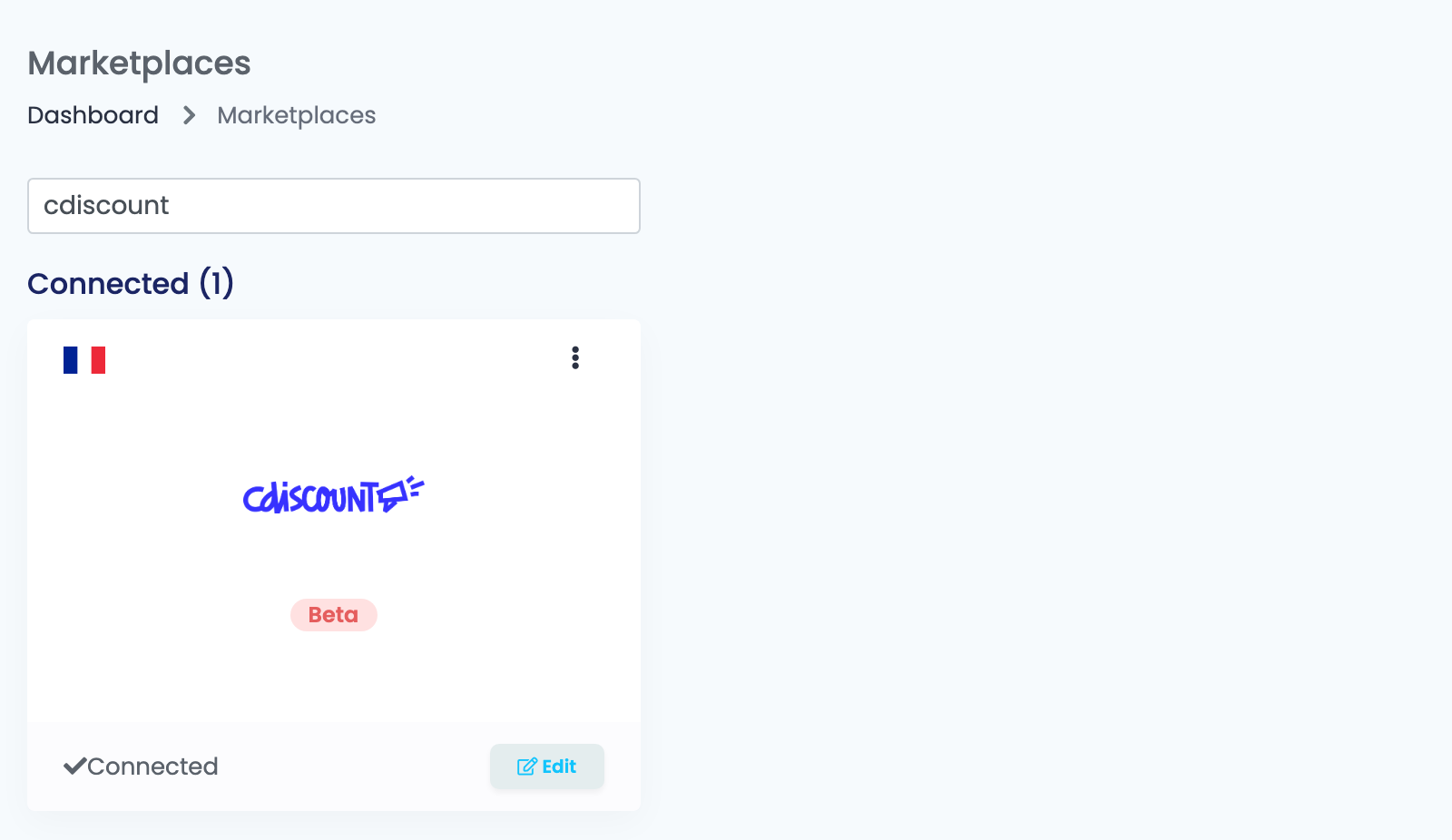
进入 整合方式 → 交易市场,搜索 cdiscount,在 Cdiscount 卡片上点击 连接。
在 主要设置 标签页中填写连接信息:
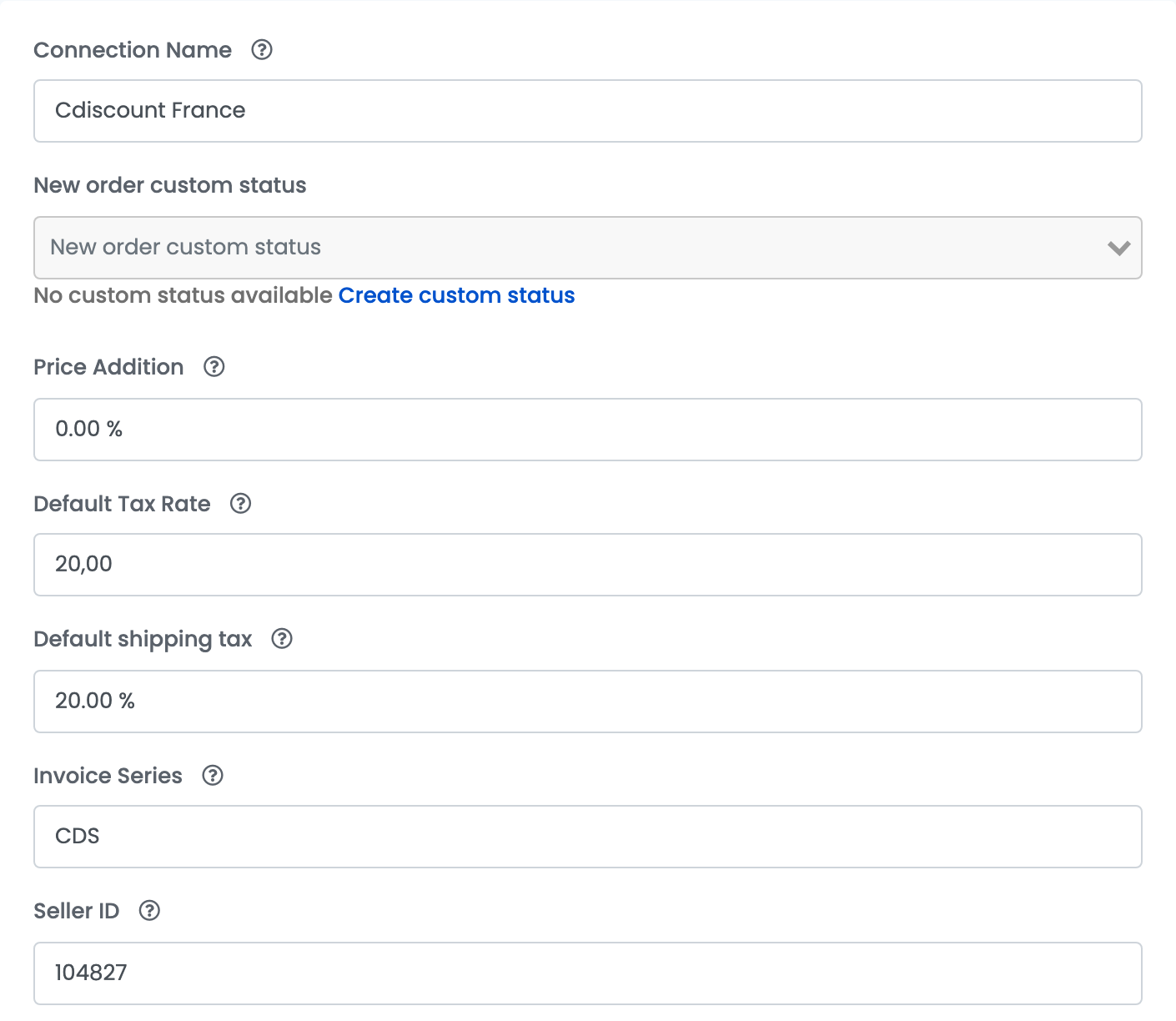
| 字段 | 填写内容 |
|---|---|
| 连接名称 | 一个你容易识别的名称,例如 Cdiscount 法国。 |
| 新订单自定义状态 | 可选。新的 Cdiscount 订单在 easySales 中获得的状态。 |
| 价格加成 | 针对 Cdiscount 加到产品价格上的百分比。它在创建报价时生效,因此之后的修改只影响新报价。 |
| 默认税率 | 针对 Cdiscount 加到你价格上、并用于你的 Cdiscount 订单的增值税税率;来自法国网店的产品保留各自的税率。如果你不是增值税纳税人,请设为 0。 |
| 默认运费 | 运费的增值税税率。 |
| 发票系列 | 可选。这些订单发票的默认系列。 |
| 卖家 ID | 你的 Cdiscount 卖家账号的数字标识符。 |
第 3 步 — 配送方式
每个报价都会带着其所属连接的配送方式发送到 Cdiscount。至少添加一种,并以欧元填写它的 运费。
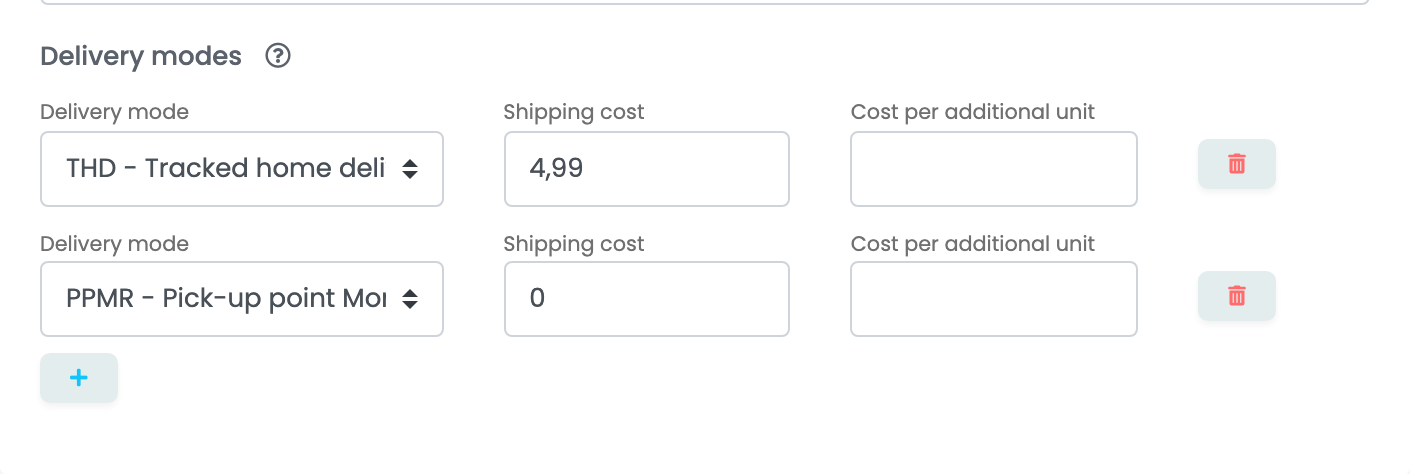
| 字段 | 填写内容 |
|---|---|
| 配送方式 | 一种 Cdiscount 配送方式——例如 THD - Tracked home delivery 或某种自提点方式。 |
| 运费 | 买家为此方式支付的金额,以欧元计。填 0 即为免费。 |
| 每增加一件的费用 | 可选。同一订单中每多一件商品增加的费用。 |
点击 保存。easySales 会向 Cdiscount 检查访问权限;首次连接时,它随后会导入你在 Cdiscount 上已有的报价和你最近的订单。
你在 Cdiscount 上的报价
easySales 把每个产品发送到 Cdiscount 时,会带上作为卖家参考号的 SKU、EAN、含增值税的价格、库存和 处理时间——请在产品上把它设为至少 1 天。
- EAN 已存在于 Cdiscount:你的报价会挂到现有的产品页上。
- EAN 在 Cdiscount 上是新的:easySales 会先创建产品页——法语标题和描述(产品有法语翻译时使用该翻译)、品牌、最多 6 张图片以及产品特性。选择分类是可选的;当标题和描述清楚说明产品是什么时,Cdiscount 会自行为产品归类。
Cdiscount 分批处理报价,因此新报价或一次修改可能需要几分钟到几小时才会显示,而首次上传的大型目录可能需要几天。请等待处理完成,不要重复发送。
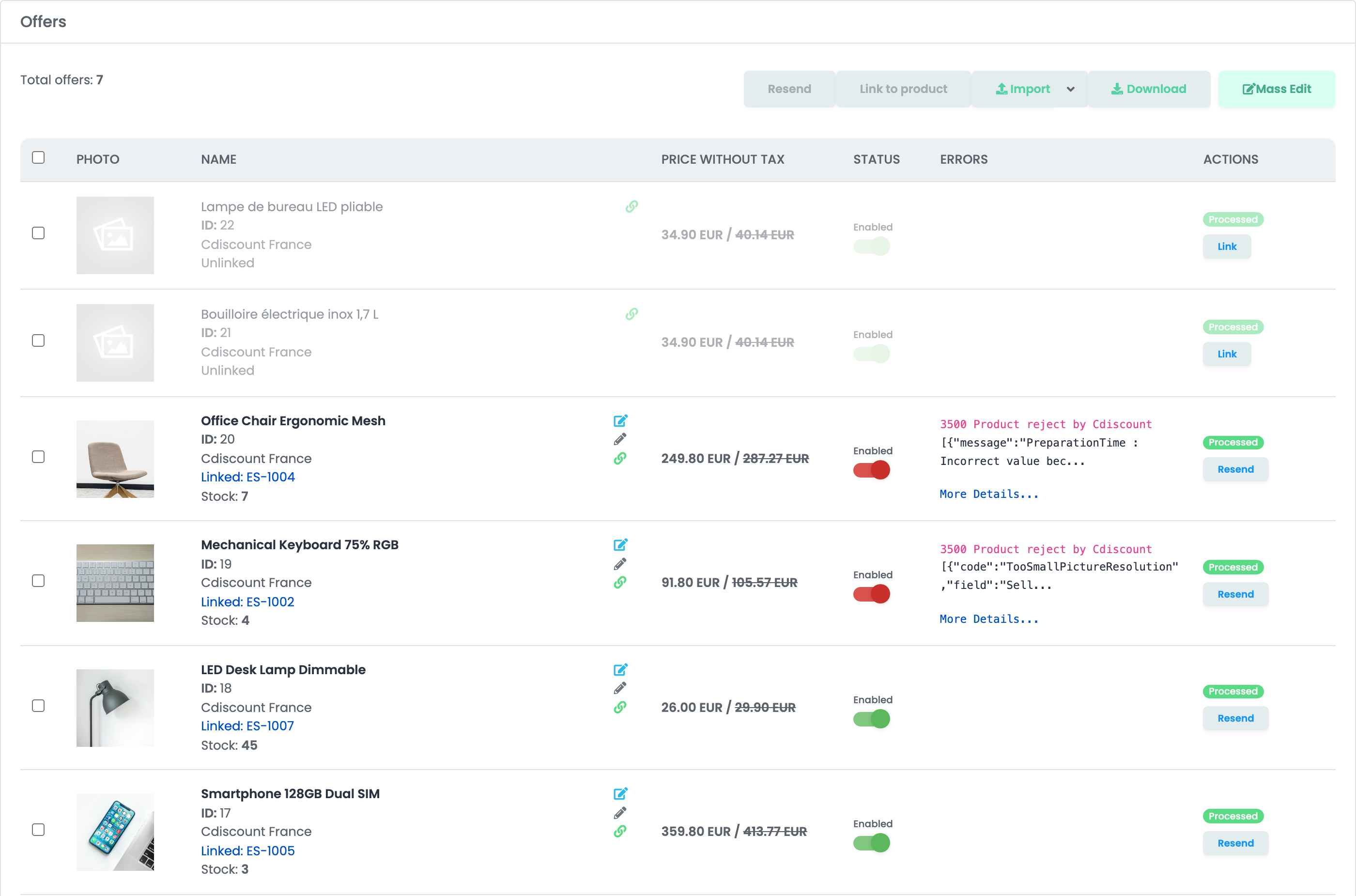
你在 Cdiscount 上已有的报价会以 未连结 状态出现在 优惠 中:在你关联它们之前,它们不会收到价格和库存,它们的订单也会不带产品导入。在每个报价上点击 关联,或使用 自动链接 按 EAN 关联它们。当 Cdiscount 拒绝某个报价时,错误 列会显示它的消息;打开 More Details... 查看完整内容。
订单
新的 Cdiscount 订单每隔几分钟导入一次,状态为 新的,或者是你在 新订单自定义状态 中选择的状态。Cdiscount 订单均为在线支付。当 Cdiscount 把订单标记为已发货或已送达时,它在 easySales 中变为 已完成;被取消或被拒收的订单变为 已取消。
遇到问题时
| 消息 | 处理方法 |
|---|---|
| Forbidden | easySales 还没有访问你卖家账号的权限。在 Octopia 上完成第 1 步(client ID 用小写),并检查 卖家 ID。 |
| Forbidden: Vous n'êtes pas autorisé à créer ou modifier des produits. / You are not allowed to create or edit products. | 你的 Cdiscount 账号无法创建产品页。请联系 Cdiscount 开通此权限,或只上架 EAN 已存在于 Cdiscount 的产品。 |
| The 'Gtin' field must be a valid GTIN (8 to 13 characters with a valid country code prefix and a valid control key suffix). | 更正产品的 EAN。 |
| Your image file resolution must be at least 500x500px. | 把产品图片换成更大的图片。 |
| The elements provided in the title and - or description of the product are not explicit enough to allow us to validate that the associated category is adequate… | 让法语标题和描述清楚说明产品是什么,或在报价上选择它的 Cdiscount 分类。 |
| PreparationTime : Incorrect value because the value is lower than the minimal authorized value… | 把产品的 处理时间 设为至少 1 天。 |
| Offer : You have to set up, at least, one delivery mode to 0€ on this product category… | 在连接中添加一种 运费 为 0 的配送方式。 |
| Your quota has been exceeded, please wait before submitting more products. | Cdiscount 限制一次接受的新产品页数量。请稍候,然后在报价上点击 重发。 |
| Offer - Incorrect seller reference : Updating the offer is impossible. The EAN/GTIN on which you have listed your offer has a different seller reference… | 你已在 Cdiscount 上以另一个卖家参考号销售这个 EAN。请在产品上保留原来的 SKU。 |
| Product : This product is subject to restrictions on sale… | Cdiscount 限制销售此产品。请在 Cdiscount 的 Help Center 中查看相关限制。 |